
ARMember: 12+ Languages for Global Reach!
ARMember, a powerful WordPress membership plugin, supports a wide range of languages to ensure accessibility for admin users across the globe. With the plugin’s ARMember inbuilt languages, you can easily switch to your preferred language settings, providing a seamless experience. In this article, we’ll explore the built-in languages feature and how to effortlessly switch to your desired language on the WordPress platform.
Here is a list of ARMember’s inbuilt languages.
ARMember offers more than a dozen languages right out of the box, allowing you to interact with the plugin in a language you are comfortable with. The following ARMember built-in languages
are available:
- Arabic –
ar - English (US) –
en_US - German (Deutsche) –
de_DE - Spanish –
es_ES - French –
fr_FR - Italian –
it_IT - Japanese –
ja - Korean –
ko_KR - Nederland –
nl_NL - Portuguese –
pt_PT - Russian –
ru_RU - Turkish –
tr_TR - Chinese (China) –
zh_CN
Changing Language Settings
To change the language settings and use the ARMember built-in languages: Follow these simple steps:
- Access the WordPress admin panel. Log in to your WordPress dashboard.
- Navigate to
Settings⇾General Settings. - Find the
Site Languagedropdown field and choose your desired language from the list of available built-in languages.
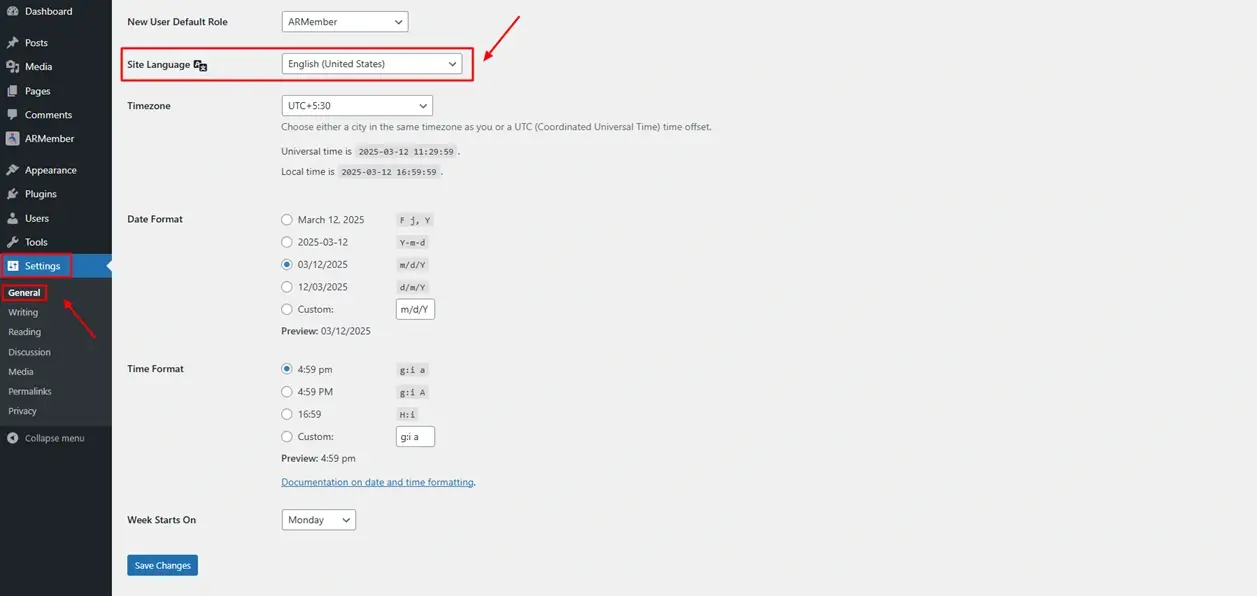
Once you select a language, ARMember will automatically switch to that language, providing a consistent experience across the site.
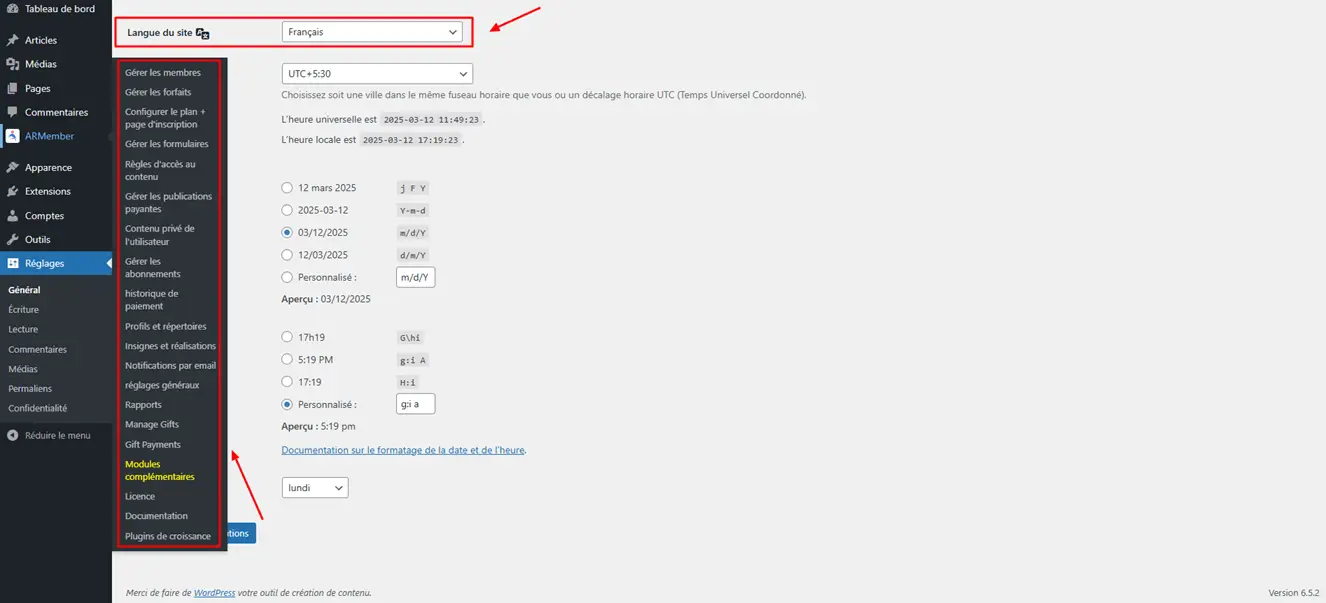
Custom Translation Options for ARMember
If your preferred language is not listed among the built-in languages, you can still create custom translations. ARMember is compatible with translation plugins that allow you to add any language you desire. Two popular tools for this are the following:
- Loco Translate
- Poedit
By using these tools, you can ensure that ARMember is fully localized, even if your desired language is not part of the built-in languages list.
How to offer Multilanguage for the front end?
The above steps to change the language are associated with the admin panel; however, if you are willing to allow the option for the front-end in such a way that members can fill up the form in their desired language, get emails in their desired language, and much more, then ARMember offers a Multi-language Addon. You can refer to the detailed configuration for the same.