How to Configure hCaptcha Add-on Easily in ARMember
Important Note: This Addon will only work if ARMember plugin is installed with version 7.3.2 or higher
hCaptcha is a privacy-focused CAPTCHA service designed to protect websites from spam, bots, and automated abuse.
This Addon allows you to integrate hCaptcha with ARMember forms such as login and registration to enhance security and prevent unauthorized access.
ARMember – hCaptcha Addon Key Features:
- Easy Installation And Setup
- Protect login and registration forms with hCaptcha verification
- Prevent spam, bots, and automated attacks on member forms
- Advanced CAPTCHA challenge system for better security
- Privacy-focused alternative to traditional CAPTCHA systems
- Seamless integration with ARMember forms

Steps For Installation And Activation
ARMember – hCaptcha Addon requires ARMember Plugin installed and active. You can install this Addon in following two ways.
New install via FTP
- Download Addon and extract it. You will find a directory armemberhcaptcha.
- In your WordPress installation directory, upload armemberhcaptcha to
wp-content/plugins/ - Activate the
ARMember - hCaptcha Addonthrough thePluginsmenu from WordPress admin panel.
New install via the WordPress Uploader
- Download Addon.
- Log in to your WordPress admin panel.
- Go to
Plugins->Add New->Upload - Click on “choose file” and browse the download package. When the Addon uploads successfully, click on
Activate Plugin.
hCaptcha will be applied on the following actions:
- Login Forms
- Registration Forms
- Forgot Password Forms
- Change Password Forms
- Edit Profile Forms
- Plan Purchase (Setup) Forms
Steps to Setup hCaptcha For Your Website
Let’s setup ARMember – hCaptcha Addon for your website :
-
After activating the Addon, go to
ARMember→General Settings→General Options→ hCaptcha Configuration. Here, you can manage all CAPTCHA-related settings and ensure proper integration with your website.You can create your hCaptcha account here: Click Here
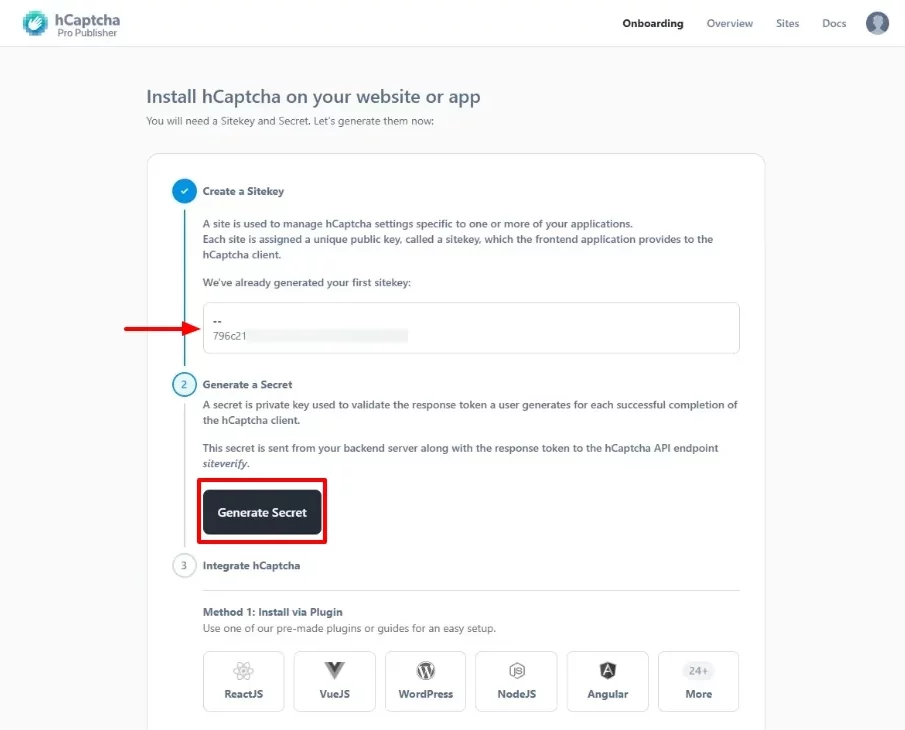
After logging in, you will see your site dashboard. Then, click the “Generate Secret Key” button to create and securely link your secret key.

Once the key is generated, copy it immediately and store it securely, as it will be shown only once.
For better security, do not share this key publicly or store it in unsecured locations.
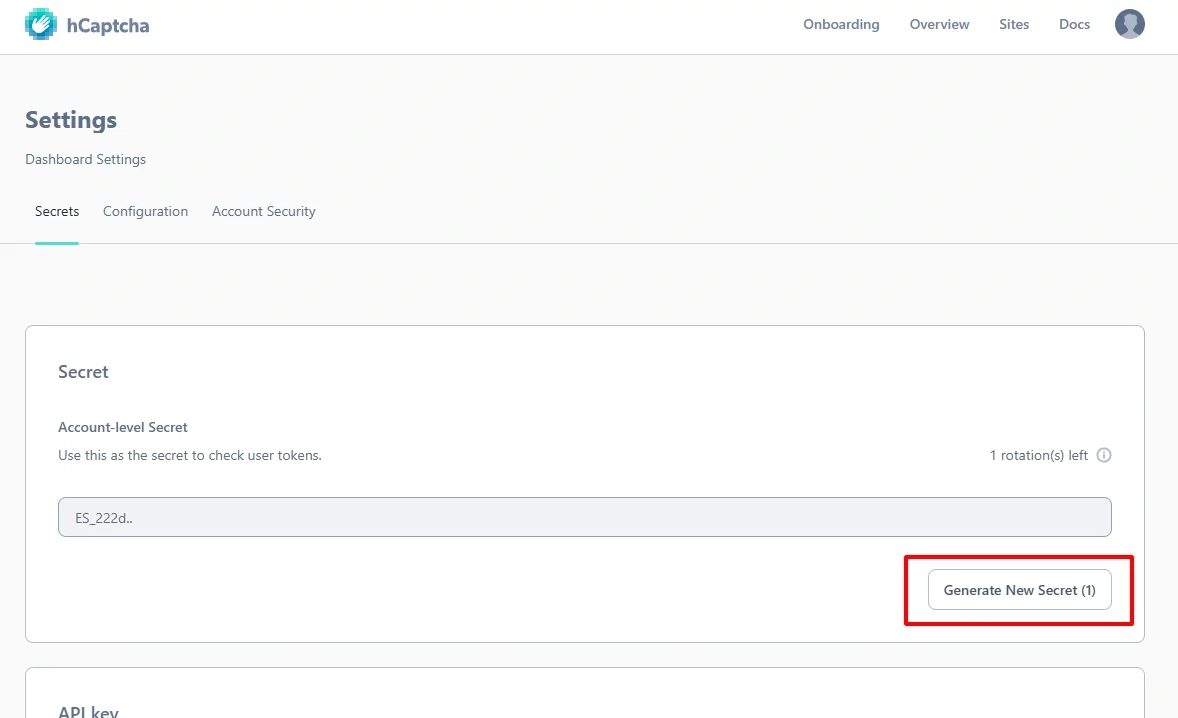
If needed, you can regenerate the secret key from the settings. However, this will invalidate the previous key.
As a result, always update the new key wherever it is used to maintain system integrity.
Click the “Regenerate Key” button to create a new secret key and keep your integration secure.
Afterward, replace the old key in ARMember settings to prevent any service interruptions.
After regeneration, copy the new key and store it securely to prevent unauthorized access.
Additionally, consider using a password manager to store sensitive credentials safely.
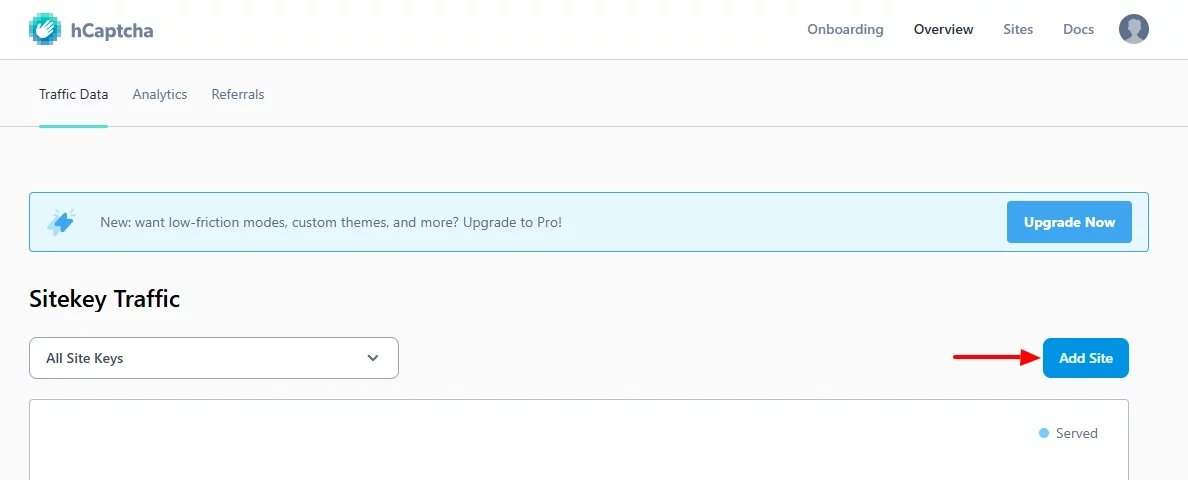
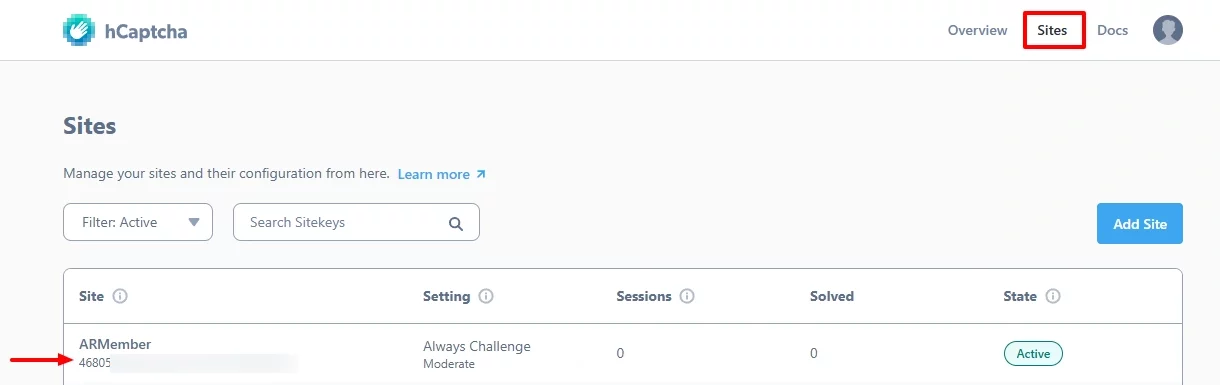
To generate a Site Key, go to your hCaptcha dashboard and click the “Add Site” button.
This step allows you to register your domain so CAPTCHA works correctly across your website.
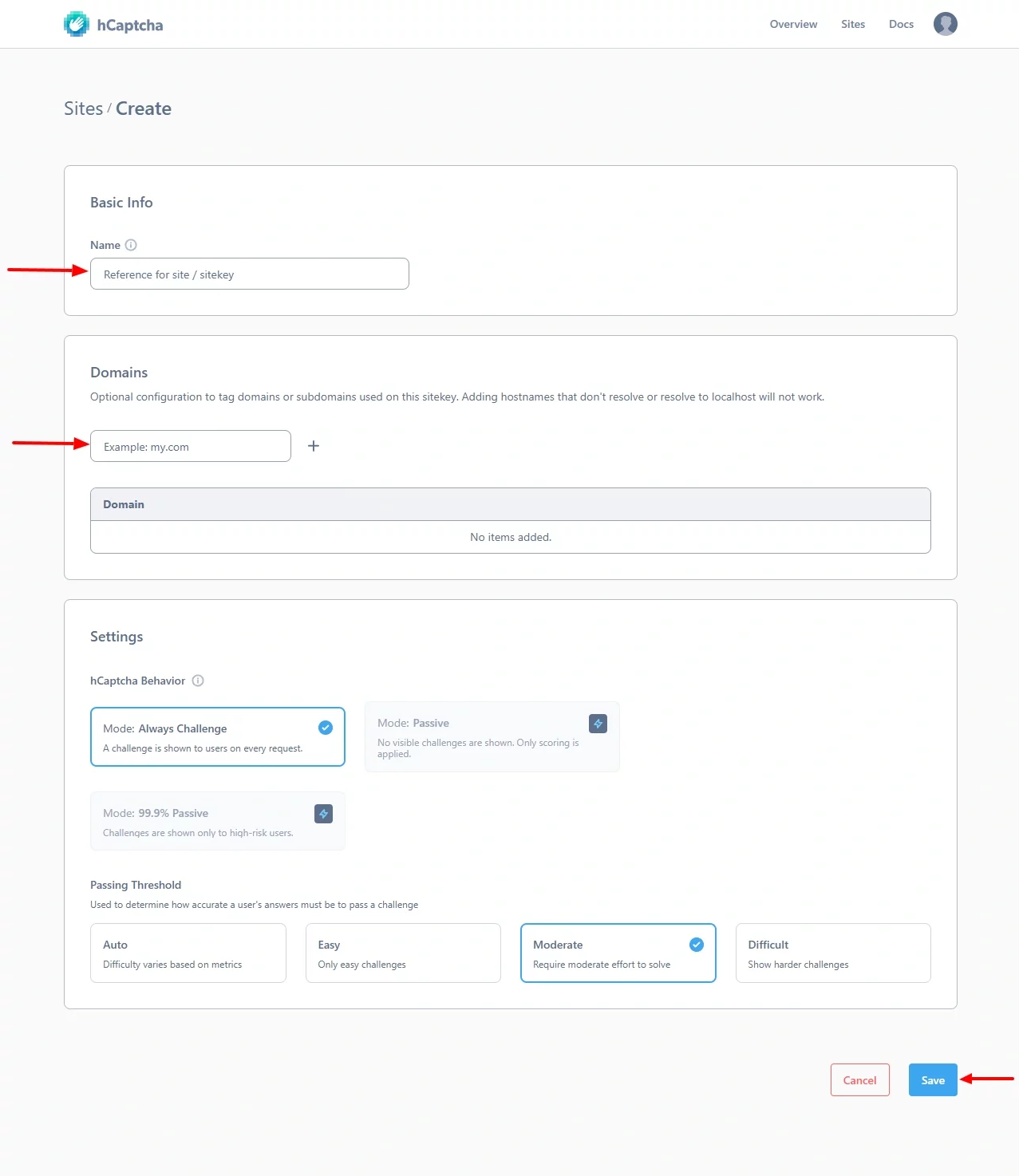
Enter your site name and domain, and then create the Site Key.
Make sure the domain is accurate; otherwise, CAPTCHA verification may fail.
Once the Site Key is generated, go to the Sites page and copy it.
Then, ensure you use the correct key for your domain to avoid configuration issues.
-
After collecting both keys, enter the hCaptcha Site Key and Secret Key into the hCaptcha Configuration section in ARMember, select your preferred theme and language, and then save the settings. Make sure all details are correct to avoid validation issues on frontend forms.
Then, test your forms to confirm that CAPTCHA validation works properly.

-
Next, go to the
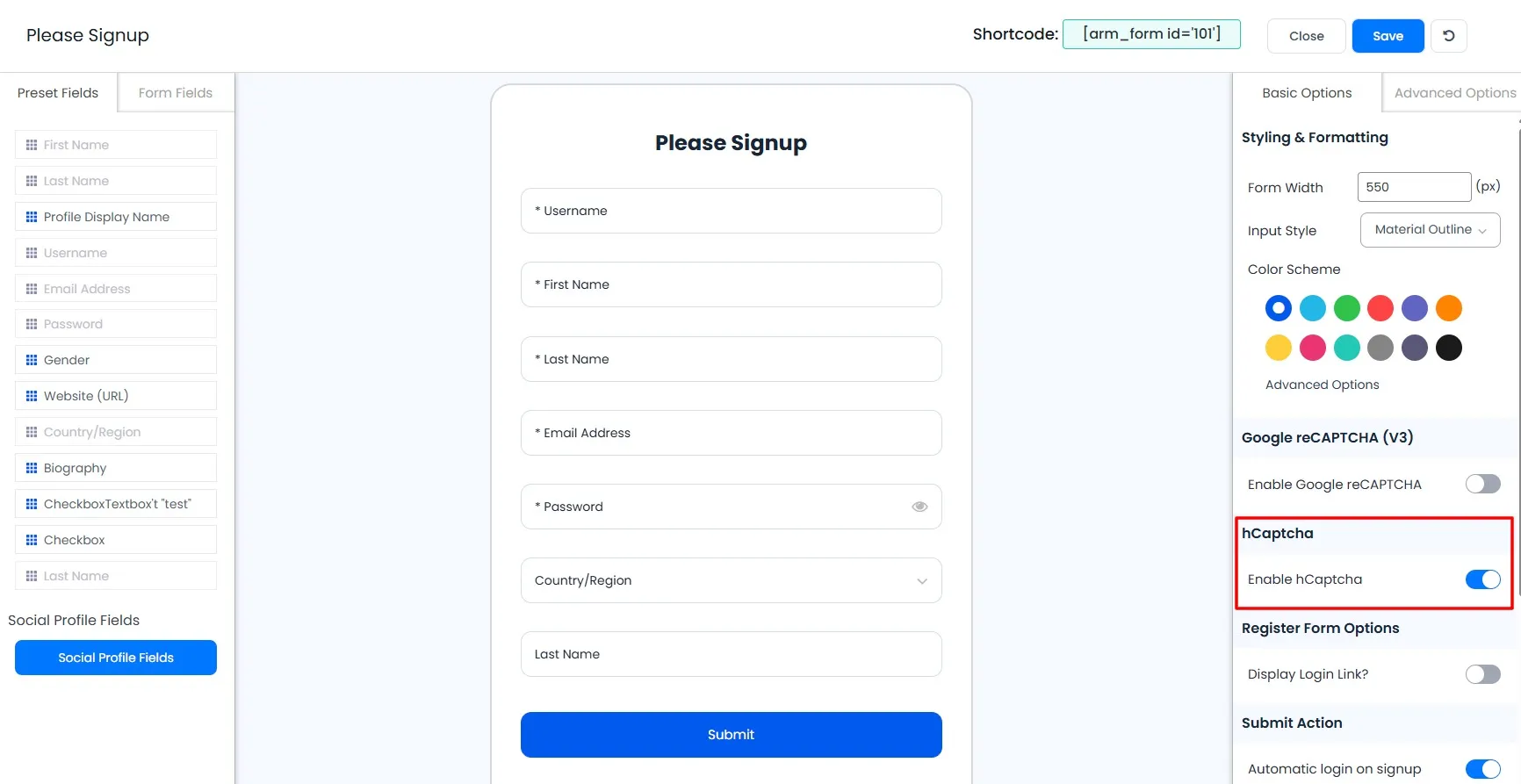
Manage Formspage and edit your form.
After that, enable hCaptcha from the form options to start protecting your forms.
-
Once enabled, hCaptcha will appear on frontend forms such as login and registration.
As a result, spam submissions decrease and overall security improves.
-
Finally, you can customize validation messages from
ARMember → General Settings → Common Messages.
Update the “hCaptcha Invalid Message” as needed to provide clear feedback and improve user experience.