If your system has activated Affiliates Pro plugin, then this add-on will allow you to integrate it with ARMember.
By using this combo of “ARMember + Affiliates Pro” user can get “commission” on sharing Referral of the plan – the plan for which ‘Enable Affiliates Pro Referral’ option is enabled.
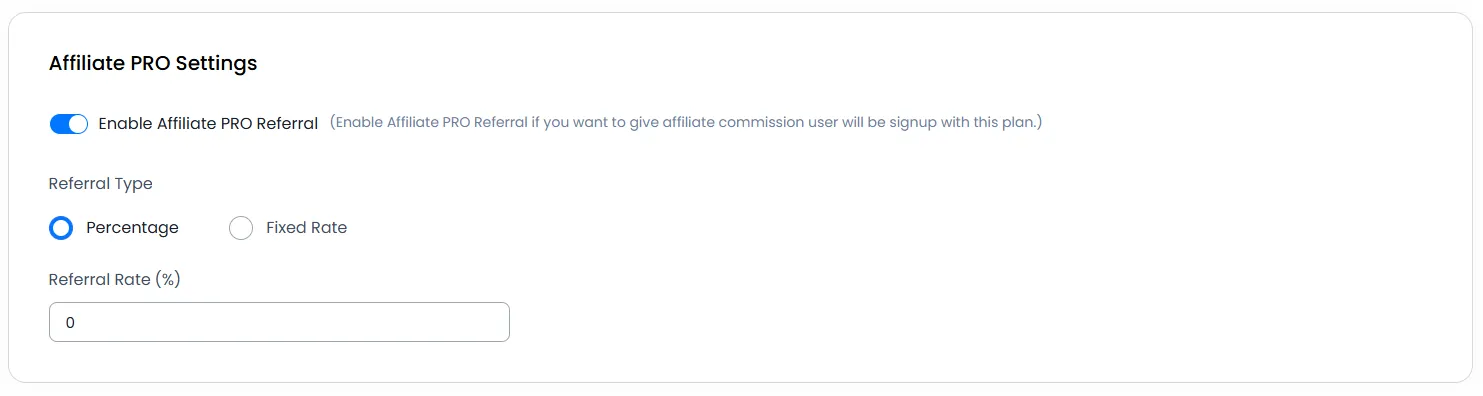
In ARMember ⇾ Manage Plans ⇾ Add / Edit Membership plan you will get an option : “Enable Affiliates Pro Referral”.
Important Note:This plugin will only work if ARMember plugin version is higher than 1.6 and Affiliates Pro Version: 2.16.4 or higher. Go to ARMember ⇾ Add-ons ⇾ install Affiliates Pro Integration and Activate Add-on.
Steps For Installation And Activation
You can install plugin in the following two ways. And ARMember – Affiliates PRO plugin requires ARMember Plugin installed and active.
New install via FTP
- Download the plugin and extract it. You will find a directory armemberaffiliatepro.
- In your WordPress installation directory, upload armemberaffiliatepro to
wp-content/plugins/ - Activate the
ARMember - Affiliates PROplugin through thePluginsmenu from WordPress admin panel.
New install via the WordPress Uploader
- Download the plugin.
- Log in to your WordPress admin panel
- Go to
Plugins⇾Add New⇾Upload - Click on “choose file” and browse the download package. When the plugin uploads successfully, click on
Activate Plugin.
Steps to Setup Affiliates PRO For Your Website
Let’s setup ARMember – Affiliates PRO for your website :
-
When the plugin is activated then Affiliates PRO section will be displayed in
ARMember⇾Manage Plans⇾Add / Edit Plan.Please see the below screen.

-
You will be able to enable and disable referrals plan wise.
-
You can set referral rate in ‘Fixed Rate’ or ‘Percentage’ wise.
Also you need to set these settings for each plan.
-
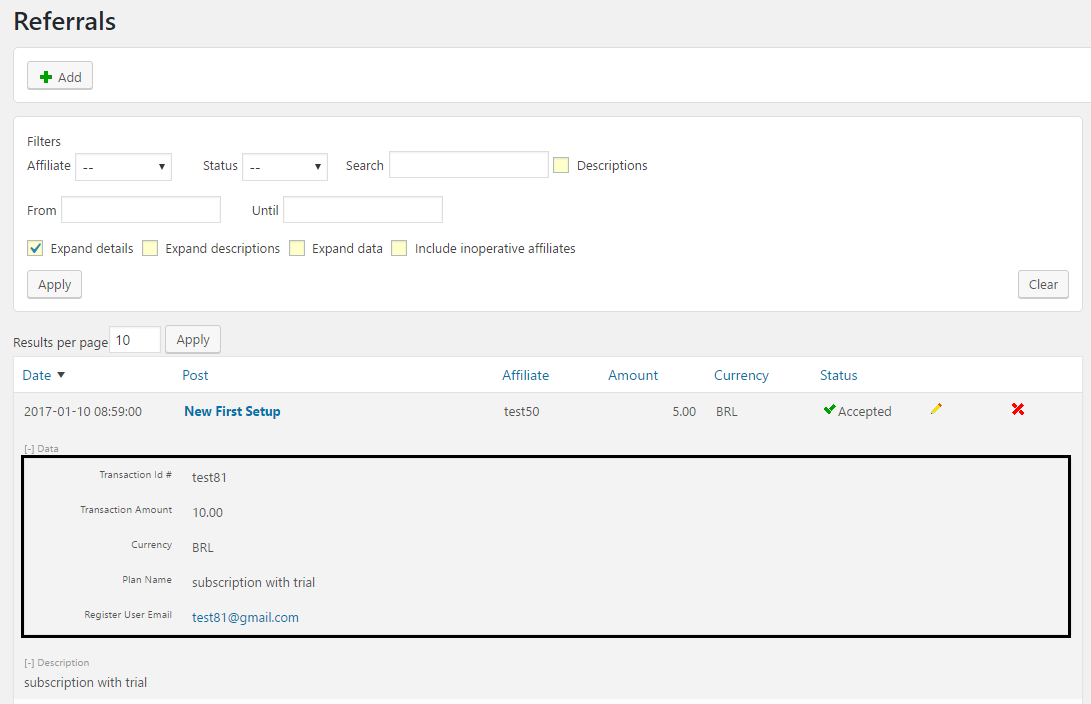
You can see the new register user detail in
Affiliates⇾ReferralspagePlease see below screen.

-
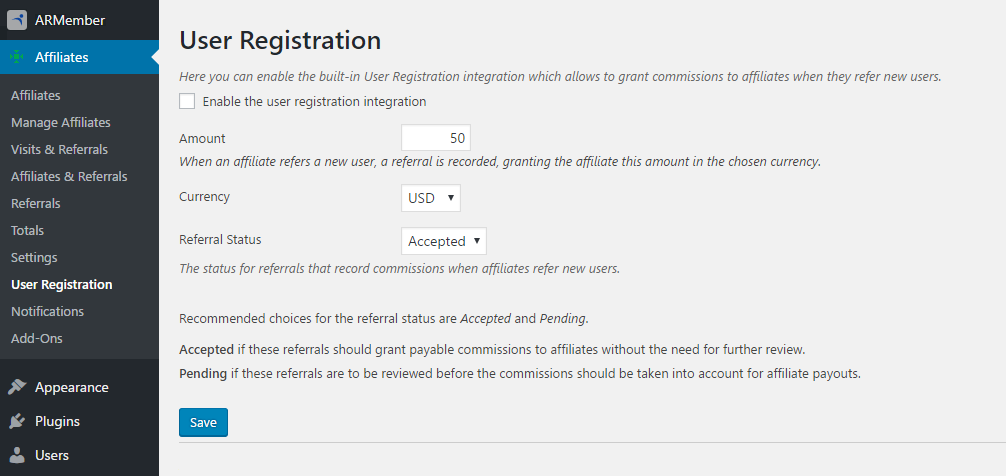
If ‘Enable the user registration integration’ checkbox is checked then a new user will be registered to ARMember as well as user in Affiliates PRO.
This option is available in
Affiliates⇾User Registrationpage.Please see below screen.