
Important Note: This Addon will only work if ARMember plugin is installed with version 2.0 or higher
WooCommerce Discount will allow you to give ARMember membership plan wise discount on WooCommerce product.
Steps For Installation And Activation
You can install plugin in the following two ways. And ARMember – WooCommerce Discount plugin requires ARMember Plugin installed and active.
New installation via FTP
- Download the plugin and extract it. You will find a directory armemberwoocommerce.
- In your WordPress installation directory, upload armemberwoocommerce to
wp-content/plugins/ - Activate the
ARMember - WooCommerce Discountplugin through thePluginsmenu from WordPress admin panel.
New installation via the WordPress Uploader
- Download the plugin.
- Log in to your WordPress admin panel
- Go to
Plugins⇾Add New⇾Upload - Click on “choose file” and browse the download package. When the plugin uploads successfully, click on
Activate Plugin.
Steps to Setup WooCommerce Discount For Your Website
Let’s setup ARMember – WooCommerce Discount for your website :
Using this addon you can give discount to user membership plan wise on product.
-
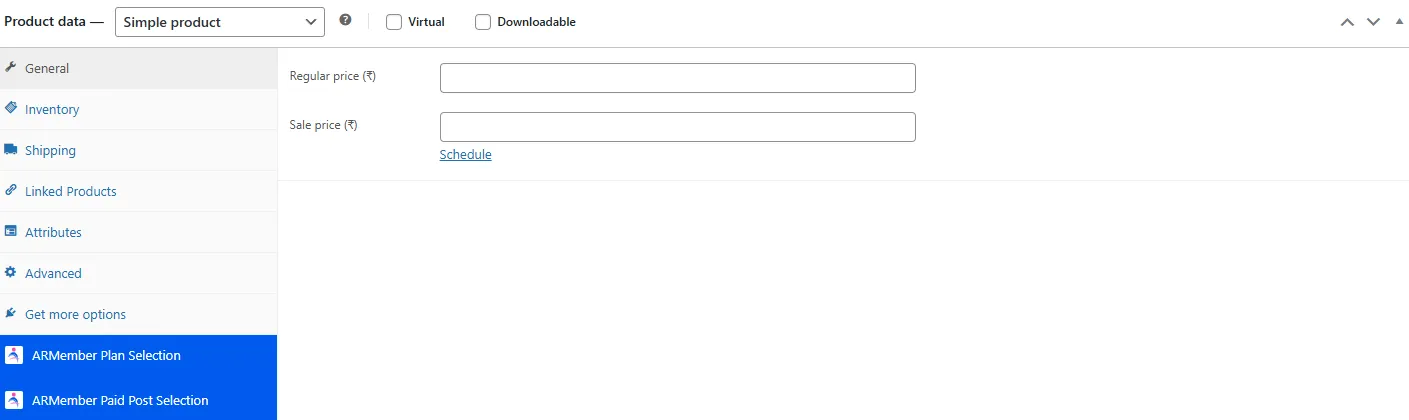
When plugin activated then ARMember Plan wise Discount section will be display in below WooCommerce pages.
-
Products
– Add New Product
– Edit Product -
Categories
– Add New Category
– Edit Category
-
Please see below screen.
Set Global Discount for all products from WooCommerce ⇾ Settings ⇾ ARMember page.
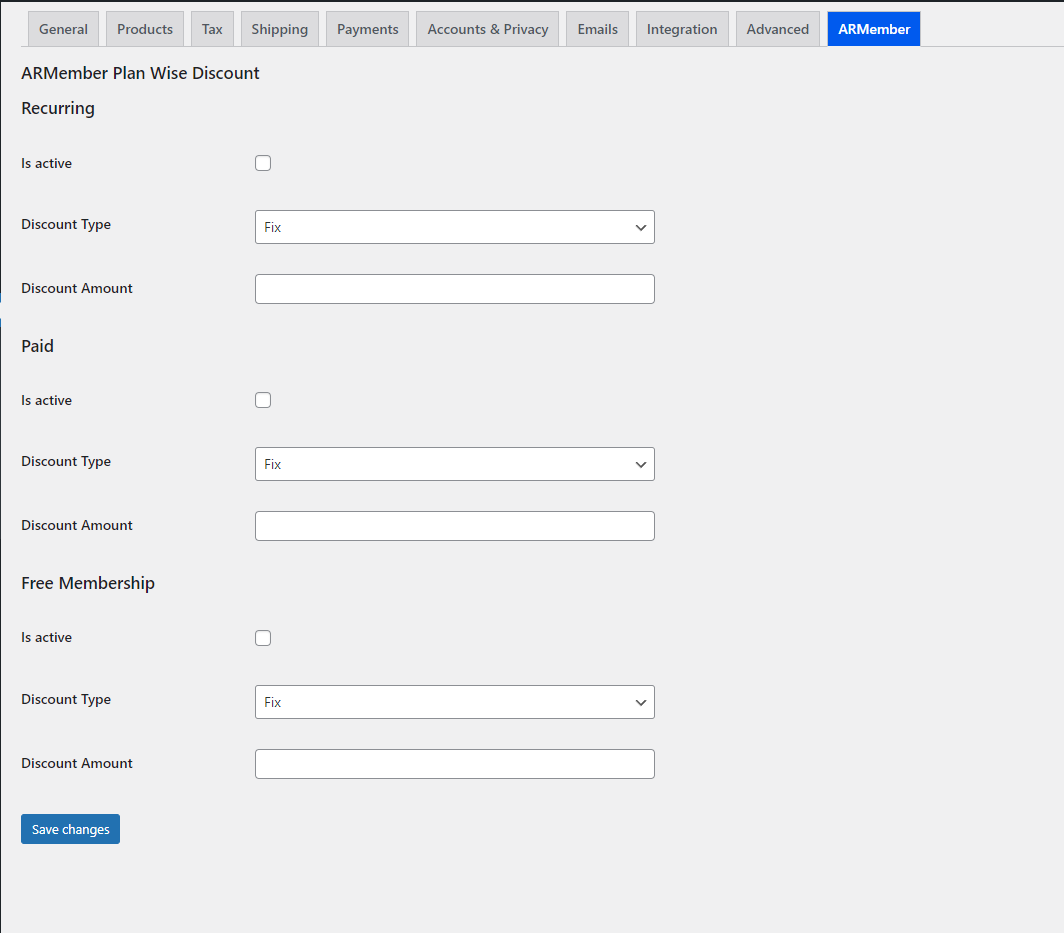
You will be able to Enable and disable Plan wise discount by Checked OR Unchecked the checkbox.
You can set Fix Amount OR Percentage Discount by choosing option from Discount dropdown.
If you select Fix option from Discount Dropdown than enter fix discount amount into textbox.
If you select Percentage option from Discount Dropdown than enter Percentage discount into textbox.
For any Product discount will be calculated to apply on Regular Price.
You can set Global Discount for all products from WooCommerce Settings page.
If you will set discount in WooCommerce Global Settings and category both places than the category discount will be applied to the product.
If you will set discount in product and category both places than the product discount will be applied to product.
If you will set discount in WooCommerce Global Settings, Category and product than the product discount will be applied to product.
WooCommerce Products for Members Only.
- ARMember Provides facility to give access/restriction based on user purchased membership plan.
- Facility to apply restriction on WooCommerce “Product Category” and “Product Tag”.
- Facility to restrict WooCommerce Product, Category, Tags for non logged in members and redirect to page as set by administrator.
Important Note: Product discount will be applied to the regular product price.