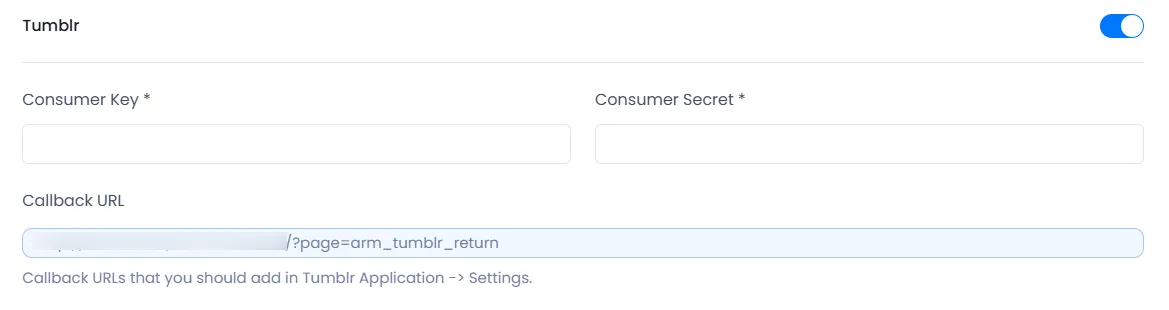
ARMember provides shortcode to add Login With Tumblr social connect button. But for this first you need to configure Tumblr Key and Application Consumer Key and Consumer Secret under ARMember ⇾ General Settings ⇾ Social Connect
Social Connect tab will be displayed only if ARMember ⇾ Social Connect module is enabled.
Create Tumblr Client
The following steps will help you to get your Tumblr Application Consumer Key and Consumer Secret.
- Login to your account to create a new client from here.
- Click on User Account icon ⇾ Click on Edit Appearance menu link.
- After that, you will see the Apps menu link on the right side of the screen.
- You will see the Register link at the bottom of the screen to register a new App. Link look like “Want to make an app? Cool. Register to use the Tumblr API, then have at it.”
- Then Fill the detail to register the Tumblr app. There you will see the “Default callback URL:” option, there you need to add the “Callback URL” display at
ARMember⇾General Settings⇾Social Connecttab on the left side ⇾Tumblrsection. - Click on Register button.
-
After creating an App, you will see the
Consumer KeyandConsumer Secretin Apps listing on the “Apps” menu page that screen looks like as you can see in the below screenshot.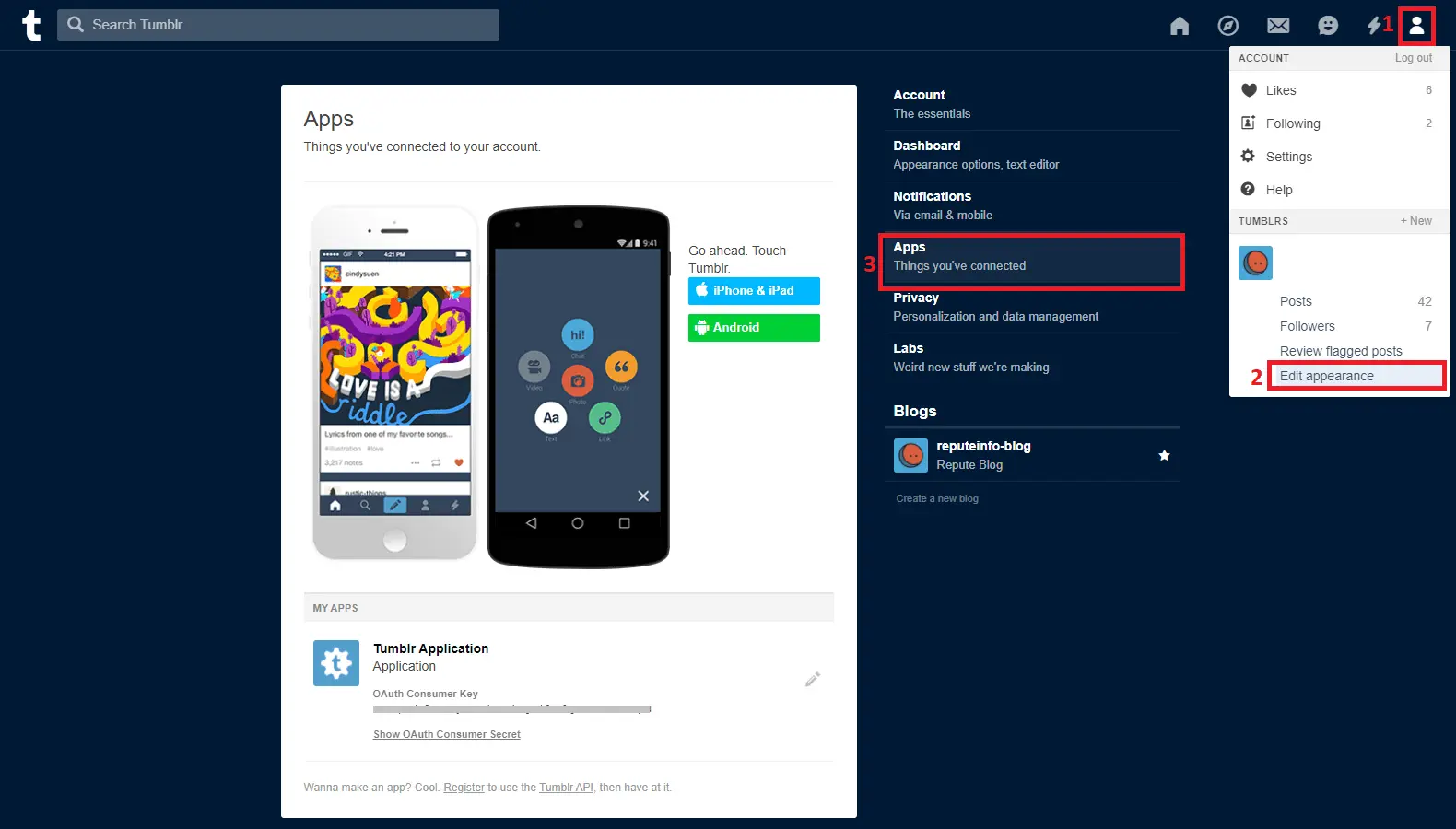
-
After creating Tumblr Application, enable Tumblr application and add application credentials at
ARMember⇾General Settings⇾Social Connectpage at Tumblr section.