How to integrate Payfast Payment Gateway with ARMember Plugin
The Payfast Payment Gateway Addon will add payment option for ARMember plan with one time payment & plan with subscription payment.
Important Note:This add-on will work with ARMember Version 4.4 or grater.
Steps For Installation And Activation
You can install plugin in the following two ways. And ARMember – PayFast plugin requires ARMember Plugin installed and active.
New installation via FTP
- Download the ARMember plugin and extract it. You will find a directory armemberpayfast.
- In your WordPress installation directory, upload armemberpayfast to
wp-content/plugins/ - Activate the
ARMember - PayFast Addonplugin through thePluginsmenu from WordPress admin panel.
New installation via the WordPress Uploader
- Download the plugin.
- Log in to your WordPress admin panel
- Go to
Plugins⇾Add New⇾Upload - Click on “choose file” and browse the download package. When the plugin uploads successfully, click on
Activate Plugin.
Steps to Set up PayFast For Your Website
Let’s setup membership for your website :
-
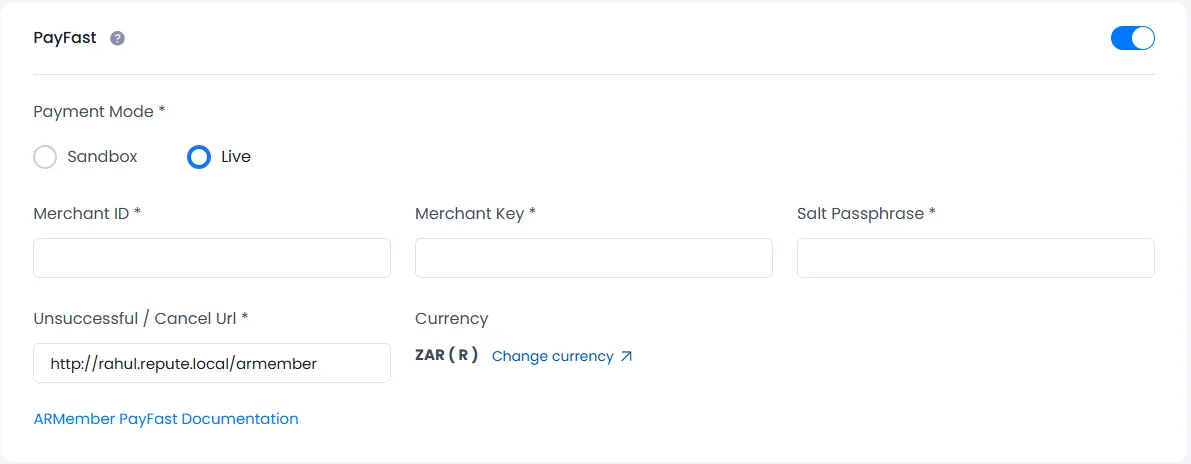
When plugin activated then PayFast section will be display in
ARMember⇾General Settings⇾Payment gateways.Please see below screen.

-
Firstly need to activate the Payfast payment gateway so you will be able to insert Merchant ID, Merchant Key and Passphrase. For activation click on active button.
-
If you do not have PayFast account then create it.
For Sandbox account click here
For Live account click here.
-
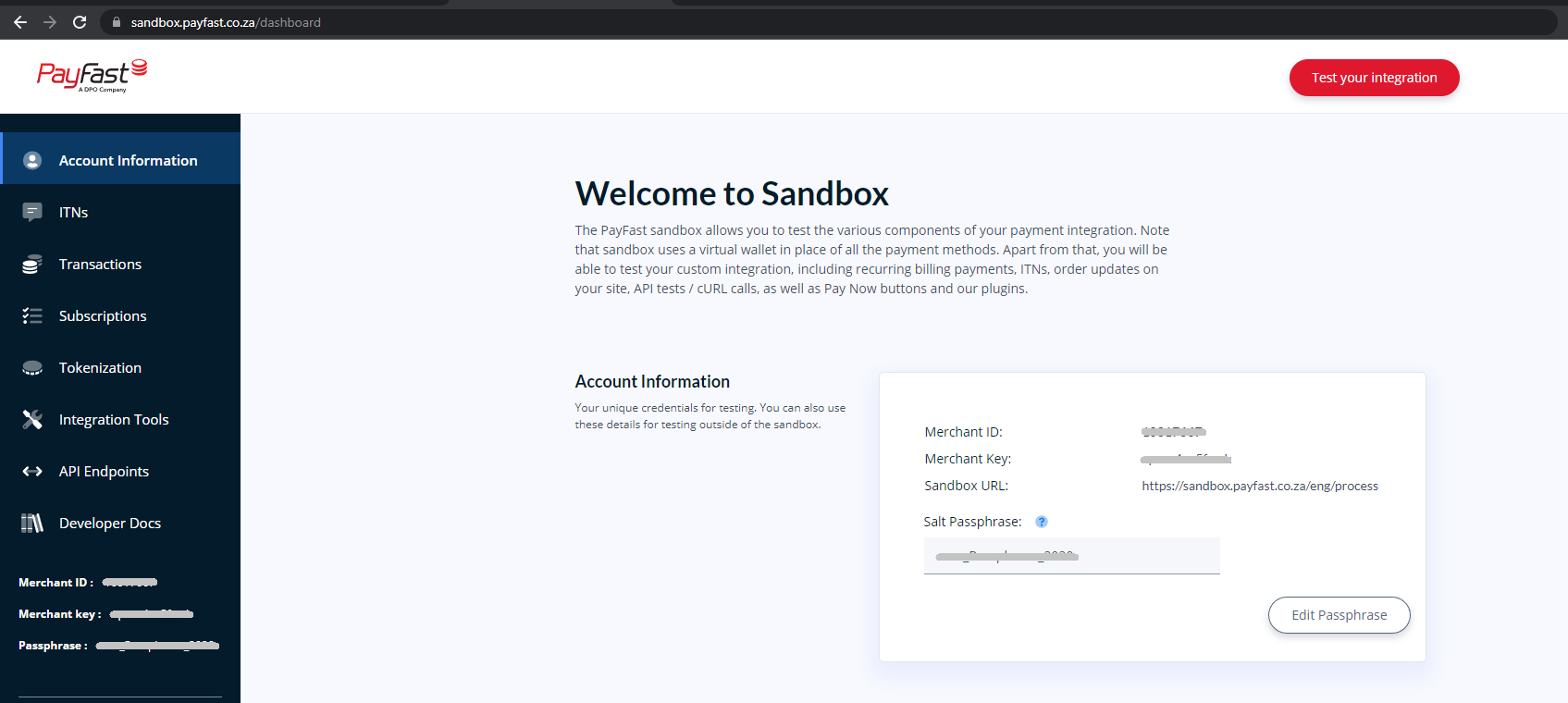
Where do I get the Merchant ID & Merchant Key?
To obtain Merchant ID & Merchant Key, log in to your PayFast account with email ID, and then you can see a section named ‘Information’ from there you can get Merchant ID & Merchant Key.
Where do I get the Passphrase?
To obtain the passphrase, Login to your PayFast account and then go to the settings section in the dashboard.
There is a button on the right side of ‘Salt Passphrase’ which name is ‘Edit’.
Now click on edit button to edit the current passphrase and after editing current passphrase, copy that passphrase and put it to ‘Payment Gateway Settings’ section of your website.

-
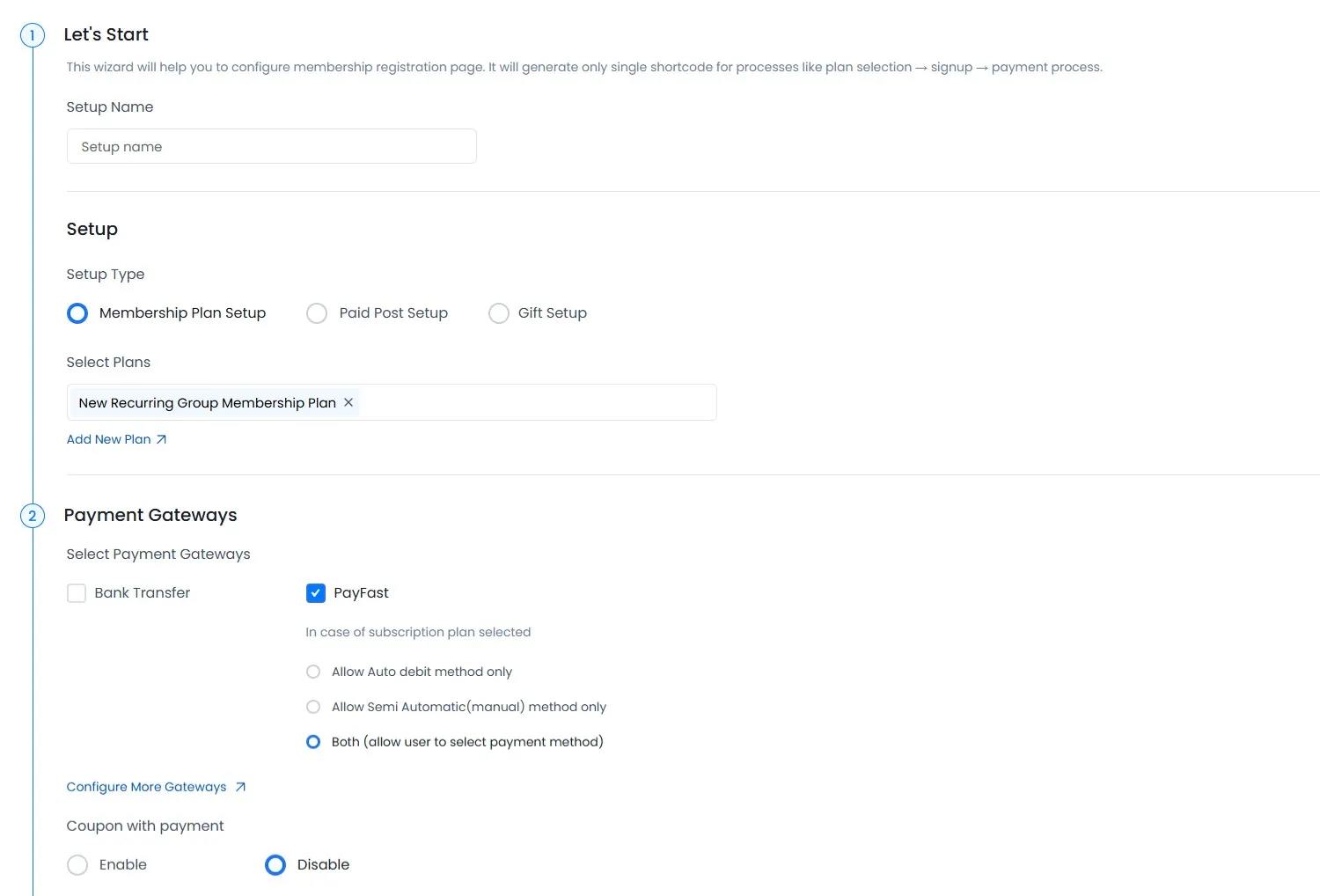
After setup PayFast payment gateway you will be able to see PayFast payment in your Plan + Signup Page in ARMember and set it for the plan.
PayFast Plan Setup

In above screen display all active payment gateway with Payfast
Note: When purchasing plan with Automatic subscription, PayFast doesn’t support daily Billing Cycle recurring payments. It only supports with monthly and yearly recurring.
Note: PayFast doesn’t support Trial Period for Automatic Payment Method.
Note: PayFast doesn’t support a facility to apply coupon only the first recurring payment. If purchasing the plan with coupon code then the discount will be applied to the recurring payment too.
-
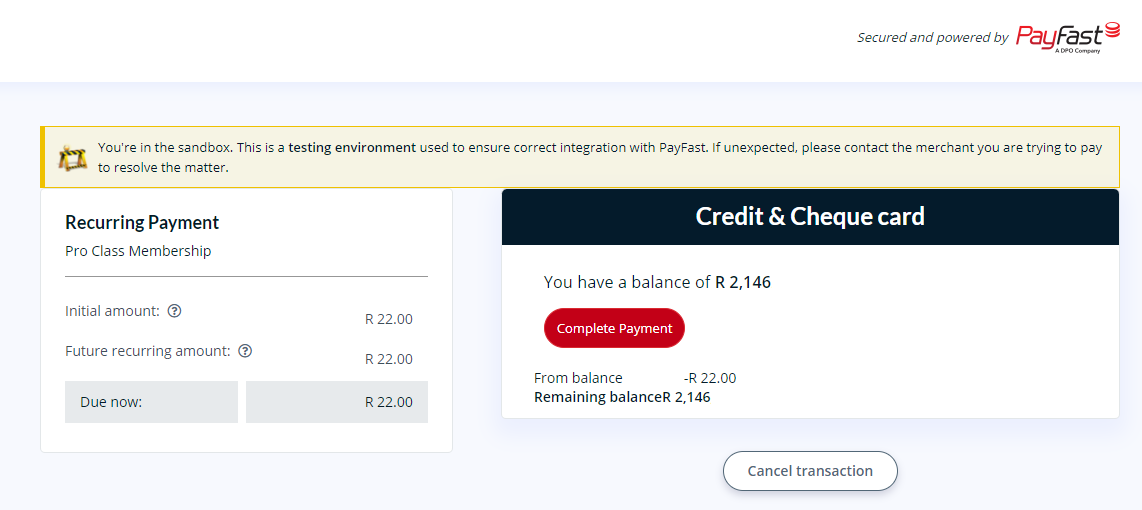
When member submit ARMember setup form then page will be redirected to PayFast Payment Gateway and there you can make payment and after successfully proceed payment process, page will be redirected back to your site.

-
PayFast support for one time and plan with subscription payment with PayFast
-
The PayFast payment gateway provides various payment method as given below:
- Credit & Cheque Cards
- Instant EFT
- Mobicred
- Masterpass
- Zapper
- Debit Card
- SCode
To use payment method you need to have allowed and activated Payment Method at your PayFast Account.
-
ARMember Payfast Addon supports payment with ‘ZAR‘ Currency for Live/Sandbox Account.