How to Configure Divi Builder Restriction Inbuilt Add-on with the ARMember Pro Plugin
Block Restriction with Divi Builder will only be available if you activate Divi Builder Restriction from Add-ons.
You need to keep Divi Builder Plugin and Divi theme. Installed and active to allow block restriction for Divi Builder with the ARMember plugin.
ARMember exclusively adds the feature add-on Divi Builder Restriction in the Divi Builder Page Editor, which facilitates restricting content show/hide for membership plans, non-logged-in users, and logged-in users. When you edit your page with Divi Builder, you will have a facility to restrict Divi Builder Section and Row content from Section and Row settings
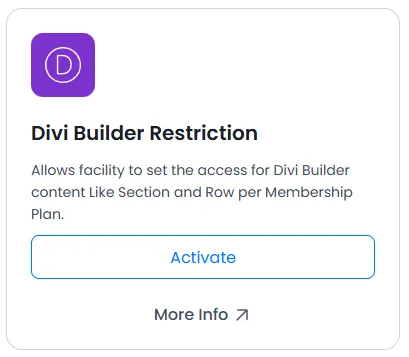
When Add-on is activated, the Divi Builder Restriction will be displayed in the Section and Row settings. Please note that it will be displayed only if Divi Builder Restriction is activated under Add-ons.
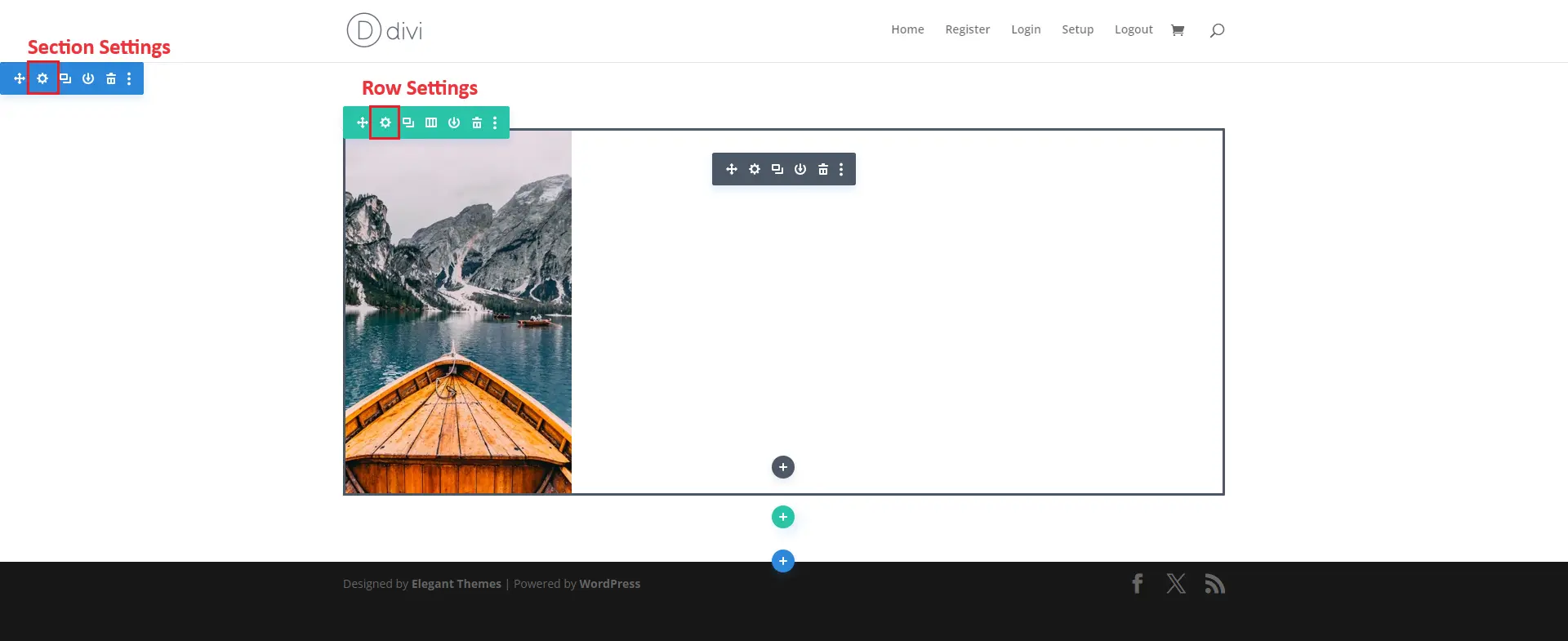
Click on the setting icon of the section and row. As in the above screenshot, and after that, the displayed Section and Row settings popup. Which settings icon did you click?
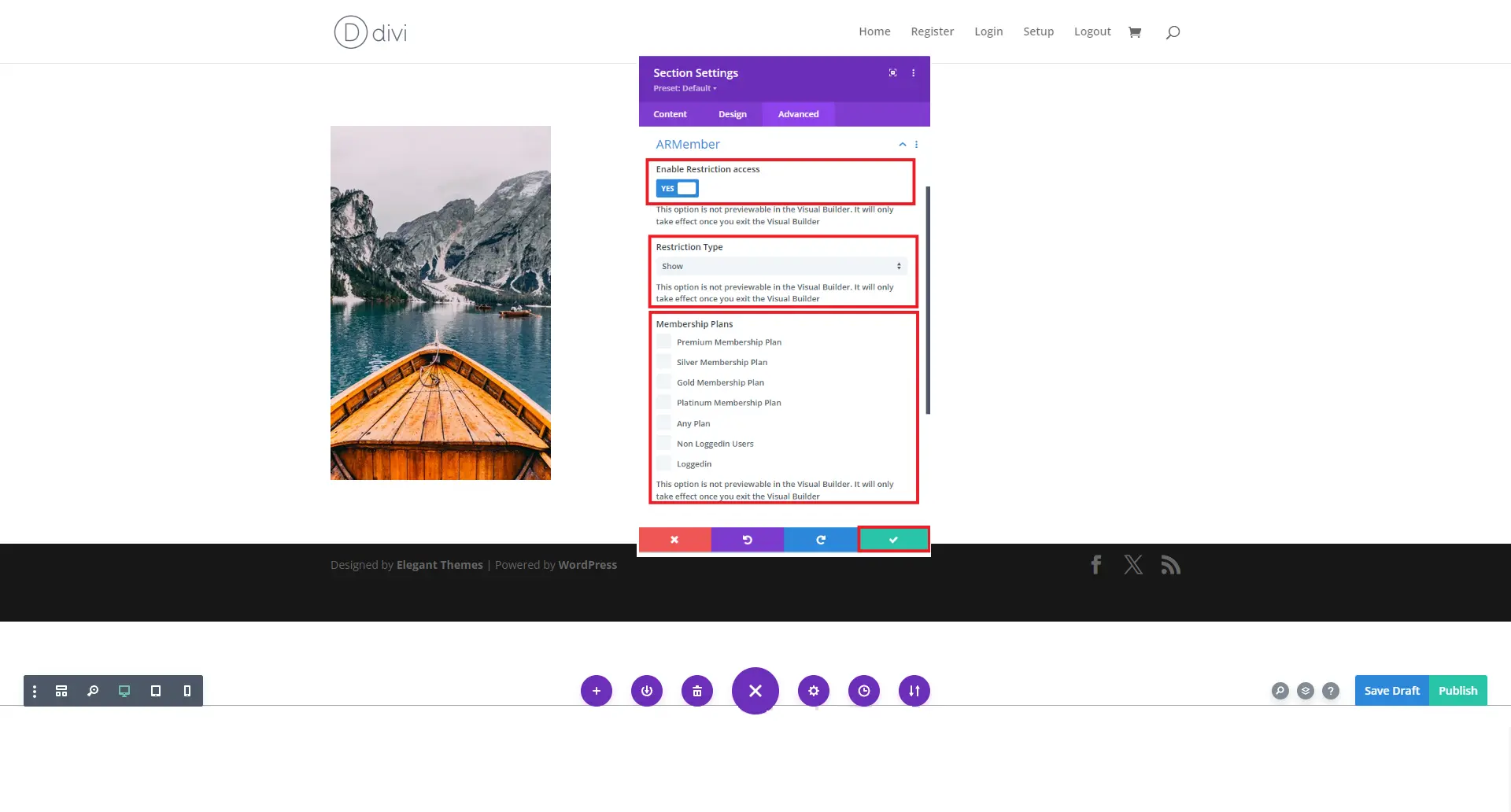
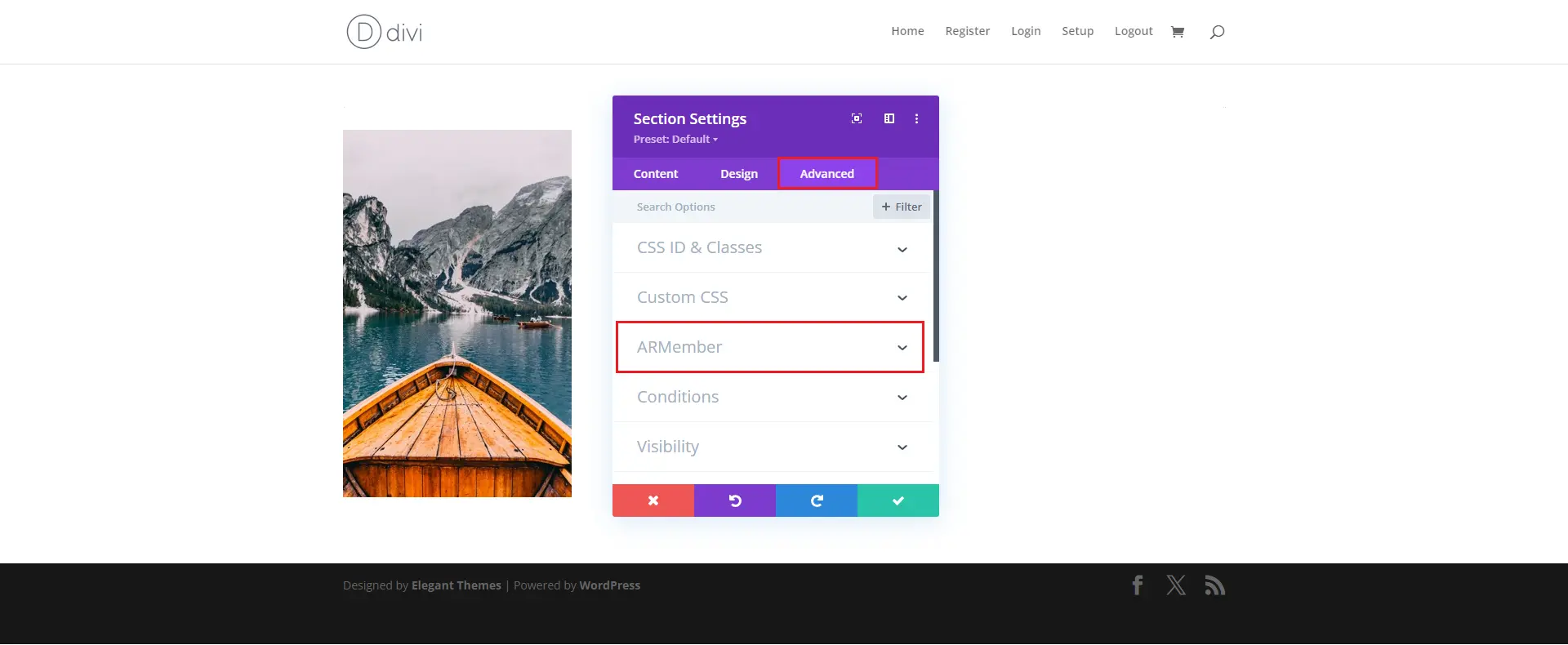
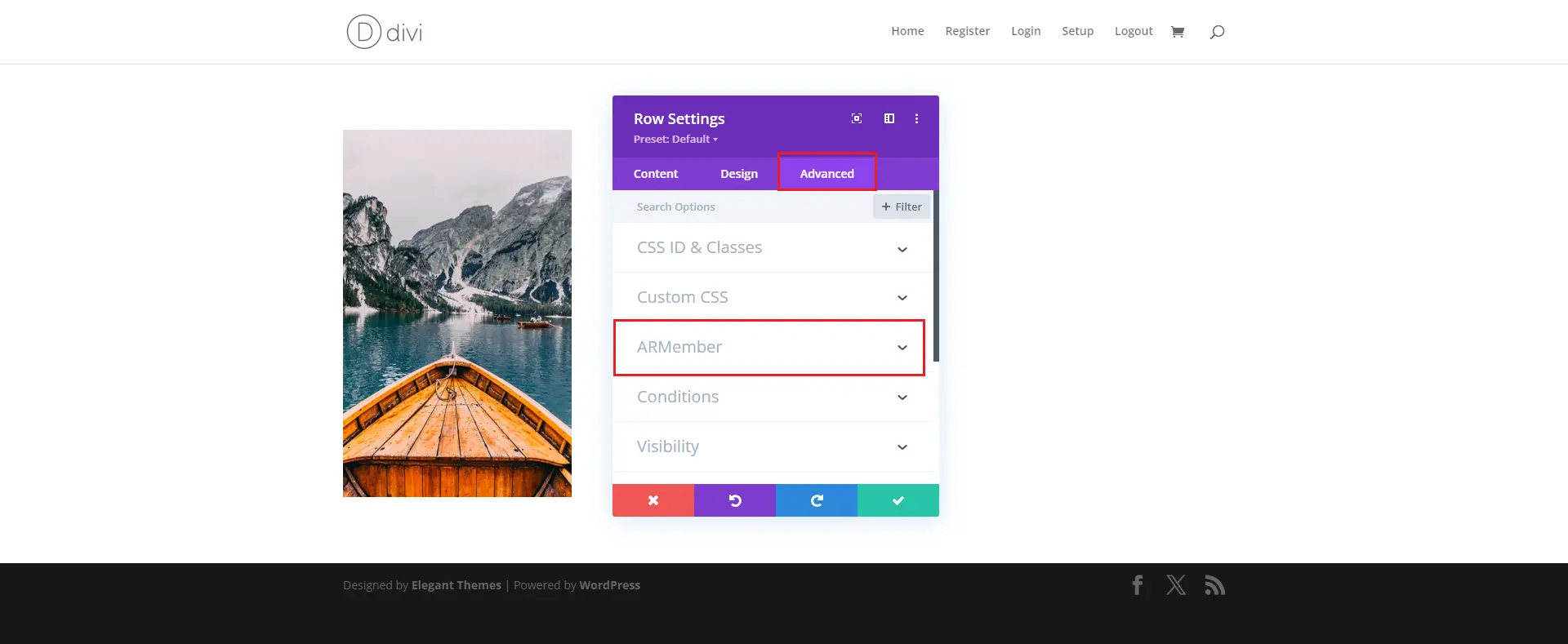
After that, click on the Advanced tab in the settings popup. You can see ARMember setting tab
Below is a given screenshot for the section.
Below is a given screenshot for the row.
After that, check the setting popup. You can see the tab ARMember; click on that, and you will see the Enable Restriction Access switch. Set it to “Yes.”
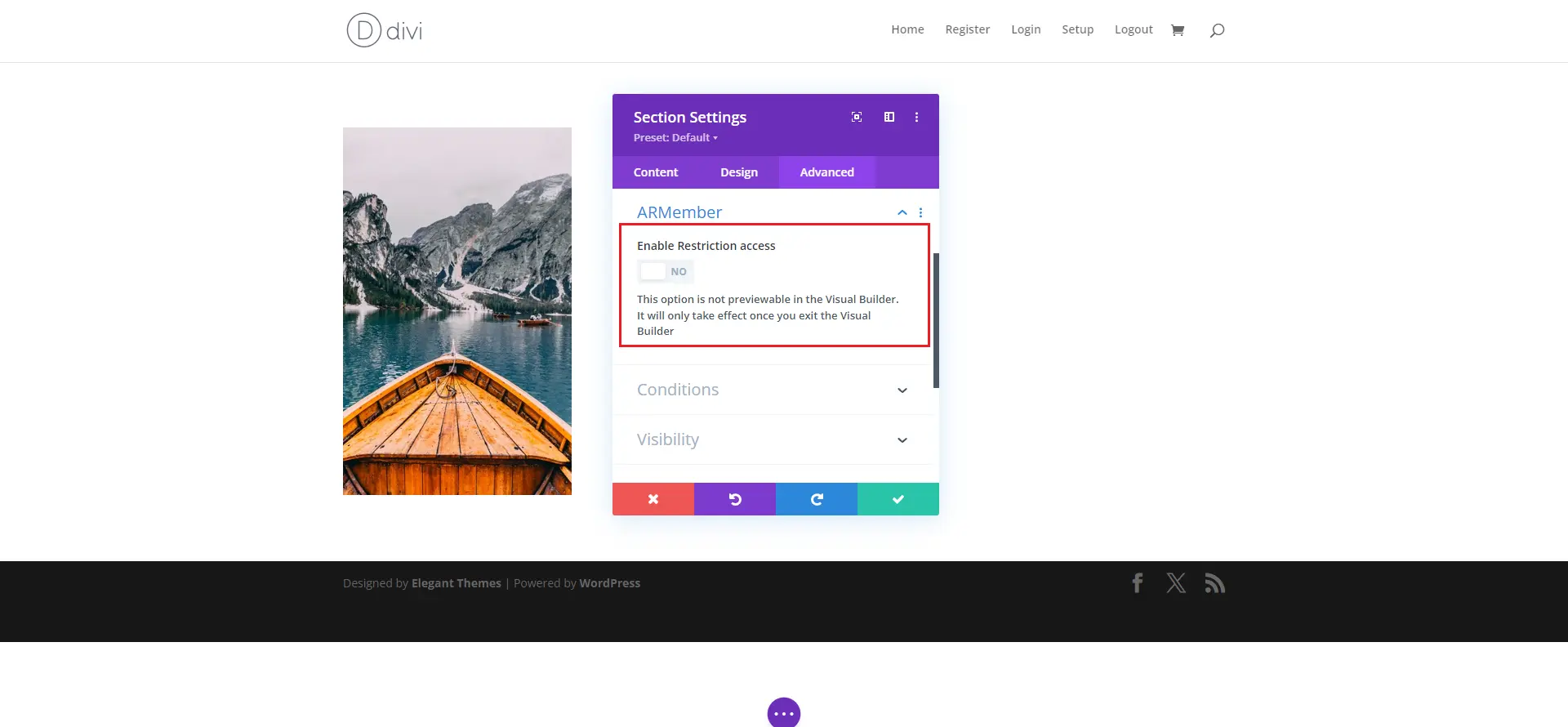
After Follow above steps, you will see the settings for Restriction Type and Membership plan(s)
Set your restriction settings as per your requirement and click on the save button. That’s it.