What are admin dashboard widgets?
Admin dashboard widgets are compact panels that appear on your WordPress admin dashboard, providing quick access to key site information and tools. These widgets help administrators monitor important metrics like user activity, recent signups, and payments without needing to navigate through multiple pages.
ARMember Admin Dashboard Widgets
ARMember provides multiple dashboard widgets to easily track your site statistics. Not only this, but you can even allow displaying these admin dashboard widgets to other roles by simply assigning arm_admin_dashboard_widgets capabilities to the user.
By enabling this capability for other user roles, you can enhance collaboration and ensure your team stays informed without granting full admin access. This makes managing your membership site more efficient and secure.
Currently, there are three widgets available at the admin dashboard. Let’s understand what each widget indicates and how that widget helps:
ARMember Statistics
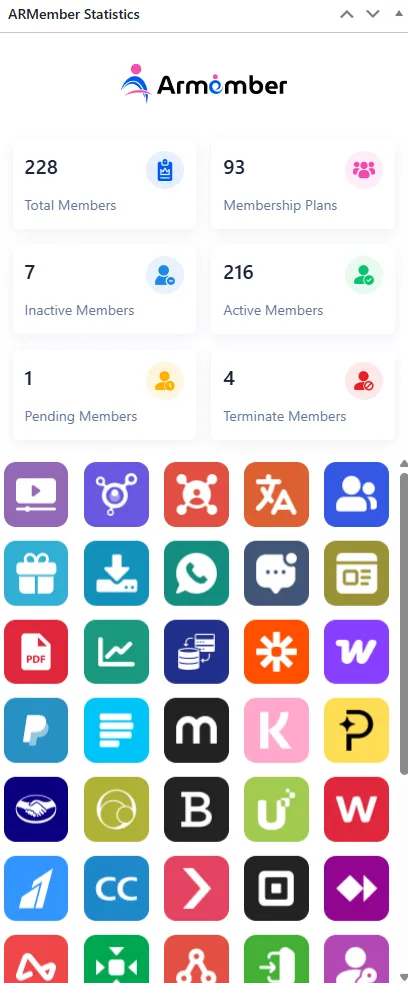
The first one is ARMember Statistics, with this, you straight away look up to Total Members, Membership Plans, Inactive Members, Active Members, Pending Members & Terminate Members at your site. This helps you see how your site is growing day by day and keep track of each count that increases.
Other than that, you can also check out the ARMember Add-Ons.
ARMember Recent Members
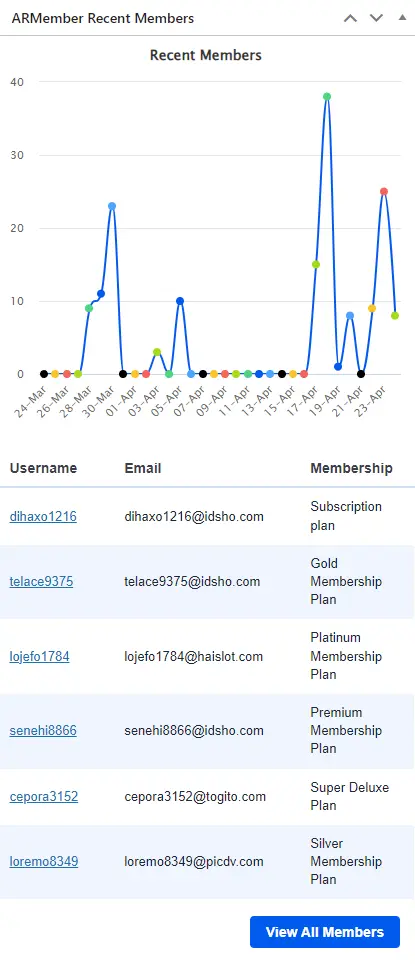
The second is ARMember Recent Members. With this widget, you have a graph of months’ added members. Additionally, at the list, you will be able to check 6 recently added members with their membership plans. Also, if you wish to check all the members, then you can check out all members by clicking on the View All Members button.
ARMember Recent Payments
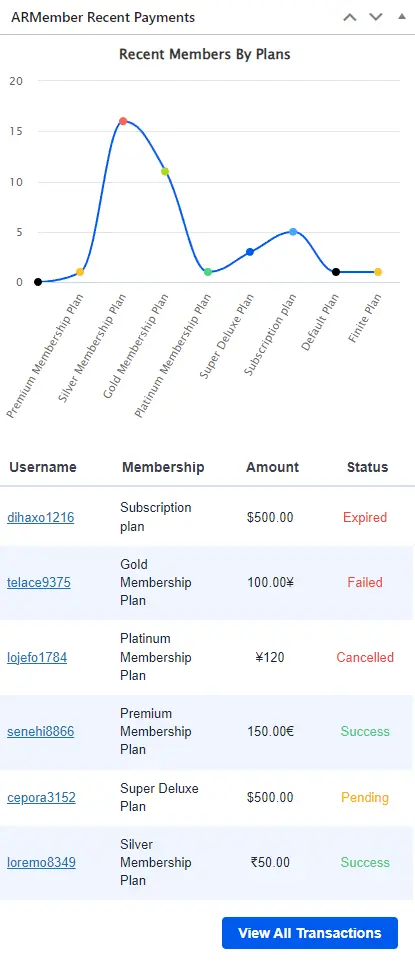
Last but not least, you have the third widget, which is ARMember Recent Payment. With this widget, you will not only have a graph of recent members by membership plan, but you will also be able to keep track of recently made payments along with information on username, amount, and payment status. In order to check all the payment history, click on the View All Transactions button.