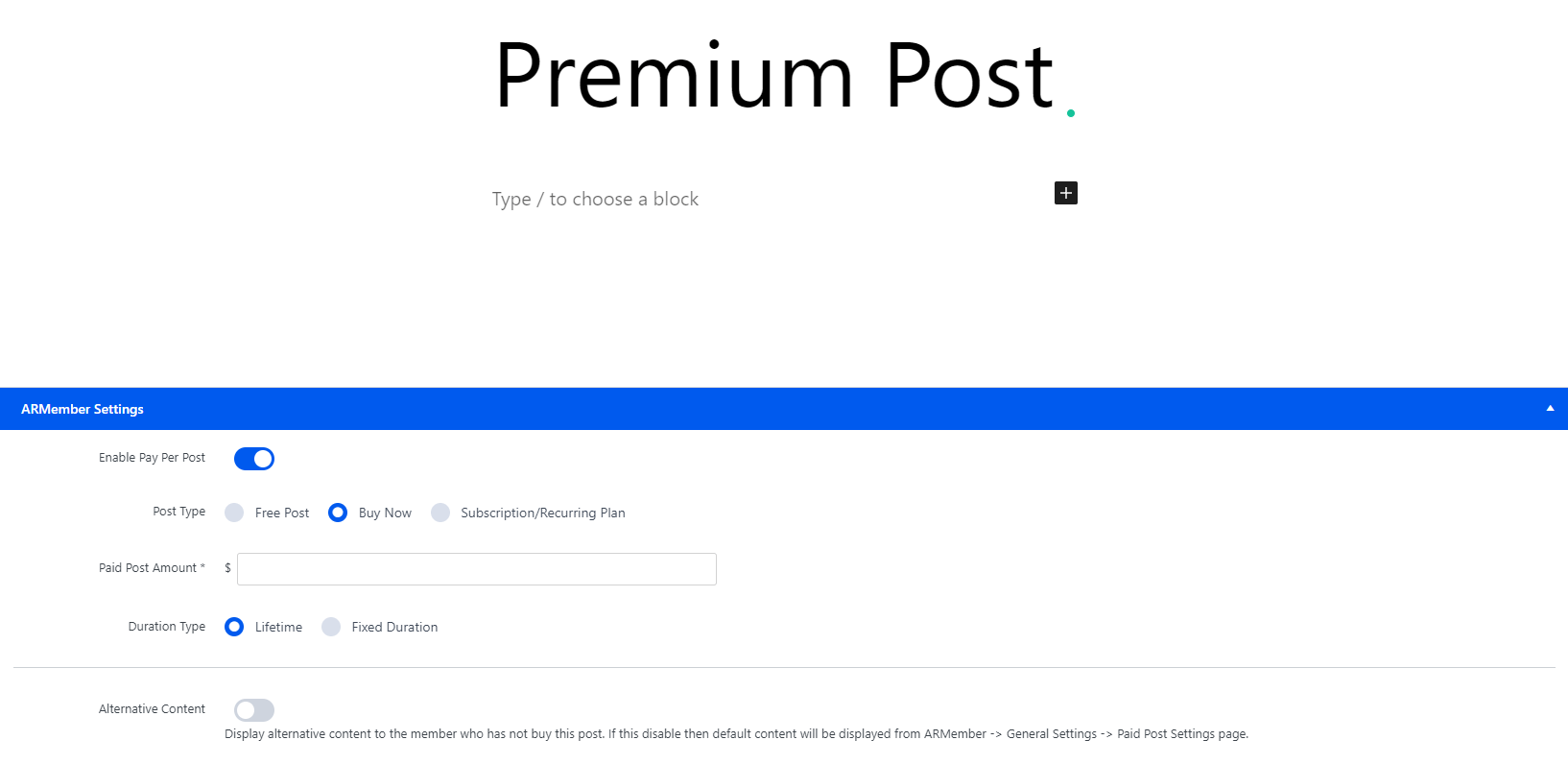
The ARMember Pay Per Post Addon lets you monetize individual WordPress pages or posts with options like free access, lifetime access, fixed duration, or recurring payments. This guide covers how to create, manage, and customize ARMember paid posts, including setting post types, pricing, and alternative content.
Creating a Paid Post
In order to create a paid post, firstly, you need to activate the Pay Per Post addon. Once the add-on is activated, then you can navigate to the Admin Panel ⇾ ARMember ⇾ Manage Paid Posts. Over on this page in the top right corner, you will be able to check the + Add Paid Post, click that button to add a new post.
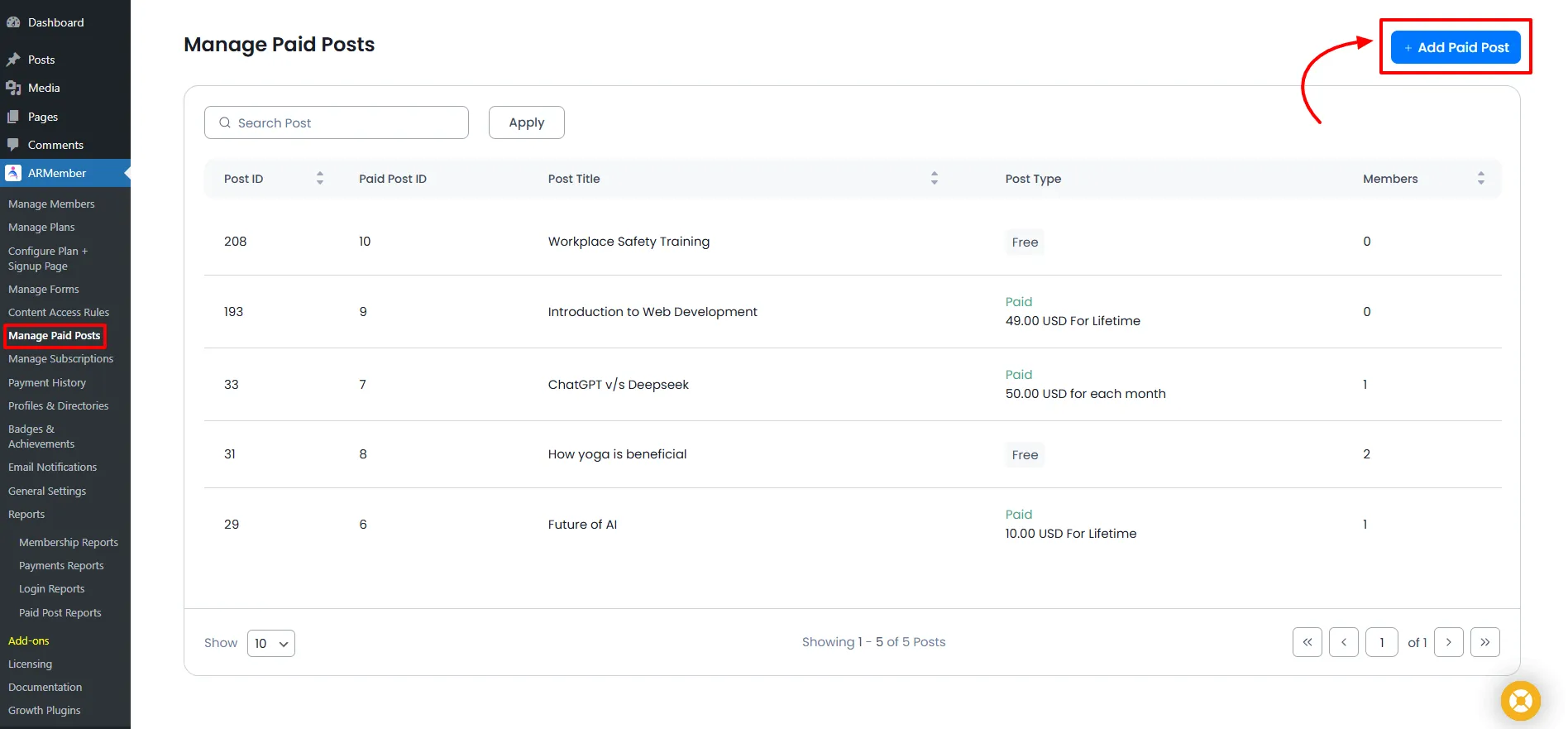
Once you hit the button to create a paid post, then here you will get all different types of free or paid post types with various general options and alternative content options.
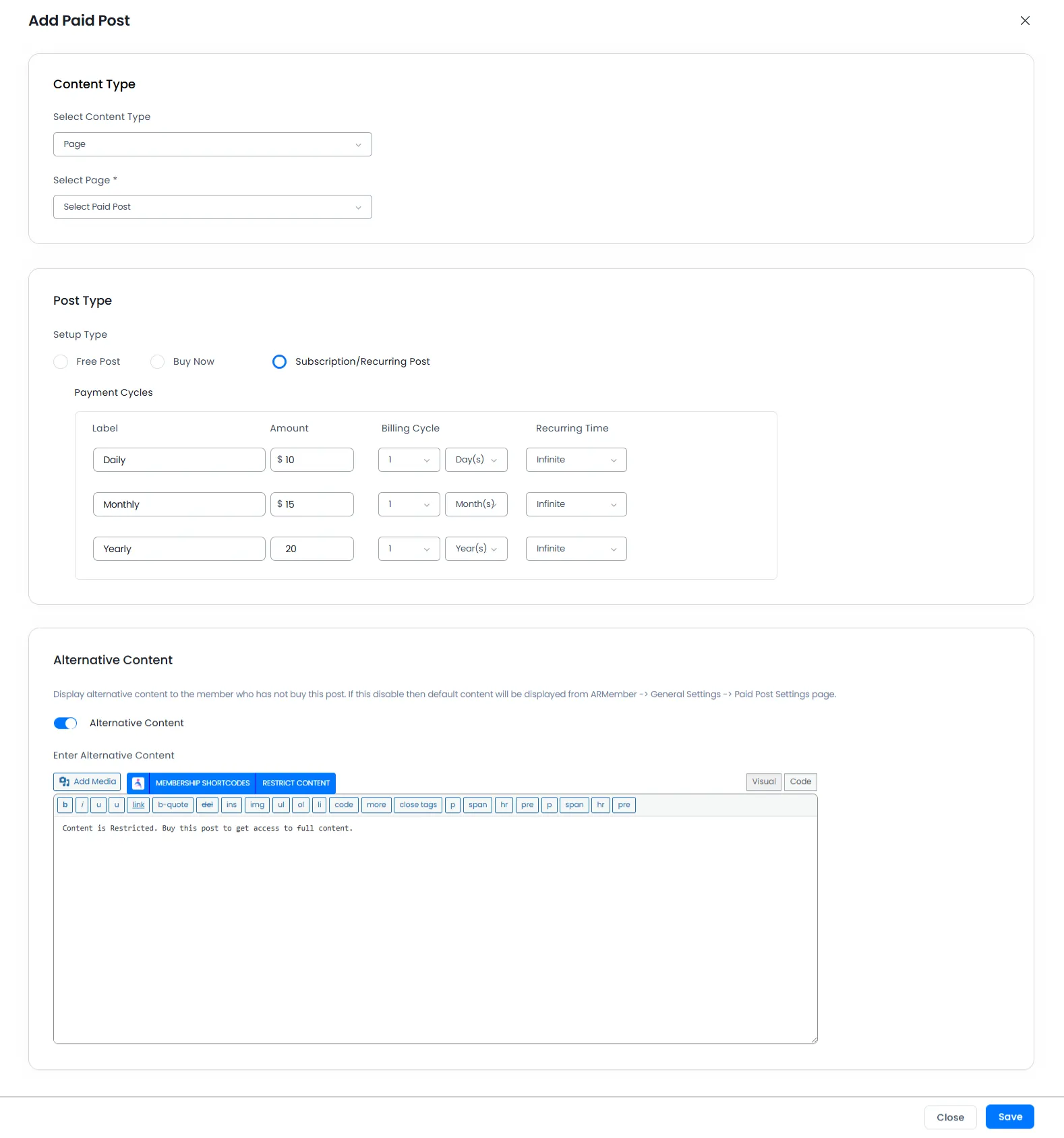
Some common options to create ARMember paid posts are
- Content Type
- Select Page
- Post Type
- Alternative Content
Select Content Type from the dropdown, as you get multiple content types here to choose from. ARMember allows you to select the custom post types as well.
Here you can select the page/post that you want to make a free post or a paid post. Also, you can add multiple pages here to set up all the pages in one go.
Select your free or paid posts. As ARMember does provide you a facility to create three different types of paid posts.
Important Note: If members purchase a free-type post and if the member is logged in, then the free post will be automatically purchased; there is no need to submit a setup form!
Important Note: For the Recurring Paid Post type, the Payment Method will always be considered a Semi-Automatic (Manual) Payment Method.
Here you can add your restricted post’s alternative content.
Managing Paid Posts
At Manage Paid Posts you have a grid to manage all paid pages/posts with the following columns. Each column is sortable here.
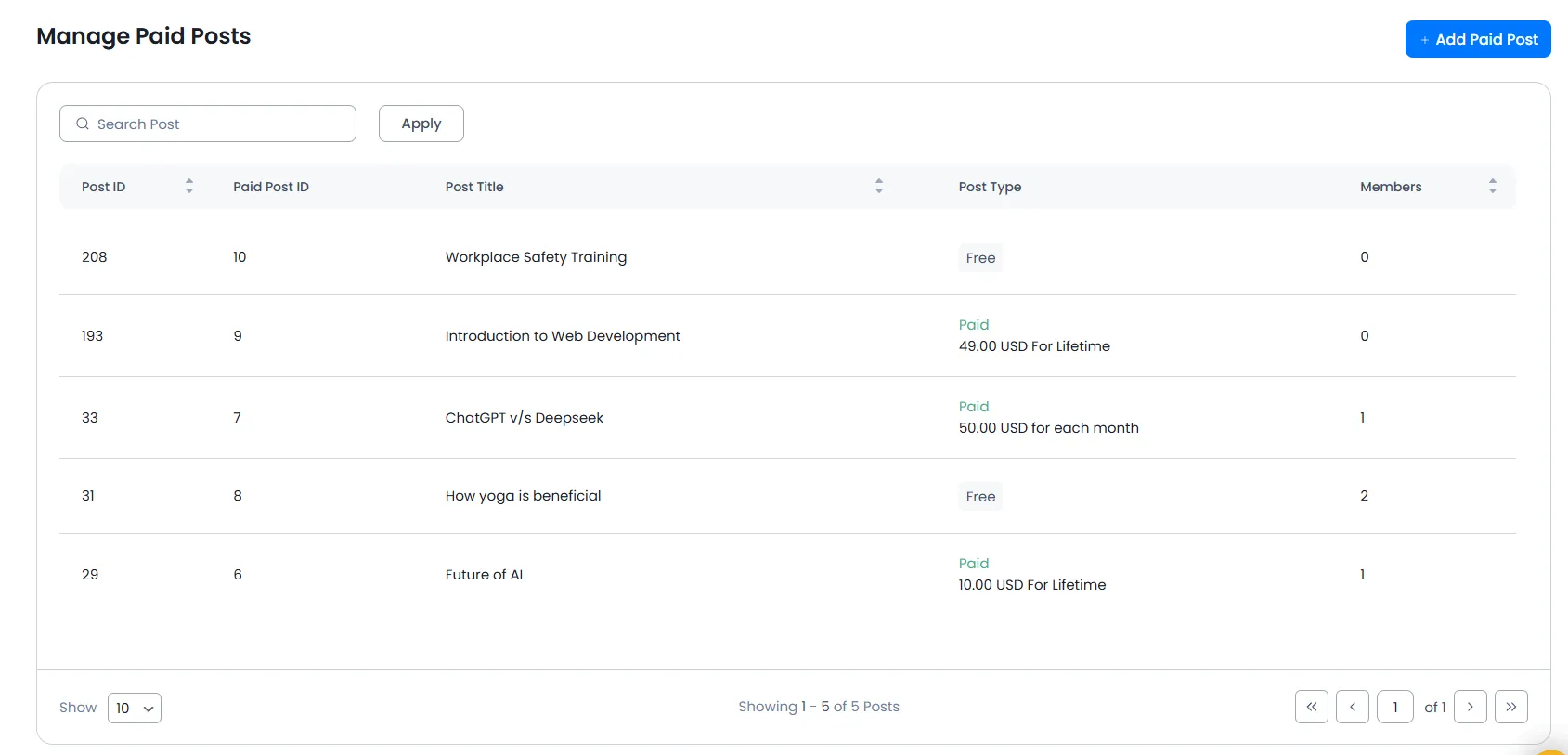
- Post ID – Shows the Post ID you have set.
- Post title – Shows the post title you have set.
- Post type – Shows if posts are free or paid; if they are paid, then they will show
AMOUNTwithDURATION. - Paid Post Members – Shows the number of users who have purchased particular posts.
ARMember also provides a facility to set the “Paid Post” directly from the WordPress Add/Edit Posts.