
ARMember offers flexible options for creating and managing paid post types on your website, catering to both one-time and recurring payment models. Whether you’re setting up lifetime access, fixed-duration access, or subscription-based content, ARMember provides a range of configurations to match your monetization needs.
You can set the paid post types from ARMember ⇾ Mange Paid Post ⇾ Add Paid Post
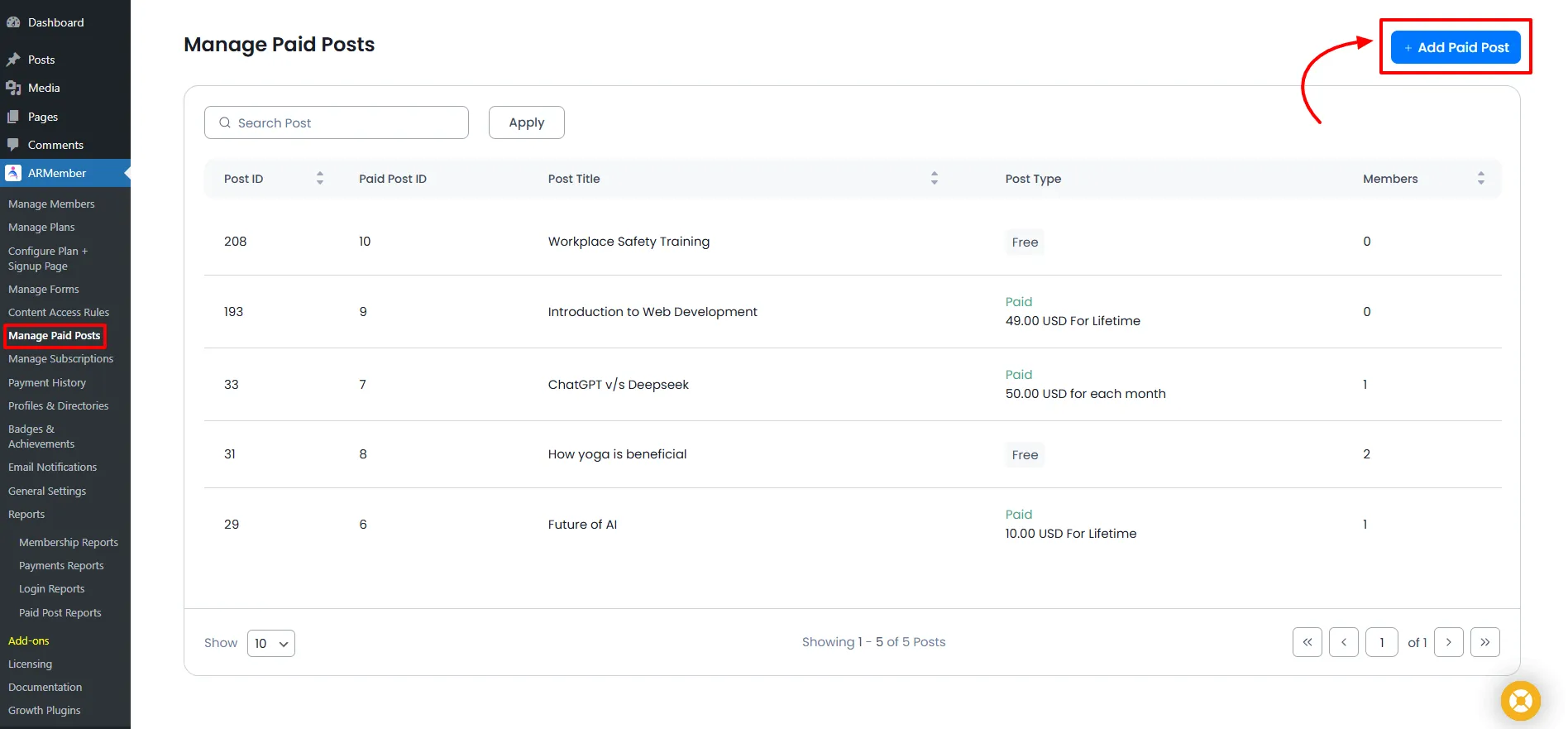
Types of Paid Posts
ARMember Pay Per Post Addon allows 3 different types of post to be created with different duration and types, similar to membership plans.
- Free Post Type
- Buy Now Post Type
- Subscription/Recurring Post Type
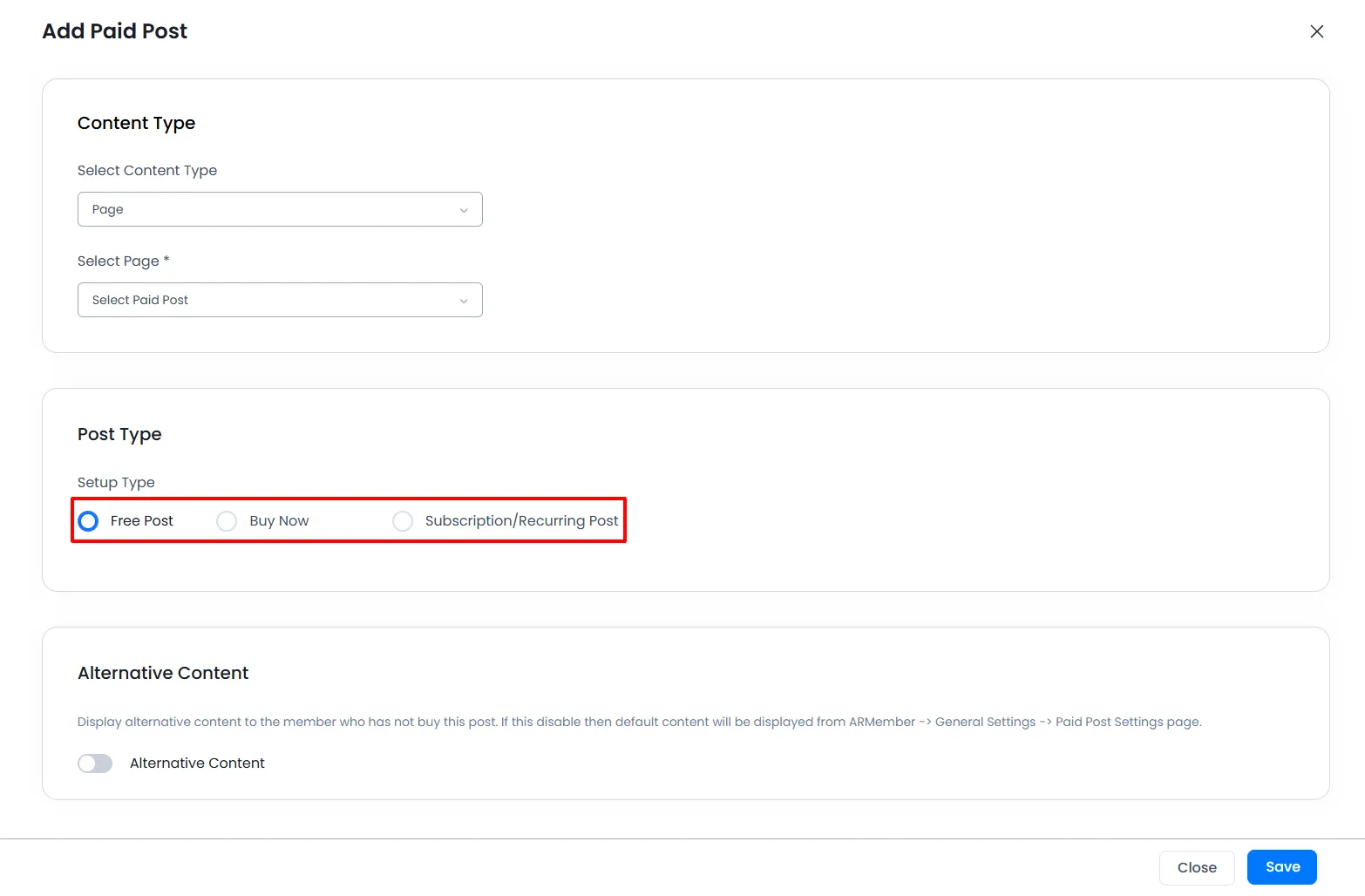
Free Post
Important Note: If members purchase a free-type post and if the member is logged in, then the free post will be automatically purchased; there is no need to submit a setup form!
One can select this post type if you are willing to allow a few free posts at your site; this option can be useful when the site owner is willing to have any small campaign at their site to attract new members.
With the Free Post Type, you can allow the members who subscribe to this post to enjoy this free post with lifetime access until cancelled.
Buy Now Post Type
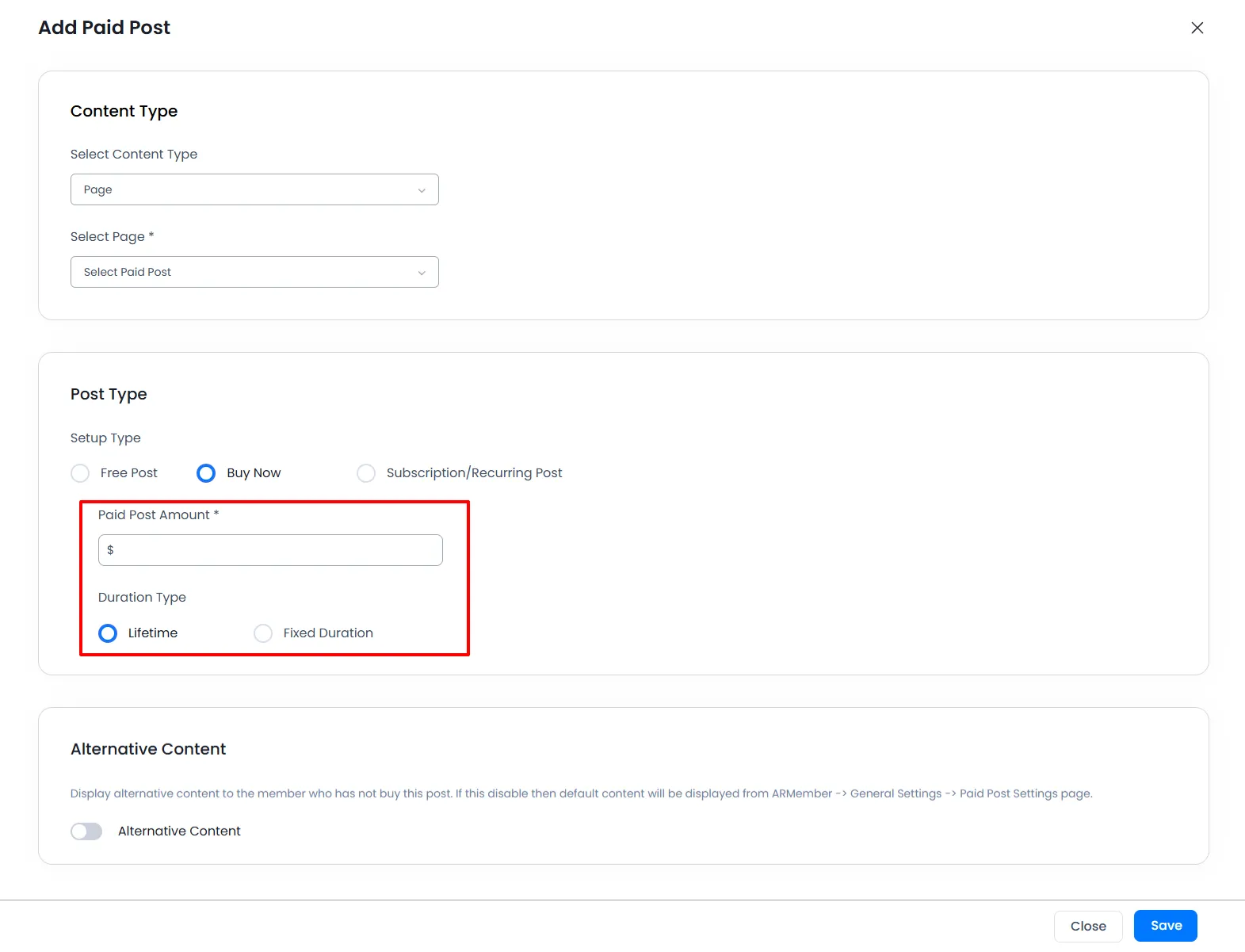
The Buy Now post type refers to the payment that goes through while purchasing any post; this type is an individual type and is separate from the Free and Subscription post types.
This type offers two different options:
- Lifetime
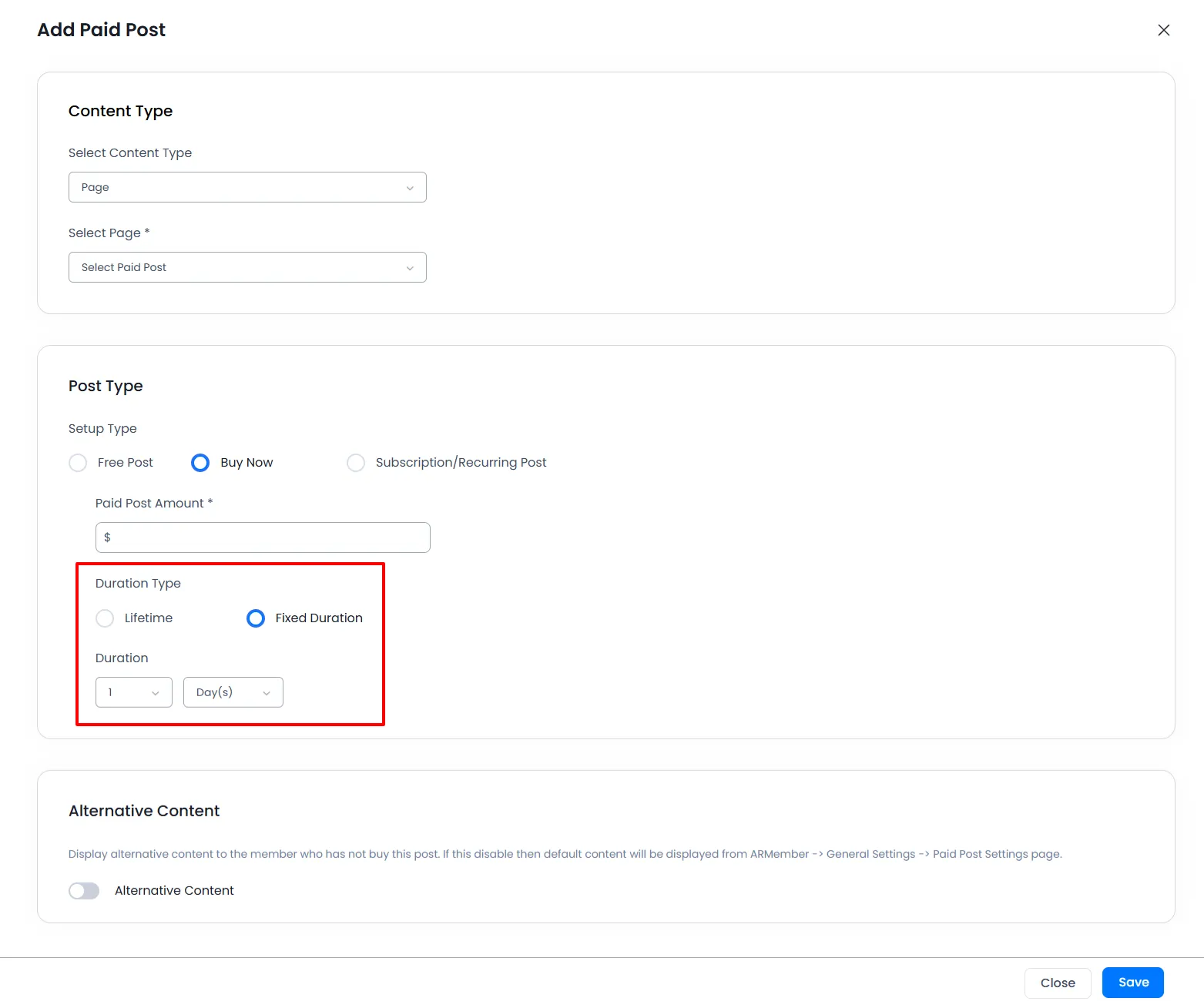
- Fixed Duration
If you select this post type, you just need to add the amount for your post. There will be no expiration of the user’s paid post with this post type.
Select this option to give a specific time limit for your paid post. You can set time in days, weeks, months, or years.
For this paid post type, you have to add the Amount.
Subscription/Recurring Post Type
Select this as Paid Post Types to create Recurring Billing Paid Posts. On selecting this option, you will have other options. ARMember does provide a facility to add multiple payment cycles for any single post.
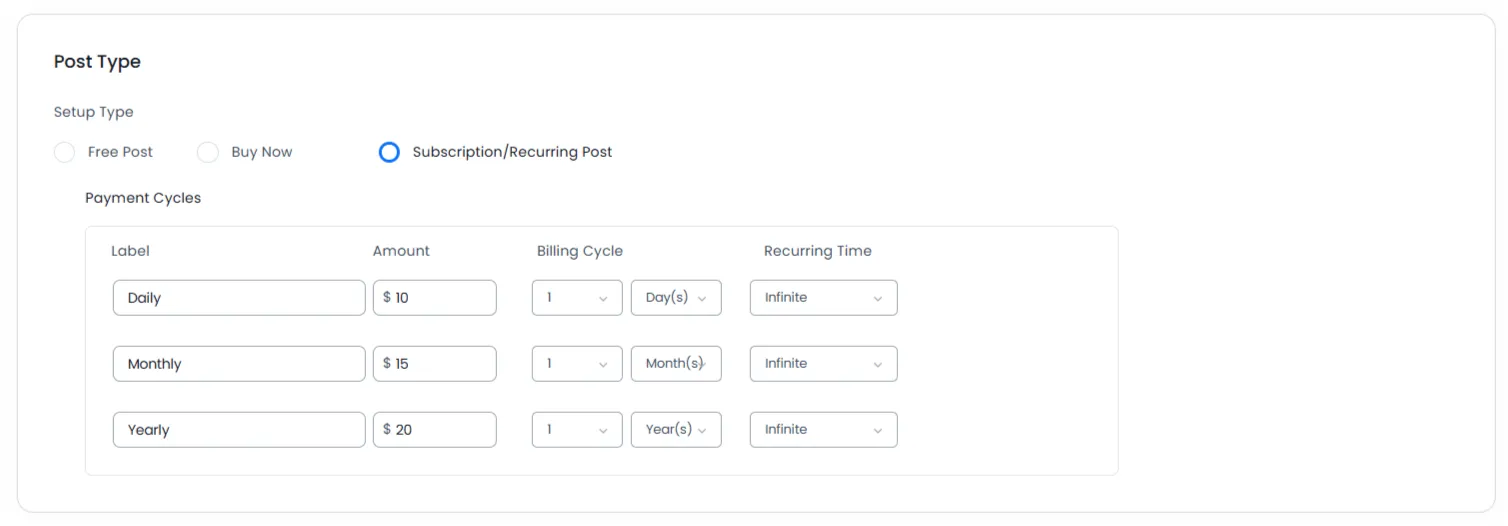
- Label
- Amount
- Billing Cycle
- Recurring Time
This allows you to set the label for the cycle you are creating for any subscription/recurring post type.
For each billing cycle, ARMember offers you to set a different price as per the cycle you have set.
You should add Billing Cycle according to payment gateway support. i.e., Authorize.NET will not support a daily billing cycle; it supports a minimum 7-day billing cycle.
Select the time duration for the billing cycle; you can set the time in days, months, or years. ARMember offers the facility to add multiple billing cycles; for a subscription/recurring paid post, you can add the multiple billing cycles as per your site requirements.
Important Note: For the Recurring Paid Post type, the Payment Method will always be considered a Semi-Automatic (Manual) Payment Method.
From here you can select the number of recurring occurrences; if you want to set no limit for the recurring plan, then you can select Infinite.
Apart from setting the post types, there are other multiple things to play around the paid post module like shortcodes for the paid posts, configuring paid posts, etc.