
ARMember Integration with BookingPress
How to Use Kit Addon for Email Marketing (opt-in) with ARMember
Overview
The ARMember Integration Add-on (offered by BookingPress) extends the functionality of BookingPress by seamlessly connecting it with ARMember. This integration lets you offer membership-based discounts and automatically assign membership plans when users purchase booking services.
By combining booking and membership features, you can create a more streamlined and rewarding experience for your users without manual intervention.
Important Notes
BookingPress develops and maintains this integration, not ARMember. To use this feature, make sure you have:
Key Features
Membership-Based Discounts
Users with an active ARMember membership plan receive automatic discounts when they book services through BookingPress. You can vary the discount based on the user’s membership level, giving you flexibility to define pricing for different tiers.
Automatic Membership Assignment
When a user purchases a service through BookingPress, the system automatically assigns the corresponding ARMember membership plan. This gives users instant access to membership benefits without requiring a separate signup.
Easy Integration Setup
The add-on keeps the setup simple, so you can connect BookingPress with ARMember in just a few steps without needing technical expertise.
Step 1: Install Required Plugins
Install and activate both BookingPress and ARMember on your WordPress website. Then install and activate the ARMember Integration Add-on.
Step 2: Enable Integration
Go to BookingPress ⇾ Add-ons, find the ARMember Integration Add-on, and enable it. Once you activate it, the integration options become available.
Step 3: Configure Membership Discounts
Create discount rules based on ARMember membership plans and link each plan to the appropriate discount value. This setup ensures users automatically receive benefits when booking services.
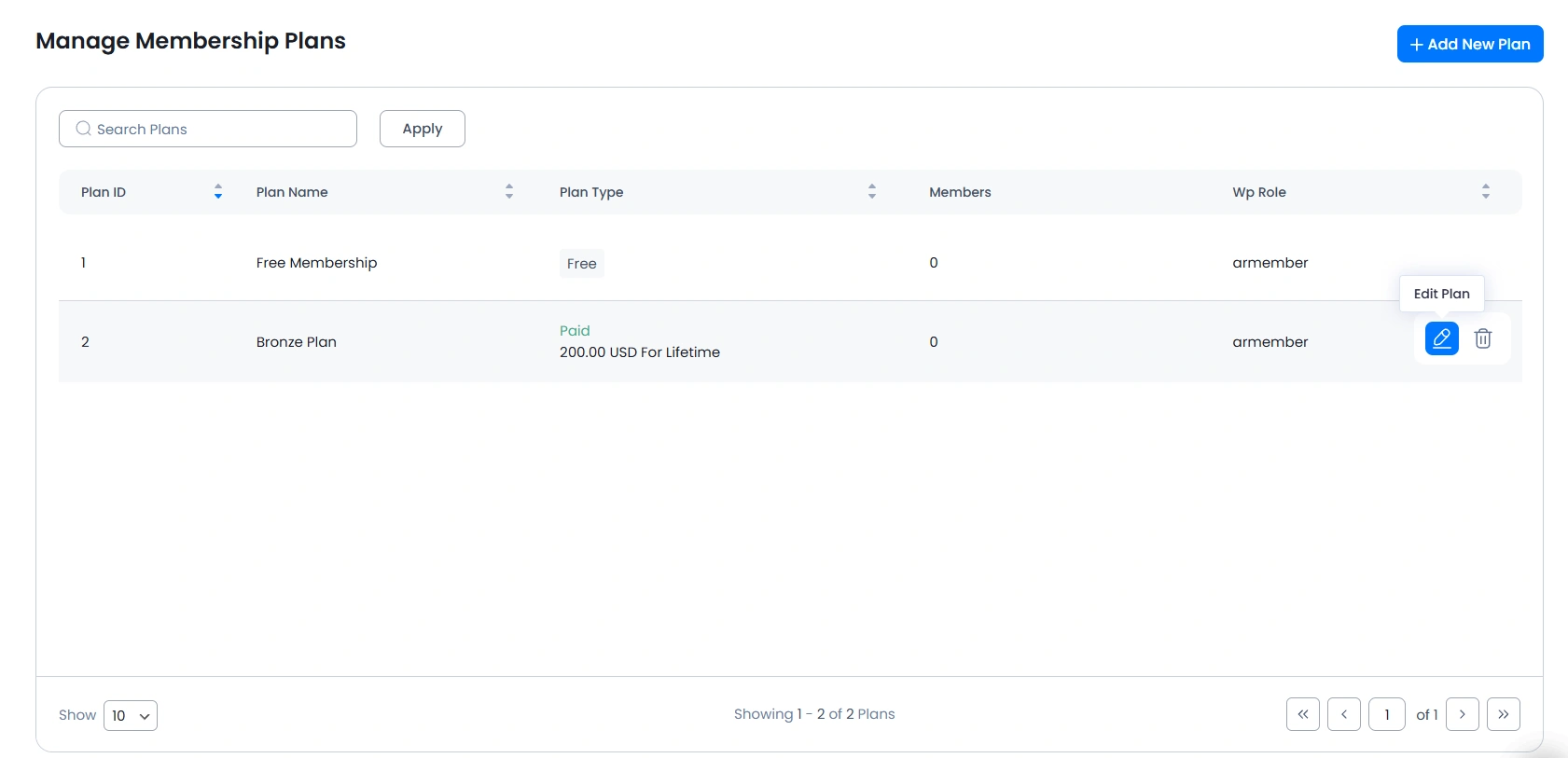
To enable discount settings in ARMember, go to ARMember ⇾ Manage Plans, then add or edit any plan.
Scroll to the bottom to find the BookingPress Discount Settings and enable them.
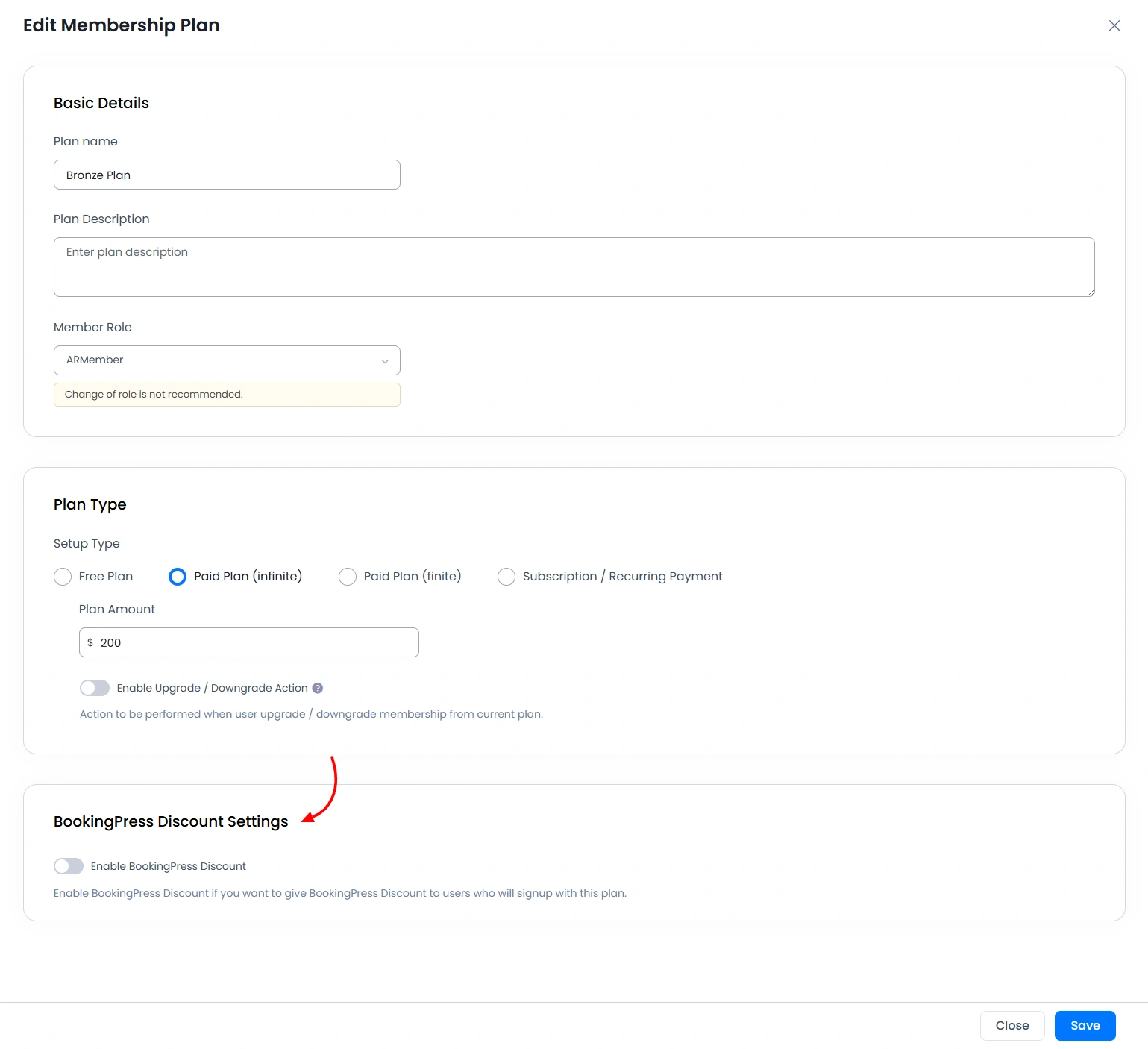
After enabling the settings, configure them according to your requirements.
Step 4: Map Membership Plans to Services
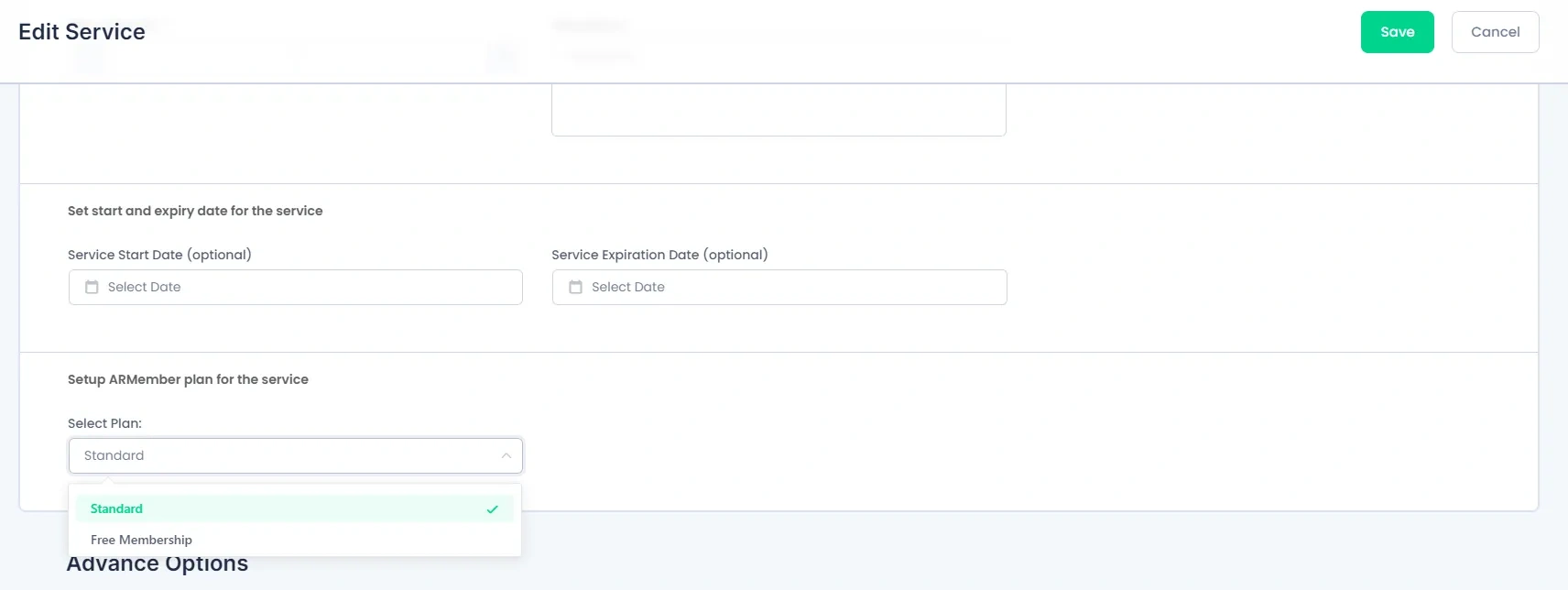
BookingPress lets you configure services to automatically assign an ARMember membership plan when users purchase them.
To do this, go to BookingPress ⇾ Services and edit the service you want to link with an ARMember plan. Here, select the plan, which then will be assigned to the customer who purchased the service.
The ARMember–BookingPress integration provides a simple yet powerful way to combine membership management with booking services. By automating discounts and membership assignments, it enhances user experience while reducing manual work. Overall, this integration helps create a more efficient system where bookings and memberships work seamlessly together to deliver added value to both businesses and their customers.