


Ready to stop building your community on someone else’s platform? Moving it to WordPress could be your smartest move yet.
Social media might be where your community started, but it doesn’t have to be where it stays. Algorithms change, reach fluctuates, and you’re always playing by someone else’s rules. A WordPress community gives you a dedicated space where you have far more control over how members connect and interact.
But simply putting a community on WordPress is never enough. To build a WordPress online community people actually want to be part of, you need the right features, from member profiles and private discussions to content sharing and engagement tools.
Here are 10 essential features to look for when creating a private online community website with WordPress.
10 Features You Need to Build a Secure WordPress Online Community Website
Gated Access and Member Paywalls

When creating a private online community, the first most important thing is to ensure only your members can access it, not just anyone browsing. Otherwise, what will be the difference between your exclusive social community and a random Facebook community.
Gated access and member paywalls keeps your WordPress community website private. It makes sure not just anyone browsing the internet can enter and spam your community. Here, you can lock your content behind a login screen so only approved members or paying subscribers can see it.
In other words, gated access makes sure your exclusive content, forums and member directories are completely hidden from the public and search engines. And for those wanting to monetize their groups, you’ll also need member paywall.
This feature allows you to charge people a one-time fee or a recurring subscription to gain access to the community.
Do you know why this will work? Because the research shows 83% of people are willing to pay a premium for exclusive, high quality content that they cannot find on public social media feeds.
By requiring a login or subscription fee, you screen out spammers, create an exclusive “VIP” feel and build a reliable monthly revenue stream for yourself.
User Registration and Custom Profiles
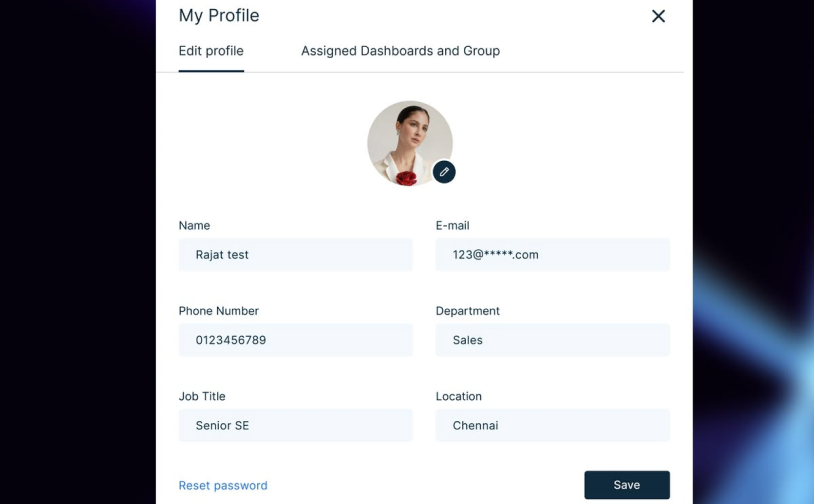
After you’ve decided who can enter your private community, the next step is making sure members can actually create an identity within it.
A simple registration form gets someone through the door, but it doesn’t tell other members who they are, what they’re interested in or why they’re worth connecting with.
That’s where custom member profiles come in. This membership feature lets you collect only the information you genuinely need through the registration process. Information such as a name, email address, username, or membership type. You can then let members complete their profiles with details such as a profile photo, bio, location, profession, interests or areas of expertise.
So why does this matter? Because people are much more likely to start a conversation when they have some context about the person on the other side.
Also, you can use custom fields to make profiles more useful for your particular community. A coaching community might ask about goals and experience levels, while a professional association could include a job title, company, industry, and areas of expertise.
The result is more than a list of usernames. You’re creating a real engaging community where members can recognize each other, find people with similar interests and decide who they wanna be with.
Private and Group Messaging
Public discussions are great for conversations that everyone can learn from. But not every conversation belongs in a forum.
Sometimes, a member wants to ask another person a quick question, discuss something privately or continue a conversation without filling up a public discussion thread. That’s exactly why private and group messaging is another important feature for a WordPress online community.
Private messaging gives members a direct way to communicate with each other without moving the conversation to email, WhatsApp or another platform.
Group messaging takes this a step further by allowing several members to chat around a shared topic or purpose. For example, a professional community could have a private group for local members, and a course community could create smaller study groups for members working through the same material.
This even makes your community feel more like a real network of people.
But messaging needs some boundaries. Give members control over who can contact them and make sure they have an easy way to report or block inappropriate messages. If your community is growing, moderation tools become increasingly important too.
A good rule of thumb is simple. Public conversations should create value for the wider community, and private messaging should make one-to-one and small-group connections simple and easy.
Structured Discussion Forums or Activity Feeds
A community can have hundreds of members and still feel completely dead if there’s nowhere for them to actually talk.
Thus you need a clear place for members to ask questions, share ideas, post updates and respond to one another. Some of the best examples of these kinds of online platforms are Stack Overflow, Reddit and Shopify Community.
Apart from this, Forums also work well when conversations need structure. You could create separate areas for:
- General discussions
- Questions and answers
- Announcements
- Member introductions
- Industry-specific topics
- Feedback and feature requests
- Events and meetups
Activity feeds, on the other hand, can make a community feel more dynamic. Members can see recent posts, replies, updates, and other activity without having to open individual discussion boards one by one.
The important part isn’t choosing the trendiest format. Choose the format that matches how your members naturally talk with one another.
If your community is knowledge-heavy, organized forums work better. If members primarily share quick updates and interact with one another, an activity feed feels more natural.
Also, you should make conversations easy to follow. Threaded replies, mentions, reactions, search, and notifications can all help members keep track of discussions without constantly checking the site.
And here’s something that’s easy to overlook: don’t launch with 30 empty discussion categories.
A new community with five active topics will usually feel much healthier than one with 30 sections containing nothing but “Welcome!” posts. Start with the conversations your first members are actually likely to have, then expand your structure as the community grows.
Role-Based Permissions
Not every member should have the same level of access.
A private community may have regular members, moderators, instructors, administrators, premium members or other groups with different responsibilities. Thus your setup of WordPress site should let you control what each type of user can see, create, edit, or manage.
Besides, you can use roles and permissions to create different member experiences. A paid community can offer premium members access to private discussions, resources or events that aren’t available to basic members.
This is where role-based access becomes much more than just a simple administrative feature. It can become part of the way you structure your entire community.
At the same time, don’t create dozens of complicated roles just because your plugin allows it. Start with the few access levels you actually need. You can always add more as your community grows.
All in all, you just have to create a community, a place where members feel comfortable participating .
Automated Onboarding and Email Notifications
Getting someone to join your community is only the beginning. The real challenge is getting them to come back.
A new member shouldn’t have to figure everything out on their own. After registration, you can use automated onboarding to guide them via the first few steps such as completing their profile, introducing themselves, joining a relevant group, or checking out your most useful resources.
Even a simple welcome sequence can make a difference.
For instance, you can send:
- Immediately: A welcome email with login details and the next step.
- After a day or two: A reminder to complete their profile or introduce themselves.
- Later: A recommendation for a relevant discussion, group, course, or resource.
Plus, you can also automated notifications to bring members back when something relevant happens. A notification about a reply to their question is useful. An email every time someone posts something on the site? Probably not.
More notifications don’t automatically mean more engagement. If members start getting irrelevant notifications, they’ll start ignoring them…or just turn them off completely.
Thus, give members control over notification preferences wherever possible, and focus your automated messages on actions that genuinely help them get value from the community.
Content Organization via Spaces or Categories
As your community grows, so does the amount of content inside it.
A handful of posts is easy to browse. But a few thousand conversations, resources, videos, and member contributions are a completely different story.
Thus your online community website needs a sensible way to organize its content.
Based on what type of WordPress online community you’re creating, you can use categories, groups, spaces, topics or member-only sections to keep conversations organized.
For example, a private marketing community could have spaces for:
- SEO
- Content marketing
- Paid advertising
- Social media
- Freelancing
- Job opportunities
Furthermore, a course based community can organize content by course, lesson, cohort or skill level instead.
The trick is to organize content around how members think, not how your WordPress dashboard happens to be structured.
Best of all, you can even make important content easy to find. Search, filters, tags, pinned discussions and resource libraries can avoid valuable conversations from disappearing into an endless stream of newer posts.
And don’t overcomplicate the navigation. If a member has to click through four different menus just to find the discussion they joined yesterday, your organization system is working against you.
Gamification and Member Recognition
People join a community because they want to learn something, meet people, solve problems, share their experience or feel like they belong.
And luckily, gamification elements do support those goals when it’s used thoughtfully.
You can award points for useful contributions, recognize members who consistently help others, create badges for milestones, or simply highlight valuable contributors on a leaderboard.
For example, you can recognize a member for answering their first 10 questions or making a particular contribution.
That distinction matters.
Rewarding activity isn’t the same as rewarding value.
If you reward members for posting constantly, you will end up encouraging low quality content. If you recognize helpful contributions, you give members a reason to participate in ways that actually improve the community.
You don’t even need an elaborate points system to get started. A simple “Member of the Month,” contributor spotlight, or thank you message can make people feel noticed.
The best recognition feels genuine, not like you’re turning your community into a video game.
Integrated Online Courses and Resources
If your community is built around education, coaching, professional development or customer training, conversations alone are not enough.
Members also need online courses, tutorials, guides, downloadable resources, webinars or other educational content in the same place.
Keeping these resources alongside the community can create a much smoother experience. Rather than sending members to one platform for lessons, another for discussions, and somewhere else for downloads, you can bring the experience together on your WordPress website.
This can also make your WordPress online community more valuable over time. Just make sure the educational content supports the community rather than replacing it. People should have a reason to interact with each other, not simply consume your content and leave.
Robust Security and Anti-Spam Protection
Last but not the least, never treat security as something you’ll deal with after your community becomes popular.
A private WordPress community contains user accounts, profiles, conversations and payment info. That makes security a very important part of the experience, never an optional extra.
Start with the basics: use HTTPS, keep WordPress and your plugins updated, use strong authentication practices, and choose reputable plugins that receive regular security updates.
Then think about the community itself.
You need tools such as CAPTCHA or other anti-spam measures, registration approval, login protection, content reporting, user blocking, moderation controls and restrictions on who can access private areas.
This gets even more important as your registration page becomes visible to the internet. A private community doesn’t automatically mean a private registration form. Bots can still find and target it.
Most importantly, don’t confuse “members-only” with “secure.” Restricting content to logged-in users is one layer of protection. A secure WordPress community needs several layers working together.
When members trust that their accounts, conversations, and personal information are being handled responsibly, they’re much more comfortable participating openly, which is exactly what a good private community should encourage.
How to Choose the Right WordPress Community/Membership Plugin
The better choice is the WordPress membership community plugin that gives you the right combination of access control, community features, flexibility, and ease of use for the type of community you’re building.
Before you install anything, think about what your members actually need.
A paid professional community needs memberships, private groups, recurring payments, and moderation tools, but a free hobby community? It just needs to care more about profiles, discussions, messaging and member engagement.
Thus, here are the key things to look at:
1. Match the Plugin to Your Community Model
Start with the basics: What kind of online community are you building?
Are you creating a paid membership community, a customer community, a course-based community, a professional network, or simply a private space for a specific group?
Your answer should guide your plugin choice. Don’t pay for features you’ll never use just because a plugin offers them.
2. Check Access Control and Membership Options
If your WordPress online community is private, access control should be one of the first things you check.
So look for options to restrict pages, posts, categories, forums, resources or entire sections of your website to specific members or membership levels.
If you’re planning to monetize the private community website, please make sure to check whether your membership system supports the payment model you want such as one-time payments, recurring subscriptions, free trials, or multiple membership levels.
We have seen many plugins with excellent community features but still be a poor fit.
3. Look at the Community Features You Actually Need
Next, compare the features that members will use every day.
Now, based on your WordPress community, these could have
- Member profiles and directories
- Private messaging
- Groups or private spaces
- Discussion forums or activity feeds
- Comments and reactions
- Notifications
- Member search
- Moderation tools
- Gamification
- Events
- Courses and learning resources
Remember, you don’t necessarily need all of them.
A smaller private online community WordPress can even start with profiles, discussions, access control, and basic moderation and add more functionality later.
4. Check Integrations Before You Commit
Your community probably won’t exist in isolation.
You will eventually want to connect it with an email marketing platform, payment gateway, CRM, learning management system, forum plugin, or other WordPress tools.
That’s why it’s worth checking integrations before making your decision.
5. Consider Ease of Setup and Maintenance
A plugin can have 100 features and still be the wrong choice if setting it up feels like configuring a small software project.
Think about how much technical knowledge you have and how much time you’re willing to spend maintaining the site.
Thus check whether the WordPress membership plugin you want offers the following:
- Easy to setup wizard
- Clear documentation
- Useful support
- Regular updates
- Compatible add-ons and integrations
- Easy-to-understand settings
Plus, consider what happens six months from now. Your community will probably grow, and your plugin should be able to grow with it without forcing you to rebuild everything from scratch.
6. Don’t Ignore Security and Performance
Your community will contain user accounts and sensitive member information so security should never be an afterthought.
Always check whether the membership plugin is actively maintained and whether it follows WordPress security best practices. Plus, it’s worth looking at how the plugin affects your site’s performance if you expect hundreds or thousands of members.
On top of that, if you need a membership plugin, a community plugin, a messaging plugin, a separate profile plugin, and several add-ons just to create a basic member experience, your setup can quickly become difficult to maintain.
7. Compare the Total Cost, Not Just the Plugin Price
Last but not the least, always look beyond the advertised plugin price.
A plugin that costs less at first may become more expensive after you add the extensions you need for payments, messaging, forums, courses or other functionality.
Apart from that, there are also popular WordPress plugins that charge less in the first yet, but almost double from the second year. We’ve even come across many that locks you in. Because after all your user data is in it, switching can be difficult.
Thus whenever comparing options, consider the total cost of running your community, including:
- Plugin or membership license
- Required add-ons
- Payment processing fees
- Hosting
- Email services
- Security and backup tools
- Premium integrations
With those criteria in mind, let’s look at five WordPress plugins that can help you create a private online community and see where each one fits best.
5 Best WordPress Membership Plugins for Building a WordPress Online Community
Creating an online community in WordPress is an excellent way to connect like-minded people and grow your membership business. To help you get started on the right foot, here are the best WordPress membership plugins for online communities:
1. ARMember
ARMember tops every “best of” list about membership and community plugins in the WordPress ecosystem. The reason it ranks so highly is because it gets the balance right. It’s powerful enough to paywall your exclusive content and flexible enough to let you make a beautiful member profile, login form, members directories and a lot more, using its in-built form builder. No extra tools. No higher renewal price (Unlike some highly advertised plugin names you see on Google Search)
When we tested ARMember, the first thing we noticed is how simple it is to set up. Its setup wizard gets the base ready in no time, and you can customize anything later without confusion thanks to its modern, SaaS-like user interface. Here, everything feels like a natural part of WordPress, not some clunky third party tool.
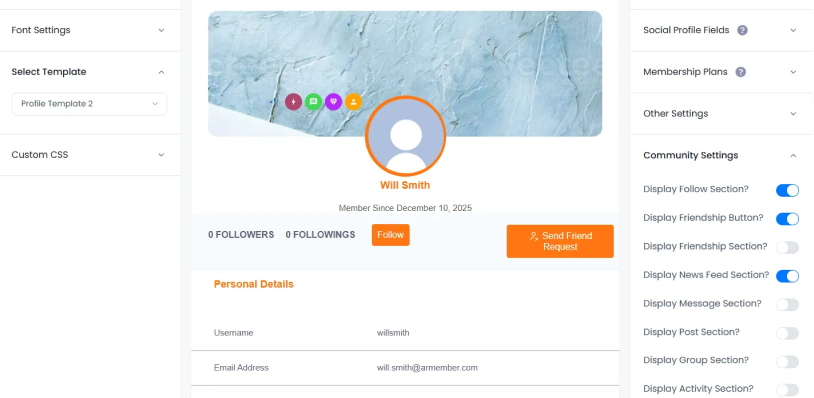
Best of all, it comes with 62+ in-built addons and 22+ payment gateways out of the box. Some of the things that makes ARMember a perfect fit for building online communities is the fact that you can create Facebook-style member profiles, directories and social activity feeds with zero coding.
The customer support is fantastic, the documentation is beginner friendly (although we didn’t require it due to its intuitive UI) and the video tutorial is clear.
ARMember Key Features for Online Communities:
- Unlimited flexible membership plans with recurring payments
- Live news feeds, multimedia posting (images and videos), profile reviews, and activity listings
- Allows members to send friend requests, follow or unfollow other users
- Supports direct messaging between members with emojis
- Create public, private, or hidden groups with custom avatars, cover images, descriptions, and member roles
- Boosts engagement with gamification
- Advanced content restriction and dripping content
- Connects with social community tools like BuddyBoss and BuddyPress
- Create digital downloads and online courses with auto-generative certification
- Integrates with 22+ payment gateways and 16+ email marketing tools
- Automatic notifications via Email, SMS, and WhatsApp
Cost:
- Free version available
- The premium plan starts at $89/Year.
2. Ultimate Member
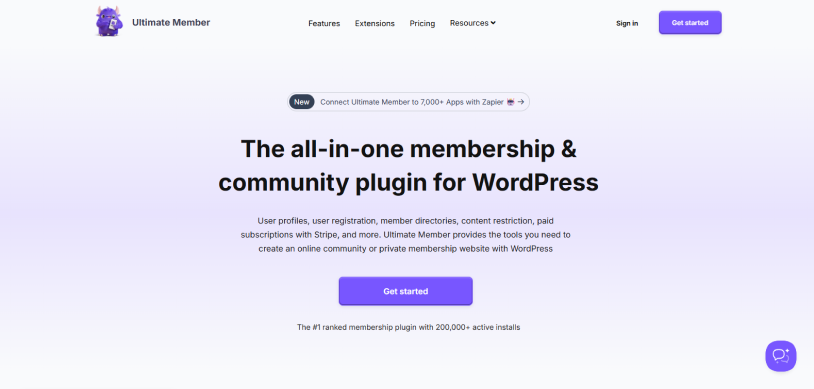
Ultimate Member is one of the most popular membership and community plugins here, and for good reasons.
The reason it stands out is because of its member experience. You can create beautiful user profiles, registration forms, login forms, member directories and user accounts. No coding. No complicated setup.
When we tested Ultimate Member, the first thing we noticed is how much control it gives you over the front-end experience. You can create custom registration forms, add profile fields, assign different user roles and decide exactly what information members can see. Everything feels focused on making the member side of your website easier to manage.
Its member directories are another big plus. You can let members discover each other, search through profiles and create detailed user profiles based on the info you collect during registration.
Ultimate Member Key Features for Online Communities:
- Custom front-end registration, login, and user profile forms
- Member directories with search and filtering
- Custom profile fields and user roles
- Front-end user account pages
- User role assignment based on registration forms
- Control over profile and member information visibility
- Private messaging between members with extensions
- Multiple extensions for expanding community functionality
- Integrates with other WordPress plugins and tools
Cost:
- Free version available
- The premium plan starts from $276/year.
3. MemberMouse
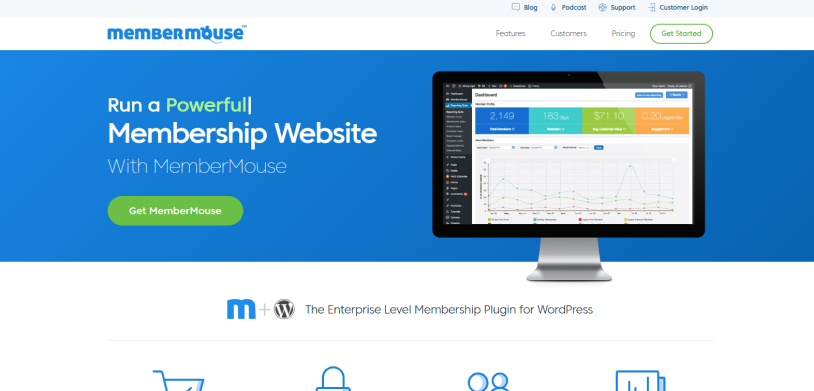
MemberMouse takes a slightly different approach to creating a WordPress online community.
While plugins like ARMember balances the community member experience and membership features, MemberMouse puts a lot of attention on membership management, content protection and monetization. If your community is also a serious paid membership business, this is where MemberMouse starts to make a lot of sense.
When we tested MemberMouse, the first thing we noticed is how much control it gives you over the complete member journey. You can create free and paid memberships, set up recurring subscriptions, offer trials, create different payment options and even encourage existing members to upgrade to higher membership levels. It is built more around managing a membership business than simply creating user accounts.
Apart from this, the member management tools are equally useful. You can manage member accounts, track member activity and automate different parts of the membership experience.
The downside is that MemberMouse is not as community focused as some of the other plugins on this list. If you want social feeds, member groups and lots of member-to-member interaction, you will need extra tools. Not to forget, it’s the most expensive membership system on our list, making it a not-wise choice for small or growing communities.
MemberMouse Key Features for Online Communities:
- Free and paid membership levels
- Recurring subscriptions and payment plans
- Advanced content restriction
- Drip content and scheduled content access
- Member-only pages, posts, courses, and downloads
- Free and paid trials
- Coupons and promotional offers
- One-click upsells
- Multiple membership levels
- Analytics and reporting
- Integrations with other business and marketing tools
Cost:
- No free version available
- The premium plan starts from $299/year.
4. BuddyPress
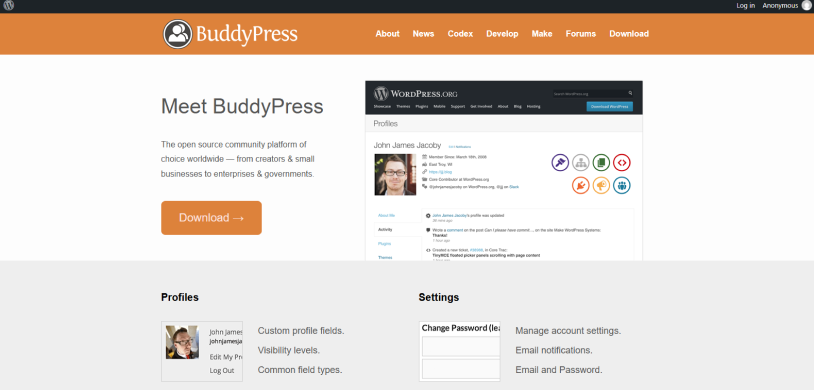
BuddyPress is probably the closest thing on this list to creating your own social network inside WordPress.
This WordPress plugin is built around the community itself. Thus your members can create profiles, connect with other users, join groups, post updates and interact with activity streams right from your WordPress website.
When we tested BuddyPress, the first thing we noticed is how naturally it turns a regular WordPress site into a WordPress community platform. Your members can have their own profiles, connect with other members, join groups and participate in discussions.
However, you can always connect BuddyPress with membership plugins like ARMember to get all the essential features you need for building a complete private online community on WordPress.
BuddyPress Key Features for Online Communities:
- Member directories
- Public, private, and hidden groups
- Member friendships and connections
- Activity streams
- Group activity streams
- Private messaging between members
- Member notifications
- Community-focused WordPress functionality
- Extendable with third party plugins and integrations
Cost: Free
5. WooCommerce Memberships
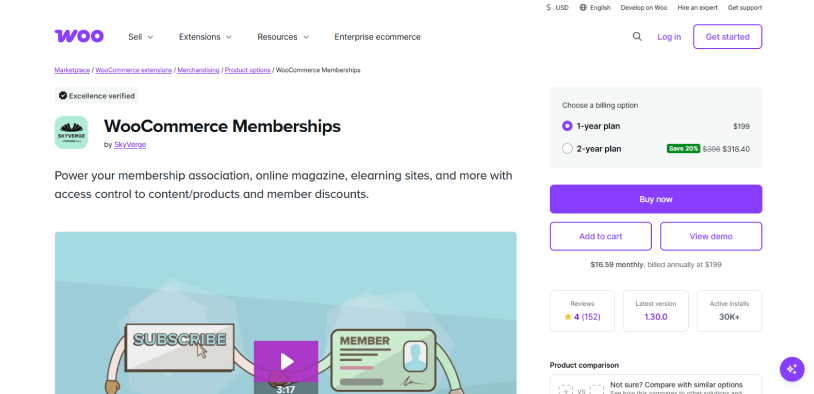
WooCommerce Memberships is a great choice if your idea of an online community is closely connected to an online store. Sounds like a rare but possible scenario?
Suppose you own an online store and want to create an online community around your customers, or for your customers to be your loyal members. In those cases, this one is worth it.
Using this membership plugin, you can create membership plans, sell memberships, restrict content, offer exclusive products and give members special discounts, all within the WooCommerce ecosystem.
The biggest thing to keep in mind is that WooCommerce Memberships is not really a social community plugin. Thus you won’t get the same Facebook-style activity feeds, friendships or community groups that you get with BuddyPress or ARMember. Its strength lies in combining membership functionality with WooCommerce’s powerful shopping and customer management system.
WooCommerce Memberships Key Features for Online Communities:
- Create unlimited membership plans
- Restrict posts, pages, products, and other content
- Members-only products and purchasing options
- Exclusive member discounts
- Special pricing for members
- Membership access based on purchasing activity
- Integrates with WooCommerce Subscriptions
- Integrates with other WooCommerce extensions
- Manage membership access from the WooCommerce dashboard
- Create exclusive content and products for members
Cost:
- No free version
- The premium plan starts at $199/year.
- WooCommerce Subscriptions is required separately for recurring subscription memberships.
Conclusion
In a nutshell, these are all the must-have community features you need for building a successful WordPress online community website.
Create a place where your members can share their experiences and goals using the right WordPress membership plugin, and you get yourself a steady recurring revenue plus a group of engaging members.
By investing in the right WordPress membership plugin like ARMember, you indirectly invest in the growth of your online community.
We’ve given you the blueprint of all the community features a successful community has. Now it’s time for you to put it together and start building your private online community in WordPress.
Related articles:

Share this post


