


Looking for a way to customize your WordPress membership site without digging into theme files or risking a single line of broken code? Look no further.
WordPress is powerful on its own even in 2026, but things start getting tricky when you want to add custom features, track scripts or make small functionality changes. At that point, you’re usually stuck between editing theme files or installing yet another heavy plugin.
Luckily, there’s a much better way – code snippet plugins.
These WordPress plugins let you insert and manage custom code safely, all from your WordPress dashboard. No file editing. No technical headaches. Just a cleaner way to customize your site without stress.
But with so many plugins available, picking the right one can feel confusing. And that’s exactly what this guide is here for.
We’ll cover the 5 best WordPress code snippet plugins in a moment. But first, let’s clear up what a code snippet plugin really is.
TL;DR: WordPress code snippet plugins allow you to safely add custom code without editing theme files or risking site crashes. For most users, WPCode is the best overall choice thanks to its safety features, easy management and support for PHP, CSS, JS, and tracking scripts.
Quick Look: Top 5 WordPress Code Snippet Plugins in 2026
Don’t have time to scroll? No worries! Take a look below at the best code snippet plugins for WordPress for 2026:
| Plugin | Best For | Supports | Free Version | Starting Price |
| WPCode | Beginners + advanced users. | PHP, CSS, JS, HTML | Yes | $49/year |
| Code Snippets | Lightweight PHP management. | PHP, CSS, JS | Yes | $39/year |
| Insert PHP Code Snippet | PHP shortcodes. | PHP only | Yes | Free |
| Header Footer Code Manager | Tracking scripts & pixels. | Header/Footer scripts, PHP | Yes | $35/year |
| Advanced Scripts | Developers & advanced workflows. | PHP, CSS, JS, SCSS, LESS | No | $19.99 lifetime |
What is a WordPress Code Snippets Plugin?
A WordPress code snippets plugin is just like any other WordPress tool but this lets you add custom code to your website without editing theme files. You simply have to paste small pieces of code (called snippets) right inside your WordPress dashboard.
No need to open any functions.php file or dealing with complex development setups.
These snippets can be used for things like:
- Adding tracking scripts to your header or footer
- Customizing how your site behaves
- Enabling or disabling specific features
- Running small performance or design tweaks
Why Trust Code Snippet Plugins?
The biggest reason people use code snippet plugins is simple – safety.
Editing theme files directly can break your website with even a small mistake. And when your site is live, that’s a risk most people don’t want to take. If you’d rather have these kinds of WordPress tasks handled by professionals, WordPress website management can take much of that ongoing maintenance off your plate.
Code snippet plugins lowers that risk by giving you:
- A controlled environment to manage code
- Easy enable/disable options (no permanent damage)
- Centralized control; no scattered file edits
- Less dependency on developers for small changes
They also make updates safer. Even if you switch themes, your snippets stay intact inside the plugin. That’s why beginners, marketers and even some developers rely on them.
How Code Snippet Plugins Actually Work
Code snippet plugins act as a layer between your WordPress site and your custom code. Thus if you’re wondering what happens behind-the-scenes, here’s you go:
- You paste a snippet inside the plugin dashboard.
- You choose where it should run. (sitewide, header, footer, admin, etc.)
- The plugin safely executes it without modifying theme files.
Most modern plugins also come with:
- Syntax checking (to lower errors)
- Toggle switches to activate/deactivate snippets
- Categorization to keep code organized
- Location targeting (like homepage only or specific pages)
So you never have to manage any kind of messy code files. Everything stays structured, reversible and easy to control.
Expert Criteria for Choosing The Best Code Snippet Plugin
When evaluating WordPress code snippets plugins, the main goal is to find a tool that safely extends your site’s features without breaking your theme and current features.
A best code snippet plugin for WordPress is the one that offers robust error protection, strict organizational features and smooth execution controls while keeping your custom scripts independent from the core files.
Thus, here’s how we tested and evaluated the best code snippet plugins for WordPress:
- The “Safety” Net (Error Protection): The biggest risk with custom code is the “White Screen of Death”. Thus, we only took plugins into consideration with safe mode or automatic error detection.
- Logical Organization: Let’s say if you got 50 snippets, you can’t have them in one giant list now, can you? Thus, we looked for code snippet WordPress plugins that offer tag, categories and naming features.
- Precision Execution (Conditional Logic): Now no one always needs a script running on every single page. So, we tested for conditional logic. This feature lets you choose when to run the specific snippet, in specific scenarios such as – the ability to run code only for logged-in users, only for mobile users or only on specific URLs.
- Independence from Themes: The main reason why most WordPress users look for a code snippet WordPress plugin is to avoid editing functions.php. That’s why we made sure the plugins in this list keeps your code stored in the database.
- Performance Impact: Code is meant to add features, not lag. Thus we checked the “footprint” of each and every plugin to make 100% sure the management interface never slows down your WordPress admin dashboard nor affects the front end.
- Support for Multiple Languages: When it says languages here, it means the programming language like PHP for which most people use this kind of plugin. However, a top-tier WordPress code snippet plugin should also handle HTML, CSS and JavaScript.
So now it’s time to review each and every top 5 best WordPress code snippet plugins to do more with WordPress with zero custom coding.
5 Best Code Snippet Plugins For WordPress
1. WPCode
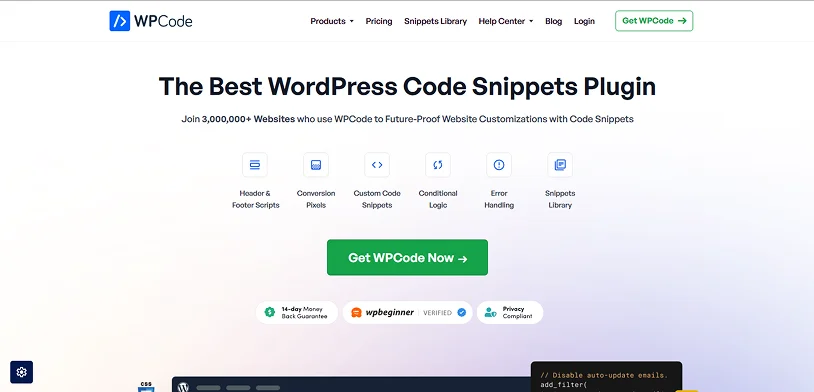
With over 3+ million active installations, WPCode is one of the best code snippets plugins for WordPress.
If you’ve ever had to touch your site’s functions.php file, you know the heart dropping feeling when you hit the “Save” and the site goes white. WPCode (also well-known as the Insert Headers and Footers WordPress plugin) is like the safety net that makes those edits stress free.
This plugin comes with over 100+ ready to go snippets for adding custom functionalities to your WordPress. You can also use it to add custom PHP, JS, CSS and HTML too.
What impressed us the most is its “Smart code Validation” feature. If you paste a snippet with any typo that would normally crash your site, WPCode catches the error and avoids it right away. And the best part is it keeps your snippets separate from the theme file. So you can easily switch themes as much as you want without losing your Google Analytics or custom CSS.
Apart from this, the plugin comes with smart conditional logic for code snippets to let you control where your snippets are loaded. Although we have to admit it’s overkill if you only need to add one single line of code to your header and never touch your code again.
Moreover, since it’s rebranded, the free version can feel a bit naggy. You’ll see many features like page-specific scripts or WooCommerce integrations are locked behind a pro plan.
Standout Features:
- 100+ expert approved snippets
- Custom code snippets for PHP, JS, CSS and HTML
- Smart conditional logic
- Advanced auto-insert locations
- Global header and footer scripts
- Safe error handling
- WordPress code generators
- eCommerce conversion pixels
- Easy code management
Price:
- Free version available
- The Pro paid version starts from $49/Year (Renews at $99/Year)
Our Final Verdict: WPCode is worth it for almost everyone. If you’re a beginner, it’s worth it just for the error protection, and if you’re a pro, it’s worth it for the organization as well. What we liked the most is everything is in one clean dashboard. Still, we would recommend you to stick with the free (Lite) version first because that handles 90% of what most users need such as header and footer basic snippets. Only upgrade to WPCode Pro if you need a cloud library or deep eCommerce integration logic.
2. Code Snippets
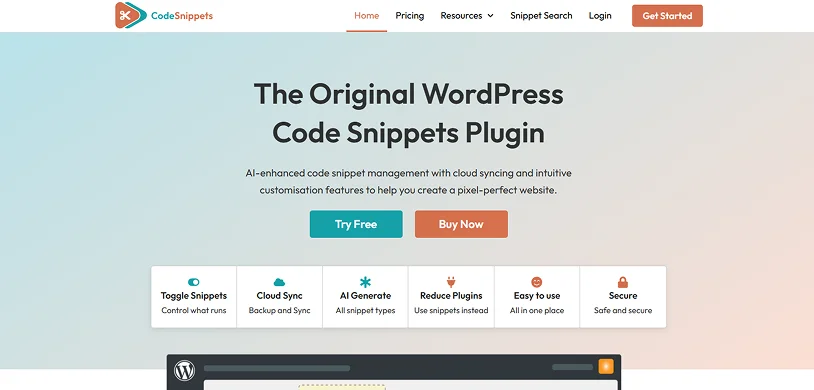
Code Snippets WordPress plugin is one of the most popular plugins in the WordPress community with over 1+ million active installations.
Unlike other code snippets plugin WordPress that just dumps the code into your functions.php file, this plugin gives you a graphical interface for smooth integration and real time execution. Plus, managing snippets is as easy as activating and deactivating plugins.
You can safely manage PHP, CSS and JavaScript snippets which function exactly like a modular functions.php file. It is the ultimate tool to keep your website bloat-free and easy to manage.
The best feature by far is its built-in safety net. If you accidentally write a bad snippet, the plugin catches the fatal PHP error and automatically deactivates that specific code, never letting your site crash down.
Moreover, you can easily activate and deactivate individual snippets with just a single click – the same way you would with WordPress plugins. You also get to choose whether a snippet runs site-wide, only in the admin area or on the frontend.
Key Features:
- AI code generator
- Conditional logic with just a simple toggle to control what runs
- WordPress multisite support
- Organize multiple snippets together in Bundles
- Easy to use
- File-based snippet execution
- All snippet types (CSS, JS)
- Access snippet data via REST API
- Unlimited private cloud storage
Price:
- Free version available
- The premium starts from $39/Year
Our Final verdict: Code Snippets WordPress plugin is one of the best code snippets plugins we’ve seen so far. If you’re tired of messing with the raw files or having 20 different plugins for minor tweaks in code, Code Snippets is a must-have. Just remember if you’re planning to use snippets to add third party scripts, always double check the code and keep a backup of your site before pushing changes live.
3. Insert PHP Code Snippet
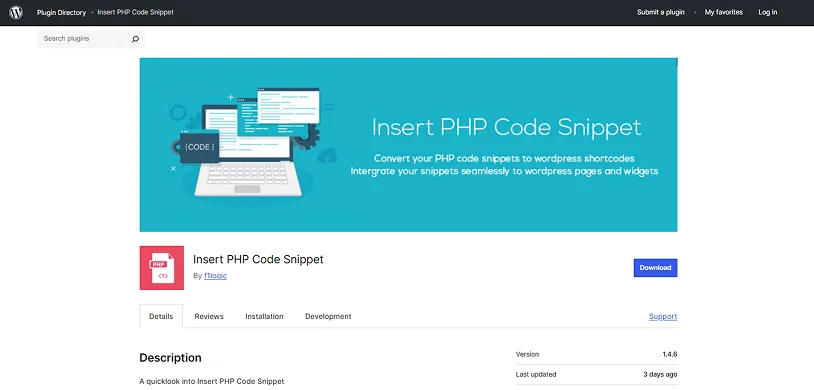
Insert PHP Code Snippet By f1logic is another one of the fantastic WordPress plugins for adding custom code snippets.
Developed by XYZScripts and having 90,000+ active installations, this plugin turns raw PHP code into reusable page-specific shortcodes. It keeps your core theme files clean while giving you exact control over where your custom login runs.
The standout feature is its ability to convert custom PHP into a simple shortcode such as [xyz-ips snippet=”my-code-snippet”]. You can drop this into any post, page or text widget. Plus, it adds a handy dropdown menu right inside the classic TinyMCE editor which lets you pick the snippets with no need to memorize any names. However, remember it’s only for PHP and is shortcode dependent too.
Key Features:
- PHP-to-Shortcode conversion
- Flexible shortcode placement methods like manual, automatic, and on-demand execution.
- Convenient dropdown menu
- Smart tag handling
- Organization and management
Price:
Insert PHP Code Snippet is 100% free to download and use.
Our Final verdict: Insert PHP Code Snippet is the best free WordPress code snippet plugin. If you want a laser-focused plugin for PHP only, this plugin is worth considering. However, remember it lacks an advanced syntax highlighting visual editor for complex code nor has conditional logic.
4. Header Footer Code Manager
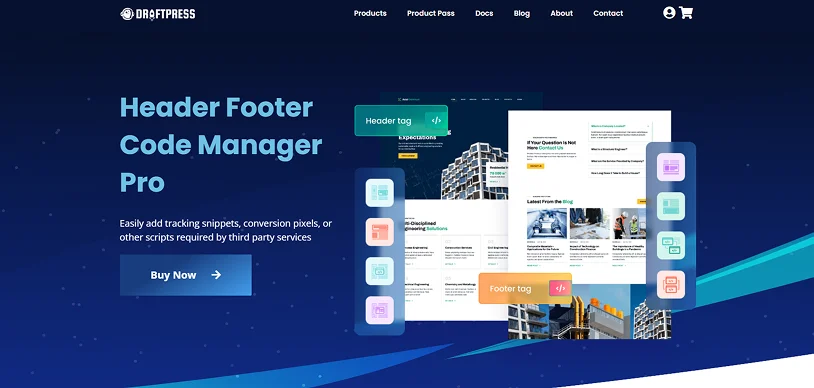
Want to manage your tracking scripts in a no-fuss way? Then, let us introduce you to the Header Footer Code Manager by the DraftPress Team. It is a solid option for those who need to drop in a Facebook Pixel or Google Analytics tag, but don’t want to touch a single line of the actual theme.
The biggest win here is its precise conditional loading rules. Most basic “Header/Footer” plugins just dump the code sitewide, but HFCM lets you pick exactly where a script lives, whether it’s on a specific page, a single post or even restricted by device (desktop vs. mobile).
Best of all, your snippets stay put even if you swap your entire theme. With this plugin set, you never have to worry about the “White screen of Death” which is caused by misplaced code in your functions.php file.
Key Features:
- Advanced conditional logic
- Device tracking
- Multiple locations for code placement
- Target Logged In Users
- Clone snippets
- Snippet search and tagging
- Easy configuration
- PHP supported
Price:
- Free version available
- The premium plan starts from $35/Year
Our Final Verdict: With over 600,000+ active installations, Header Footer Code Manager is another best option which is worth taking into consideration. For anyone who wants to avoid the “White Screen of Death” completely, HFCM is the solid WordPress code snippet plugin. We mostly recommend it due to the fact that your scripts remain intact even after theme updates. Moreover, the free version is food for basic tracking, and the pro version is worth the investment for developers who want advanced PHP logic or want to set complex device-specific rules.
5. Advanced Scripts
If you’re looking for the most advanced scripts managers on the WordPress market, Advanced Scripts by Clean Plugins is an awesome pick.
Using the Advanced Scripts WordPress plugin, you can go beyond PHP, CSS and JavaScript, writing SCSS and LESS code as well for CSS which will automatically pre-process it into standard and browser readable CSS.
This plugin’s safe mode is easily one of our favorite features. If you make a syntax error in your PHP code that would normally crash your site, Safe Mode catches it, disables the script, and lets you log in to fix it.
But keep in mind that using this means you must have some basic understanding of code. It’s definitely more advanced than simple drag and drop tools, though the user interface is incredibly clean and easy to go around.
Key Features:
- Safe Mode to avoid “White Screen of Death”
- File-based storage
- Advanced conditional logic to decide where the code runs
- Script Folder
- Native SCSS and LESS compilation
- Custom shortcodes
- Optimized IDE
- Oxygen builder integrations
Price:
- No free version available
- The premium plan starts from $19.99 for lifetime license.
Our Final verdict: Advanced Scripts is the best WordPress code snippet plugin for developers, designers and intermediate WordPress users who always customize websites with custom code. It brings organization, safety and performance to your site’s backend. But if you are a beginner looking for a simple way to add Google Analytics, we’ll not recommend it to you.
Expert Recommendation: Which Code Snippet Plugin Should You Choose?
In closing, these are all the top WordPress code snippet plugins available on the WordPress market.
Code snippet plugins solve one of the biggest WordPress problems: safely customizing your site without touching fragile theme files. You don’t have to edit any functions.php file and risk a broken website.
Now the choice of best WordPress code snippets plugin depends on how you actually use WordPress. Some users simply want a safe way to add Google Analytics or Facebook Pixel. Others need advanced conditional logic, reusable PHP snippets or developer level code management.
These best code snippet plugins for WordPress gives you:
- Safer code execution
- Better organization
- Easier troubleshooting
- Theme-independent customizations
- Faster workflow management
And honestly, once your site starts growing, having a proper code snippet plugin becomes less of a convenience and more of a necessity.
If you want the safest recommendation for most users, WPCode is probably the easiest place to start. But if your workflow is more developer-focused, plugins like Code Snippets or Advanced Scripts can offer far more flexibility.
Moreover, most of all code snippet plugins for WordPress give a free version so you can test them on your WordPress site before investing in a premium plan.
Related articles:
- How to Choose the Right WordPress Subscription Plugin?
- 7 Best WordPress Backup Plugins in 2026 (Free and Paid)
- 22+ Best WooCommerce Addon Plugins to improve Store Sales
FAQs
What is the code snippet plugin for WordPress?
A code snippet plugin for WordPress is a tool that allows you to add custom code such as PHP, CSS, JS or HTML to your WordPress website with no need for editing the theme’s files such as functions.php.
Is the WPCode plugin free?
Yes, WPCode plugin offers a robust free version which is available in the WordPress plugin directory.
How do I add a code snippet in WordPress?
You can use a WordPress code snipped plugin to add custom code snippets in your WordPress website.
What is a code snippet in WordPress shortcode?
A code snippet in a WordPress shortcode is a small block of PHP, HTML or JS code that is used as a shortcode to execute specific functions on a WordPress site.
What is the difference between code and snippet?
Code is the complete set of instructions which is used to create a software or website. Snippet, on the flip side, is just a short and reusable “cutout” of the code which is used as a shortcut for adding code to perform some specific tasks such as adding buttons, showing dynamic price and so on.
Which is better, code snippets or WP code?
WP code and Code Snippets both are excellent choices for adding custom features to WordPress. However, we think WP Code is a better option due to its 100+ expert approved snippets and 2000+ in the cloud.
Is Code Snippets free?
Yes, Of Course! Code Snippets WordPress plugin comes with a free version in the WordPress plugin directory. But for advanced features, you can opt for its premium version as well.

Share this post


