


Want to sell subscriptions on your WordPress site? The good news is that there are plenty of plugins that can help.
The bad news? They’re not all as easy to use as their feature lists make them look.
A subscription plugin for WordPress needs to manage members, control who can access your content, create different subscription levels and give your customers a smooth experience. And if you need an extra addon for every feature, your “simple” subscription site can get complicated in no time.
So, we decided to test six popular WordPress subscription plugins ourselves.
This guide skips the fluff. We installed each one on a staging site, created test subscriptions and users, configured payments and tried out the features that matter when you’re actually running a subscription business.
Here’s what we liked, what could be better, and which plugins are worth considering in 2026.
TL;DR: We’ve tested all the subscription plugins on a WordPress staging site, and ARMember turns out to be our top recommended WordPress subscription plugin thanks to its user friendliness and rich set of features.
Quick Comparison: Best Subscription Plugins for WordPress
Short on time? No worries! Here are the best subscription plugins for WordPress in 2026.
| Rank | WordPress Subscription Plugin | Best For | Free Version | Starting Price | Our Verdict |
| 🥇 1 | ARMember | Best all-in-one subscription & membership plugin | ✅ Yes | $89/year | ⭐⭐⭐⭐⭐ Best overall |
| 🥈 2 | Ultimate Member | Communities & member profiles | ✅ Yes | $276/year | ⭐⭐⭐⭐ Great for communities |
| 🥉 3 | SureMembers | Content restriction & access control | ❌ No | $99/year | ⭐⭐⭐⭐ Best for access control |
| 4 | Paid Memberships Pro | Flexible membership setups | ✅ Yes | $499/year | ⭐⭐⭐⭐ Powerful but expensive |
| 5 | ProfilePress | Frontend membership & digital products | ✅ Yes | $129/year | ⭐⭐⭐⭐ Great frontend experience |
| 6 | MemberPress | Advanced membership businesses | ❌ No | $399/year | ⭐⭐⭐⭐ Powerful, but costly |
How We Tested These WordPress Subscription Plugins
We didn’t rank these plugins based on feature lists alone. We wanted to see what they were actually like to use when setting up a subscription website from scratch.
Thus, we installed all six plugins on a staging WordPress site and put each one through the same basic testing process. We even created test users, set up different subscription levels, connected payment gateways and restricted content to see how each plugin handled the tasks you’re likely to deal with regularly.
On top of that, we paid attention to the small things that can make a big difference once your site is live.
Here’s what we looked at:
- Ease of setup: How quickly can you get a working subscription system up and running? Is the setup wizard actually helpful…or does it leave you figuring things out yourself?
- Subscription and membership levels: Can you create endless plans with different pricing and access rules? Can you offer free trials, one time payments or recurring subscriptions? If yes, that’s one green signal.
- Payment: Which payment gateways are supported? How easy is it to set up recurring payments, coupons and other billing options?
- Content restriction: We only added subscription plugins in list that easily restrict posts, pages, categories, custom post types or specific content areas based on a member’s subscription?
- User management: How easy is it to view, edit and manage subscribers? Make sure your members can manage their own accounts and subscriptions.
- Customization: With a subscription plugin, make sure you don’t have to duct tape form builder plugin. Thus ensure it lets you customize registration forms, login pages and member facing areas without needing to code.
- Integrations and addons: Does the plugin work smoothly with the other tools you may already use and how much functionality needs additional addons?
- Support: No one wants to be in situations like this, but still if you ever need to, the plugin must give proper technical, customer support alongside clean documentation and a good amount of video tutorials.
- Overall experience: Beyond the feature list, does the plugin feel intuitive and practical for everyday use?
Moreover, we also looked at pricing and what you actually get at each plan because a low starting price doesn’t mean much if you need several paid addons or higher next-year pricing to build the subscription system you want.
Expert Tip: Always take a backup before installing a new membership or subscription plugin. These plugins can interact with your theme, payment gateways and other plugins, so testing on a staging site first can save you a lot of troubleshooting later.
After putting all six through the same process, we found some clear differences in usability, flexibility and value.
Here’s how they compare.
Our Tested Review of the 6 Best WordPress Subscription Plugins
1. ARMember
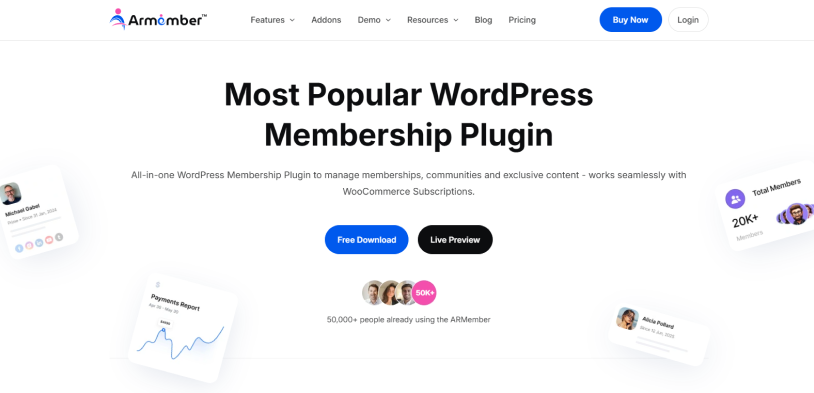
ARMember tops every “best of” list about WordPress members plugin. It’s one of the few plugins that gets the right balance of rich feature set + user friendliness + value of money. Setting up this WordPress subscription plugin felt like a breeze. We just went with the flow of its guided setup wizard, and everything was ready in under 10-15 minutes.
After the setup wizard, the user interface immediately felt like a modern SaaS-like experience. We were easily able to set recurring subscription, free trials, lifetime access plans, pay-per-post and tiered as well as group/family membership plans with advanced content restriction and drip content rules.
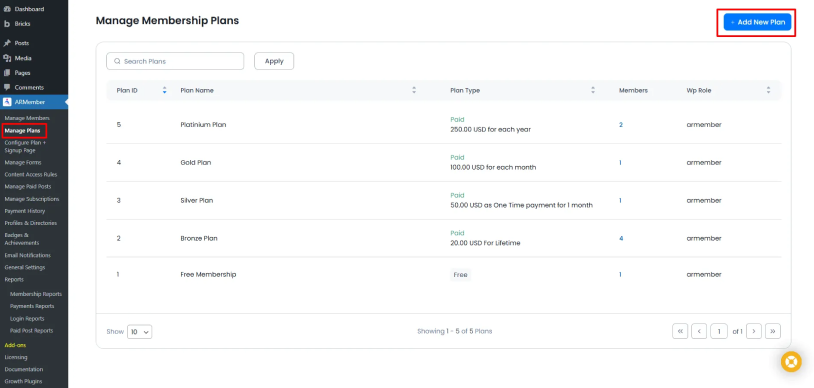
What impressed us the most is that it includes 62+ addons in-built; no need to buy separate addons or extensions for core features. It handles automatic membership upgrades and prorated billing smoothly. The documentation is incredible, the video tutorials are easy-to-follow, and customer support is always top-notch. There’s a reason it sits at the top of our list.
Main Features:
- Flexible Subscriptions: Create unlimited tiers including free, one time paid, or recurring along with flexible billing cycles.
- Content Restriction: Lock complete pages, custom post types, categories, menus, or any area of content using a simple toggle or tick.
- Content dripping: Automatically releases training modules, articles, blogs or course lessons on a scheduled timeline.
- Payment & Billing: Integrates with 22+ payment gateways including Stripe, PayPal, and Authorize.Net for one time and recurring payments; supports trials and coupons.
- LMS & Courses: Publish complete structured online courses including text, video lessons, quizzes, audio, and aware certificates at completion. Plus, boost engagement with in-built gamification elements.
- Marketing Integrations: Directly syncs with 15+ popular email marketing and CRM platforms such as MailChimp, ActiveCampaign or HubSpot.
- Social Community and Members Directories: Gorgeous customizable profile cards alongside user directories, members area, and a place to connect like social media.
Pricing:
- Free version available
- The premium plan starts at $89/Year
Who It’s Best For: Non-technical users, growing content creators, online course sellers, coaches and beginners who want to sell subscription based plans and paywall their exclusive content, be it video, audio, PDF, digital download, community, or blog.
2. Ultimate Member
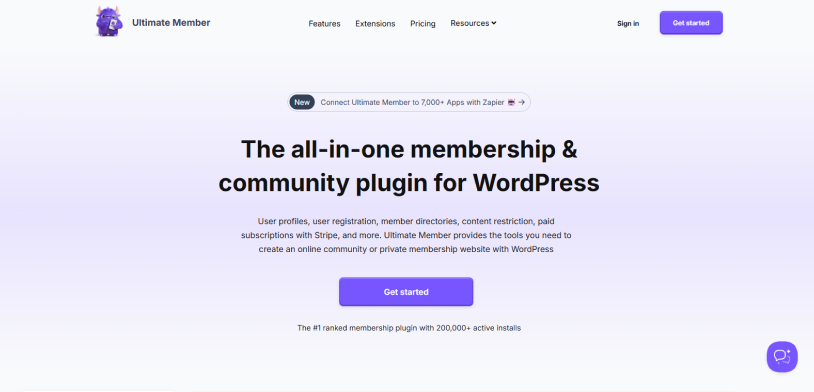
Ultimate Member takes a slightly different approach to WordPress subscriptions. Compared to ARMember, it doesn’t try to be an everything-in-one-box membership platform. This subscription plugin WordPress puts a lot of emphasis on user profiles, registration, member directories, account management and community features. That became pretty obvious when we tested it.
The setup itself was simple. Creating registration forms, login pages, member profiles and directories felt natural, and we liked how much of the member-facing experience could be handled directly from the front end. Plus, you can also control registration approval, assign roles and restrict content based on user access.
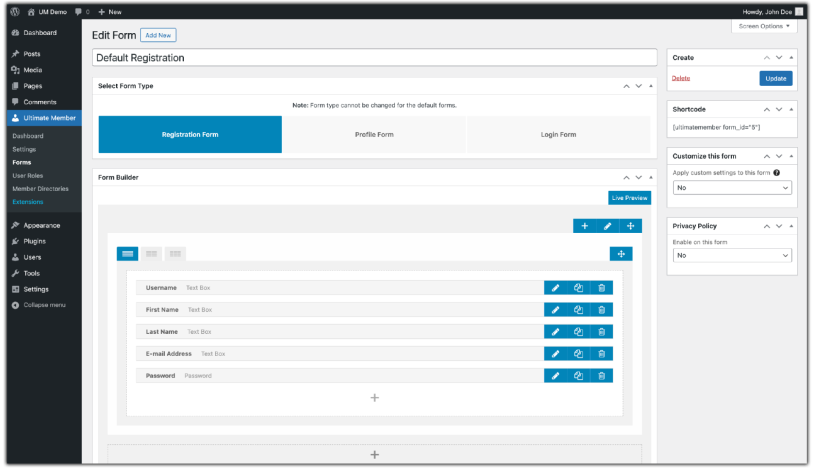
Where Ultimate Member gets more interesting is when your subscription site is also meant to feel like a community. Rather than simply paying for access to a page, using Ultimate Members allows your members to have profiles, appear in directories and interact with the rest of the site. The core plugin is free, and paid extensions add features such as paid subscriptions through Stripe.
The downside? It isn’t our first choice if your main goal is creating a successful subscription business with lots of billing and monetization features out of the box. You may need extensions as your requirements grow, and the premium plans can become a big investment. The current Standard plan is $276/year and Pro is $348/year.
Main Features:
- User Profiles & Directories: Create customizable member profiles and searchable directories. Thus your website feels more like a private community.
- Registration & Login: Create front end registration and login experiences with no need to send members to a WordPress dashboard.
- Content Restriction: Restrict content based on user roles and membership access.
- Membership & Subscriptions: Add paid membership features via the available extensions including Stripe integration.
- User Roles: Create registration forms that can automatically assign specific WordPress roles to new members.
- Community Features: Give members profiles, directories, account pages and a more social member experience.
- Customization: Extend registration forms, profiles and member-facing templates to fit your website.
Pricing:
- Free version available
- The premium plan starts at $276/Year
Who It’s Best For: Community membership sites, online communities, directories, and businesses that care as much about the member profile and user experience as they do about selling subscriptions.
3. SureMembers
SureMembers feels different from the moment you start using it. It doesn’t try to turn your WordPress dashboard into a giant membership management system. This one simply keeps its main job very clear: control who can access what on your website.
When we tested it, creating a membership and protecting content was refreshingly simple. You can choose specific pages, posts, custom post types, categories, tags, URLs or even protect the entire website. We particularly liked the centralized approach because you can see which content is protected and which membership rules are affecting it without hunting through multiple settings.
The block level restriction was another nice touch. If you only want to hide a particular section of a page, you can control visibility directly from the WordPress block editor. That’s useful for things like member only buttons, bonus content or upgrade offers.
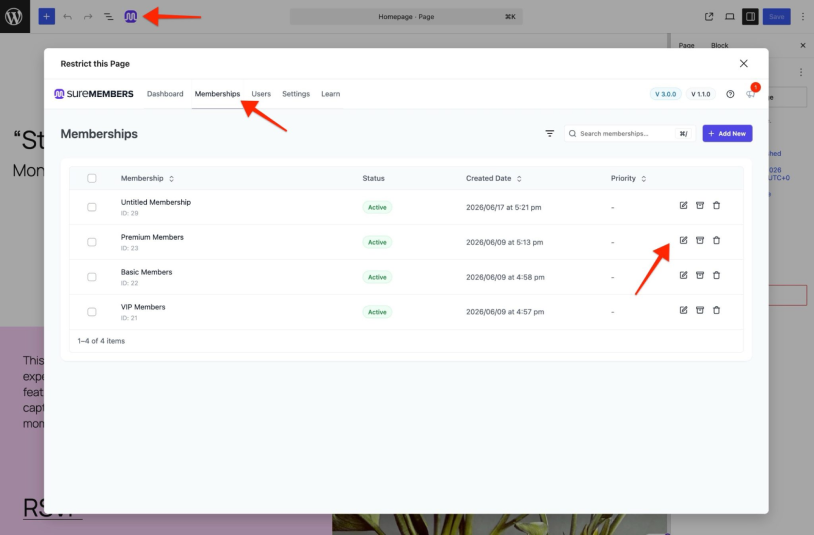
There is one important catch though: SureMembers is mainly the access-control layer rather than a complete payment platform by itself. For subscriptions, SureCart or integrations such as WooCommerce can handle the actual transaction, and SureMembers control access. That combination is powerful but it means you’re dealing with more than one system.
Main Features:
- Advanced Content Restriction: Protect entire websites, pages, posts, categories, tags, custom post types, URLs or specific sections of content.
- Membership Access Groups: Create separate membership groups and decide exactly what each group can access.
- Block Level Restrictions: Hide or show individual Gutenberg blocks based on a user’s membership instead of restricting an entire page
- Downloads Protection: Make files available only to members who got the access.
- Payment Integrations: Connect memberships with SureCart or WooCommerce to sell one-time and recurring subscription products.
Pricing:
- Premium only
- The plans start at $99/Year.
Who It’s Best For: Content creators, bloggers, course creators and businesses that already have, or are happy to use, a separate ecommerce/payment system and primarily need powerful, flexible content restriction.
4. Paid Memberships Pro
Paid Memberships Pro is one of those best WordPress subscription plugins that can look deceptively simple at first. The free version gives you enough to build a real membership site, but once you start exploring the settings, you realize how much control is available underneath.
We truly enjoyed testing Paid Memberships Pro. We liked how flexible the membership levels were. You can create free memberships, one time payment plans and recurring subscriptions with different billing periods. Trials, coupons and proration are also supported, giving you plenty of room to create different pricing models.
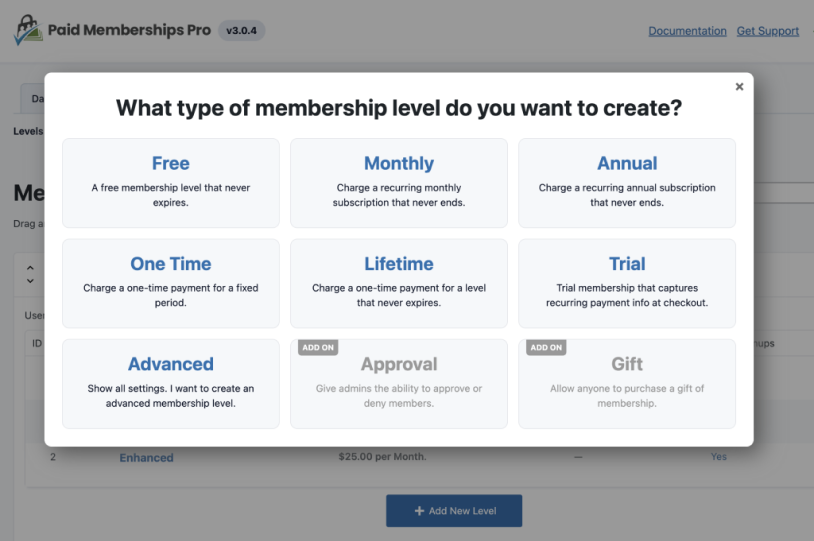
What we found slightly less beginner friendly is the sheer amount of flexibility. There are plenty of settings and extensions to explore, which is great when you’re creating something specific but can feel like overkill when all you want is a simple subscription site. Moreover, compared to ARMember that comes with 22+ payment gateways for local and international transactions, Paid Memberships Pro only has 5 payment gateways, alongside WooCommerce integration as a last resort.
There’s a free core version. But again, the current Standard plan alone costs $499/year, making it the most expensive subscription plugin for WordPress growing businesses.
Main Features:
- Flexible Membership Levels: Create free, one time and recurring membership levels with different pricing structures.
- Recurring Subscriptions: Monthly, annual, weekly, daily and other recurring billing schedules.
- Payment & Billing: Accept payments via Stripe, PayPal and other supported gateways with recurring billing and payment management.
- Trials & Coupons: Create promotional offers, free trials and flexible pricing strategies.
- Reports: Easy to track sales, signups, membership activity and other important membership data.
- Add-on Ecosystem: Extend the core plugin with extra functionality as your membership business becomes more complex.
Pricing:
- Free version available.
- The premium plans start at $499/Year.
Who It’s Best For: Developers who value flexibility and medium-large membership businesses that need detailed control over subscriptions, pricing and member access.
5. ProfilePress
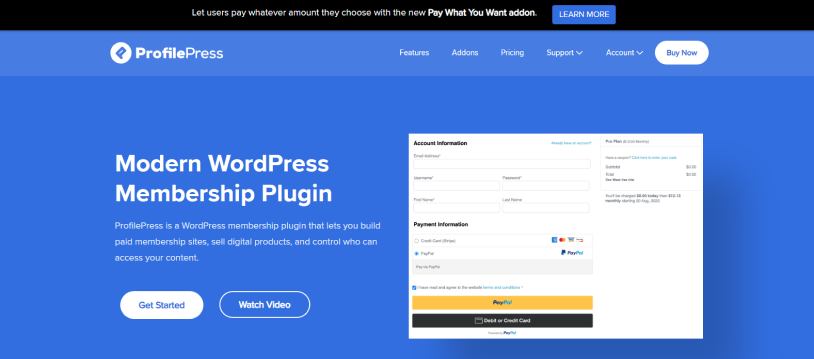
ProfilePress sits somewhere between a membership plugin and a lightweight ecommerce system for WordPress. And that combination became one of the things we liked most about it during testing.
The first thing that stood out was the frontend experience. Here you won’t see any generic WordPress forms. ProfilePress gives you customizable registration, login, password reset, profile and checkout experiences. That matters more than it sounds because your members interact with these pages every time they sign up, log in or manage their subscription.
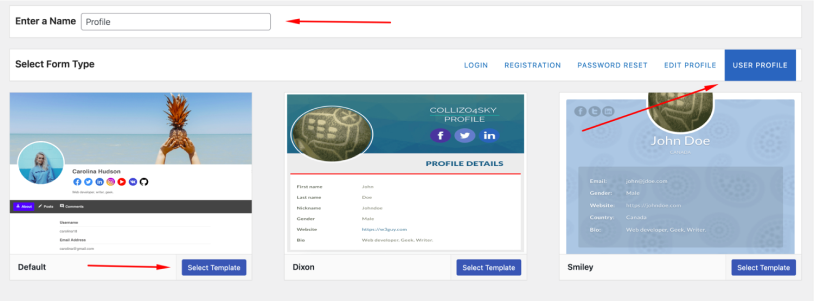
The main drawback is that some of the more advanced functionality sits behind premium plans and addons. The free version is useful for getting started but serious subscription sites will probably want one of the paid plans.
Main Features:
- Paid Memberships: Create one time and recurring subscription plans, free trials and payment plans.
- Frontend Forms: Customize registration, login, password reset, profile and checkout forms without relying on generic WordPress pages
- Digital Downloads: Sell access to files such as ebooks, PDFs, templates, videos, audio and other digital products
- Content Restriction: Restrict pages, posts, categories, tags, custom post types and taxonomies based on membership access.
- Payment Gateways: 6 payment gateways including Stripe, PayPal, Razorpay, Paddle, Paystack and Mollie
- Member Account Management: Allows your members to manage their profiles, orders and subscriptions right from the frontend with no hassle.
- User Directories: Make customizable member profiles and directories for community style websites.
Pricing:
- Free version available
- The premium plan starts at $129/Year.
Who It’s Best For: Businesses selling paid memberships and digital products, creators who want beautiful frontend forms and checkout pages.
6. MemberPress
MemberPress is the plugin we’d look at when a basic subscription site starts turning into a serious membership business.
It has been around for years, and after testing it, it’s easy to understand why it still is one of the better-known WordPress membership plugins. The core workflow is logical: create a membership, decide what it costs, set what members can access and let MemberPress handle the subscription relationship behind the scenes.
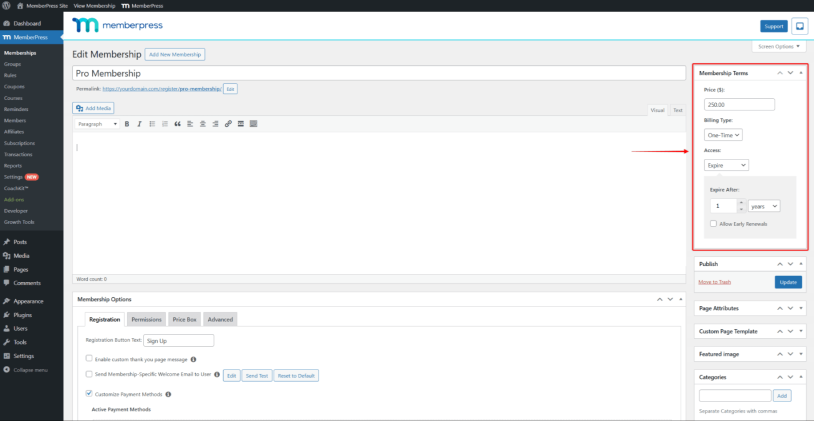
Where MemberPress really starts to pull ahead is when you need more than a simple paywall. Content dripping and expiration rules give you control over when members receive access, while the built-in Courses feature lets you turn your membership content into structured online courses.
The trade-off is price. MemberPress is premium only, and its current Launch, Growth and Scale plans start at $399, $699 and $999 per year. Some of the more advanced features are also tied to higher plans.
Main Features:
- Flexible Memberships: Endless membership levels with different prices, durations, renewal rules and access permissions.
- Recurring Subscriptions: Automate recurring billing and allow members to join, upgrade and manage their subscriptions.
- Payment Options: Accept payments via Stripe, PayPal, Square and manual payment methods; too limited options for payment compared to ARMember..
- Community Features: Higher tier plans include member directories, profiles, private groups, direct messaging and other community-focused features.
Pricing:
- Premium only
- The premium plan starts at $199.50/Year for first-year only, and the starting same plan renews at $399/year from second year.
Who It’s Best For: Membership businesses with extra budget, course creators, coaches and content creators who need advanced subscription management and want room to expand into courses, communities and other paid experiences.
Final Thoughts
In a nutshell, these are all the best WordPress subscription plugins for 2026. But if you’re still searching for the best of the best subscription plugins, then it gets tricky. You see, every best membership plugin WordPress we reviewed in this list has its own strengths and limitations.
However, to help you make the right-decision on plugin investment, here’s a quick summary:
- ARMember: Best all-in-one + value
- Ultimate Member: Best for communities and member profiles
- SureMembers: Best for content access control
- Paid Memberships Pro: Best free/flexible starting point
- ProfilePress: Best for frontend membership + digital products
- MemberPress: Best for advanced/established membership businesses
If you want an all-in-one subscription plugin for WordPress, ARMember is our top recommendation, and for good reasons. It’s packed with 62+ in-built addons along with a user-friendly interface to turn your simple WordPress site into a complete membership system at a good cost. And you can always start with the free Lite version, and upgrade later anytime – no cuts, no buts, no coconuts.
Related articles:
- 8 Security Options to Check Before Choosing WordPress Membership Plugin
- When Do You Need a WordPress Membership Plugin? (7 Warning Signs)
- Why ARMember is the Best WordPress Membership Plugin in 2026
FAQs
What is the best subscription plugin for WordPress?
ARMember is the best subscription plugin for WordPress-based membership businesses. Combining user friendliness and a rich feature set of 62+ in-built addons, you can create a subscription website with complete control.
Is there a free WordPress subscription plugin?
Yes. ARMember Lite is a free WordPress subscription plugin that gives you all the core membership features to paywall your exclusive content, be it audio, video, digital downloads or blog.
What is the best free membership plugin for WordPress?
These are the best free membership plugins for WordPress:
- ARMember
- Paid Memberships Pro
- ProfilePress
How much does ARMember cost?
The ARMember core plugin is completely free, alongside premium plan cost starting at $89/year.

Share this post


