


Building a multi-vendor marketplace with WordPress is easier than ever. But the real challenge people face is in choosing the right plugin.
Many marketplace plugins look similar on the surface. They offer vendor dashboards, commission systems, product management, and order handling. But once your marketplace starts growing, performance gaps begin to appear.
A plugin that works fine with 10 vendors may struggle with 200. A setup that feels smooth with a small catalog can slow down when thousands of products are added.
That is why, in this comparison, we focus on performance and scalability.
Here we ranked the top WordPress marketplace plugins for 2026 based on how well they handle growth, database load, vendor activity, and overall stability.
If you are planning to build a serious marketplace business, this guide will help you make a smarter decision from the start.
What Performance and Scalability Actually Mean for Marketplaces
Performance in a marketplace is different from a regular online store.
You are not managing one seller. You are managing many vendors, thousands of products, separate dashboards, commission systems, and complex order flows.
That changes everything.
If your marketplace plugin is not optimized, you will start noticing:
- Slow product pages
- Lag inside vendor dashboards
- Delays during checkout
- High server usage during peak traffic
And these problems get worse as you grow.
What Performance Really Means?
In practical terms, performance means:
- Clean database queries
- Minimal unnecessary scripts
- Fast dashboard loading for vendors
- Smooth product search and filtering
- Stable checkout experience
A marketplace plugin touches almost every part of WooCommerce. If the architecture is heavy, the entire site slows down. That directly affects conversions.
What Scalability Really Means?
Scalability is about growth without breaking things. Today, you may have 20 vendors. Next year you may have 500. A scalable plugin can handle:
- Large product catalogs
- High vendor activity
- Increased order volume
- Traffic spikes during promotions
It should work smoothly with caching, CDN, and strong hosting environments. If performance keeps your marketplace healthy, scalability ensures it survives growth.
That’s what really matters when choosing a marketplace plugin.
How We Ranked These WordPress Marketplace Plugins
There are dozens of comparison articles out there. Most of them focus on features. We didn’t.
This ranking is based on performance and scalability in real marketplace environments. The goal was simple: which plugin stays stable as traffic, vendors, and products grow?
Here’s how we evaluated them.
1. Database Efficiency
Marketplace plugins rely heavily on database queries. We looked at:
- How they handle product data
- How vendor data is stored
- Commission calculation logic
- Order splitting process
Plugins that generate excessive or unoptimized queries tend to slow down quickly at scale.
2. Frontend Performance Impact
Every plugin adds scripts and styles. We analyzed:
- Additional assets loaded per page
- Impact on product and shop pages
- Effect on checkout performance
Heavy frontend loading directly affects user experience and conversion rates.
3. Vendor Dashboard Load
Vendor dashboards are often ignored in reviews. But in real marketplaces, vendors spend hours inside the dashboard. We considered:
- Dashboard loading speed
- Real-time data rendering
- Stability under multiple simultaneous vendor logins
A slow dashboard frustrates vendors and reduces platform quality.
4. Scalability Under Growth
We evaluated how each plugin behaves when:
- Vendor numbers increase
- Product catalogs grow large
- Order volume spikes
- Traffic surges during campaigns
Some plugins perform well in small setups but struggle once the marketplace expands.
5. Compatibility with Hosting and Caching
Performance is not only about code. It’s also about how well the plugin works with:
- Object caching
- Page caching
- CDN setups
- Managed WordPress hosting
Plugins that conflict with caching layers usually create long-term scaling issues.
Top 5 WordPress Marketplace Plugins for 2026
The marketplace space is more competitive than ever in 2026. Choosing the wrong plugin can slow down your growth before you even realize it.
After evaluating performance, database efficiency, scalability, and real-world behavior under load, here are the five plugins we’re covering in this ranking:
- Dokan Moltivendor
- WCFM Marketplace
- WC Vendors
- YITH WooCommerce Multi Vendor
- MultivendorX
Let’s start with the one that performs best at scale.
1. Dokan Multivendor: Built for High-Performance Marketplaces
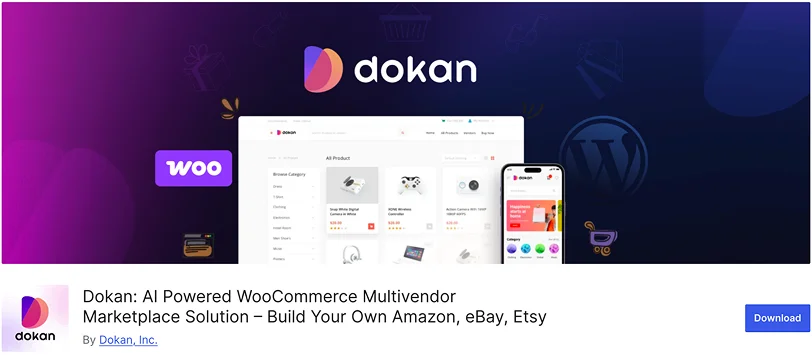
Dokan Multivendor is currently the most popular WooCommerce marketplace plugin, with 40,000+ active installs. That level of adoption does not happen without strong performance and long-term reliability.
The plugin is built with a modular architecture that keeps the core system clean and efficient. Instead of forcing every feature into one heavy setup, Dokan allows marketplace owners to enable only the modules they need. With 42+ modules available, you get flexibility without unnecessary server load.
As vendor numbers grow and product catalogs expand, database optimization becomes critical. Dokan’s structured data handling and optimized order-splitting process help reduce performance bottlenecks that often appear in large marketplaces. The system remains stable even when vendor activity increases significantly.
Top Features:
- 42+ powerful modules for extended functionality.
- Offers each vendor a customizable and branded store page with banners and social profiles.
- Flexible commission management system.
- Supports simple, variable, and downloadable products, along with AI-powered product content generation.
- Vendors can manage their own orders and set up zone-based shipping rates.
- Strong compatibility with caching systems and modern hosting environments.
- Fully compatible with WooCommerce and Elementor for site customization.
The modular system plays a major role in maintaining performance. You activate only what your marketplace requires, which helps control resource usage as your platform grows.
Why and When You Should Use This Plugin?
Dokan is ideal if you are building a marketplace with serious growth plans. Whether you are starting with 20 vendors or aiming for hundreds, the architecture is designed to support expansion without slowing down your site.
It works especially well for:
- Large product catalogs
- High vendor activity
- Frequent order volume
- Promotional campaigns that drive traffic spikes
If performance and scalability are your top priorities, Dokan sets the benchmark in 2026. For marketplace owners who want stability today and flexibility for tomorrow, this plugin provides a solid technical foundation.
2. WCFM Marketplace: Powerful but Heavy at Scale
WCFM Marketplace is known for its feature depth and customization flexibility. It offers extensive controls for vendors and marketplace admins, which makes it attractive for complex setups.
However, that flexibility comes with added system weight. In smaller marketplaces, performance remains stable. As vendor count and product volume increase, the plugin can become resource-intensive, especially on mid-level hosting environments.
Top Features:
- Advanced vendor capability controls
- Detailed commission rules
- Booking, subscription, and membership support
- Frontend store management tools
- Large extension ecosystem
The feature set is impressive. But enabling multiple add-ons can increase database queries and backend processing.
Why and When You Should Use This Plugin?
WCFM Marketplace works well if you need advanced vendor-level control and heavy customization from the beginning. It is suitable for:
- Niche marketplaces with complex commission logic.
- Marketplaces requiring booking or subscription features.
- Projects where customization matters more than lean performance.
3. WC Vendors: Suitable for Smaller Growing Marketplaces
WC Vendors is one of the earlier multivendor plugins in the WooCommerce ecosystem. It offers a stable foundation for basic marketplace functionality.
The core system is relatively lightweight compared to more feature-heavy competitors. That helps maintain performance in small to medium setups.
Top Features:
- Vendor product management.
- Commission configuration.
- Frontend vendor dashboards.
- Basic marketplace reporting.
- WooCommerce integration.
The plugin focuses more on essentials rather than advanced scaling architecture.
Why and When You Should Use This Plugin?
WC Vendors is a practical option if you are launching a small marketplace and want a simpler setup. It fits well for:
- Early-stage platforms
- Limited vendor numbers
- Smaller product catalogs
As growth accelerates, additional optimization or infrastructure upgrades may be required.
4. YITH WooCommerce Multi Vendor: Entry-Level Option
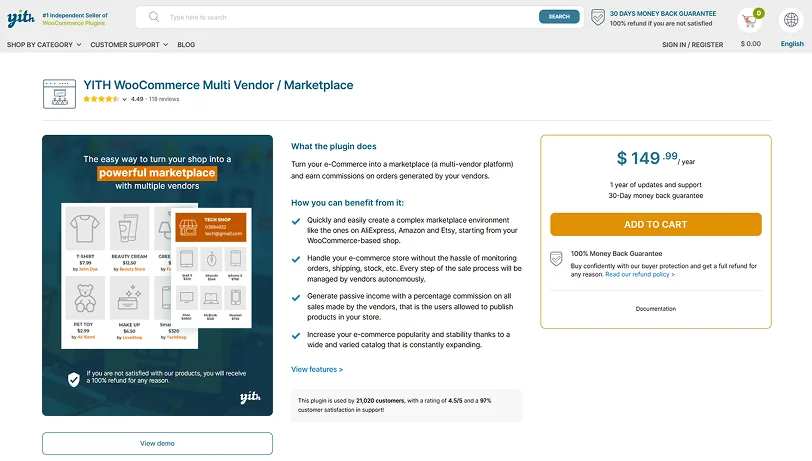
YITH WooCommerce Multi Vendor is positioned as a beginner-friendly marketplace solution within the YITH ecosystem.
The setup process is straightforward, and the interface feels familiar to users already using YITH plugins. However, its scalability is more limited compared to plugins designed specifically for large marketplaces.
Top Features:
- Simple vendor management.
- Commission configuration tools.
- Integration with YITH extensions.
- Basic reporting features.
- Clean admin interface.
The plugin focuses on ease of use rather than high-performance scaling.
Why and When You Should Use This Plugin?
This plugin is suitable if you are building a small marketplace and already using their other YITH products. It works best for:
- Entry-level marketplaces
- Low to moderate vendor activity
- Controlled product growth
For aggressive scaling plans, other solutions provide stronger technical foundations.
5. MultivendorX: Flexible but Inconsistent at Scale
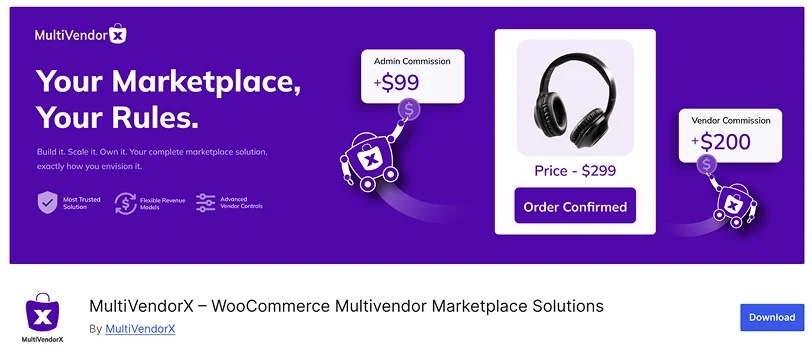
MultivendorX offers flexibility and a range of integrations. It supports various marketplace models and provides multiple monetization options.
Performance in small to mid-sized setups is generally acceptable. As the marketplace grows, database load and backend processing may require closer monitoring.
Top Features:
- Multiple revenue models.
- Vendor membership support.
- Shipping and tax management tools.
- Integration flexibility.
- WooCommerce compatibility.
The plugin provides broad feature coverage, though consistency under heavy scale depends largely on the hosting configuration.
Why and When You Should Use This Plugin?
MultivendorX can be a good choice for marketplaces experimenting with different business models. It fits well for:
- Moderate vendor counts
- Custom revenue strategies
- Marketplaces that prioritize flexibility
For long-term high-volume scaling, more performance-focused architectures tend to deliver better stability.
Best WordPress Marketplace Plugins – A Quick Comparison Table
| Plugin | Active Installs | Ratings | Performance | Scalability | Best For |
| Dokan Multivendor | 40,000+ | 4.6 | ⭐⭐⭐⭐⭐ | ⭐⭐⭐⭐⭐ | Small to medium marketplace |
| WCFM Marketplace | 20,000+ | 4.6 | ⭐⭐⭐⭐☆ | ⭐⭐⭐⭐☆ | Customizable marketplaces |
| WC Vendors | 4,000+ | 4.5 | ⭐⭐⭐☆☆ | ⭐⭐⭐☆☆ | Small to growing marketplaces |
| YITH WooCommerce Multi Vendor | No free version | 4.4 | ⭐⭐⭐☆☆ | ⭐⭐⭐☆☆ | Entry-level marketplaces |
| MultivendorX | 3,000+ | 4.8 | ⭐⭐⭐☆☆ | ⭐⭐⭐⭐☆ | Flexible mid-sized marketplaces |
Which WordPress Marketplace Plugin Should You Choose?
Choosing the right marketplace plugin depends on how you see your business evolving.
If you are launching a small marketplace with a limited number of vendors and products, several plugins on this list can work well. At an early stage, performance differences are not always obvious.
The situation changes once your marketplace begins to grow. As vendor activity increases and the product catalog expands, the system has to process more data, more transactions, and more real-time actions inside dashboards. This is where the underlying structure of the plugin starts to matter.
If your goal is long-term growth and you expect your marketplace to scale steadily,
Dokan Multivendor is the strongest option in this comparison.
Its modular architecture allows you to keep the setup lean in the beginning and expand functionality as your needs increase. With 40,000+ active installs and 42+ modules, it has already proven that it can support growing marketplaces in real-world environments.
- WCFM Marketplace is a solid choice if advanced customization is your top priority.
- WC Vendors and YITH WooCommerce Multi Vendor are generally better suited for smaller marketplaces.
- MultivendorX offers flexibility, but scaling often depends heavily on your hosting setup.
If you are building a marketplace as a serious long-term business, starting with a performance-focused solution saves you from technical limitations later.
For 2026, Dokan remains the most balanced choice for marketplace owners who want both stability and room to grow.
Build a Marketplace That Scales From Day One
Building a marketplace is a long-term commitment. The plugin you choose today will shape how smoothly your platform runs tomorrow.
As vendor activity increases and operations become more complex, stability becomes critical. Performance issues at scale are not easy to fix. In many cases, they require restructuring or even switching platforms, which is time-consuming and risky.
That is why the foundation matters.
From this comparison, Dokan Multivendor stands out as the most complete solution for marketplace owners who plan to grow. Its modular structure, strong adoption, and proven reliability make it a practical choice for serious businesses.
If your goal is to build a marketplace that can handle expansion without constant technical adjustments, choose a solution designed with growth in mind. Make the decision that supports where you want your business to be next year, not just where it is today.
Related Articles:

Share this post


