


Most “best WordPress scheduling plugins” lists treat every WordPress site the same. You get the same appointment tools recommended for a salon, a consultant, an online course, and a membership site. You install one, spend hours setting it up, and then discover that members cannot access the booking flow the way you expected.
A membership site has its own requirements. Requirements such as wanting members to book private sessions, limit bookings by membership level, offer member-only discounts, or include recurring appointments as part of a plan.
A fitness membership needs class scheduling. A coaching membership needs one-on-one appointments. A community site may need events and member-only bookings. These all membership workflows need more than a basic calendar.
This guide matches each membership use case with the WordPress scheduling plugin that fits it best and compares the features that matter before you commit.
TL;DR: We’ve tested all popular WordPress scheduling plugins for membership sites, and BookingPress stands out as the overall best option thanks to its user friendliness, smooth booking flow and rich feature set.
Quick Answer: Which Scheduling Plugin Fits Your Membership Needs?
| Rank / Plugin | Score | Starting paid price | Best for |
| #1. BookingPress | 90/100 | $89/yr | All-in-one membership scheduling |
| #2. WP BASE | 87/100 | $79/yr | Flexible membership booking setups |
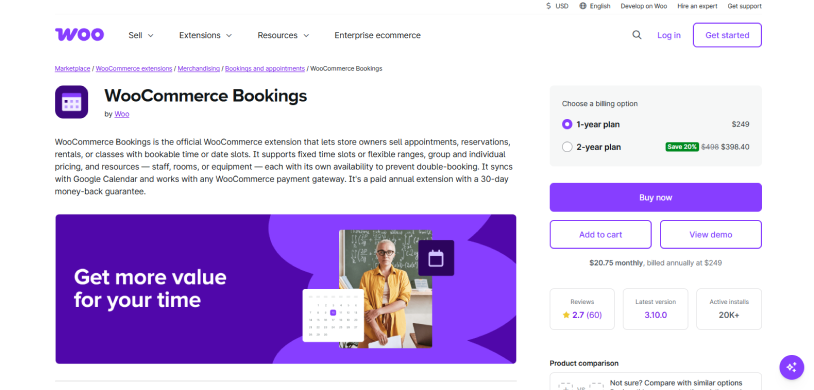
| #3. WooCommerce Bookings | 85/100 | $249/yr | WooCommerce membership sites |
| #4. Simply Schedule Appointments | 82/100 | $129/yr | MemberPress-based memberships |
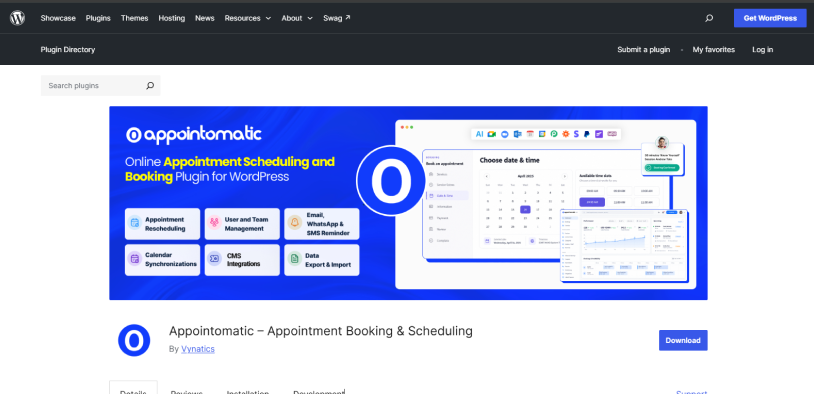
| #5. Appointomatic | 72/100 | Free | Built-in memberships and appointment booking |
Why Does Your Membership Site Need Scheduling?
A membership site can become part of the benefits you offer in your membership plan. Thus, below are the reasons for why you need scheduling for your membership site:
Private Sessions
Let members book one-on-one coaching, consultations, training or support sessions. You can set different availability, session lengths and booking limits
Member-Only Classes
Give members a way to reserve a spot in fitness classes, workshops, group calls or training sessions. Capacity limits can stop overbooking.
Premium Support
Offer private support calls to higher tier members. For instance, a premium plan could also add one monthly support session that members schedule themselves.
Recurring Sessions
If a membership comes with regular appointments, members can book recurring sessions rather than simply returning to the booking form every time.
Member Discounts
Some scheduling plugins can connect bookings with membership plans or user roles so you can offer special pricing to eligible members.
Member-Only Bookings
Want only certain services, events, or appointments to be available only to logged-in members or specific membership levels? Can be easily done by installing any of the appointment scheduling tools for WordPress we listed here.
The exact workflow depends on the scheduling and membership plugins you use. Some have direct integrations with popular membership plugins. Others rely on user roles, WooCommerce, or third-party automation
That difference matters. A plugin can have excellent scheduling features and still need extra work to create the member-only booking experience you need.
How We Tested These Appointment Scheduling Plugins
We set up a clean local WordPress site and installed each scheduling plugin for WordPress on a fresh copy of it, using the paid version where that is the one we recommend and the free version where that is the realistic starting point.
Each WordPress booking plugin then runs the membership scenario it is built for: a member booking a private session, a member-only appointment with restricted access, a recurring appointment, a class with limited seats, and a booking with a member discount. Where a plugin supports membership integrations, we connected it with the relevant membership plugin and tested the booking flow from the member’s side.
For every plugin we even noted how long it took to reach the first successful booking, what needed a paid add-on or higher plan, whether membership restrictions worked as expected and what broke. Apart from this, we even checked if members could manage their bookings after scheduling them and if the booking shows correctly in the admin dashboard.
Membership connection, booking restrictions, member pricing, and actual front-end booking experience were all part of the test. Pricing and integration details were checked on 1st October 2026 during our testing.
Membership Features We Tested
| Feature | What We Checked |
| Member-only appointments | Specific services can be restricted to members |
| Membership-level access | If different membership levels can access different booking options |
| Member discounts | Whether members can receive discounted booking prices |
| Booking limits | Can you limit how many appointments a member can book? |
| Recurring appointments | Whether members can schedule regular or recurring sessions |
| Class capacity | The number of members per session |
| Member booking management | Whether members can view, reschedule, or cancel their bookings |
| Admin management | Is it easy to manage member bookings from WordPress? |
| Membership integrations | Whether the plugin connects directly or indirectly with membership plugins |
| Additional costs | Do important membership features require a paid plan, add-on or third party tool |
Scoring Model
Each WordPress scheduling plugin is scored out of 100 based on the membership scheduling factors we tested. The scoring focuses on the areas that matter most when a scheduling plugin is used alongside a membership site.
| Category | What It Measures | Max Points |
| Membership compatibility | Member-only access, membership-level restrictions, membership integrations and member specific booking rules | 20 |
| Booking experience | How easily members can find, book, reschedule, and cancel appointments from the front end | 20 |
| Scheduling features | Private appointments, recurring bookings, classes, capacity limits, availability rules, and booking limits | 15 |
| Member pricing | Member discounts, membership-based pricing, and pricing rules for eligible members | 10 |
| Admin management | How easily administrators can manage member bookings, schedules, availability, and cancellations from WordPress | 15 |
| Setup and usability | How much configuration is required to reach the first successful booking and how easy the plugin is to use | 10 |
| Pricing and additional costs | Whether important membership features require a higher plan, paid add-on, or third-party tool | 10 |
| Total | 100 |
Score Breakdown
| Plugin | Membership Compat. (20) | Experience (20) | Scheduling feat. (15) | Member price(10) | Admin management (15) | Setup (10) | cost (10) | Total |
| BookingPress | 18 | 18 | 14 | 9 | 14 | 9 | 8 | 90/100 |
| WP BASE | 18 | 17 | 14 | 8 | 13 | 8 | 9 | 87/100 |
| WooCommerce Bookings | 18 | 16 | 15 | 9 | 13 | 7 | 7 | 85/100 |
| Simply Schedule Appointments | 17 | 17 | 13 | 8 | 13 | 9 | 7 | 84/100 |
| Appointomatic | 15 | 15 | 14 | 8 | 12 | 8 | 8 | 80/100 |
The 5 Best WordPress Scheduling Plugins for Membership Sites in 2026
1. BookingPress: Best for All-in-One Membership Scheduling
Score: 90/100
Why this score: Tops the category on rich feature set, user friendliness and automation. Points deducted for advanced features like calendar sync, and automatic reminders being behind the paywall.
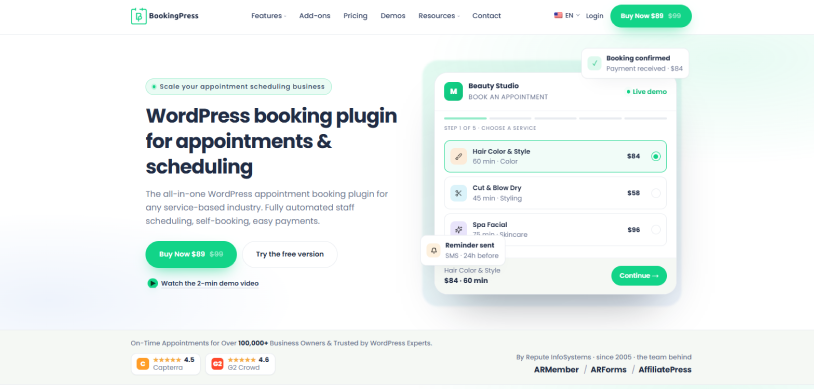
BookingPress was built specifically for appointment-based services businesses. The core scheduling features handles the things that makes your WordPress membership site work: services with different duration and prices, staff members with their own dashboard, waiting list, buffer time between sessions and multi-location setups when you own more than one branch with its own team and services. The booking form will be fully customizable using extensive styling options on a simple drag and drop interface, making your members walk through service selection, staff selection, date and time, intake form and final payment in a smooth booking flow that works on every screen.
Apart from this, BookingPress handles two-way calendar sync, and sends personalized automatic reminders via Email, SMS, WhatsApp and Telegram to make sure no one misses an appointment. The best part is it comes with 60+ premium addons in-built with zero extra cost. Being an industry-leading plugin in the WordPress ecosystem, BookingPress has over 100,000 users and a solid rating of 4.6/5 on almost all platforms.
Membership Integrations Available: BookingPress integrates with ARMember plugin for built-in membership site features that let you offer exclusive member discounts and automatically assign membership plans upon booking.
Plus, you can link specific BookingPress service directly to ARMember membership plans. Using tools like WP Fusion or Zapier/Make.com, you can bridge BookingPress with external CRM and membership platforms as well.
Key scheduling features:
- Unlimited service and appointments
- Flexible duration and buffer time
- Waiting list
- Advanced calendar management
- Easy to customize staff schedules
- Group and recurring appointments
What Makes It Stand Out:
- 60+ premium addons
- Online full or despite payments via 22+ payment gateways including POS system
- Two-way syncs with Google Calendar, Outlook Calendar, and iCal
- Automatic reminders and notifications via Email, WhatsApp SMS, and Telegram.
- Modern SaaS-like user interface
- Advanced analytic dashboard
- Bundle services into packages, service extra, tips, and coupons
The Trade-Offs:
- No mobile app for booking
- Advanced features needs Pro version
Pricing:
- Free version available
- The premium version starts at $89/year.
Our Verdict: For appointment and membership businesses on WordPress, BookingPress is the most complete native solution available. It has the deepest appointment scheduling logic, a rich in-built add-on ecosystem and pricing that scales from a solo practitioner to a multi-location business.
2. WP BASE: Membership Scheduling With Broad Plugin Compatibility
Score: 87/100
Why this score: Scores highly for flexibility, broad WordPress compatibility and the sheer number of scheduling options available via its add-ons. Points deducted because some of the membership friendly features need additional add-ons which can make the setup more complicated than BookingPress.
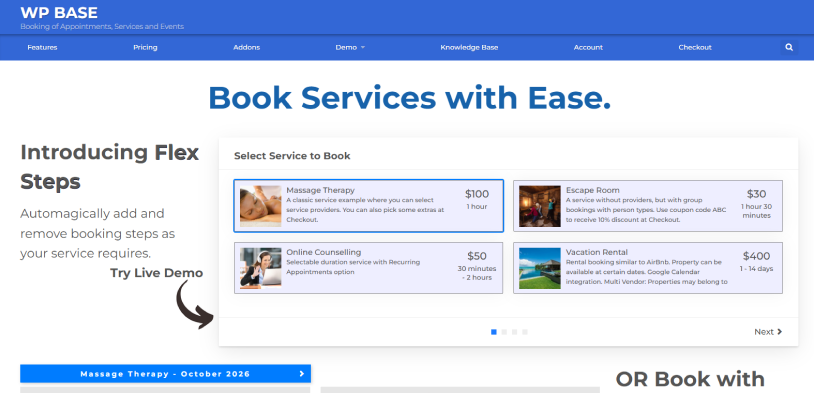
WP BASE is a flexible WordPress scheduling plugin that can handle appointments, services and events for different types of WordPress membership sites.
The core plugin already gives you unlimited bookings, services and calendars, along with working hours, automatic time slot generation, confirmation emails and front-end booking management. Moreover, you can even make login required for bookings which is useful when you want to keep certain booking options available only to registered members.
Where WP BASE really becomes useful for membership sites is through its collection of add-ons. You can add service providers with their own schedules, group bookings, recurring appointments, waiting lists, locations, packages, WooCommerce integration and front-end booking management. This gives you enough flexibility to build anything from one-on-one coaching sessions to recurring fitness classes and member workshops.
Membership Integrations Available: WP BASE works well with WordPress user accounts and can restrict bookings to logged-in users. It integrates with:
- PMPro
- Memberpress
- Ultimate Membership Pro
- UsersWP
- Ultimate Member
It also works with WooCommerce if your membership setup already relies on WooCommerce for payments or member access. Its Digital Wallet addon can also sell service packages and credits with different plans available to selected WordPress user roles. The only downside is these all membership plugins integration are available in Developer Package only starting at $199/year.
Key scheduling features:
- Unlimited bookings and services
- Recurring appointments, group bookings and capacity control
- Waiting list
- Event bookings
- Service packages and credits
- Google Calendar two-way sync
What Makes It Stand Out:
- Large collection of scheduling add-ons
- Recurring appointments and group bookings
- Service packages and digital credits
- Multiple locations and service providers
- Google Calendar two-way synchronization
- Flexible booking forms and custom fields
The Trade-Offs:
- Some important features needs paid add-ons
- The large number of settings can make setup feel complicated
- Membership-specific workflows needs extra technical configuration
Pricing:
- Free version available
- The premium plan starts at $79/year.
Our Verdict: WP BASE is a good option when your membership site needs a highly flexible scheduling system that can grow with different services, providers, locations and booking types. It offers a lot of control but BookingPress keeps the overall experience more automated with its wide range of premium add-on packages that comes at no extra cost.
3. WooCommerce Bookings: Best for WooCommerce Membership Sites
Score: 85/100
Why this score: Official plugin for membership sites already built around WooCommerce. Works well when bookings, products and member discounts need to work together. Points deducted because it makes the most sense when WooCommerce is already the center of your membership setup.
WooCommerce Bookings fits naturally into membership websites that already use WooCommerce Membership plugin. You can turn a booking into a WooCommerce product and let members pick available dates, times or booking options right from the product page.
The biggest advantage comes when WooCommerce Bookings is combined with WooCommerce Memberships. You can restrict a booking product to specific membership plans or offer different pricing to members easily.
Membership Integrations Available: It integrates with WooCommerce Membership extension so you restrict booking products and offer member discounts as per the membership plans with zero hassle
Key scheduling features:
- Bookable products
- Flexible booking availability
- Member-only booking access
- Member discounts
- Person and resource bookings
- Time-based bookings
What Makes It Stand Out:
- Deep WooCommerce integration
- Works directly with WooCommerce Memberships
- Member specific booking restrictions
- Member discounts on booking products
- Works well with an existing WooCommerce store
- Bookings become part of the normal WooCommerce order system
The Trade-Offs:
- Needs WooCommerce as the foundation
- WooCommerce Memberships is an additional cost
- The setup can involve multiple WooCommerce extensions
- Not as focused on appointment scheduling as BookingPress
Pricing: WooCommerce Bookings is a paid WooCommerce extension starting at $249/year.
Our Verdict: WooCommerce Bookings makes the most sense for membership sites that already depend heavily on WooCommerce. It brings bookings, payments, products and membership access into the same ecosystem. Yet if you are starting a membership scheduling system from scratch, BookingPress and WP BASE offer a better setup.
4. Simply Schedule Appointments: MemberPress Scheduling, Runner-Up
Score: 82/100
Why this score: Membership scheduling experience is top-notch simply smooth for MemberPress users who need appointment limits and member booking management. Points deducted because the deeper membership needs a premium edition and its only membership integration is centered around MemberPress.
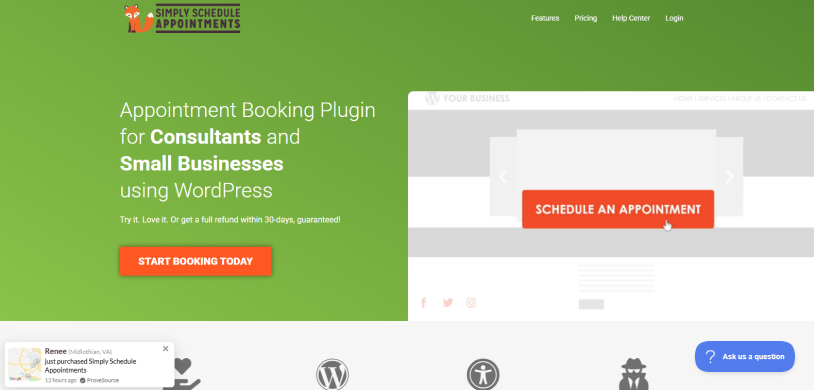
As its name suggests, Simply Schedule Appointments is a simple appointment scheduling plugin that works for membership websites using MemberPress.
The member experience is another point that caught our eye. Your members can easily access their appointments from the MemberPress account area, check upcoming and past bookings, see their remaining booking allowance and manage their scheduled appointments. Thus all these makes it a good fit for coaching memberships, consulting programs and other memberships where appointments are one of the main benefits.
Membership Integrations Available: Simply Schedule Appointments has a dedicated MemberPress integration that lets you connect appointment calendars with membership levels, set booking limits and offer appointment packages tied to active memberships.
Key scheduling features:
- MemberPress appointment integration
- Appointment limits per membership
- Appointment packages
- Member appointment dashboard
- Zoom and video meeting integrations
- Custom booking forms
- Automatic reminders and notifications
What Makes It Stand Out:
- Members can manage appointments from their account
- Booking limits can reset with billing cycles
- Appointment packages can be tied to memberships
- Clean and beginner-friendly booking interface
- Deep calendar and video meeting integrations
The Trade-Offs:
- MemberPress integration needs a premium edition
- All membership features are around MemberPress
- Subscription upgrades in MemberPress have some limitations in how existing appointment allocations are handled.
Pricing:
- Free version available
- The Premium plan starts at $99 for first year but renews at $129/year.
Our Verdict: For MemberPress-based membership sites, this plugin is good to go, especially when your members receive a fixed number of appointments as part of their plan. It gives you clear booking limits and a smooth member-side experience.
5. Appointomatic: Membership and Appointment Booking in One
Score: 72/100
Why this score: Offers an unusually broad collection of booking and membership related features inside one WordPress plugin. Points deducted for its newer ecosystem and because the large feature set can make it harder to judge and set up.
Appointomatic takes a more all-in-one approach to WordPress scheduling. Bringing booking, staff, branches, customer accounts, notifications, payments, memberships, packages and reporting all together inside the same plugin, it can be useful for a growing membership website.
Beyond its core appointment scheduling features, you can use its memberships and packages features alongside staff scheduling, service management and customer accounts. This gives you room to create different appointment or service experiences for members, while still keeping the booking system inside WordPress. It even includes features such as WhatsApp/SMS, calendar synchronization, WooCommerce integration and a visual form builder.
Membership Integrations Available: Appointomatic includes memberships and packages as built-in capabilities, rather than requiring separate add-on plugins for those features. Plus, the plugin even supports customer accounts, coupons, payments and WooCommerce integration, giving you several ways to connect booking access and pricing with the rest of your membership website.
Key scheduling features:
- Memberships and packages
- Staff and branch management
- Recurring appointments
- WooCommerce integration
- WhatsApp and SMS notifications
- Coupons and payments
- Reporting and analytics
What Makes It Stand Out:
- Membership features built into the plugin
- Packages and appointment booking together
- Staff and branch management
- WooCommerce integration
- Customer portal tools
- Built-in automation and CRM features
The Trade-Offs:
- The large feature set can make setup more involved.
- Less established ecosystem compared with the leading plugins in this list.
- You need to spend more time configuring the different modules for a membership workflow.
Pricing: A free version is available through WordPress.org.
Our Verdict: Appointomatic is worth considering if you want a free WordPress scheduling plugin that offers all the core appointment booking features. It covers a lot of ground, but BookingPress remains ahead of this list because its appointment scheduling system is more mature for the membership use cases we tested, while still giving you a broad set of 60+ built-in add-ons.
Final Recommendation
To sum up, these are all the best WordPress scheduling plugins for your membership site.
If your membership site also offers perks like one-on-one online coaching or personal visits, a good scheduling plugin for WordPress is a must-have. There are lots of options out there in the WordPress ecosystem. But pick one of these 5 appointment scheduling plugins, and you can put your bookings and schedule on autopilot:
- BookingPress
- WP BASE
- WooCommerce Bookings
- Simply Schedule Appointments
- Appointomatic
Just grab one, set it up, and let your appointment scheduling plugin + membership system take care of the rest.
Related articles:

Share this post


