


If you’re searching for the best WooCommerce booking plugin, you’ve probably noticed one thing – There are dozens of options, and they all promise to be the best.
Some are good for appointment scheduling. Others specialize in rentals, hotel bookings or marketplaces. And a few offer advanced automation, while the rest like to keep things simple. But without knowing what features actually matter, it’s easy to spend money on a plugin that doesn’t fit your business.
The right booking plugin’s job is to automate scheduling, avoid double bookings, accept secure online payments, sync with your calendar and create a smooth booking experience from start to finish.
That’s exactly what this guide helps you evaluate.
What sets this WooCommerce guide apart from others? You’ve probably come across some of the biggest names in WooCommerce booking plugins already. Thus here we’re skipping the endless list and focusing on 5 practical solutions used by thousands of successful businesses.
We reviewed the leading WooCommerce booking plugins using practical criteria such as:
- WooCommerce compatibility
- Scheduling flexibility
- Payment support
- Automation
- Ease of setup
- Pricing
- Long term scalability
It doesn’t matter whether you run a salon, consulting business, healthcare practice, rental service, fitness studio or coaching business, this comparison will let you pick the WooCommerce booking plugin that best matches your needs.
Without any further ado, let’s get into the list!
TL;DR: We’ve first tested and reviewed all of the best booking plugins for WordPress. Out of which, BookingPress turns out to be the overall top choice thanks to its set of 60+ premium addons, wide range of payment methods and user friendliness.
In a Hurry? Here Are the Best WooCommerce Booking Plugins At a Glance
| Plugin | Best For | Free Version | Starting Price | Overall Rating |
| BookingPress | Service businesses, coaches, salons, clinics and agencies. | ✅ Yes | $89/year. | ⭐⭐⭐⭐⭐ |
| WooCommerce Bookings | Official WooCommerce booking solution. | ❌ No | $249/year. | ⭐⭐⭐⭐☆ |
| Bookster | Small businesses and service providers looking for an easy-to-use appointment booking solution. | ✅ Yes | $79/year. | ⭐⭐⭐⭐⭐ |
| YITH Booking & Appointment | Rentals, appointments and advanced booking rules. | ❌ No | $249.99/year. | ⭐⭐⭐⭐☆ |
| Webkul Marketplace Booking | Multi vendor booking marketplaces. | ❌ No | $79 (One-time). | ⭐⭐⭐⭐☆ |
| Booking Activities | Events, classes & activity bookings. | ✅ Yes | €129/year. | ⭐⭐⭐⭐☆ |
How We Tested & Reviewed These WooCommerce Booking Plugins?
It’s easy to find a WooCommerce booking plugin, but choosing the best fit for your business takes a closer look.
Some plugins look impressive on paper but become difficult to manage after only you start setting up real bookings. Others offer powerful scheduling features but lack important things such as payment flexibility, automation or a smooth customer experience.
Thus we never judge any WooCommerce booking plugins based on feature lists alone.
To keep this comparison fair (and honest), we reviewed each plugin using the same evaluation process. Our team of experts installed 10+ popular WooCommerce appointment plugins and tested it for setup experience, booking flexibility, integrations, automation, pricing and long term usability to shortlist the best WooCommerce booking plugins for 2026.
Here are the things we kept in mind when shortlisted the top 5 WooCommerce booking solutions:
- Ease of Setup: A booking plugin should save time, not create more technical work, thus we always prioritized plugins that are easy to install, configure and manage, even for beginners.
- Booking & Appointment Flexibility: A salon needs staff scheduling. A rental business needs availability rules and time based reservations. Thus we checked how flexible each plugin is for different booking scenarios.
- WooCommerce Integration: How well each WooCommerce booking plugin connects with WooCommerce features including products,customer accounts, orders, coupons and payment gateways.
- Checkout Experience: We only headed for the plugins that lets you accept online payment smoothly via popular payment gateways.
- Automation & Notifications: The best booking systems lower manual tasks. We handpicked only the best plugin that automates your complete appointment system, managing client communication, rescheduling, cancellations and staff schedules on auto-pilot.
- Integrations: All modern businesses rely on multiple tools so we ensured the plugin you go for from here integrates with all widely used tools including Google Calendar, Email marketing tools, Page builders and more.
- Reporting: No matter how small or big your business is, data-driven decisions are must to take. And for that, we handpicked WooCommerce plugins that provide useful insights and can handle increasing booking needs through booking reports.
- Support & Documentation: Never mind how much good a plugin is now, the future is never guaranteed. Always go for a WooCommerce booking appointment plugin that comes along with quality documentation, reliable & fast customer support, and regular updates to show reliability.
After reviewing these factors, we handpicked the WooCommerce booking plugins that offer all of the above.
Now let’s compare the top WooCommerce booking plugins for 2026.
The 6 Best WooCommerce Booking Plugins for 2026: Expert Reviews
1. BookingPress
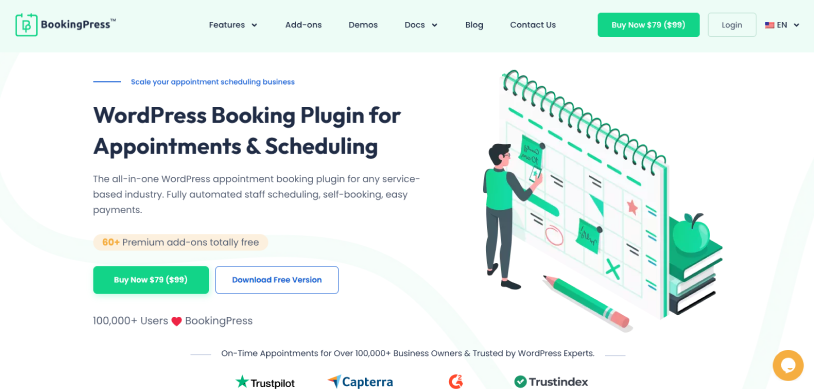
BookingPress is the most feature-rich appointment booking plugin for WooCommerce we’ve come across.
When we started reviewing BookingPress, it was clear that this plugin was designed with real appointment based businesses in mind. Most WooCommerce booking plugins feel more like an extension, not a plugin. But BookingPress proved us wrong.
During testing, we found BookingPress to be a complete appointment management system that brings scheduling, payments, staff management and customer experience together in one place.
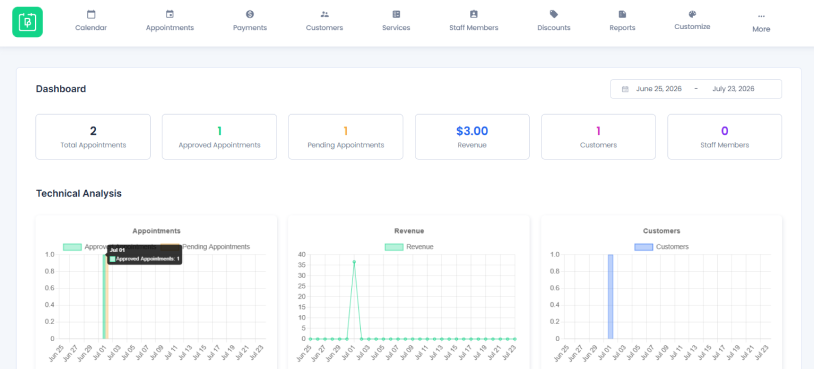
Setting up our first service, availability and managing staff schedules was simple thanks to its guided setup wizard. And the booking workflow felt smooth from both the admin and customer side. The interface keeps things organized and never makes you feel overwhelmed, even if you’re new to WordPress itself.
This isn’t just about having a long feature list (Although BookingPress has 60+ premium features); our experience shows that BookingPress feels more like a SaaS product that makes your complete online booking management process easier, from the first customer interaction to appointment management behind the scenes.
Key Features:
- 60+ premium addons out-of-the-box at zero extra cost
- Online payment, full or deposit, via 21+ payment gateways
- Multiple staff member management
- Google calendar, Outlook calendar and iCal synchronization
- Automated email, SMS, WhatsApp and Telegram notifications
- Recurring and group appointments
- Coupons and discount management
- Fully customizable booking form
- Reporting and analytics
Pros & Cons:
| Pros | Cons |
| Easy setup and user friendly interface. | Advanced features need a premium version. |
| Complete appointment management system. | Some beginners will need a little bit of more time to setup advanced features (But the Customer support and Documentation makes up for it) |
| Multiple staff, location and service management. | |
| Wide range of payment gateways for local and international transactions. | |
| Flexible customization options. |
Cost:
- Free version available.
- The premium plan starts from $89/Year.
Our Verdict: BookingPress is a long-time favorite booking plugin for WooCommerce service-based businesses looking for an all-in-one booking software. What caught our eye is its ability to work just greatly for all service based businesses that need multiple staff members and location management, automated workflows and a professional booking experience.
2. WooCommerce Bookings
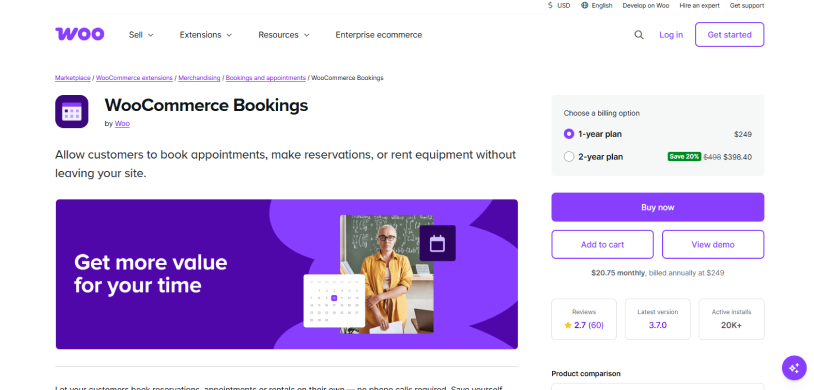
The official WooCommerce Bookings is a reliable native plugin that lets you accept online bookings right from your WooCommerce store. Yet its high price tag ($249/year) and steep learning curve make it difficult to justify for most businesses.
That’s the reason we ranked it in 2nd position. And if you think price is the only reason, then wait till you see what we have experienced (and most of others after installing it).
During testing, what impressed us the most is its simple plug and play. Being WooCommerce’s official extension gives it a high advantage. You can allow your customers to book appointments, make reservations or even rent equipment right from your WooCommerce store. Its buffer times avoids overlaps, dynamic pricing changes rates for days/groups, and it even supports two-way Google Calendar syncing.
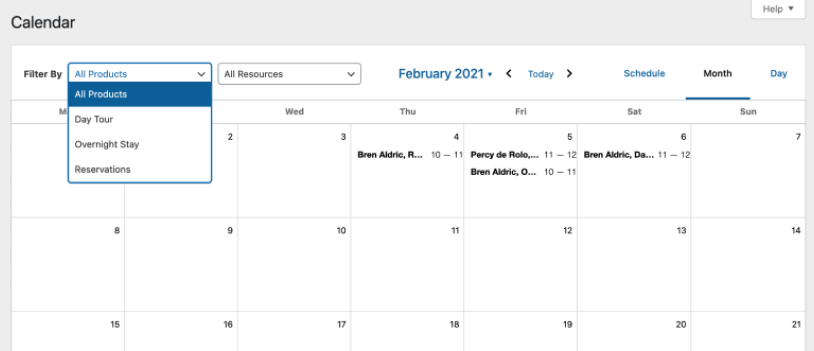
However, as we dig deeper, the user interface started to feel blocky and complex to set up for non-tech savvy users. Plus, many advanced features like Deposits or multi-vensetups need extra paid addons, making it one of the most expensive WooCommerce booking plugins.
Key Features:
- Native integration with WooCommerce
- Appointment, reservation, and rental bookings
- Flexible availability and booking rules
- Buffer time between bookings
- Dynamic pricing for dates, people and groups
- Two-way Google Calendar synchronization
- Automatic email reminders
- Book 1-on-1 or multi-person events
Pros & Cons:
| Pros | Cons |
| Official WooCommerce extension. | Expensive starting price. |
| Seamless WooCommerce integration. | No free version. |
| Flexible booking and availability rules. | Dated and less intuitive interface. |
| Supports appointments, rentals, and reservations. | Many advanced features require additional extensions. |
| Two way Google Calendar sync. | Can be difficult for beginners to configure. |
Cost:
- No free version available (Premium extension).
- The premium plan starts from $249/Year.
Our Verdict: If you want an official solution for accepting booking from your WooCommerce store, and also have a good budget, this plugin is best to go.
3. Bookster
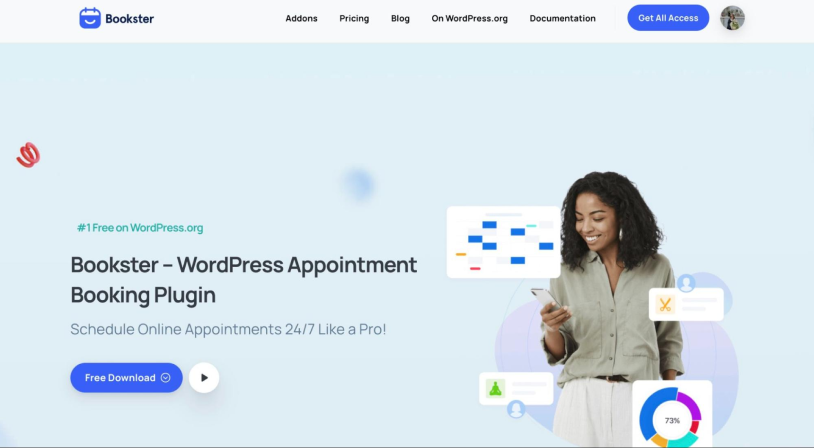
Bookster WordPress booking plugin is a great option for service-based businesses to accept appointments online without making scheduling complicated. Whether you run a salon, coaching business, consulting service, or fitness studio, you can set up services, define available time slots, and let customers book appointments directly through your website.
With Bookster, you can create unlimited services, manage multiple staff members, set available time slots, and track appointments through a centralized calendar. The plugin also includes email notifications, booking analytics, and a customer dashboard. For businesses that need more functionality, optional add-ons provide features such as online payments, group bookings, multiple locations, and SMS reminders.
Setup is simple. Add the Booking Form block to any page, share your link, and customers can pick a service, choose a time slot, and book in a few clicks. Meanwhile, you manage everything from one calendar in your dashboard, where you can click any appointment to view or edit it.
Key Features:
- Works with or without WooCommerce
- Unlimited services and team members (agents)
- Admin calendar view, plus a customer dashboard
- Booking Form, Booking Button, and Customer Dashboard blocks
- Online payments via PayPal (free add-on) and Stripe (premium add-on)
- Automated reminder emails and Twilio SMS notifications
- Group bookings and multiple locations
- Google Calendar and Google Meet integration
- Discounts, taxes, and extra paid options
- Reports and analytics
Pros & Cons:
| Pros | Cons |
| Free version with generous core features. | No native WooCommerce checkout, so it’s not ideal for bookable products. |
| Works with any major WordPress theme. | Stripe, SMS, group booking, and Google Calendar need paid add-ons. |
| Clean, beginner-friendly setup. | Not built for rentals or multi-vendor marketplaces. |
| Add-on based, so you only add what you need. | Younger plugin with a smaller community than the bigger names. |
Cost:
- Free version available.
- Premium add-ons are bundled in the All Access plan, which starts at $39/year for one site
Our Verdict: YBookster is a simple, flexible choice for service businesses that want to start accepting bookings quickly, without the weight of a full WooCommerce setup. Start free, then add payments, reminders, and calendar sync as you grow.
4. YITH Booking Appointment for WooCommerce
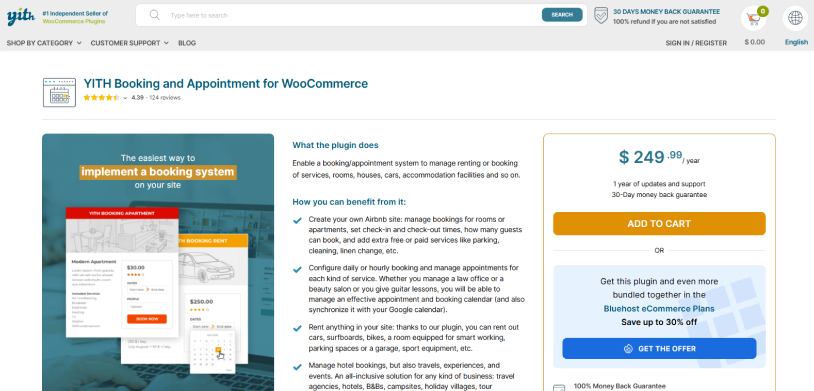
YITH Booking and Appointment for WooCommerce strikes a nice balance between flexibility and ease of use. It doesn’t try to be the most feature packed booking plugin on the market, but it offers everything most WooCommerce businesses need to start accepting bookings.
During testing, we found the YITH Booking and Appointment plugin’s depth of configuration incredible. If you need to manage complex staff schedules, individual room capacities and tiered group pricing, YITH handles it exceptionally well. The ability to replace the standard “Add to Cart” with a customized “Book Now” button gives a smooth front end experience for shoppers.
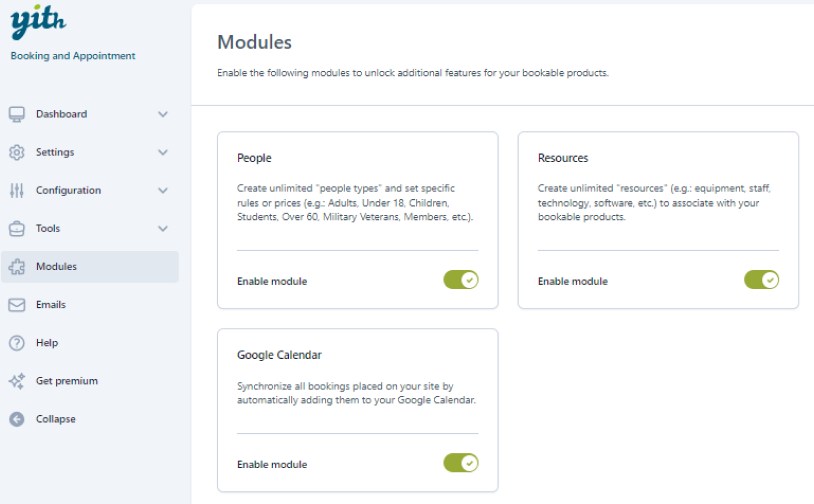
The only downside is that to some, its user interface within the dashboard can feel scattered (and a little bit dated). On top of that, setting up advanced rules needs a lot of time.
Because the plugin does so much, it can overwhelm the first time users. However, compared to WooCommerce Bookings plugin, this is still way better value for money as you don’t need to buy extra addons just for features like deposit payments.
Key Features:
- Flexible booking units
- Dynamic pricing
- Two way syncs with Google Calendar
- Resource assignment
- Customizable booking form
- Automatic notifications via Email and SMS
Pros & Cons:
| Pros | Cons |
| Easy to set up and beginner friendly. | Can become expensive when combined with other YITH extensions. |
| Flexible booking duration options. | Limited staff management compared to dedicated booking systems like BookingPress. |
| Works well for appointments and rentals. | Fewer built-in automation features. |
| Good WooCommerce integration. | |
| Custom pricing and availability rules. |
Cost:
- No free version available.
- The premium plan starts from $249.99/year.
Our Verdict: YITH Booking and Appointment For WooCommerce is a highly capable booking plugin that turns your WooCommerce store into a rental, appointment or service scheduling system. Although it is customizable and feature-rich, it is still best for those businesses who have dedicated technical resources due to its learning curve.
5. Webkul WooCommerce Marketplace Booking
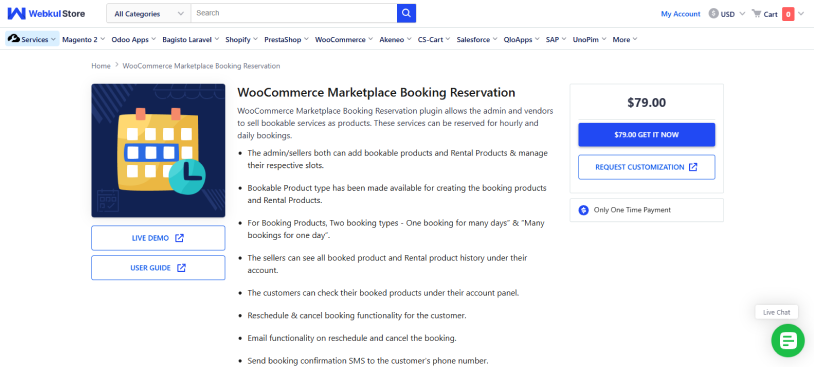
Unlike the other plugins on this list, Webkul WooCommerce Marketplace Booking is built for a very specific use case of multi-vendor marketplaces.
Thus if your goal is to let multiple vendors accept bookings, reservations or rental orders from the same WooCommerce marketplace, this plugin fills a gap that most booking plugins simply don’t address.
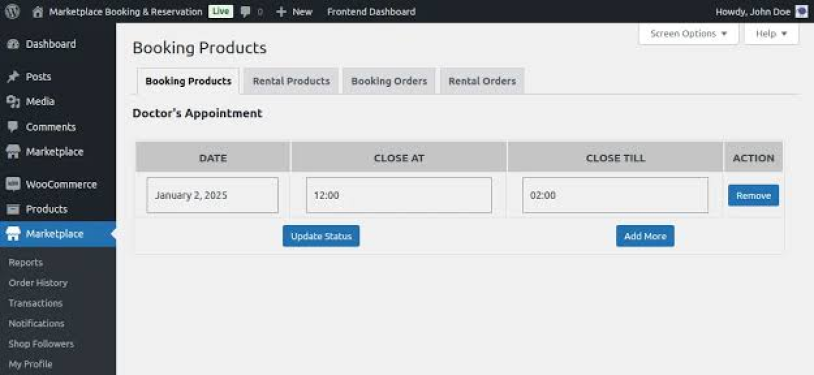
During our review, we found that Webkul extends the WooCommerce marketplace experience rather than replacing it. You can easily create and manage their own bookable products, set booking slots, view reservations and handle customer bookings right from your seller dashboard.
However, it’s important to understand what you’re buying. This isn’t a standalone WooCommerce booking plugin. It needs Webkul’s Multi Vendor Marketplace extension to work. Plus, the interface is also more functional than modern. And businesses that don’t operate a marketplace will likely find more value in a dedicated appointment booking plugin like BookingPress.
Key Features:
- Supports “Multiple Bookings in a Day” and “Single Booking for Multiple Days”.
- Flexible vendor portals
- Dynamic slot and date management
- Automatic notifications via SMS and Email
- Break duration settings
- Easy cancel and reschedule options for clients
- POS integrations
Pros & Cons:
| Pros | Cons |
| Excellent for multi vendor marketplaces. | Needs Webkul Multi-Vendor Marketplace plugin. |
| Vendors manage their own bookings. | Not suitable for single-business websites. |
| Supports bookings and rentals. | Interface feels dated. |
| Flexible booking rules and availability. | Learning curve for marketplace configuration. |
| Customer rescheduling and notifications. | Limited value outside marketplace use cases. |
Cost:
- No free version available.
- The premium plan starts from $79.00/ One time payment only.
Our Verdict: Webkul WooCommerce Marketplace Booking is worth considering if you’re running a multi-vendor marketplace. This WooCommerce booking plugin lets multiple sellers create, manage and sell their own bookable products and rentals with zero hassle.
6. Booking Activities
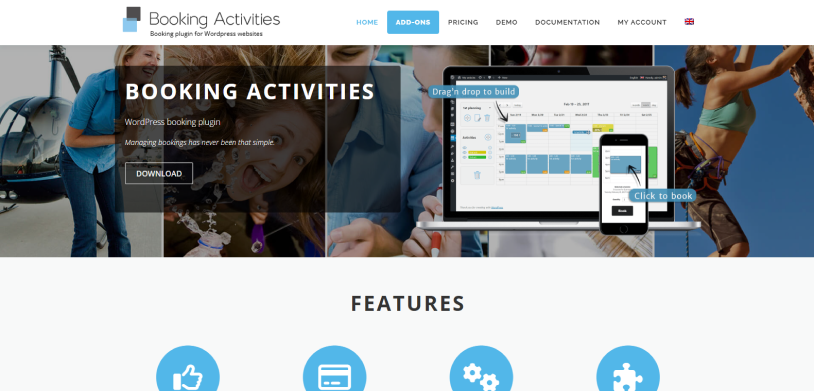
Booking Activities works through a visual WYSIWYG (What You See Is What You Get) drag and drop builder. And that’s exactly what makes it so special.
You can group events together easily which is best if you want to sell “class passes”. Moreover, it integrates nicely with WooCommerce; booking form appears natively on the product page, and event automatically adds to the cart. And after the payment gets clear, the booking gets validated. From here on, if abandoned, the system clears the booking to prevent another customer from missing out.
That said, Booking Activities isn’t as feature rich as some of the higher ranked plugins. Although it handles event and activity scheduling very well, businesses that want advanced staff management, complex appointment workflows or extensive automation will find it more limited.
Key Features:
- WooCommerce integration
- Interactive booking calendar
- Time slot and event booking
- Flexible group bookings
- Booking restrictions and availability rules
- Custom booking forms
- Automatic booking management
- Developer friendly customization
Pros & Cons:
| Pros | Cons |
| Excellent for activities and event bookings. | Fewer built-in business automation features. |
| Interactive booking calendar. | Limited staff management. |
| Easy WooCommerce integration. | Advanced features require premium addons. |
| Flexible scheduling rules. | Better suited for events than service appointments. |
| Lightweight and customizable. | Smaller feature set than top competitors. |
Cost:
- Free version available.
- The premium plan starts from 129,00€/year (Approx. $147/Year).
Our Verdict: Booking Activities plugin is an excellent pick for WooCommerce businesses who want to run schedules, recurring or group sessions It integrates with WooCommerce so you don’t have to force your customers into a specific payment gateway.
Side-by-Side Comparison of the Top WooCommerce Appointment Booking Plugins
| Feature | BookingPress | WooCommerce Bookings | YITH Booking | Webkul Marketplace Booking | Booking Activities |
| WooCommerce Integration | ✅ | ✅ | ✅ | ✅ | ✅ |
| Free Version | ✅ | ❌ | ❌ | ❌ | ✅ |
| Appointment Booking | ✅ | ✅ | ✅ | ✅ | Limited |
| Rental Booking | Limited | ✅ | ✅ | ✅ | ✅ |
| Multi-Staff Management | ✅ | Limited | Limited | Vendor-based | ❌ |
| Multiple Locations | ✅ | ❌ | Limited | Vendor-based | ❌ |
| Group Bookings | ✅ | ✅ | ✅ | ✅ | ✅ |
| Recurring Appointments | ✅ | Limited | Limited | ❌ | ✅ |
| Deposit Payments | ✅ | Add-on Required | ✅ | Limited | Limited |
| Google Calendar Sync | ✅ | ✅ | ✅ | Limited | ✅ |
| Outlook Calendar Sync | ✅ | ❌ | ❌ | ❌ | ❌ |
| SMS Notifications | ✅ | Limited | ✅ | ✅ | Limited |
| WhatsApp Notifications | ✅ | ❌ | ❌ | ❌ | ❌ |
| Email Notifications | ✅ | ✅ | ✅ | ✅ | ✅ |
| Payment Gateways | 21+ | WooCommerce Supported | WooCommerce Supported | WooCommerce Supported | WooCommerce Supported |
| Reporting & Analytics | ✅ | Basic | Basic | Basic | Basic |
| Best For | Service Businesses | WooCommerce Stores | Rentals & Services | Marketplaces | Events & Activities |
| Starting Price | $89/year | $249/year | $249.99/year | $79 One-time | €129/year |
Final Verdict: Which WooCommerce Booking Plugin Is Right for You?
Still wondering which is the best WooCommerce booking plugin for your store?
Although the answer completely depends on your booking needs, budget and team size, and every plugin on this list has its own advantage, if you want an all-in-one appointment booking plugin for WooCommerce, it’s BookingPress.
BookingPress is our top recommendation because throughout our testing, it always delivered the smoothest booking experience for customers, admin and staff members. Best of all, it offers everything most service businesses ever need, from multiple staff and location management to recurring appointments, 21+ payment gateways, and 60+ premium features included at no additional cost.
Try BookingPress today and see why it’s our #1 WooCommerce booking plugin for 2026.
Related articles:
- 6 Best WooCommerce Subscription Plugins for 2026
- WooCommerce Memberships 101: Everything you Need to Know
- How to Build a Complete WordPress Membership Platform
FAQs
Does WooCommerce have a Booking System?
No, WooCommerce does not have a built-in booking system. But you can always install its official WooCommerce Bookings extension or go for an appointment booking like BookingPress that smoothly integrates with WooCommerce.
What is the best WooCommerce Plugin for booking appointments?
BookingPress is the best WooCommerce plugin for booking appointments due to its rich set of 60+ premium addons and user friendliness.
What is WooCommerce Bookings?
WooCommerce Bookings is an official premium extension of WooCommerce that lets you turn your products into bookable services. It allows your customers to make appointments online for rentals or services.
Which WooCommerce Booking Plugin supports rentals?
Here are all the WooCommerce booking plugins that support rentals:
- BookingPress
- WooCommerce Bookings
- YITH Booking & Appointments for WooCommerce
What is BookingPress?
BookingPress is one of the best WordPress appointment booking plugins that turns your simple WordPress site into a complete online booking system, with zero coding. It comes packed with 60+ premium addons including 21+ payment gateways and centralized analytics dashboard to grow your business.
Are there free WooCommerce Booking Plugins?
Yes, Of Course! BookingPress Lite and Booking Activities are the best free booking plugins that integrate with WooCommerce.
How do I add a WooCommerce booking plugin in WordPress?
You can easily add a WooCommerce booking plugin in your WordPress by following these simple steps:
- Suppose, you wanna install BookingPress, then simply go to its official website and download the zip file of the plugin.
- Next, head back to your WordPress dashboard → Plugins → Add Plugins.
- Now upload the zip file of BookingPress , and hit the Install Now button, followed by Activate.
- Later, simply click on the BookingPress icon and the setup wizard will take it from there.

Share this post


