


If you want to start a fitness membership site with multiple membership tiers and varying access levels to your plans and pricing, we’re explaining how to do that using a WordPress site as an example.
WordPress is an excellent site builder for managing members, memberships, paid content, and payments, so it’s definitely worth building your site with it. In any case, our tips will be suitable for any health membership site business!
So, where do you begin creating your site? Let’s get started.
TL;DR: A fitness membership site allows you to monetize your workouts, coaching and community with the clear pages, pricing, scheduling, and a member portal. You can manage subscriptions, restrict content and grow your fitness business effortlessly using WordPress tools like ARMember.
Create Essential Fitness Membership Site Pages
In this part, we’re taking a look at the site structure that works for fitness membership websites. No matter what platform or CMS you’re working with, these basics still apply.
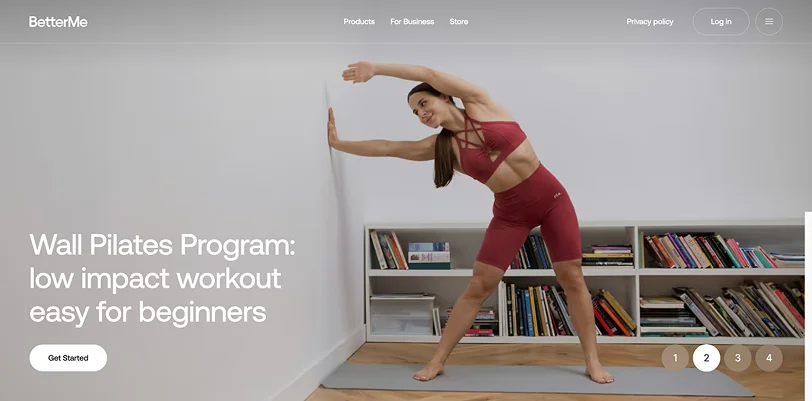
Explain Your Proposition
Right away, when visitors land on your site, there should be no confusion about what you offer. They need to understand:
- What you offer (gym, online coaching, classes, a mix of services)
- Who it’s for (beginners, athletes, weight loss, etc.)
- Why are you different?
We suggest being highly specific by using phrases like “Strength training for busy professionals – 30-minute coaching sessions”.
Put Membership Plans & Pricing on The Home Page & Extra Page
Having a separate pricing page is important for SEO, meaning, search engines and LLMs can easier crawl and understand your site. However, if your pricing is simple, it makes sense to place an extra block with it on the home page. Overall, try inducing:
- Simple plan tiers (monthly, yearly, drop-in, etc.)
- What’s included in each plan
- Transparent pricing (no surprises)
- CTA buttons like “Join Now” or “Start Free Trial”
If pricing is hidden, conversions drop unless you’re a premium brand with a sales funnel.
If You Can Be Booked Online, Add a Scheduling System
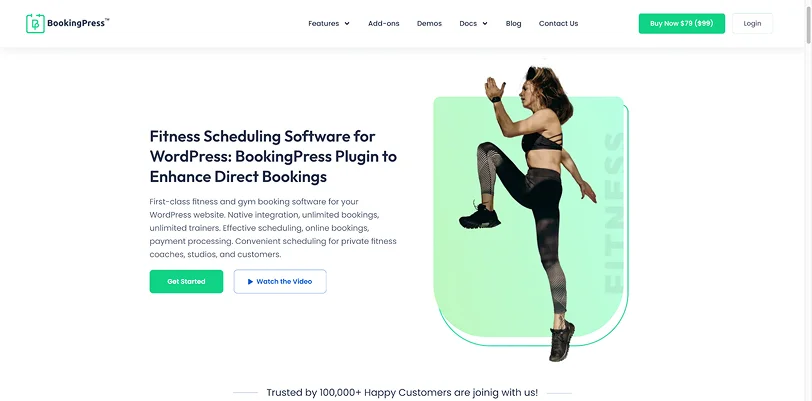
If you offer classes, sessions, or appointments, simplify the process of booking for your clients. With multiple tools like Calendly (any site) or BookingPress (for WordPress sites), you can build a booking page with real-time availability, including:
- Real-time availability for your locations and fitness services
- Easy booking (mobile-friendly)
- Integration with payments for faster bookings (PayPal, Stripe, etc.)
- Member login for managing bookings
- Integration with your calendars for faster reservation tracking
- Upselling options through the booking form (add-ons, related services, etc.).
Create a Services / Programs Page
Break down what you offer on a dedicated fitness subscription website page, with all the details and benefits. Your clients will be viewing your site, wondering “Is this for me?”. So, include deals for:
- Group classes
- Personal training
- Online coaching
- Specialty programs (e.g., weight loss, rehab, strength).
You may also add a store that sells branded things to support clients in their fitness journey. In WordPress, it’s easy to build with WooCommerce, for example.
Add Social Proof
No gym membership website can build trust without real testimonials (please don’t add fake ones – especially with stock image photos). People don’t trust gyms, they trust results. Make sure your fitness membership website has these features to build real trust with people:
- Testimonials (with photos if possible)
- Before/after transformations
- Reviews (Google, etc.)
- Case studies.
Add Trainer Profiles

Your fitness trainers are your main card. And be sure, prospective customers will search for fitless trainer profiles on your site. The most trusted approach is having profiles with photos, credentials, specialties, and short personal stories. People often choose trainers, not gyms.
Add Location / Online Info
Adding a location adds reality to your business. It’s good practice to include a physical address + map (if offline), service areas (if hybrid/online), opening hours, and contact info.
Add Strong Calls-to-Action (CTAs)
Many modern fitness membership website templates include calls-to-action suitable for your niche. However, if it doesn’t, every page should push toward:
- “Join Now”
- “Book a Class”
- “Start Free Trial”
Don’t make users guess what to do next.
Create Trust & Policies Page
Every site should have the policies page to address:
- Cancellation policy
- Refund policy
- Terms & conditions
- Privacy policy
Such pages are important to protect both your business and your members, as well as to avoid misunderstandings. They help you to:
1. Prevent disputes thanks to clear rules for cancellations, refunds, or missed classes.
2. Set expectations upfront to have full transparency.
3. Build trust to make your services more professional and legitimate, especially when payments are involved.
4. Handle legal & payment requirements.
5. Protect your content & services (usage rights, access rules, etc.).
Add a Member Dashboard / Portal
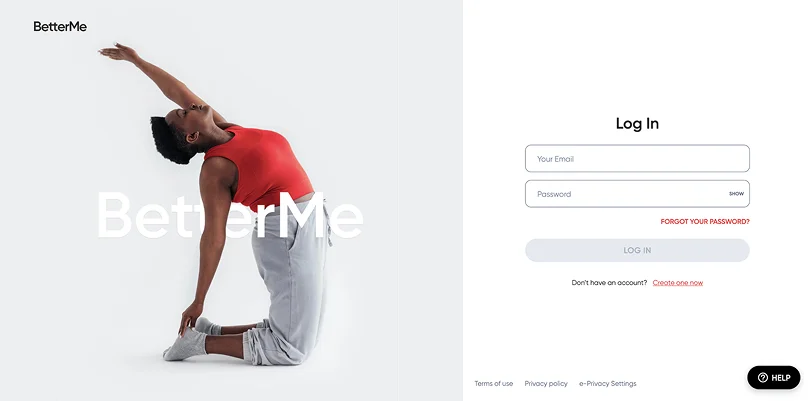
This is probably one of the most important steps if you want to have a complete online fitness membership sites registration and community.
For a WordPress site, we’d explain the process with the ARMember plugin.
Your members will be able to track progress with their fitness activities, access workouts, videos, or plans; and manage subscriptions/payments.
With the ARMember plugin, you’ll create tiered membership levels, manage subscriptions, add paid content, and get paid online either for the community membership or content.
Let’s do the following:
- Create and restrict access to fitness program pages
- Set up tiered membership plans with different access levels
- Add custom registration and login pages
- Offer subscriptions or one-time payments.
Step 1. Install and activate the plugin
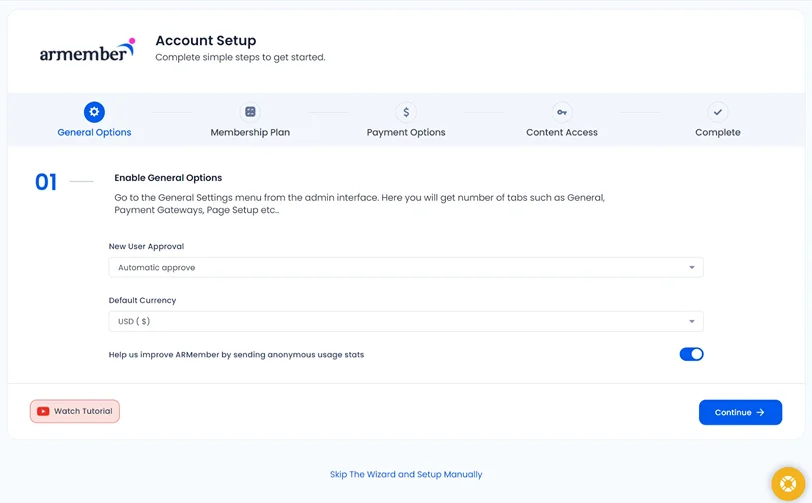
Upload ARMember via Plugins → Add New, activate it, and run the setup wizard (or configure manually later).
Step 2. Create membership plans
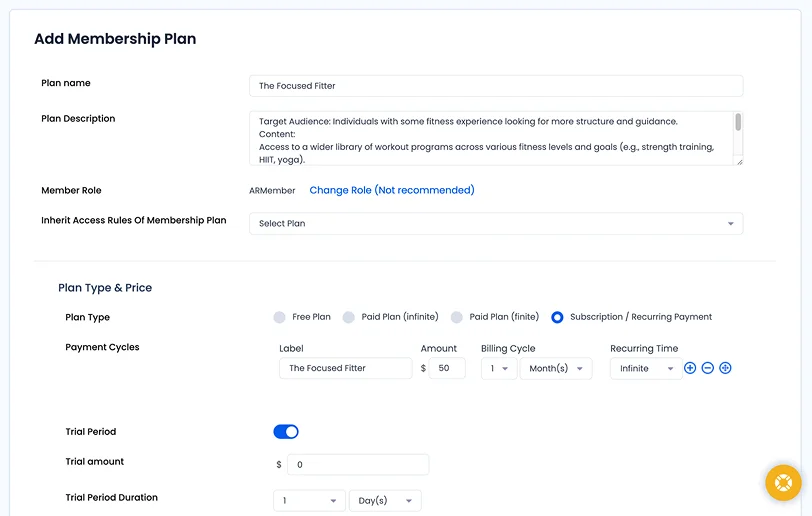
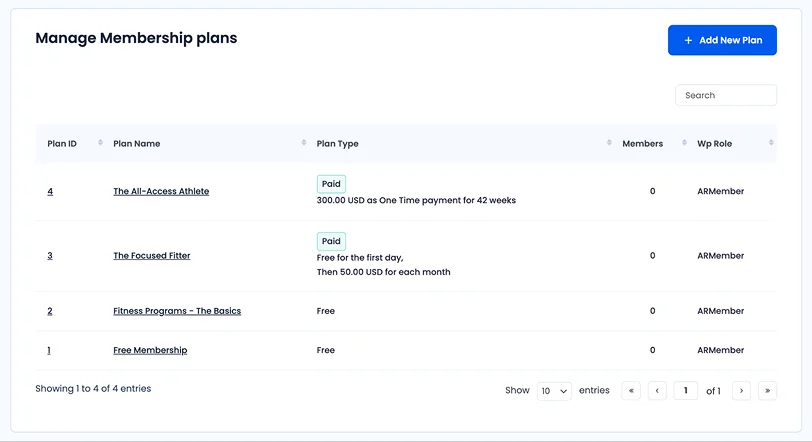
Then, add flexible plans to match your fitness offerings. These will reflect your actual services with different prices. For example:
- Monthly gym access
- Class-based memberships (e.g. yoga, HIIT)
- Personal training packages
- Weekly or drop-in passes
- Yearly or lifetime plans
Within these plans, you can define pricing, billing type (recurring or one-time), and included perks.
You can offer anything from weekly plans to lifetime memberships. ARMember → Manage Plans and Click Add New Plan.
Customize the plan for your membership business:
- Plan Name: e.g., Basic Gym Access
- Description: Short details on what’s included
- Plan type and its cost (free, paid, recurring).
With a few extra add-ons, you can:
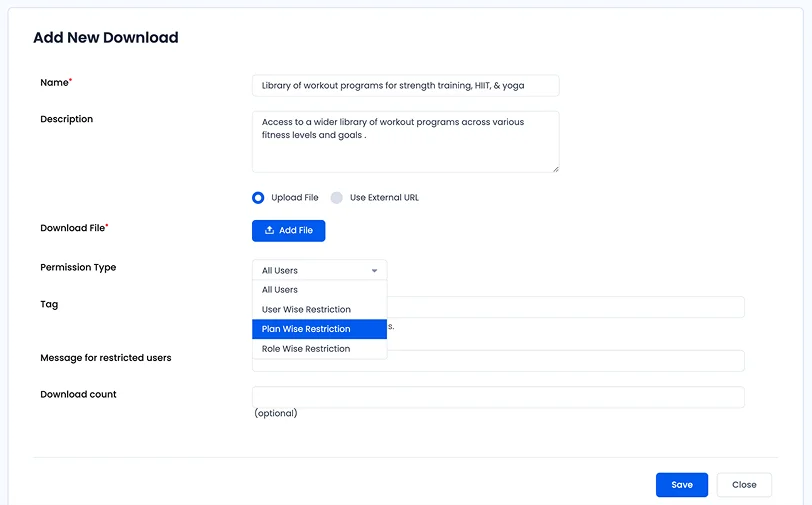
– Offer downloadable fitness resources using Digital Downloads (with plan-based access and alerts)
– Sell individual content like personalized workout plans with Pay per Post
– Run an affiliate program to promote your fitness memberships.
Step 3. Restrict content and access
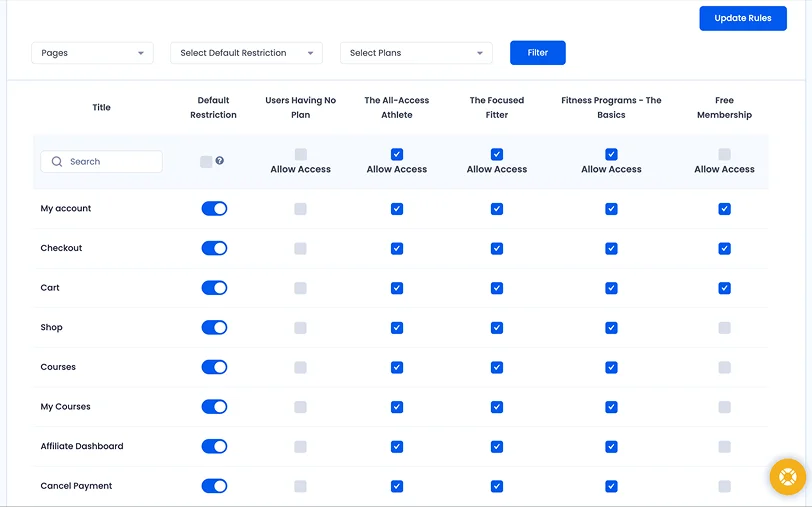
In the content restriction menu, you can tick specific pages, posts, or custom post types that you want to open and close for members based on their plan. This is where you can:
- Lock workout programs, video classes, or meal plans
- Restrict pages by membership level
- Drip content (e.g. weekly training plans)
- Offer premium-only fitness resources.
Step 4. Enable online payments
To accept payments seamlessly, go to ARMember → General Settings → Payment Gateways. From there, you can enable 21+ payment gateways like PayPal, Stripe, Square, Skrill, Braintree, Klarna, and more supported by ARMembers.
In the payment settings, you can also set currency, taxes, and discounts. It’s also easy to customize subscriptions, trials, or one-time purchases.
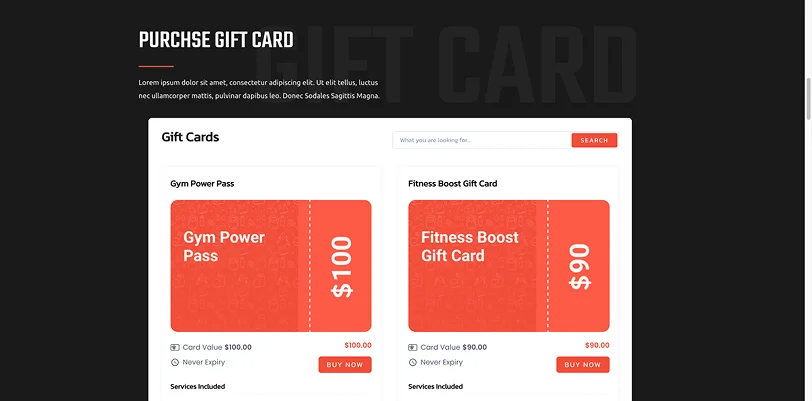
ARMember fully supports invoice management, currency settings, VAT and tax, coupons and discounts, gym gift memberships, and even an affiliate program.
Step 5: Set up member communication
Inside the plugin, you can fully automate member engagement by sending welcome emails and reminders or notify about upcoming classes or renewals. For this, you can use email, SMS, or messaging apps.
Step 6: Enable extra member experience
ARMember offers multiple options to boost retention and onboarding with extra tools and add-ons:
Member profiles and progress tracking
If you offer online lessons and an engaging community, enable profile, progress badges, and more gamification. You can also add rewards like badges or fitness milestones.
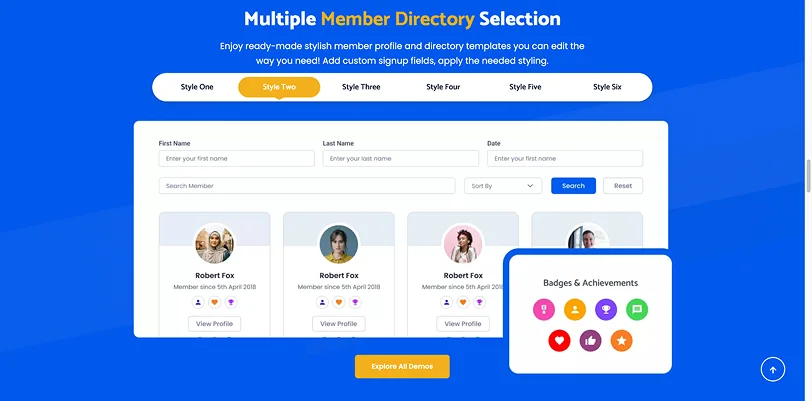
Private messaging or community features
You can enable members to send messages and follow each other like in a normal social network.
Custom signup/login pages
The signup page can be fully customized to match your branding.
Add Affiliate Marketing Program
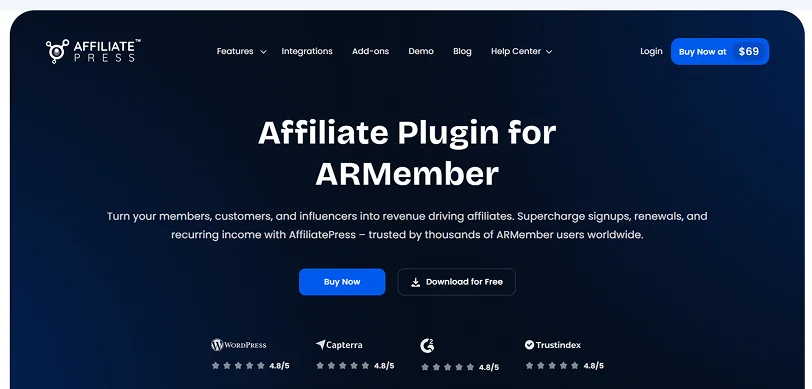
While you can have many ways to promote and monetize your gym services, an affiliate program is one of the most successful decisions for a fitness brand, no doubt.
It helps you build referrals from former clients, fitness influencers, and coaches. With ARMember, you already have a ready integration with one of the best plugins for affiliate management – AffiliatePress. This plugin lets you create affiliate programs of any scale and purpose, easily track links and sales from your WP dashboard, and perform automatic payouts. Worth trying.
Concluding: How to Start a Fitness Membership Site
Keeping the best practices of building a fitness membership site in mind, you can polish your fitness brand, and also employ a great monetization model that suits your business. You can monetize your services through bookings, subscriptions, one-time payments, or even in-person membership sales.
A fitness membership website can be your central hub that combines payments, content access control, learning features, and community tools. And if you are on WordPress, you just need a single WordPress plugin for that like ARMember. With its range of features and add-ons, you can bring in new clients using free tiers, trial access, and flexible upgrade or downgrade options from your own site.
Related Articles:

Share this post


