


When it comes to membership sites, security isn’t just an addon, it’s the foundation of your brand’s trust.
Creating and running a membership site is sure exciting and profitable. You can turn your passion into profit, build community and share premium content.
But here’s the reality check: hackers love WordPress membership sites like yours.
Why?
Because your membership site is full of personal data, payment details and exclusive premium content. One small vulnerability is all it takes for things to go sideways.
And if that sounds dramatic, take a look at this: IBM reports the average data breach now costs $4.44 million globally – a record high.
There’s no denial that WordPress is a secure platform. But its popularity also makes it a favorite target for cyberattacks. Thankfully, there are reliable ways to protect your membership website and stay one step ahead.
In this guide, we’ll give the spotlight to some battle-tested membership site security tips that every website owner should know.
So grab your notepad and let’s go!
Why Membership Site Security Matters

Membership site security is important because all it takes is a single data breach to turn things upside down.
Did you know nearly two out of three consumers, around 66%, would stay away from an organization that had experienced a cyber attack in the past year? If that wasn’t enough, spare a glance here: 88% of cybersecurity breaches are caused by human error.
Here’s why, we can’t turn a blind eye towards such incidents that directly impact your member’s trust, legal compliance and brand reputation.
Take a look at the key reasons of why membership site security matters more than ever in 2026:
- Protection of sensitive data such as member’s personal info, payment details and more
- Maintains your member’s trust and your reputation
- Avoids any kind of financial losses from investigation, containment, recovery or legal fees
- Ensures GDPR and CCPA compliance
- Robust security saves you from attacks such as DDoS, business disruption and downtime
- Counter new evolving cyber threats by AI
- Protects your exclusive content
- Boosts your site’s SEO and visibility
Ultimately, membership site security matters more than ever in 2026 and beyond. Yet you don’t have to worry as there’s so much you can do to protect your site’s data.
The best way is to take counter measures and add an extra layer of protection by taking in the best security tips we’ll point out here. Let’s take a look!
Use Strong Login Protection and Limit Login Attempts
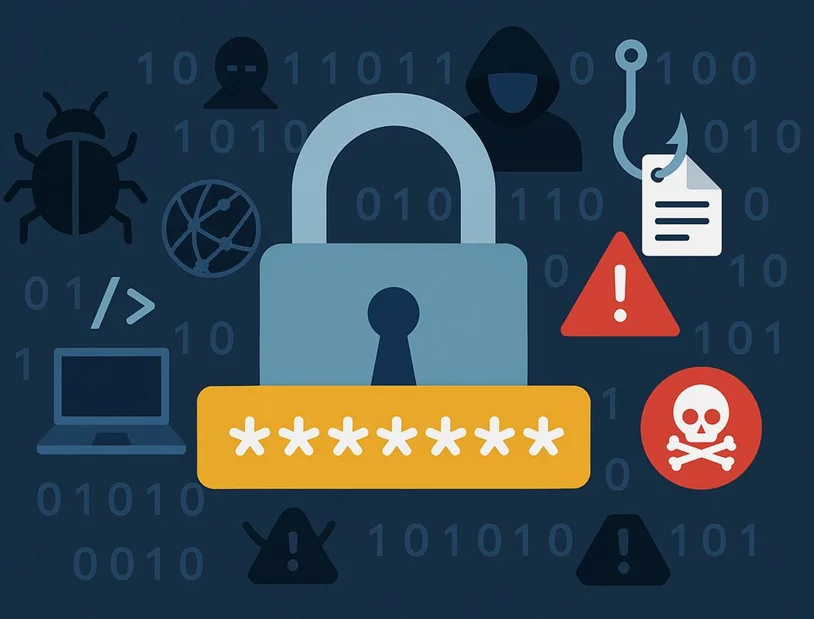
Strong passwords and limited login attempts are your first line of defense against unauthorized access. Make it stronger than ever.
One of the best ways to protect membership websites is to use passwords which are unique and hard to guess. This may be a common security tip, but it’s one that’s often overlooked and following it can make a real difference to your site’s safety.
Always use complex passwords that include a mix of letters, numbers, and symbols. And avoid using “admin” as your username. You’ll be surprised to find out just how many people still use the same username around the world.
Further, encourage your members to do the same by enabling strong password strength rules on your registration or signup page. If some members are still using old passwords, kindly remind them to update their credentials right away for better protection.
Next, enable two-factor authentication (2FA) for both admin and members accounts. This adds an extra layer of verification step, making it much harder for attackers to gain access even if they know the password. Sounds smart, right? Well, it’s effective as well!
Another thing to do is limit the login attempts in your login page. We are sure you must have come across times when your own phone doesn’t let you in for 3 failed wrong password attempts.
For example, with ARMember, you’ll get advanced login and signup security features to set max login attempts, lock-in period and permanent lockdown time to ensure the member’s security and data protection.
Best of all, it comes with a password strength meter to display the password strength in the front end for members.
Always Use SSL and HTTPS
SSL and HTTPS both sound like too much of a technical term, right?
Well, let us break it down in simple words. If your membership site is still using HTTP, time to switch to HTTPS to add that crucial layer of security.
By using SSL encryption, you can turn your HTTP website into an HTTPS secure site.
You can easily tell if your site is protected by looking for the padlock icon and “https://” at the start of your domain name. That small lock symbol is an assurance for members that their data is going over a secure connection.
Apart from this, an HTTPS site always makes Google happy, boosting your SEO rank.
Thus switching from HTTP to HTTPS isn’t just about protecting user data, it’s also a chance to improve your site’s SEO and trustworthiness.
Keep WordPress, Themes, and Plugins Updated
Running and managing membership sites on WordPress is always followed by a ton of WordPress themes and plugins.
WordPress is already a secure software that powers over 43% of all the websites around the world. Yet, its popularity also means it can attract unwanted attention from hackers — making strong security even more important.
The security of your WordPress site mostly depends on you. The stats says over 96% of vulnerabilities comes from the third party WordPress plugins and themes, not the core WordPress software.
Updating your WordPress themes and plugins regularly protects you from any kind of threats. Plus, worth noting that some WordPress themes don’t update automatically, so make sure to check for updates regularly.
In simple words, if you ever see a notification for an update, never ignore it.
To make this task effortless, you can use a centralized WordPress management tool like WP Umbrella to keep your website up-to-date. It lets you safely automate updates for plugins, themes, and even WordPress core across one site or hundreds at once. Bulk updates run with built-in safety checks, saving time and reducing the risk of human error.
That said, protecting against plugin vulnerabilities starts long before updates. It begins at build time. Choosing reliable WordPress plugins from trusted developers such as ARMember is the most important step for a secure, stable site from day one.
Protect Your Members’ Data and Payments

Protecting your member’s data not only prevents fraud but also builds trust.
Your membership site isn’t just a content hub. It’s a place where people turn into members by sharing their personal and payment information.
That’s why, protecting their trust should be your top priority.
Always use verified and secure payment gateways such as Stripe, PayPal, or Authorize.net. These gateways are popular for a reason. They handle transactions safely, so you never have to store payment data manually.
Furthermore, make sure all your payment transactions happen over a SSL encrypted connection. Also, don’t forget to review your privacy and data retention settings day by day to stay on the same page as compliant with GDPR and other privacy laws.
Implement Role Based Access and Content Restrictions
One of the main reasons a person builds a membership site is to monetize and protect its premium content. In this model, you only let a few people access your premium content who are your members, right?
So why not apply the same model in your teams?
Not everyone on your team needs full access to your website.
So limit your backend access to admins and editors only. Moreover, assign clear roles for contributors, authors and subscribers.
This helps keep your membership site security up to date and organized.
For example, if you are using an ARMember membership plugin, you can easily set up role-based permissions and restrict content visibility for different membership levels with ease.
Remember, the fewer people with backend privileges, the smaller your risk of data exposure or content errors are.
Regularly Back Up Your Website

If you don’t want to risk losing your membership website for good, why not start backing it up from now on?
It’s pretty obvious, but your backup is your safety net. Treat it like your insurance policy. It goes without saying you never know when something might go wrong, so it’s better to stay prepared than regret it later.
Even the most secure sites can face unexpected issues like hacks, crashes and plugin conflicts, yet no worries!
All you need is a good WordPress backup plugin like UpdraftPlus and easily backup limitless files and external databases.
Install a Reliable WordPress Security Plugin
If you are using ARMember, you don’t need to worry about anything else.
However, it’s always good to have one or two WordPress security plugins for just in case scenarios.
A dedicated WordPress security plugin adds an extra layer of defence and protection for your membership site.
While WordPress is powerful, it’s also a common target for attacks. Thus, installing a trusted security plugin like Wordfence, Sucuri, or iThemes Security can help protect your membership site from malware, brute force attempts and any kind of sus traffic.
Final Thoughts: Make Membership Site Security Easy with ARMember
Membership site security is a matter of right approach only. With the right counter points, you can make a strategic security plan for your membership plan.
You can improve your membership site security better with a few security tips and tricks we’ve listed. Always remember to use strong passwords and limit your login attempts with ARMember’s login lockout system for failed login.
What else? If you choose ARMember as your membership plugin, you can control content access by blocking RSS feeds, set max login attempts, and ensure secure transactions and data protection with PCI compliance.
Best of all, you can also secure your sign-ins with email verification or admin approval. Plus, it comes with built-in features for two factor authentication on login and registration forms.
You don’t think twice. It’s time to choose a Membership plugin that protects Your Members with advanced membership site security – ARMember.
FAQs about Membership Site Security
What is a membership site?
A membership site is a website where users pay a fee in the form of a subscription to get access to exclusive premium content. A membership site is created using membership plugins like ARMember to monetize premium content such as paid newsletters, premium articles or OTT videos.
How can I secure my WordPress membership site?
You can secure your WordPress membership site by:
- Using strong login and registration password
- Limiting failed login attempts
- Using SSL and HTTPS to encrypt data
- Keeping WordPress plugins and themes up to date
- Having secure payment gateways like PayPal and Stripe
- Setting up role based access controls
- Regular backups to safeguard your site’s data
- Installing a WordPress security plugin
What are the common security risks for membership websites?
The common security risks for membership websites are data breaches, phishing, malwares, SQL injection and DDos attacks. However, you can use a WordPress security plugin to protect your membership site security from all these cyber attacks.
Do I need a separate security plugin if I use ARMember?
Not necessarily! ARMember is a powerful WordPress membership plugin that already includes essential security features like login attempt limits, password strength validation, content restriction and many other features to protect membership site websites.
However, you can always use a WordPress security plugin to add an extra layer of protection.
How often should you backup your membership site?
You should back up your membership site at least once in a day and if possible, in real time. Frequent and real time backups help you recover quickly if something goes wrong. You can also set up automatic real time back ups using WordPress backup plugins.
Is SSL mandatory for membership sites?
Yes, Of course! SSL is mandatory for membership sites because it ensures a secure connection and transaction.
You May Also Like:

Share this post


