


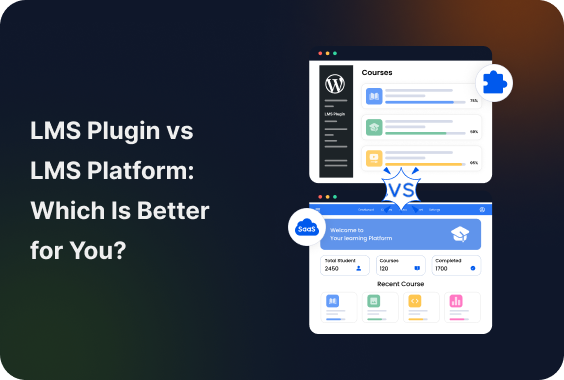
Should you use a WordPress LMS plugin or an all-in-one LMS platform?
Many course creators struggle with this decision because both options sound almost the same at first. But once you start building your own online course business, the differences become much more important.
Some people want complete control, better SEO and long term flexibility. Yet some, on the other hand, want the fastest and easiest way to launch online courses without dealing with technical setup or maintenance.
So, if you’re also wondering whether to launch your online course on an LMS plugin or LMS platform, this LMS plugin vs. LMS platform comparison guide is for you.
Here you’ll learn the key differences between LMS plugins and LMS platforms, including pricing, SEO potential, integrations, scalability and which option makes the most sense for your online course business stage and goals.
TL;DR: A WordPress LMS plugin is best if you want full ownership, better SEO, lower long term costs and the flexibility to grow your online course business. An LMS platform is good option if you prioritize a hassle free setup and don’t mind paying more over time for convenience.
LMS Plugin vs LMS Platform: Quick Comparison
Since it’s a LMS platform vs. LMS plugin comparison guide, we won’t bore you with fluff. Below is the head-on-head comparison of LMS plugins and LMS platforms.
| Factors | LMS Plugin | LMS Platform |
| Ownership | Full control | Platform controlled |
| Branding Freedom | Very high | Moderate |
| Ease of Setup | Harder | Easier |
| Technical Maintenance | Your responsibility | Mostly handled |
| Scalability | Excellent | Depends on pricing tiers |
| Monthly Costs | Lower long-term | Higher long-term |
| Customization | Massive | Limited |
| Data Ownership | Full | Partial |
| Risk of Lock-In | Low | High |
| Best For | Businesses building assets | Creators testing ideas |
What Is an LMS Plugin?
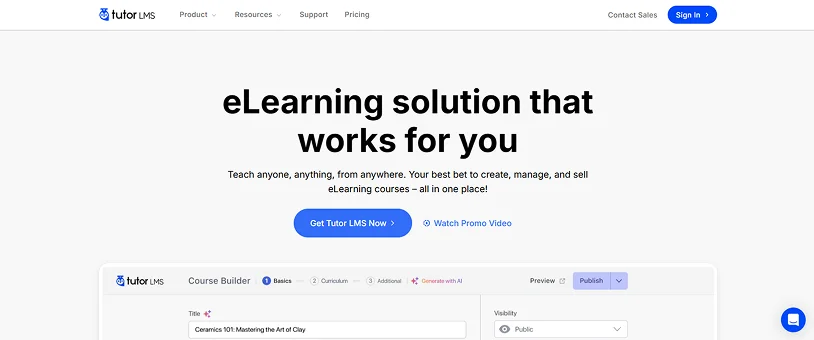
An LMS (Learning Management System) plugin is a tool that turns your regular WordPress website into a complete online coaching platform.
Simply install the plugin on your WordPress site, and manage everything right from your own existing WordPress dashboard. It allows you to create online courses, quizzes, certificates and manage students as well as accept online payments.
In other words, it gives you full control over your online course business. With a WordPress LMS plugin, you can:
- Create and sell online courses.
- Manage lessons and quizzes.
- Track student progress.
- Offer certificates.
- Build memberships.
- And integrate marketing tools from one place.
Here are some of the most popular WordPress LMS plugins:
- LearnDash
- Tutor LMS
- LifterLMS
If you want to create membership or community based online courses, ARMember is the best WordPress membership plugin that lets you create online courses with zero coding.
The biggest advantage of a WordPress LMS plugin is ownership. You control your website, branding, SEO, pricing structure, student data and overall customization.
That’s why LMS plugins are mostly preferred by:
- Growing online course businesses,
- Membership websites,
- Coaches,
- Educators,
- And brands focused on long term SEO and scalability.
But as the saying goes: Everything has a price, and the price of this flexibility is more responsibility. You have to manage hosting, updates, security and plugin maintenance yourself.
What Is an LMS Platform?
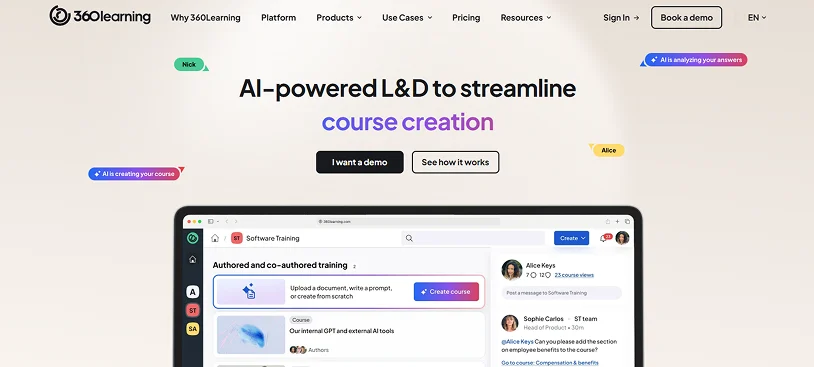
An LMS (Learning Management System) platform is an all-in-one self hosted system where you can create, manage and even track your own online courses or training programs. The thing that makes it worth considering is it helps creators launch and manage online courses without handling the technical side of running a website.
This overcomes with technical barrier of managing a WordPress website along with LMS plugin by taking care of everything like:
- Hosting.
- Security.
- Software updates.
- Checkout systems.
- And course infrastructure for you.
In short, it focuses more on convenience and speed.
Moreover, here are some of the most popular LMS platforms you might have heard of:
- Teachable
- Thinkific
- Kajabi
These LMS platforms are way too popular among beginners, non tech-savvy people and solo creators because they make it super easy….and fast to create your own online courses. No technical setup at all.
Most LMS platforms comes with built-in features like:
- Course builders.
- Payment processing.
- Student dashboards.
- Email tools.
- And analytics.
But, again, this convenience and speed comes at a cost. The biggest tradeoff is flexibility. Although LMS platforms are easy to use, they give less control over SEO, branding, customization and long term scalability compared to WordPress LMS plugins.
LMS Plugin vs LMS Platform: Key Differences Explained

The biggest mistake we’ve seen people make is comparing them only by “features”. The real comparison here is not LMS plugin vs LMS platform, but control vs convenience.
At first, an LMS plugin and an LMS platform look almost similar because both help you create and sell online courses. But, once you dig a little deeper, the differences become much more important for your online course business.
Some online course creation solutions are simple to use and faster to set up, but never give you full control. On the flip side, others prioritize flexibility, ownership, SEO growth and long-term scalability, but get kind of on the technical side when setting up.
That’s why comparing LMS plugins and LMS platforms is not just about features. It’s really about understanding:
- How much control you want
- How you plan to grow
- How flexible your learning management system needs to be in the future
Below are the biggest differences between LMS plugins and LMS platforms that every course creator should know before making a decision.
Ownership and Control

When using any WordPress LMS plugin, you own everything. Course files, student data and platform code reside completely on your own servers. You get to decide privacy policies and have total design freedom. (Although design freedom means you may need a little custom CSS code here and there)
LMS Platform, on the other hand, is like leasing the software rather than owning. Your course data sits on the provider’s server, and you must abide by their terms of services and privacy rules.
SEO and Organic Traffic Potential

SEO is one of the biggest areas where WordPress LMS plugins usually outperform LMS platforms.
An LMS plugin installs directly onto an existing CMS like WordPress. It means you get full ownership + total SEO control. You can create blog posts, tutorials, landing pages, membership content and resource hubs that drive long term organic traffic from search engines.
The best part? Many LMS plugins for WordPress also integrate smoothly with SEO and marketing tools which gives you more flexibility to optimize your WordPress site for both Google and AI-driven search experiences.
LMS platforms, on the flip side, are much better with usability than SEO flexibility. While many platforms do include basic SEO settings, they mostly offer very limited control over technical optimization, site structure and content customization.
Now this may not matter much in the very start of your online course business. But as your course business grows, SEO limitations can become harder to ignore.
Ease of Use and Setup

Ease of setup is one of the main reasons many beginners choose an LMS platform over an LMS plugin. And to be fair, they’re not wrong at all.
Most LMS platforms are designed to help creators launch courses right away without worrying about:
- Hosting.
- Updates.
- Security.
- Website setup.
- Or plugin management.
Everything is usually available in one dashboard which makes the learning curve much easier for non technical users. In many scenarios, you can start selling courses within a few hours.
WordPress LMS plugins, on the other hand, need a bit more setup. You typically need:
- A WordPress website.
- Hosting.
- A theme.
- Plugin installations.
- And some basic website management knowledge.
However, once your system is configured properly, LMS plugins offer much greater flexibility and customization compared to hosted LMS platforms.
Pricing and Long-Term Costs

At first glance, LMS platforms appear easier to get started because they bundle everything into a monthly subscription. Hosting, maintenance, security, checkout systems and support are mostly included in the price.
But, many LMS platforms become more expensive as your business grows.
We’ve seen many online course creators getting the LMS platform just because it’s easy to set up with no hassle of managing a WordPress site. But, they ended up paying extra for higher student limits, advanced features, transaction fees and marketing tools just within a few months of their online course business.
WordPress LMS plugins work differently. Most of them only need hosting, domain, WordPress setup and sometimes additional plugins or premium addons.
In simple words, LMS plugins need lower yearly fees compared to LMS platforms.
Let us take the example of the two most popular WordPress LMS plugins and LMS platform.
Tutor LMS is a well-known name in the LMS industry. This WordPress LMS plugin pricing starts from $199 per year with all features and addons included for unlimited number of courses and users.
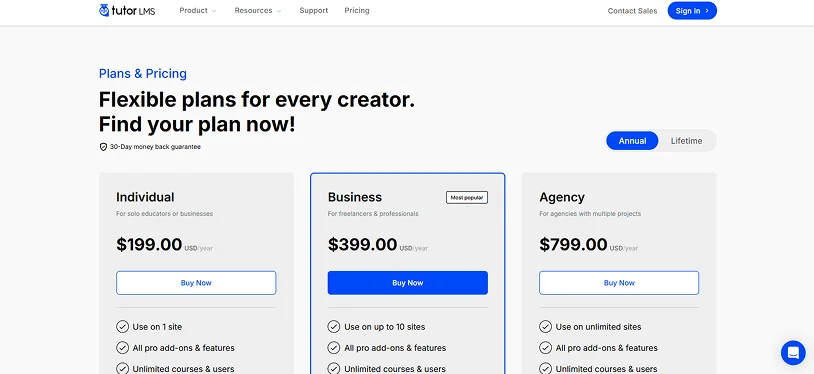
If this sounds expensive to you, wait till you see the marketing trick LMS platforms use to appear cheaper.
Let’s take the example of another most popular LMS – Teachable. This LMS platform plan starts from $39/month + 7.5% transaction fees for a max 5 course.
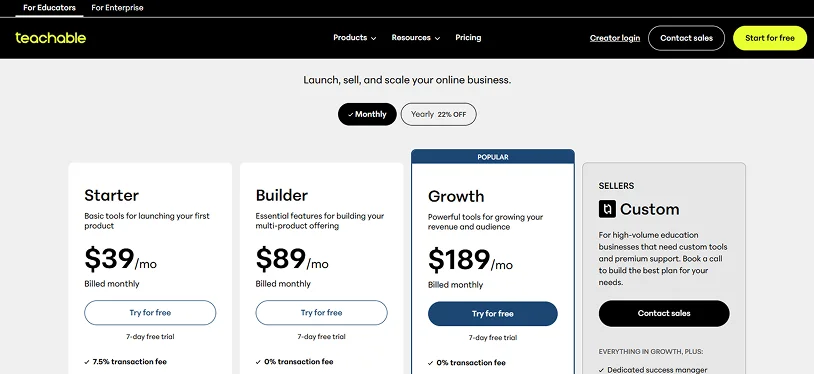
Sounds fair, right? If you’re a small business owner or solo creator, this will look like a fair deal to you. You might be thinking,” It’s not like I am planning to create more than 5 courses anyway, and can upgrade in future”.
Well, this is the trick.
Most of all LMS platforms always show monthly price and if you add it up to a year, that $39/month becomes $468/Year (More than twice the price of LMS plugin) + 7.5% transaction fees.
Flexibility and Integrations
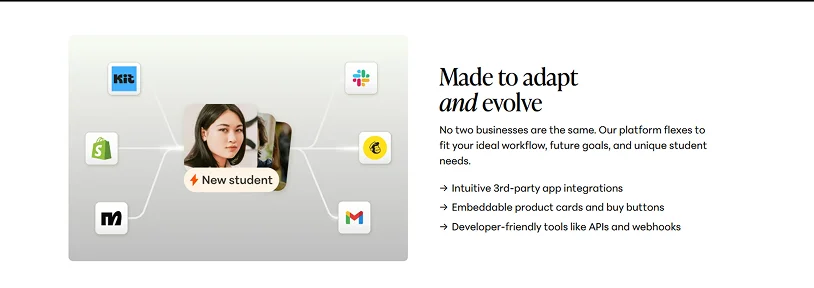
Flexibility is where LMS plugins again get a plus point. Because WordPress supports thousands of plugins and integrations, you can customize almost every part of your online learning platform.
You can integrate your WordPress LMS plugins with membership systems, email marketing tools, CRM software, payment gateways, community platforms, affiliate systems and a lot more. This gives you far more freedom to build a learning platform that matches your exact business model.
On the flip side, LMS platforms are more limited in comparison. Most hosted platforms support integrations, but they always restrict customization, third party tools or access to deeper platform settings.
In many scenarios, you only get to use the features and integrations officially supported by the platform provider. For small creators, it may not be a problem. But for growing businesses, this restriction feels heavy.
Afterall, a non-flexible LMS solution is a restriction.
Scalability for Growing Businesses

Scalability becomes extremely important after your online course business starts growing. In the beginning, almost any LMS solution can work. But as you add more students, more courses, memberships, instructors, it becomes complicated.
LMS platforms are usually excellent for getting started with no trouble. But it doesn’t stop trouble; it simply postpones it till when your business starts making real money.
Higher pricing tiers, Platform limitations, need for advanced features and system restrictions, all hit you at once.
WordPress LMS plugins, on the other hand, offer better long term growth because you control the complete ecosystem. You and your LMS (learning management system) are independent.
No matter whether you wanna customize, upgrade hosting resources, optimize performance or integrate advanced tools with no limits, LMS plugins never limit you.
LMS Plugin vs LMS Platform: Which One Should You Choose?
At this point, you already know the biggest differences between an LMS plugin and an LMS platform. As for which is the best plugin for your online course business, it depends on:
- What stage the business is in
- How much control you want
- How technical you’re willing to be
But strategically, here’s the reality:
When Should You Choose an LMS Plugin?

A WordPress LMS plugin is the smartest choice if you’re creating your own online course business. Choosing LMS plugins gives you:
- Long term ownership.
- Branding control.
- SEO.
- Membership monetization.
- Content marketing.
- Scalability without platform lock-in.
Choose a WordPress LMS plugin only if you actually:
- Want full control over your website and student data.
- Care about long term SEO and organic traffic growth.
- Plan to create memberships, communities or subscription based learning programs.
- Want flexibility without platform limitations.
- Are comfortable managing a WordPress website.
- Plan to scale your online course business over time.
And honestly, this is where many growing course creators eventually end up. They may start with a hosted LMS platform for convenience, but later move to WordPress because they need:
- More control.
- Better SEO.
- Lower long term costs.
- And deeper customization.
Of course, LMS plugins also come with responsibilities. You’ll still need to manage:
- Hosting.
- Updates.
- Backups.
- Security.
- and occasional plugin maintenance.
But in return you get flexibility that most hosted LMS platforms simply cannot match.
When Should You Choose an LMS Platform?

A LMS platform is a better choice when you value ease of use more than deep customization options. If your plan is to launch an online course right tomorrow without dealing with WordPress setup or technical management, hosted LMS platforms can save a huge amount of time.
An LMS platform is usually better for:
- Speed.
- Simplicity.
- Non technical creators.
- Fast course launches.
- Minimal maintenance.
That’s exactly why they’re so popular among:
- Beginners.
- Solo creators.
- Coaches.
- Consultants.
- And non technical users.
However, hosted LMS platforms work best when your needs stay always….simple. As your business grows, you may eventually run into:
- Platform restrictions.
- Higher monthly pricing.
- Transaction fees.
- SEO limitations.
- Or limited customization options.
That doesn’t automatically make LMS platforms “bad.” In fact, they’re excellent for validating ideas quickly.
But if your long term goal is making a highly scalable and SEO-driven online course business, you will eventually outgrow the platform’s flexibility.
Pros and Cons of LMS Plugins
WordPress LMS plugins are mostly the first choice of growing businesses that want long term flexibility, stronger SEO and complete ownership.
In fact, WordPress powers more than 43% of all websites globally which is one of the biggest reasons many course creators trust the WordPress ecosystem for creating scalable online course businesses.
But we are also not going to turn an blind eye to the fact that LMS plugins have more setup and ongoing management cost at the beginning compared to hosted LMS platforms.
| Pros of LMS Plugins | Cons of LMS Plugins |
| Full ownership of your website, content and student data | Requires WordPress setup and basic technical knowledge. |
| Strong SEO potential for long-term organic traffic growth. | You manage hosting, updates and backups yourself. |
| Better flexibility and customization. | Initial setup takes longer compared to LMS platforms. |
| Lower long term costs for growing businesses. | Some advanced features may require premium addons. |
| Easier integration with memberships, CRMs and marketing tools. | Plugin conflicts can occasionally happen. |
| More control over branding and user experience. | Performance optimization needs extra effort. |
| Excellent for scaling content driven course businesses. | Beginners feel overwhelmed at first. |
| No dependency on a third party platform’s pricing or policies. | Security and maintenance become your responsibility. |
Pros and Cons of LMS Platforms
Hosted LMS platforms are designed mainly for simplicity and speed.
The global eLearning industry itself is growing rapidly and is expected to cross $356-$461 billions in market value over the coming years.
The statement itself explains why all-in-one online course platforms have become extremely popular among beginners and solo creators.
The biggest advantage of LMS platforms is convenience. You can launch courses much faster without worrying about technical maintenance. But, we can’t say the same when your business actually outgrows the platform, and things start taking bad turns – expensive ones.
| Pros of LMS Platforms | Cons of LMS Platforms |
| Extremely easy setup for beginners. | Limited SEO flexibility. |
| Hosting, updates and security are handled for you. | Higher long term monthly costs. |
| Faster course launching process. | Less customization and branding control. |
| No need for WordPress or website management. | Platform lock-in risk. |
| All in one dashboard experience. | Transaction fees on some platforms. |
| Built in checkout and student management tools. | Limited access to the advanced features. |
| Lower technical learning curve. | Migration can become difficult later. |
| Great for testing online course ideas quickly. | Growing means getting expensive pricing tiers. |
Don’t Choose the Wrong LMS Too Early: Final Thoughts
In a nutshell, both LMS plugins and LMS platforms solve the same problem. They help you create and sell online courses.
The real difference is how much control, flexibility and long term freedom you want. The main difference between LMS plugin vs LMS platform at a single glance is:
| LMS Plugin | LMS Platform |
| Self-hosted on WordPress. | Hosted by a provider. |
| Full ownership. | Limited control. |
| Better SEO flexibility. | Easier setup. |
| Lower long term costs. | Higher recurring costs. |
If you want the fastest and simplest way to launch online courses, an LMS platform can absolutely work well. But if you want:
- Full ownership,
- Stronger SEO potential,
- Advanced customization,
- Memberships,
- and, long term scalability,
then a WordPress LMS plugin gives you far more room to grow.
That’s also why many course creators eventually switch from hosted LMS platforms to WordPress LMS after realizing they need more flexibility and lower long term costs.
And if you’re already using WordPress or planning to build membership based online courses, ARMember offers a beginner friendly way to create protected learning content, memberships and online course experiences with zero coding.
ARMember is the perfect combo of simple yet modern user interface + advanced set of 57+ in-built addons. And the best thing is you can create and sell courses, lessons, quizzes, and let students generate certificates for every course completion.
Afterall, the best LMS choice is always the one that supports your business goals without creating limitations later.
Related Articles:
- How to Create an LMS Website in WordPress (Tools & Tips)
- Cloud Based vs Self Hosted LMS: Which One is Better?
- 6 Best WordPress Coaching Plugins for Coaches & Therapists
FAQ
What is the LMS platform?
LMS (Learning Management System) platform is a software which is used to create, manage and track online courses or training programs.
What are LMS plugins?
LMS (Learning Management System) plugins are the tools you can install on your existing WordPress website to add e-learning features. It lets you create, launch and sell online courses right from your own WordPress website.
What are the top 5 LMS platforms?
Here are the top 5 LMS platforms:
- Docebo.
- Canvas LMS.
- TalentLMS.
- Moodle.
- 360Learning.
What is the best LMS plugin for WordPress?
LearnDash, Tutor LMS, and ARMember with Online Courses Addons are the best LMS plugins for WordPress for creating and selling online courses as they come with an easy to use interface and a set of advanced features as well as multiple payment gateways.
How to create an LMS platform?
For creating an LMS platform with no code, you can use WordPress with LMS plugins like Tutor LMS and ARMember. Simply set up your WordPress site, get a hosting and domain, choose a theme and install and activate the LMS plugins. From there, the LMS plugin will take the lead and guide on how exactly to create online courses with their plugin.
Is LMS good for online courses?
Yes, indeed. LMS (Learning Management System) is good and highly effective for online courses.

Share this post


