



Want your WordPress galleries to “Wow” your visitors?
Then it’s obvious that a boring gallery won’t make a cut in 2026. A picture is worth a thousand words…and on your WordPress site, it can be worth even more.
Whether you’re a blogger, photographer or business owner, your images must look stunning, load fast and keep people scrolling. And for this, all you need is a good WordPress gallery plugin.
But here comes the problem: There are tons of WordPress gallery plugins, and not all of them are worth your time. Some look pretty but slow your site. Others are fast but feel…well, basic. So, how do you pick the one that actually works for your site?
That’s exactly what we’re here to solve!
In this blog, we’re going to show you the top 9 gallery plugins for WordPress in 2026 with the details that actually matter:
- Who each plugin is best for
- The key features that make it stand out
- Pros and cons of real use cases
- Our verdict: Is it worth installing?
By the time you’re done, you’ll know which plugin will make your images shine without slowing your site down.
No more guesswork and trial runs-here are the top-rated gallery plugins to make your WordPress site truly eye-catching.
Quick Picks : Best Gallery plugins for WordPress (Compared & Ranked)
No time to scroll? No worries! Take a look below and see the best WordPress gallery plugins being compared and ranked.
| Rank | Plugin Name | Best For | Free Version | Key Highlights | Starting Price |
| 🥇 | Envira Gallery | Photographers, bloggers, businesses | ✅ Yes | Lightweight, drag & drop, SEO friendly, WooCommerce integration, lazy loading | $39.50/year |
| 🥈 | NextGEN Gallery | Professional photographers, portfolios | ✅ Yes | Advanced gallery & album management, client proofing, photo selling, 84+ themes | $69.50/year |
| 🥉 | FooGallery | Bloggers, creators, developers | ✅ Yes | Modular layouts, video galleries, WooCommerce support, beginner-friendly UI | $4.99/month |
| 4 | Modula Gallery | Designers, creative agencies | ✅ Yes | Fully customizable grids, hover effects, AI image optimization, video support | $39/year |
| 5 | Photo Gallery by 10Web | Bloggers, small businesses, eCommerce | ✅ Yes | 10 gallery views, lightbox effects, albums, social sharing, multimedia support | $30/6 months |
| 6 | Essential Grid | Creative agencies, advanced users | ❌ No | Pixel-perfect grids, deep styling & animations, works with images, videos & content | $26/year |
| 7 | Photo Gallery by Supsystic | Bloggers, small businesses | ✅ Yes | Multiple layouts, video galleries, lightbox & social sharing, custom CSS | $49/year |
| 8 | Meow Gallery | Minimalist sites, Gutenberg users | ✅ Yes | Lightweight, fast, responsive, smooth Gutenberg integration | $29/year |
| 9 | Robo Gallery | Mixed media sites, photographers, businesses | ✅ Yes | Advanced layouts, polaroid & mosaic, video support, hover effects, unlimited albums | $30 one-time |
Envira Gallery

Best For: Photographers, bloggers and businesses that want beautiful galleries without performance issues
Envira Gallery is one of the most popular gallery plugins for WordPress, and for good reason.
Furthermore, Envira is also lightweight and offers full flexibility. From a simple drag and drop interface to advanced eCommerce and proofing features, It’s built with performance in mind, making it a solid choice if you care about page speed, UX and SEO just as much as design.
Key Features:
- Amazing gallery templates.
- Simple drag and drop builder.
- Easy to add videos.
- Watermarking.
- Automatically import images from Instagram.
- Multiple galley layouts.
- Lightbox and full screen mode.
- Lazy loading for fast performance.
- Smooth integration with WooCommerce.
- SEO friendly galleries.
Pros & Cons:
| Pros | Cons |
| Super easy to set up and use. | Advanced features require paid plans. |
| modern gallery designs. | Limited styling options in the free version. |
| Excellent performance optimization. | No built in video gallery in the base plugin. |
| Works well with most WordPress themes. | |
| Reliable support and regular updates. |
Pricing:
- A free version is available.
- The paid version starts from $39.50/year (Renews at $79/Year).
Our Verdict: If you’re serious about image presentation and performance, Envira Gallery is absolutely worth installing. Plus, while the free version is good for basic needs, the premium plans unlock Envira’s true potential, especially for photographers and businesses who have more images on their site showing off.
NextGEN Gallery

Best For: Professional photographers, creative agencies and portfolio sites looking for a advanced gallery management and selling options
NextGEN Gallery is one of the most trusted WordPress gallery plugins, and in 2026, it still is the best gallery plugins for WordPress users, offering far more than just a simple basic image grid.
The best part? NextGEN comes packed with professional grade features such as image proofing, client galleries and photo sales. If you are a WordPress site who always wants high quality photography or visual portfolios, this plugin gives you full control over how images are displayed, organised and monetized.
Key Features:
- Advanced gallery & album management.
- Multiple gallery display styles.
- Lightbox and slideshow options .
- Image protection tools .
- Client proofing system .
- eCommerce and photo selling via Stripe and PayPal .
- Over 84+ themes to showcase your galleries .
- More than 25+ different animations .
- Auto tax calculations.
- Social sharing and image commenting feature .
Pros & Cons:
| Pros | Cons |
| Easy yet powerful gallery management | Can feel overwhelming for beginners |
| Ideal for photographers and portfolios | Heavier than lightweight gallery plugins |
| Built-in proofing and photo selling | Premium features are required for full functionality |
| Strong image protection options | UI may feel dated compared to newer plugins |
| Trusted plugin with long term updates |
Pricing:
- The core plugin is completely free to go.
- The premium with more features starts from $69.50/year (Renews at $139/year)
Our Verdict: If your website depends heavily on images for photography, client work or selling photos, NextGEN Gallery is still one of the best WordPress photo gallery plugins around here.
FooGallery
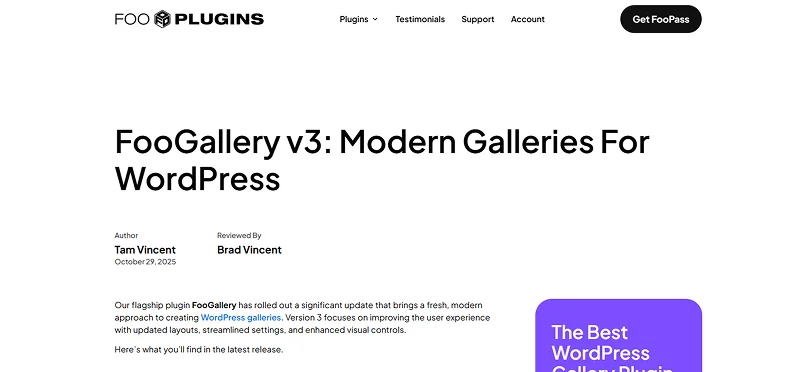
Best For: Photographers, bloggers, digital creators, and developers that want professional-looking photo and video galleries
FooGallery positions itself as a performance first WordPress gallery plugin.
You can start simple with the free version, then upgrade to dynamic galleries, filtering, video support and even ecommerce as your business grows.
Furthermore, unlike many “one-style-fits-all” WordPress gallery plugins, FooGallery gives you modular layouts, developer friendly settings and extensibility, making it a popular choice in 2026 for both beginners and advanced users.
Key Features:
- Professional styles layouts, thumbnail filter and hover presets.
- Smart filtering and search.
- Video galleries.
- Custom CSS support.
- SEO friendly output.
- Bulk management tools.
- Smooth integration with WooCommerce.
- Product gallery layouts, ribbons and buttons.
- Image protection.
Pros & Cons:
| Pros | Cons |
| modern gallery layouts. | Some advanced layouts require Pro version. |
| Lightweight and performance friendly. | No built-in eCommerce or photo selling. |
| Great customization options. | Limited animation options in the free version. |
| Beginner friendly UI. | |
| Developer friendly features and options. |
Pricing:
- A free version is available.
- The Pro version starts from $4.99/Month, $33.99/Year and $99.99/Lifetime.
Our Verdict: FooGallery is a great choice if you want good looking and customizable WordPress galleries without unnecessary complex features. FooGallery sits comfortably between basic and advanced gallery plugins. So it is one of the best WordPress gallery plugins in 2026 for everyday use.
Modula Gallery

Best For: Design focused sites, creatives and agencies who are looking for a plugin which is fully customizable and offers grid based galleries with creative freedom
Modula Gallery is all about visual control. This plugin lets you manually resize, rearrange and design galleries exactly the way you want. So till now it is one of the favorite tools among designers and creative professionals.
If you’re tired of “auto generated” galleries and want something that feels handcrafted, Modula stands out in the crowded WordPress gallery plugins space.
In 2026, Modula continued to shine as a layout-first WordPress image gallery plugin, best for those who care more about presentation than bulk image management.
Key Features:
- Simple drag and drop grid builder.
- Fully responsive image galleries.
- Multiple gallery types.
- Video Gallery support.
- AI-powered image optimization.
- Custom Hover Effects.
- Advanced gallery filters.
- Lightbox gallery viewer.
- Performance Optimization and Image protection.
Pros & Cons:
| Pros | Cons |
| Highly customizable grid layouts. | Manual layout may take more setup time. |
| Excellent hover effects and design control. | Not good for very large image libraries. |
| Lightweight and performance optimized. | Advanced features require Pro version. |
| Beginner friendly interface. | No built in photo selling. |
| Great for creative portfolios. |
Pricing:
- A free version is available.
- The premium starts from $39/Year (Renews at $78/Year).
Our Verdict: Modula Gallery is perfect for you if design flexibility matters more than automation. Thus, if you want full control over how your galleries look without bloating your site, Modula is one of the best WordPress gallery plugins for creative freedom.
Photo Gallery by 10Web

Best For: Bloggers, small businesses, eCommerce sites and photographers who want feature rich galleries with amazing layout options and themes
Photo Gallery by 10Web is one of the most versatile WordPress photo gallery plugins available today. Wondering why? Because it combines powerful display features with a friendly user interface. Also, it’s an all arounder choice if you want more than just a simple grid but no complex enterprise solution.
Best of all, this plugin has evolved into a complete visual asset manager: galleries, albums, lightboxes, and even social-ready layouts, all packed into a performance minded package.
Key Features:
- Advanced 15 lightbox effects.
- 4 galley widgets.
- 10 premium gallery views.
- Fully customizable themes.
- Fully responsive and mobile friendly.
- Watermark for image protection.
- Gallery Groups & Tags.
- Smooth integration with Instagram and optimized for Google.
Pros & Cons:
| Pros | Cons |
| flexible with multiple layouts. | Interfaces can feel cluttered for beginners. |
| Works great with large image collections. | Some advanced features are behind paywalls. |
| Video and multimedia support. | Can be heavier compared to lightweight alternatives. |
| Albums + nested galleries. | |
| Social sharing + lightbox. |
Pricing:
- A free version is available.
- The premium starts from $30 for 6 months (Your subscription will automatically renew in 6 months).
Our Verdict: Photo Gallery by 10Web is a true all rounder among all WordPress gallery plugins we’ve seen so far. It’s especially useful if your site features a variety of media types (images + video), or if you want albums, social sharing and nested galleries without buying multiple extensions.
While the interface isn’t the cleanest, even for experienced users, the value and flexibility this plugin offers make it one of our top ranked WordPress gallery options.
Essential Grid

Best For: Designers, creative agencies, photographers and advanced WordPress users who want pixel-perfect and fully customizable grids for images, videos or any kind of content
Essential Grid is a grid builder toolkit. While it works great for photo galleries, it also lets you create portfolio grids, blog layouts, sliders and product showcases, all with amazing deep styling controls.
If you like the idea of turning your visuals and content into engaging grid layouts that match your brand down to the last pixel, Essential Grid is a standout.
Key Features:
- Drag and drop builder.
- 50+ impressive customizable templates.
- Amazing grid layouts.
- Super fast and responsive.
- Auto Updating of the content.
- SEO friendly.
- Watermark and right click protection.
- Awesome animations and hover effects.
Pros & Cons:
| Pros | Cons |
| Ultimate grid design flexibility | Slight learning curve for beginners |
| Works with images, videos and content | Can be overkill if you only want basic galleries |
| Deep styling & animation control | Not as lightweight as simple gallery plugins |
| Highly responsive & customizable | No free version as it is premium only plugin |
| Perfect for portfolios & marketing sites |
Pricing: The Pro starts from $26/Year
Our Verdict: Essential Grid is the go-to choice for designers and advanced users who want more than just a photo gallery. Think of it less as a gallery plugin and more as a visual presentation engine that can power portfolios, media grids, product showcases and even blog layouts. The only big downside we saw was no free version, otherwise it’s a green light from our side.
Photo Gallery by Supsystic
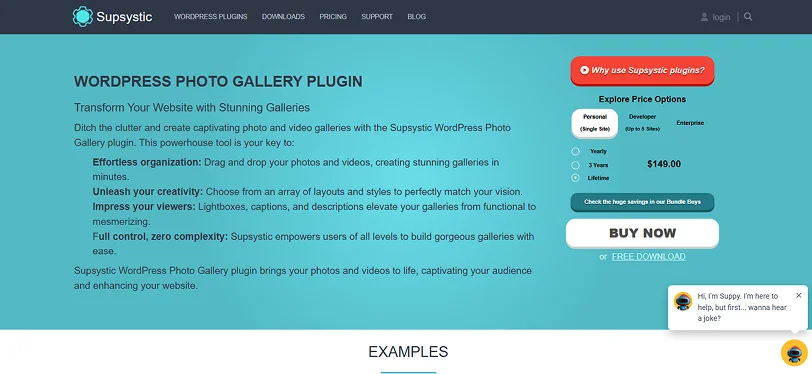
Best For: Bloggers, small businesses, photographers and anyone who wants feature rich galleries without complex features
Photo Gallery by Supsystic is another best WordPress gallery plugin that gives you the exact powerful visual features you need with a straightforward simple interface.
Whether you’re building simple photo grids or advanced multimedia galleries, Supsystic lets you create eye-catching displays with zero coding.
The best part? It’s great for users who want multiple gallery types, customization options and built-in tools like lightboxes and social sharing.
Key Features:
- Multiple amazing gallery layout
- Fully responsive design and retina ready galleries
- Masonry, Polaroid and Horizontal Scroll Galleries
- Supports video gallery, album and animations effects
- Watermarking and image protection
- Built-in pagination and search
- Custom CSS and styling
- Interactive lightbox with beautiful fullscreen viewing
- Image Optimization and CDN Transfer
Pros & Cons:
| Pros | Cons |
| Feature rich for a free plugin | Can feel overwhelming for beginners |
| Lots of layout options | Some features require paid addons |
| Strong video media support | UI is functional but not as modern as others |
| Albums & pagination | |
| Social sharing tools included even in free version |
Pricing:
- Free version is available
- The pro starts from $49/Year
Our Verdict: Photo Gallery by Supsystic is a highly versatile gallery plugin for WordPress with awesome creative layout templates and customization options. It comes with a feature rich free version which is perfect. Yet for our non tech savvy users, it might take a little time to get used to it yet no worries as it has no coding.
Meow Gallery

Best For: Photographers, minimalist designers and WordPress users who are looking for a plugin to create simple galleries with good performance and Gutenberg integration
Meow Gallery stands out from traditional gallery plugins because it’s built for users who prioritize simplicity, speed and native WordPress. Instead of offering a huge feature buffet, Meow gives you only a few things, but good ones when it comes to image quality, layout control and high performance.
If you’re building a modern WordPress site with the default block editor (Gutenberg) and want galleries that look great without slowing things down, Meow Gallery is a smart pick.
Key Features:
- Responsive and retina friendly
- 6 beautiful layouts
- Gutenberg ready
- Lightweight
- Smoothly connects with Meow Lightbox, Photo Engine and more.
- Lazy loading
- Carousel layout and Map layout
- Smooth animation effects
Pros & Cons:
| Pros | Cons |
| Super lightweight and fast | Limited advanced features compared to others |
| Smooth Gutenberg integration | No built in ecommerce or selling tools |
| Beautiful and modern gallery layouts | Smaller ecosystem than larger plugins |
| Responsive & retina ready images | Fewer layout options compared to others |
| Developer hooks for customization |
Pricing:
- Free version is available
- The pro only starts from $29/Year.
Our Verdict: Meow Gallery is an awesome “meow” choice for users who want speed and simplicity together. It doesn’t overwhelm you with dozens of features but gives you enough layout variety to create professional galleries that load fast and look great. In short, for minimalist sites, Gutenberg lovers, and performance‑focused builds, Meow Gallery is best-fit.
Robo Gallery

Best For: Photographers, bloggers, and business sites want a fast, lightweight and highly customizable gallery plugin with advanced layouts and multimedia support.
Robo Gallery is designed to deliver modern, responsive galleries that work smoothly across all devices. It’s perfect if you want galleries that are interactive, visually appealing and performance friendly.
Furthermore, whether it’s photos, videos or mixed media, Robo Gallery gives you flexible layouts, albums, lightboxes and mind blowing hover effects.
Key Features:
- Advanced grid layouts.
- Responsive and mobile friendly.
- Flexible navigation and links.
- Lightbox for fullscreen and slideshow.
- Social sharing.
- Unlimited albums with multiple nesting levels.
- Video gallery support from YouTube Playlists and channels, Facebook, Twitch and more.
- SEO friendly.
- Interactive hover effects.
- Fully customizable views and gallery interface.
- Bulk image uploader.
Pros & Cons:
| Pros | Cons |
| Advanced layouts including polaroid and mosaic. | Some advanced features require the Pro version. |
| Mobile friendly and retina ready. | UI can feel dense for new users. |
| Supports videos from multiple platforms. | |
| Unlimited albums and nested structure. | |
| Social sharing integrated in hover, lightbox, and gallery. | |
| Bulk upload and server import for large galleries. |
Pricing:
- Free version is available
- The Pro starts from $30/One time payment for lifetime access
Our Verdict: Despite being underrated, Robo Gallery is a great all-in-one solution for WordPress users who want flexible and multimedia-ready galleries. It shines for websites that mix images and videos, want interactive hover effects or need structured album management.
Our Final Take: What’s the Best Gallery Plugin for You?
So, which gallery plugin for WordPress should you actually pick? Well, that actually depends completely on what you need and how you work.
A best WordPress gallery plugin is the one that fits your goals, your audience and your business workflow.
No matter whether you run a blog site, sell online photo or art, own a business site, or want to make an eCommerce product galley, there’s always a plugin just to fit your brand’s voice.
Thus, here’s a quick recommendation table to help you make a quick decision:
| Website Type | Best Plugin |
| Photography Portfolio | NextGEN or Modula |
| Blog with Lots of Images | FooGallery or Meow Gallery |
| Business Portfolio | Envira or 10Web |
| Creative Agency Showcase | Essential Grid or Robo Gallery |
| eCommerce Product Galleries | Envira or 10Web |
| Mixed Media (Images + Videos) | Robo Gallery or 10Web |
| Free First Option | Supsystic or Meow Gallery |
Here’s the thing: there’s no single “best” plugin for everyone. But here’s what you should remember: pick the plugin that matches your goals, supports your workflow, and makes your images shine.
And honestly? Once you find the right one, your galleries won’t just display pictures. They’ll tell a story, engage visitors and even help grow your business.
Related Articles:
- 9 Best Business WordPress Themes 2026
- Captivating Examples of the WordPress Pricing Tables in 2026
- 7 Best WordPress Membership Plugins in 2026 (Compared)
FAQs
Is Envira Gallery free?
Yes, Envira Gallery offers a free version to get started in the WordPress plugin directory with basic features.
How to build a gallery in WordPress?
To build a gallery in WordPress, you simply have to get a gallery plugin for WordPress. They help you make your gallery using a simple drag and drop interface with powerful features such as masonry layouts, watermarking, social sharing and so on.
Is the Photo Gallery by 10Web free?
Yes, Of Course! Photo Gallery by 10Web comes with a feature rich free version in the WordPress plugin directory.
Does WordPress have a photo gallery?
Yes, WordPress does have a feature that lets you show images and make a photo gallery. But for a more advanced and professional look, you can use a WordPress gallery plugin.
Is Foo Gallery free?
Yes, indeed. Foo Gallery comes with a powerful free version with all the core features you need such as responsive layouts, drag and drop reordering and multiple templates.
Which WordPress gallery plugin offers the fastest loading time?
Here are the best gallery plugins for WordPress that offers the fastest loading time:
- FooGallery
- Envira Gallery
- Modula
What is the best WordPress gallery plugin for responsive design?
Here are the best WordPress gallery plugin for responsive designs:
- FooGallery
- Photo Gallery by 10Web
- Envira Gallery

Share this post


