


There are multiple ways to run online weight loss programs as an expert. Through a mobile app, online consulting with a fitness tracker, telehealth, progress tracking tools, etc.
But today, we want to focus on probably the best way to run your program on promoting healthy habits: your independent WordPress site.
There, you can provide clients with an online dashboard, and release programs automatically on a regular basis. Plus, provide them with personalized weight loss programs. Here is what you can do:
- Create nutrition and diet plans and deliver them to your clients in the way you want.
- Create a branded site with customer login areas.
- Run paid subscriptions for access to individual plans or regular courses.
- Charge a one-time payment for weight loss programs access.
Something you want to build? Below is the easy way to run online weight loss programs with a WordPress site.
How to Build an Online Weight Loss Program in WordPress Using ARMember
If you’re offering online coaching, digital courses, or weight loss support, WordPress is perfect, especially bundled with the ARMember plugin as it helps you package your expertise into a perfect membership product.
In this tutorial, we’ll walk through how to use ARMember to build a system that:
- Sells structured weight loss programs with multiple tiers.
- Restricts content access based on plan type.
- Automates billing and renewals.
- Simplifies onboarding and retention.
If we take a look at real-life cases, these include building solutions like:
- high-touch coaching program.
- self-paced transformation course.
- subscription nutrition library.
- group accountability challenges.
Whether you sell 12-week coaching cohorts, recurring subscriptions, or digital meal plans, follow this tutorial for an easy start.
Why ARMember Fits Online Weight Loss Programs
ARMember is a membership and subscription plugin built specifically for digital products like online coaching, premium content, and subscription communities.
Fitness and health coaches love it because it allows you to:
- Create multiple online weight loss plan program tiers or packages.
- Lock content behind paywalls.
- Automate recurring payments.
- Manage signups.
- Create protected pages for your workouts or nutrition library.
- Sell subscriptions or one-off programs.
This guide will show you how to set up an online weight loss program from scratch: organizing your plans, restricting content, enabling billing, and setting up communication systems so that you have a lot of automation in place instead of manual control.
Step 1: Install ARMember
Get the needed version of ARMember first: Download plugin. After you have a file with plugins:
- Go to Plugins → Add New.
- Upload the ARMember ZIP file.
- Install and Activate.
You’ll see a first-time setup wizard that lets you configure basics like member approval process, currency format, default communication settings. You can use it or skip and configure things manually later.
Step 2: Structure Your Weight Loss Program Plans
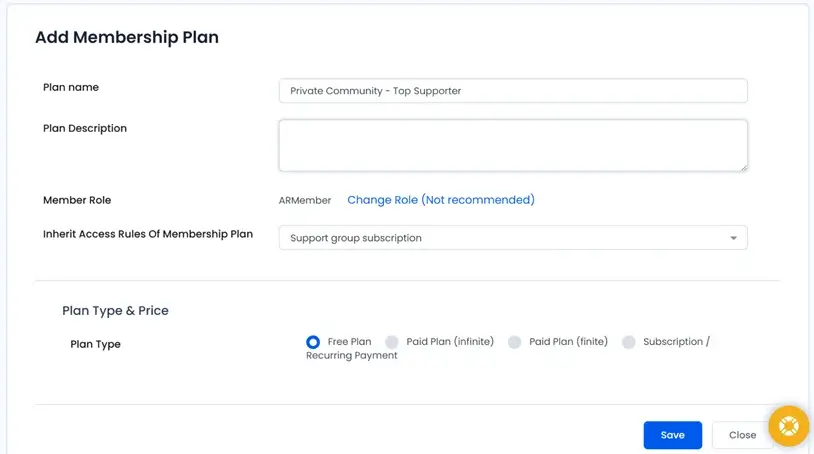
An online weight loss plan often combines subscription access + structured content delivery, so think about how your audience buys. We suggest a few common models:
- Monthly subscription for ongoing coaching.
- One-time fee for a 6- or 12-week program.
- Hybrid pricing (buy + optional recurring support).
- Pay-per-challenge (e.g., “Lose 10 lbs in 30 days”).
- Low-priced access to a recipe/training library.
To create plans:
- Go to ARMember → Manage Plans
- Click Add New Plan
Plan features you can define:
- Name, e.g. “Essential Weight Loss Coaching”
- Description: what the member receives
- Pricing type: Free like trials or lead magnets, one-time payment, subscription (weekly/monthly/annual).
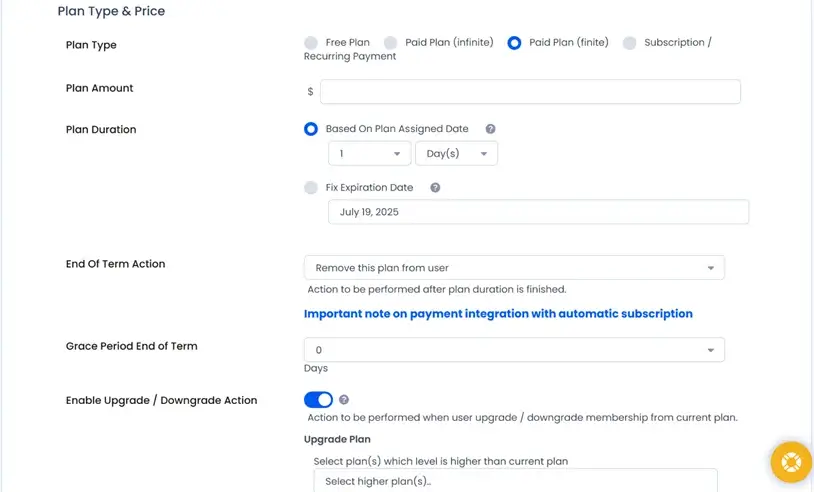
Your flexible options include 1) trials or onboarding periods 2) renewal grace periods and 3) program expiration dates. Once configured, save your plans.
Step 3: Customize Access to Your Digital Content
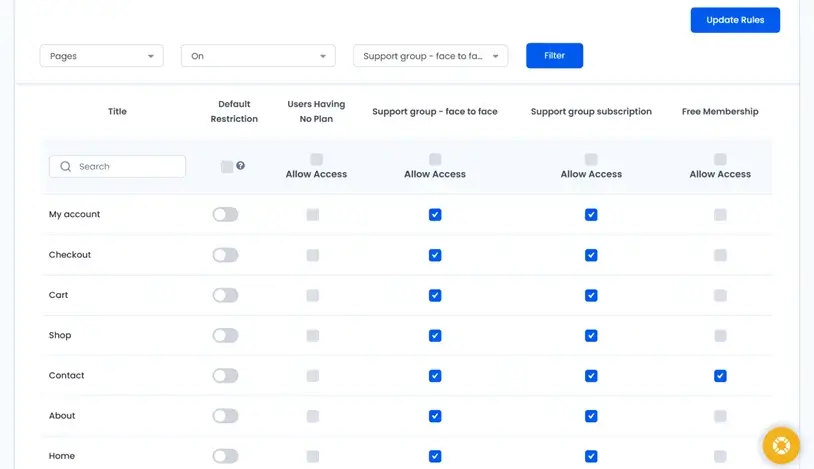
If you want a flexible way to monetize your online weight loss programs, you need to restrict content based on people’s goals. What do they want and what can you give them?
With the ARMember WordPress membership plugin, you can limit access by:
- Page or post
- Category or tag
- Custom post types (e.g., “Workouts”)
- Custom URLs
- Specific users or plans
This lets you organize content that will most likely use for your programs:
- Weekly meal guides
- Workout libraries
- Mindset curriculum
- Progress trackers
- Bonus recipes
- Member-only livestreams
ARMember also supports drip content, which is incredibly useful for sessions like 12-week transformations, step-by-step behavior change programs, and accountability journeys
You can release lessons progressively so members don’t binge or fall behind.
Step 4: Set Up Billing & Subscription Payments
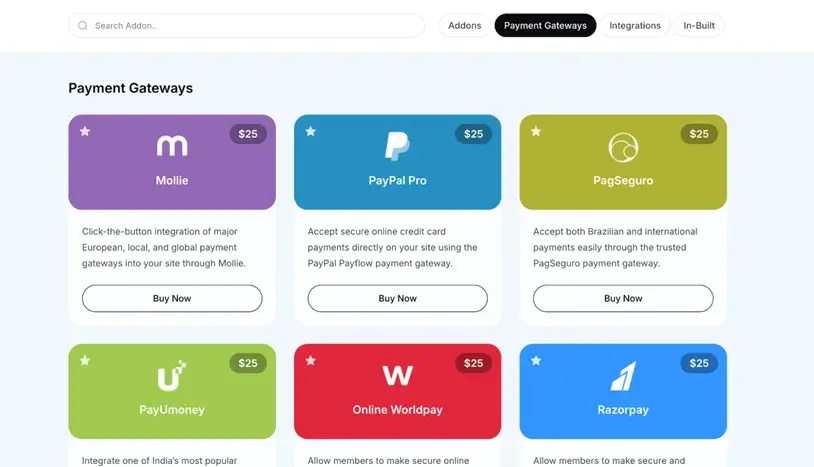
ARMember can handle recurring payments and one-time payments as well.
It makes it easy to run seasonal weight loss challenges, new-year promotions and upsells to higher-tier coaching.
Either way, you need to edit payment gateways via: ARMember → General Settings → Payment Gateways.
You’ve got lots of options that cover different world regions:
- PayPal
- Stripe
- Square
- 2Checkout
- Authorize.net
- Paddle
- Razorpay
- Mollie
- PayFast
And there are even more: 21+ payment processors for easy connection to the WordPress site.
What else? Additional billing tools you can enable:
- Tax & VAT settings
- Discount coupons
- Gift cards
- Free trial offers
- One-time promo pricing
- Subscription cancellation flows
Step 5: Automate Communications and Accountability
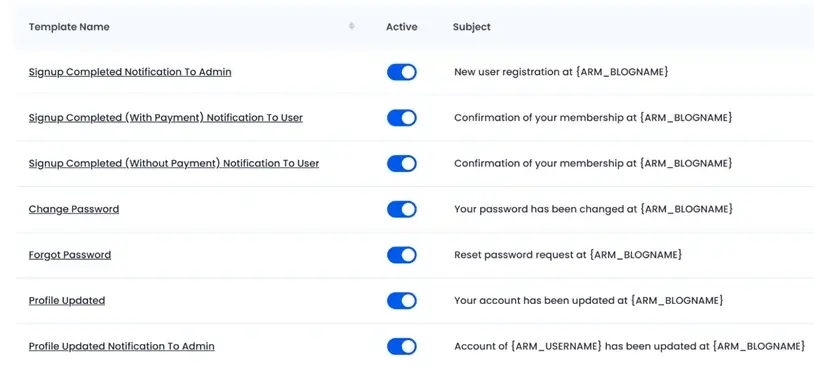
Consistent communication is a core driver of client results in weight loss. ARMember gives you pre-made template and tools that let you automate:
- Welcome / onboarding emails
- Weekly check-ins
- Payment reminders
- Renewal notices
- Course delivery notifications
Go to ARMember → General Settings → Notifications to set up messaging so that clients receive timely reminders.
You can even connect SMS, WhatsApp, and more email service providers for email marketing newsletters.
Step 6: Build a Member Experience That Boosts Retention
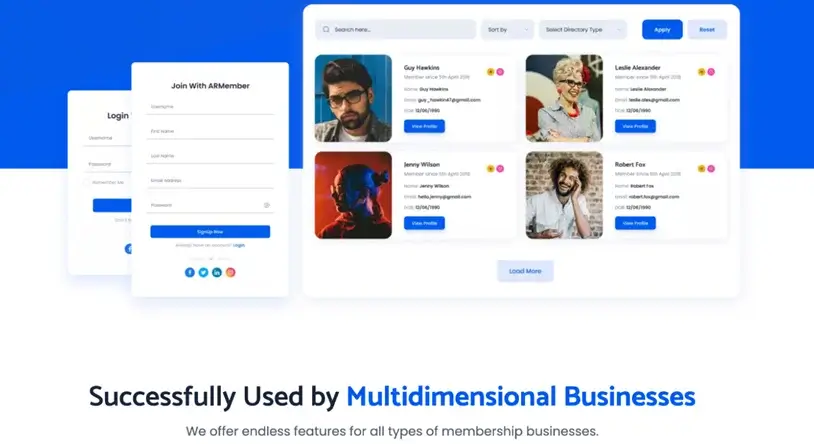
Weight loss programs aren’t just content; they’re communities, motivation, and identity change. Within just one ecosystem with ARMember, you can have a directory of members, social engagement features like networks and gamified rewards.
ARMember allows you to build features for better engagement and retention, including:
- Public or private member profiles
- Progress badges or achievements
- Social feeds / communities
- Direct messaging
- Certificates (great for milestone challenges).
Step 7: Monetize Content Beyond Your Core Program
Once the foundation for your weight loss program is built, you can scale revenue in many ways. Even without extra tools, there are many hidden gems in ARMember:
- Sell digital nutrition or training products
Upload PDFs like meal plans, recipe ebooks, workout templates and habit trackers using the Digital Downloads extension. Control access by membership level and track downloads.
- Sell individual coaching modules
Use Pay Per Post from ARMember to sell single course lessons, premium mini-programs, or targeted content (e.g., emotional eating workshop).
- Sell courses
Use the Online courses add-on if you want to create a simple LMS, not just sell programs.
- Create special gifts
Let your customers buy and give special presents – gift cards as access to weight loss programs.
Enhance Your Weight Loss Program Site
ARMember is perfect for the backbone of membership management and extra monetization capabilities.
However, coaches running digital weight loss programs often require specialized tools to deliver nutrition content, track progress, host live sessions, and improve marketing performance.
Here are some highly relevant plugins and services, and why they matter for an online weight loss platform:
WP Recipe Maker
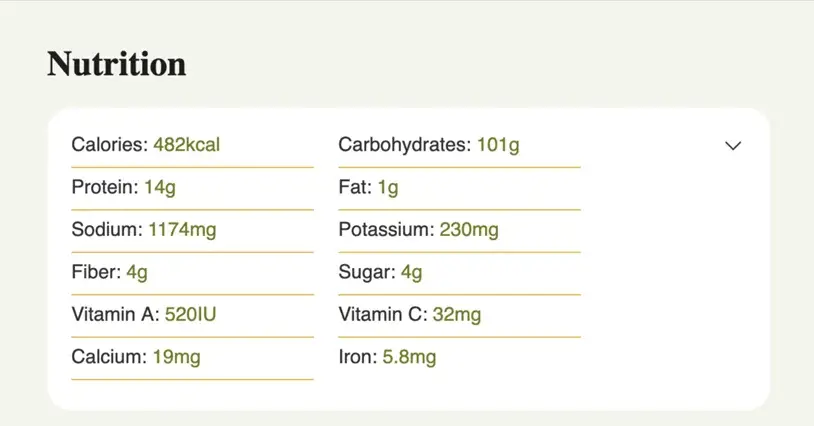
This free plugin lets you publish nutrition content with calorie/macros, filters, and print/download features. For coaches who supply weekly meal guides or recipe databases, this plugin makes it easy to:
- Display nutrition facts
- Add ingredient scaling
- Include diet tags (keto, vegan, etc.)
This helps you look professional and makes recipes easier for clients to follow.
BuddyBoss
You may also want to build a private community that drives accountability and peer support.
Social engagement greatly increases retention. With a community plugin, you can offer newsfeed, groups for cohorts/challenges, private messaging, and activity badges. This transforms your site from a library of content into a support network. ARMember easily integrates with tools like BoddyBoss for this.
ConvertKit, Omnisend, MailerLite, or ActiveCampaign
For weight loss programs, email is your best channel for behavior change reminders, motivational messages, and upsell campaigns. ARMember can easily get connected to popular email providers for marketing, such as ConvertKit, MailerLite or Omnisend, and many many more via add-ons.
Affiliate program with AffiliatePress
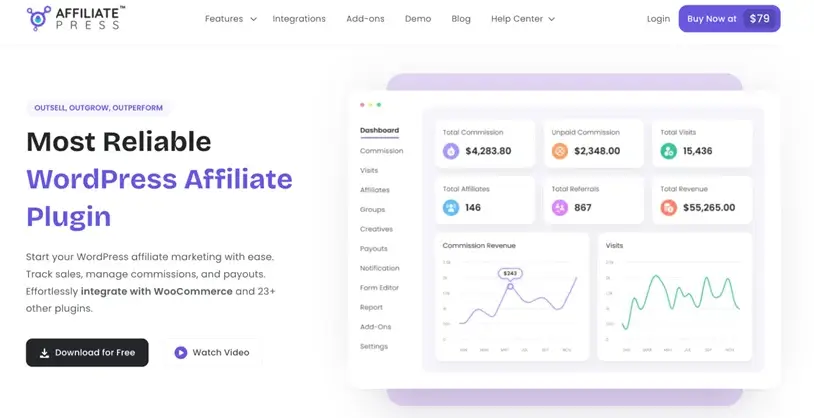
Build referrals from former clients, fitness influencers, and coaches using ARMember + AffiliatePress. AffiliatePress is a powerful plugin for affiliate management that smoothly integrates with ARMember, thus your membership WordPress site. You can easily:
- Create programs.
- Track links/sales.
- Pay commissions automatically.
Final Thoughts
Running a digital weight loss program involves more than posting meal guides online – and WordPress can help you make all your plans and ‘plans’ real. ARMember and a bunch of other helpful plugins will be a great starting point to enable your clients to:
- Sign up for your weight loss coaching program on autopilot.
- Access members-only nutrition, workouts, and mindset lessons.
- Pay for subscriptions or one-time challenges.
- Track progress.
ARMember helps you easily monetize your expertise, package your content into smart digital weight loss plans, and deliver a structured curriculum with the content dripping features. Automated billing and communication included. The whole ecosystem for your health and fitness business is just a few clicks away.
FAQs
How do I create my own weight loss program?
You can create your own online weight loss program with a WordPress site and ARMember plugin. ARMember is a WordPress membership plugin that lets you create structured online weight loss plans, workout content, mindset lessons and progress trackers. Later, lock them all behind a paywall, automate billing and deliver workout content via paid membership plans.
How to create an online fitness training program?
You can create an online fitness training program by using WordPress with ARMember. It lets you sell structured programs with multiple tiers, restrict access based on plan type, automate billing and renewals and release training content progressively using drip content.
How to create a weight loss website?
You can create a weight loss website by building an independent WordPress site where you create a branded experience with customer login areas, paid subscriptions for programs, one time program access, protected workout and nutrition pages and automated program delivery using ARMember membership plugin.
What is an online weight loss program and how does it work?
An online weight loss program is a digital service that offers online support, tools and online weight loss plans for individuals via websites. In here, visitors who want to achieve their goal of losing weight sign up, access members only nutrition, workouts, mindset lessons and progress tools.
Can I sell my own online weight loss program on WordPress?
Yes, Of Course! You can sell your own online weight loss program on WordPress using membership plugins like ARMember. With ARMember, you can create paid membership sites or sell individual posts for one time purchase.
Related articles:

Share this post


