
Membership Setup Wizard
Set up your membership site easily with ARMember’s simple setup wizard for quick configuration.
Create a full membership journey from license activation to plans, payments, and content protection with zero coding and zero hassle
Skip the tech headaches with ARMember’s Membership Setup Wizard.
You can create and launch a complete membership system in minutes.From License → Settings → Plans → Payments → Content Access, everything is guided in one smooth, structured flow.
No coding! No manual setup ! No messy backend setup!
Just follow the wizard → configure the essentials → and your membership system is ready for front end publishing.
Simplify Your Entire Membership Setup in One Go
Let’s be honest here! Setting up membership flows in WordPress can get a little tricky and….messy.
You’d normally have to:
Too many moving parts, right?
But with ARMember, you get everything in one place and can publish your setup using just one shortcode.
Set Up Your Membership Site in Minutes: Just Go with The Flow
Step 1: License Activation
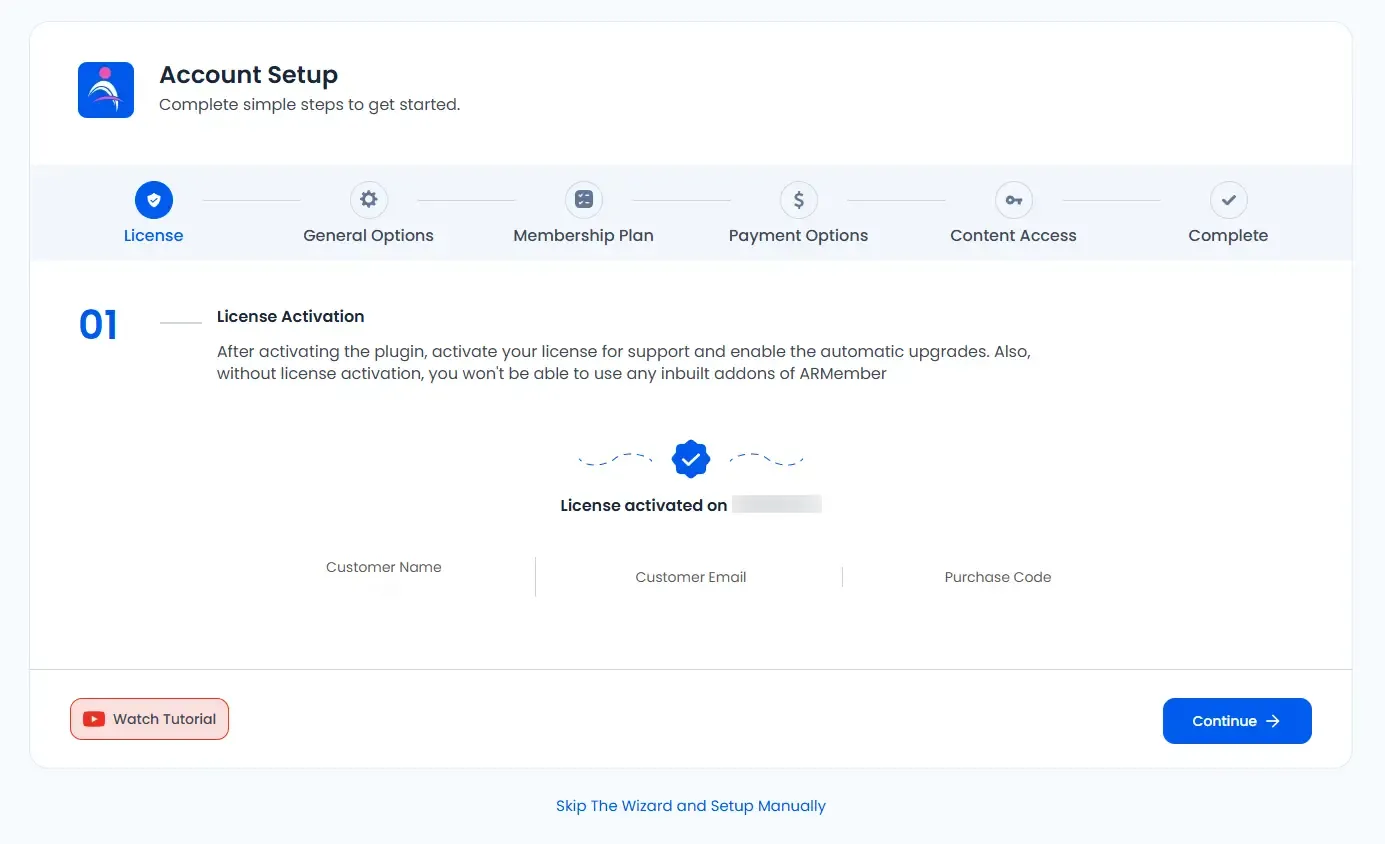
First things first: activate your ARMember license (Admin Panel → ARMember → Licensing). This unlocks plugin updates, support, and access to built-in add-ons. Don’t skip it — it’s required to use the inbuilt modules.
Step 2: General Settings
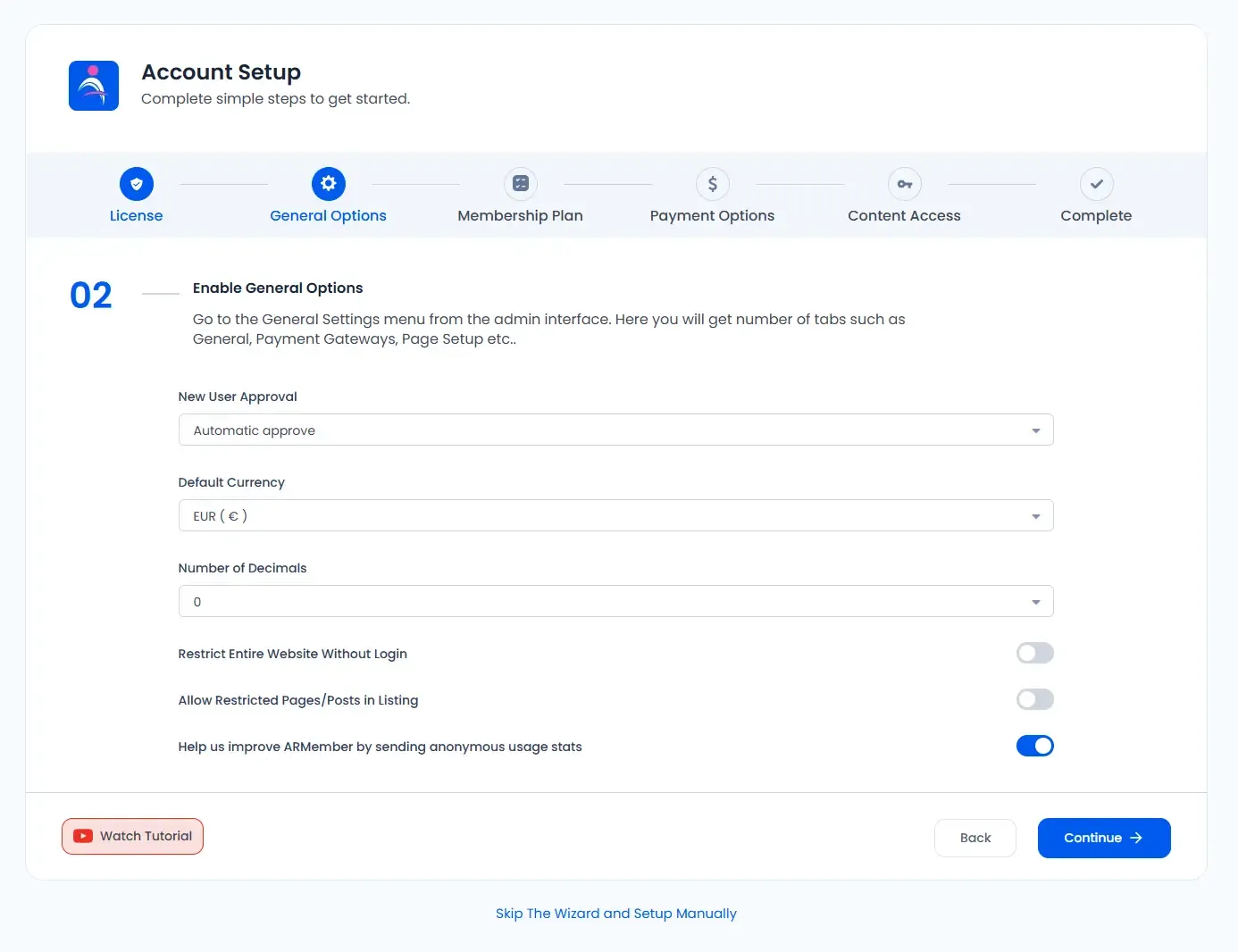
Next, it’s time to configure the plugin’s basic/site level options from General Settings.
Here you’ll set things like email settings, new user approvals, redirect pages, date & timezone preferences, and other essentials to make the plugin behave the way your site needs.
Step 3: Setup Your Membership Plans
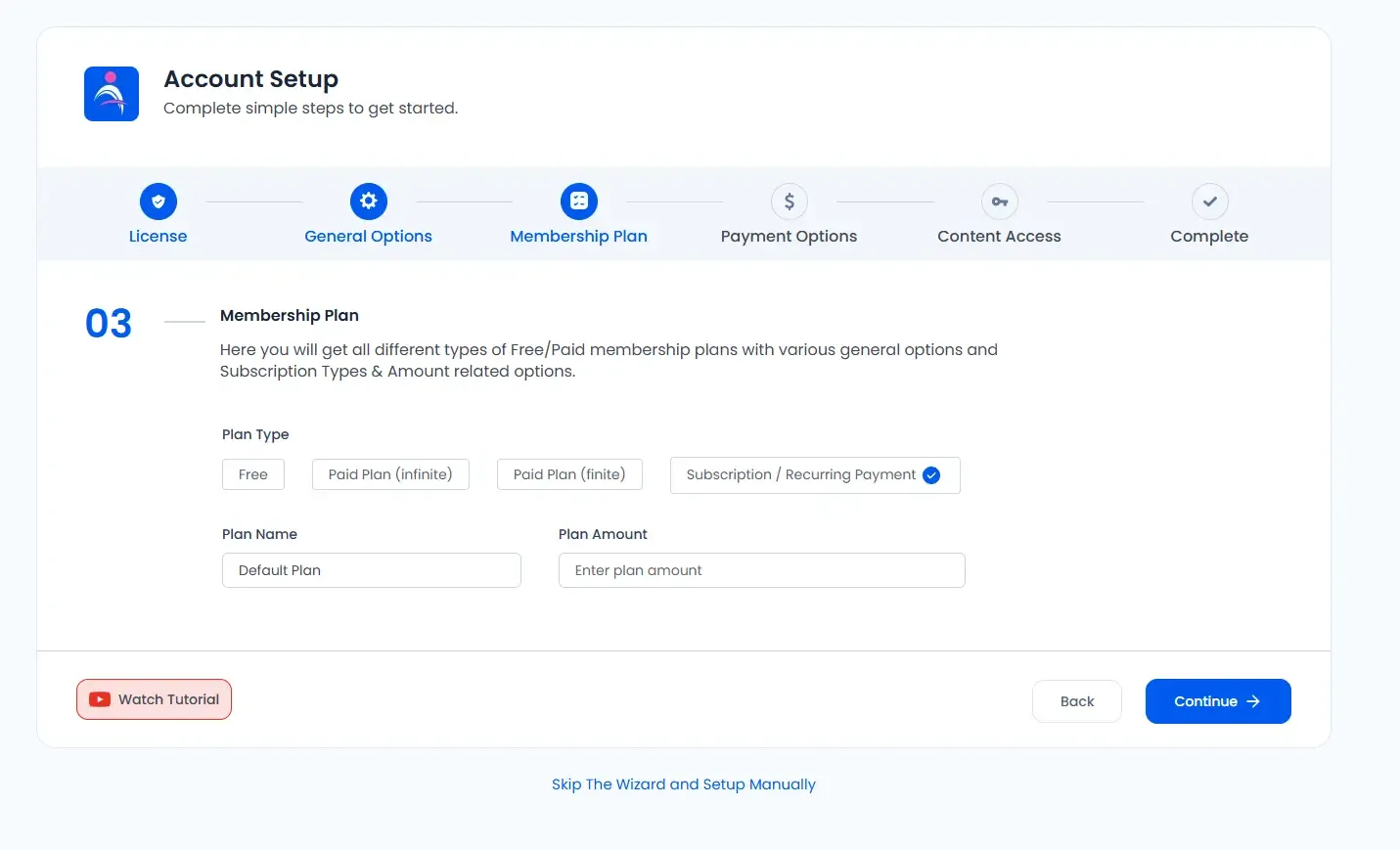
Now create your membership plans (free or paid). For each plan you can set:
ARMember supports creating multiple plan types, so you can choose whichever combination fits your business model.
Step 4: Set Payment Options
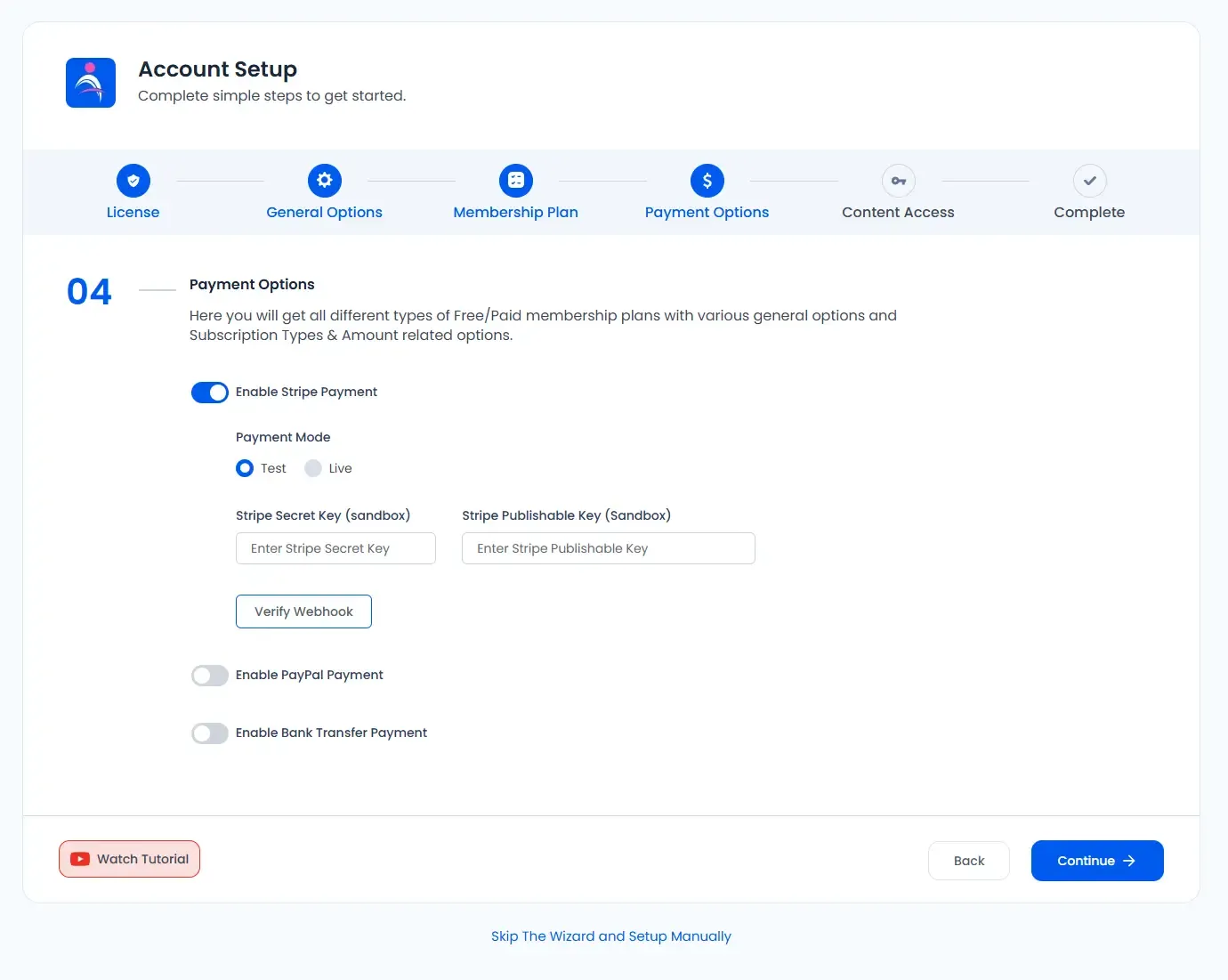
Enable payment methods for paid plans. ARMember includes 6 built-in payment methods, so pick the ones you want available during signup. You must select at least one if you plan to charge members. Popular choices include:
Step 5: Content Access
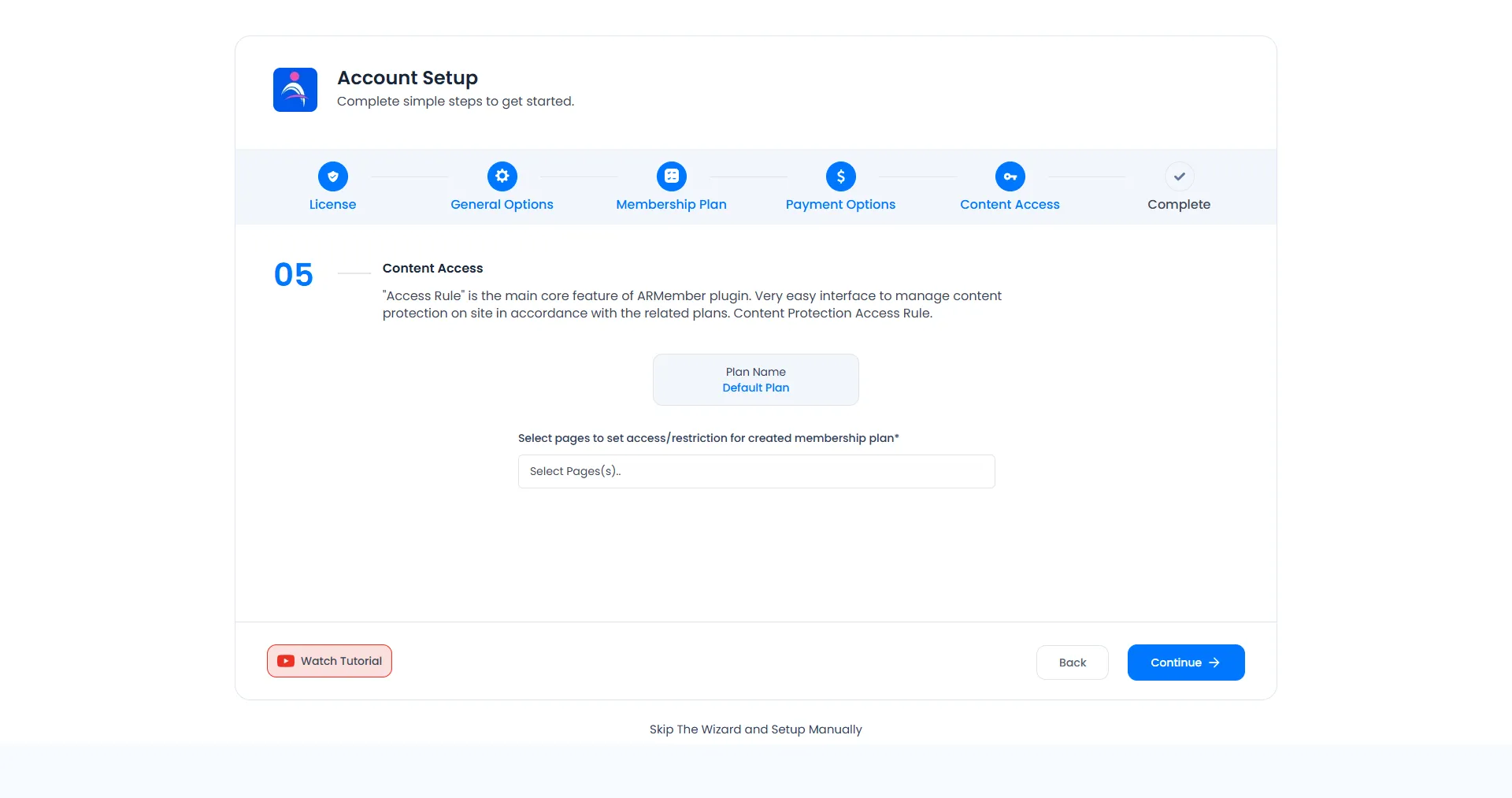
Protect your content by assigning access rules per plan. Restrict pages, posts, categories, menus, custom post types, and custom taxonomies. You can also configure drip schedules so members get content over time.
Step 6: Complete
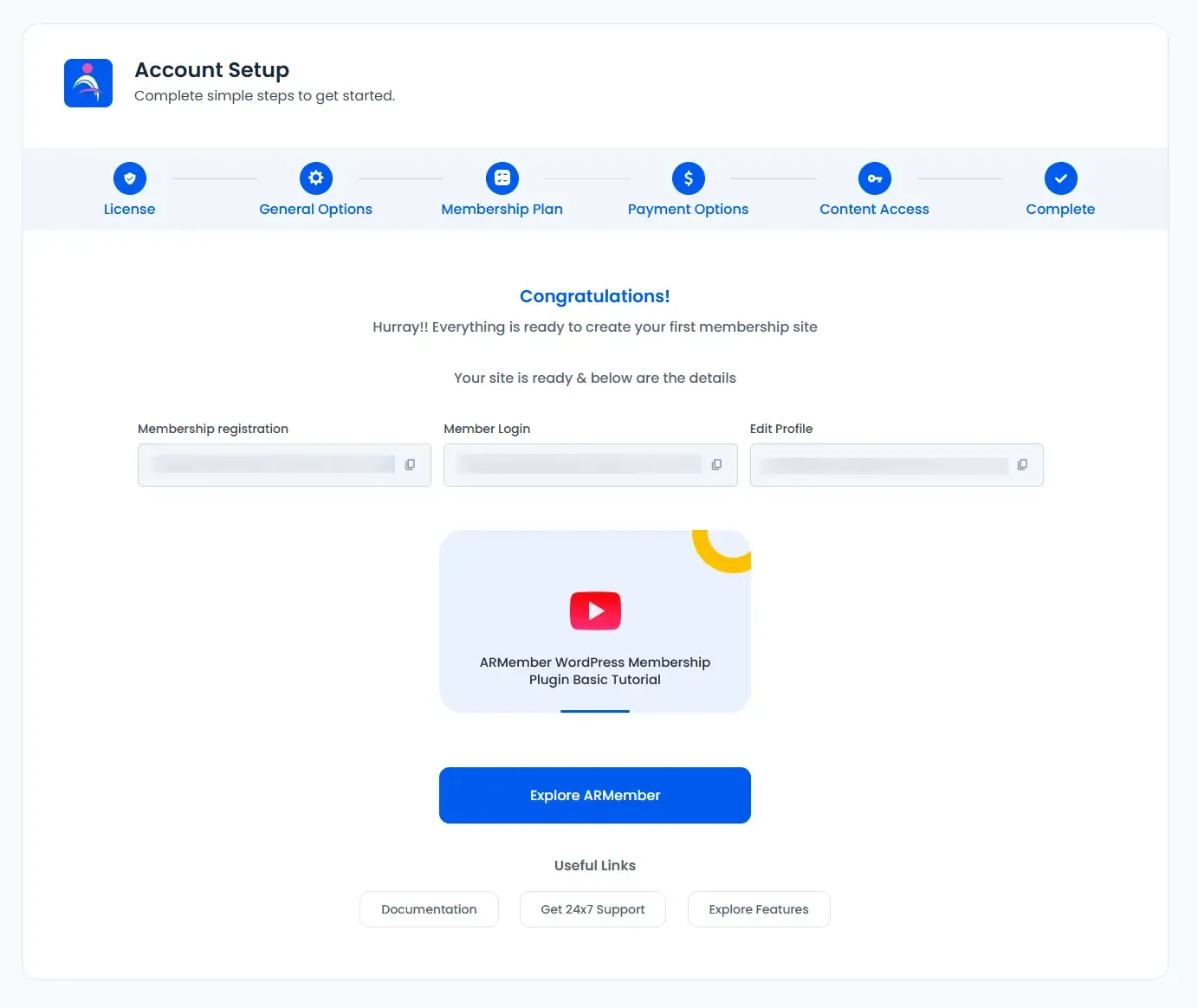
And you’re done!
Once you complete the wizard, your full membership setup is ready.
From here, you can explore ARMember’s advanced features to manage members, create notifications, apply coupons, and fine-tune access rules.
Bonus: Paid Post Purchase with WooCommerce
Want to sell access to individual premium posts using WooCommerce?
ARMember lets you connect smoothly with WooCommerce. That way, your members can purchase paid posts using any WooCommerce supported payment gateways as well.
Just activate the “WooCommerce Integration” module under ARMember → Addons, and you’re all good to go.
You can learn more about WooCommerce Paid Post setup 👈from here.
In Short…
Membership Setup Wizard makes everything effortless:
Just configure → publish → start growing your membership site!
FAQs
1. How to set up a membership site with ARMember?
You can set up your complete membership site using ARMember’s Membership Setup Wizard with zero coding and no complex setup. In just a few steps, you:
Once the wizard setup is complete, your backend membership system is fully ready. From there, you can easily create your registration and purchase pages using ARMember’s frontend setup options and start accepting members smoothly.
2. What is a membership structure?
A membership structure defines how you organize members and the benefits they receive. You can create different membership levels (like Bronze, Silver, Gold) and charge recurring fees based on the benefits offered.
3. How does the Membership Setup Wizard work in ARMember?
In ARMember, the Membership Setup Wizard works like your personal guide, helping you configure everything step by step without confusion. Here’s how it actually works:
Once everything is configured, your full membership system is live and ready to accept members.
4. Can I design the membership setup page to match my brand?
Yes, Of course! You can design the membership setup page to match your brand with ARMember. Here, you can customize colors, fonts, and even add custom CSS to style the entire membership setup page to match your brand, without looking for an expert designer or coder.
5. What payment gateways can I use with ARMember?
ARMember offers more than 21+ payment gateways such as Paypal, Stripe, Authorize.Net, Razorpay, Mollie and many more.