



One confusing booking form is all it takes for a visitor to hit the back button…and book with someone else.
These days, customers expect instant clarity. Clear services, available time slots and a smooth checkout. If your booking process feels clunky, slow, or overwhelming for even a second, they won’t try to figure it out. They’ll just leave.
That’s why your booking system is your conversion point. It’s where interest turns into action and where hesitation can kill a sale.
If you’re running your site on WordPress, the good news is you have tons of WordPress booking plugins to choose from. The right booking plugin can simplify scheduling, automate confirmations and even handle payments without friction.
The wrong one? It creates confusion, abandoned bookings and support emails you shouldn’t be answering.
In this guide, I’ll share with you the best WordPress booking plugins for 2026, so your visitors can book, pay and move forward with confidence.
TL;DR? When we test each booking plugin on the same configuration staging site, we found BookingPress is the best overall WordPress booking plugin for flexible & powerful scheduling with payment support at reliable pricing. Even its free version can allow accepting payment via PayPal.
The Best WordPress Appointment Booking Plugins at a glance
In a hurry? No worries! Takes a snapshot of all the best WordPress appointment booking plugins compared.
| WordPress Booking Plugin | Best For | Free Version | Online Payments | Ease of Use |
| BookingPress | Service based businesses with multi-location | ✅ Yes | ✅ Yes (20+ gateways) | ⭐⭐⭐⭐⭐ |
| GemBooking | Small businesses that want to automate service scheduling | ✅ Yes | ✅ Yes (WooCommerce only) | ⭐⭐⭐⭐☆ |
| Bookings for WooCommerce | WooCommerce rentals, hires and time-based appointments | ❌ No | ✅ Yes (via WooCommerce) | ⭐⭐⭐⭐⭐ |
| FluentBooking | Small businesses that want a Fluent ecosystem | ✅ Yes | ✅ Yes (PayPal and Stripe) | ⭐⭐⭐⭐☆ |
| Bookster | Users who need to create appointment booking forms with minimal effort. | ✅ Yes | ✅ Yes (PayPal and Stripe) | ⭐⭐⭐⭐☆ |
| Bookings And Appointments for WooCommerce | WooCommerce rental and appointment services | ❌ No | ❌ (Paid only via Addon) | ⭐⭐⭐⭐☆ |
| Simply Schedule Appointments | Small businesses & solo professionals | ✅ Yes | ❌ (Paid only) | ⭐⭐⭐☆☆ |
| WooCommerce Bookings | WooCommerce stores selling bookable products | ❌ No | ✅ Yes (WooCommerce) | ⭐⭐⭐☆☆ |
| MotoPress Appointment Booking | Fixed-time appointments & consultants | ✅ Yes | ❌ (Paid only) | ⭐⭐⭐⭐☆ |
| Booking Calendar | Full-day or time-slot appointments | ✅ Yes | ❌ (Paid only) | ⭐⭐⭐⭐☆ |
| WP Travel | Best solution for travel related businesses | ✅ Yes | ✅ Yes | ⭐⭐⭐⭐☆ |
| Gravity Bookings | Advanced Gravity Forms scheduling | ❌ No | ❌ (Paid only via Gravity Forms) | ⭐⭐⭐☆☆ |
| Amelia | Appointment & events scheduling | ✅ Yes | ✅ Yes | ⭐⭐⭐☆☆ |
| Bookly | Staff-based appointment services | ✅ Yes | ✅ Yes (Add-ons) | ⭐⭐⭐☆☆ |
Quick Answer — Which WordPress Booking Plugin Is Best for 2026
BookingPress is the top WordPress booking plugin for businesses of all sizes in 2026. This plugin comes with 40+ addons & integrations, plus more than 20 payment gateways. It’s built to turn clicks into confirmed appointments by offering a fully customizable booking form. So your clients get a personalized experience every time they book an appointment.
And if you want to manage appointment + events scheduling, then Amelia is a good alternative. It comes with a modern dashboard and event-friendly layout.
For property rentals or accommodation bookings, Booking Calendar is a solid booking plugin as it allows unlimited resources and smoothly integrates with Google Calendar.
Want a quick visual comparison before diving into the detailed reviews? Watch this short video covering the top WordPress booking plugins for 2026, including Amelia, BookingPress, Bookly, Simply Schedule Appointments, and more:
If you’d like a more in depth analysis, I recommend you to scroll down to read our detailed reviews of all top WordPress booking plugins, including BookingPress, Bookly, Simply Schedule Appointments and more.
How We Tested & Reviewed These Booking Plugins for WordPress?
Each booking plugin has its own standout feature. Some promise sleek forms but fail at payments. Others handle appointments flawlessly but are too slow for users.
That’s exactly why we tested every booking plugin on a real WordPress staging site to see how they actually perform in day-to-day use.
To keep this comparison practical (and honest), we didn’t rely on demos, feature lists or marketing pages alone. Over 10+ top booking plugins were installed and tested on a fresh WordPress staging environment, using the same setup, so we could compare them fairly to share with you the list of: 7 Best WordPress booking plugins.
Here are the things we put into consideration when shortlisting for the best plugin for WordPress bookings:
- Ease of Use: Some of the plugins I’ve come across had amazing features but they soon lost the rank due to confusing installation and configuration. Thus, I’ll only hand-pick the booking plugins that were easy to install and use.
- Booking Form Flexibility & Customization: Your booking form is the core of the customer experience. So I’ve checked and ranked plugins which allow custom fields, multi-location, multi-staff and personalization styling.
- Automation & Notifications: A booking plugin should reduce your workload, not dump more. Thus, I tested for automatic notifications for both client and staff along with easy reschedule or cancellation options.
- Integrations: I made sure that all booking plugins for WordPress worked perfectly with popular WordPress page builders, email marketing tools, Calendar apps and so on.
- Payment: Revenue matters so I picked each plugin based on how smooth they make the checkout? Do they handle deposits, full and recurring payments? And integrate with secured payment gateways?
- Reporting & Analytics: To grow your business, you need insights. And that’s why I evaluated those plugins that offer booking and revenue reports as well as smooth tracking.
- Overall User Experience: At last, I tested how the plugin felt for site visitors who will soon start booking appointments, for admins and staff who manage schedules and payment. Plus, the quality of support and documentation.
With our testing criteria clear, it’s time to see which WordPress booking plugins truly deliver when used on live websites.
1. BookingPress
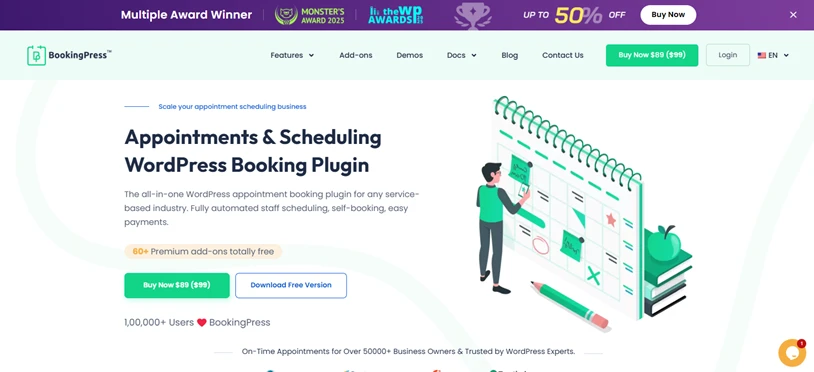
When I tested BookingPress on our site, it became clear the very moment why it’s so popular among service based businesses. This plugin gives you full, complete control over your online booking system without any custom coding.
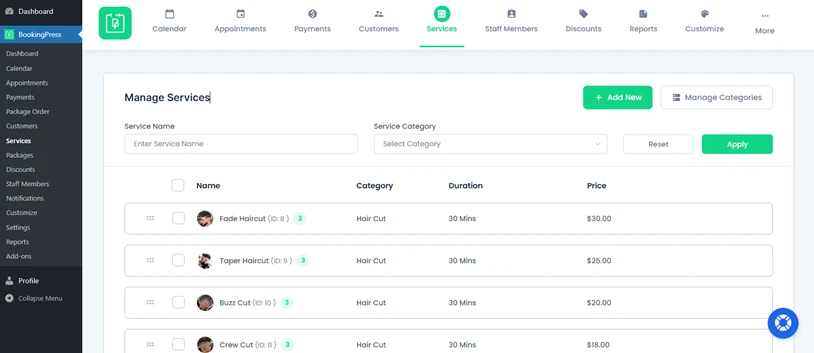
I was easily able to set up my first service, add staff members and time slots. Everything felt structured and logical, even after setting up more complex booking rules. Best of all, there were no limits; you can go unlimited with services, appointments, staff, location and more.
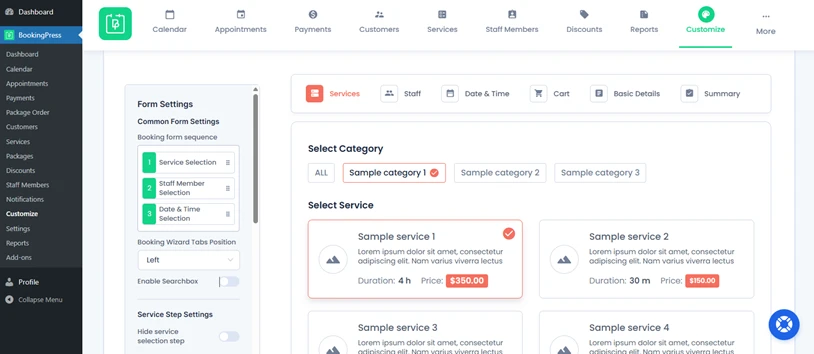
What stood out most during testing was how customizable the booking form is. You can shape the entire booking flow, from service selection to checkout, with simple drag and drop form builder (saved me the cost and hassle of an extra plugin).
And the cherry on top, BookingPress comes with an extensive ecosystem of 40+ addons & integrations. It doesn’t feel like just a booking plugin. It feels like a full-fledged appointment management system designed for business growth.
Key Features:
- Multi-location and multi-staff support.
- 20+ payment gateway integrations + POS system support.
- Create a package of multiple services and gift cards to bundle appointments.
- Advanced admin dashboard with built-in revenue and appointment analytics.
- Has powerful upsell features via addons.
Pros & Cons:
| Pros | Cons |
| Flexible booking form customization. | So many features & add-ons can feel overwhelming at first. |
| One of the best free plans in the market. | Some advanced features require a premium plan. |
| Supports many payment gateways out of the box. | |
| Scales well for growing businesses. |
Cost:
- A free version is available.
- The premium starts from $89/year.
Our Verdict: BookingPress is an excellent pick for service based businesses that want full-power features in a beginner friendly interface. If you’re running a salon, consulting business, fitness studio or any kind of service based business, BookingPress is one of the most powerful WordPress booking plugins you can choose in 2026.
2. GemBooking

GemBooking is a complete WordPress booking plugin built for businesses that need more than a basic calendar widget. It handles appointments, rentals, events, classes, and group bookings, plus payments, staff schedules, and customer management, all from one dashboard.
Setting up a booking flow felt fast and intuitive. Working hours, time slots, holidays, buffer times, and staff availability can all be configured from a single scheduling panel, then customers can browse services, pick a date, pay, and get an instant confirmation without leaving the site.
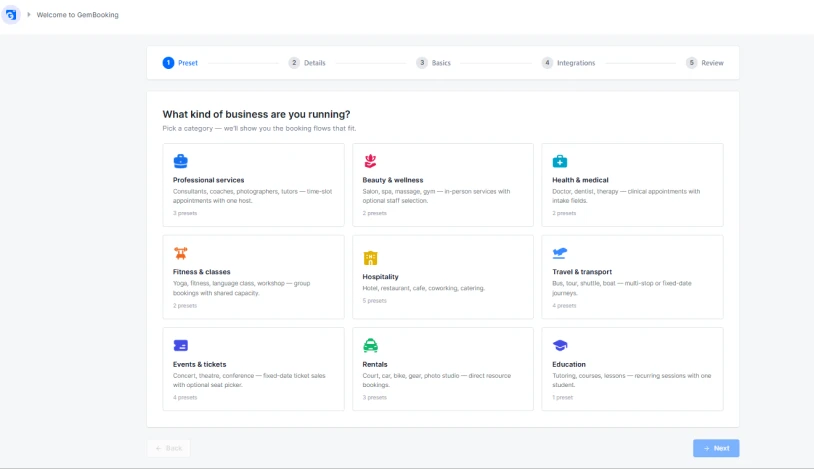
What stands out is how flexible the booking types are. Whether you run a salon, a fitness studio, a rental business, a travel agency, or an event ticketing site, GemBooking adapts to the workflow instead of forcing a rigid appointment-only structure. Staff scheduling is also well thought out, with shift management, holiday blocking, and booking limits to prevent double-booking without manual back-and-forth.
Key Features:
- Flexible booking types
- Ticket booking & QR code scanning system
- Staff and schedule control with shifts, holidays, buffer times, and booking limits
- Secure online payments via WooCommerce
- Google Calendar sync to prevent double bookings
- Automated notifications and reminders via Email
- Custom and branded booking pages
Pros & Cons:
| Pros | Cons |
| Handles multiple booking types (appointments, rentals, events, classes) in one plugin | Newer plugin, so the ecosystem is still growing |
| Clean, modern booking pages that are quick to set up | Some advanced workflow customizations may need a learning curve for first-time users |
| Strong staff and availability management out of the box | |
| Free plan available with no credit card required |
Cost:
- Free version available
- The premium plan starts from $79/ one-time.
Our Verdict: GemBooking is a strong pick for businesses across professional services, beauty and wellness, healthcare, fitness, hospitality, travel, rentals, and education that want one booking system instead of stitching together multiple plugins. If you need flexibility across booking types along with solid staff and payment handling, GemBooking is worth testing alongside the bigger names on this list.
3. Bookings for WooCommerce
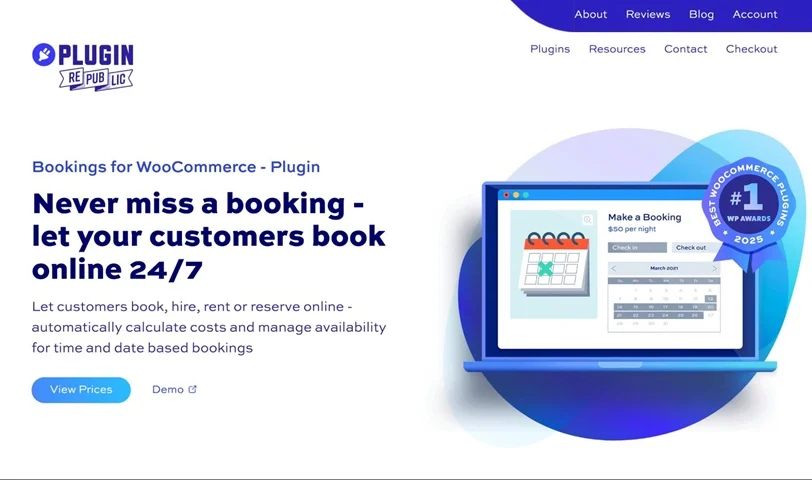
Bookings for WooCommerce by Plugin Republic is built for WooCommerce stores that need calendar-based bookings – property rentals, equipment hire, service appointments and more. Bookable products live right inside WooCommerce, so there’s no separate system to learn.
The plugin handles both date-based and time-based bookings natively. For date-based bookings you can offer daily, overnight or weekly units with a real-time calendar date-picker and automatic cost calculation. For time-based bookings, the built-in time slots feature lets you divide a day into fixed-length windows – set your slot duration, opening hours and price per slot, then choose from five different time selector views to match the booking experience to your product.
Availability management is strong throughout. Quantity limits per unit prevent double bookings, buffer periods protect turnaround time, and per-slot overrides let you adjust capacity or pricing for specific times or date ranges. Custom pricing rules handle peak seasons and longer stays, while iCal sync keeps availability consistent across Airbnb, Booking.com and VRBO.
Key features:
- Daily, overnight and weekly booking units
- Native time slots with flexible slot durations, pricing and five selector views
- Real-time calendar with automatic availability blocking and cost calculation
- Custom pricing rules for seasons, duration and flat rates
- iCal sync with Airbnb, Booking.com, VRBO and other platforms
- Optional extras via Add-Ons Ultimate; deposits via Deposits and Part Payments
Pros & Cons:
| Pros | Cons |
| Native WooCommerce integration | Requires WooCommerce – not standalone |
| Time slots built in – no add-ons needed | No free version |
| Strong availability and pricing management | No built-in staff management |
| iCal sync for multi-platform rental businesses |
Cost:
- Single site from $79/year; lifetime licences available
Our verdict: Bookings for WooCommerce is the best pick for WooCommerce store owners who need date or time-based bookings without leaving the WooCommerce ecosystem. The native time slots feature makes it a genuinely versatile option for everything from multi-day rentals to hourly appointments.
4. FluentBooking
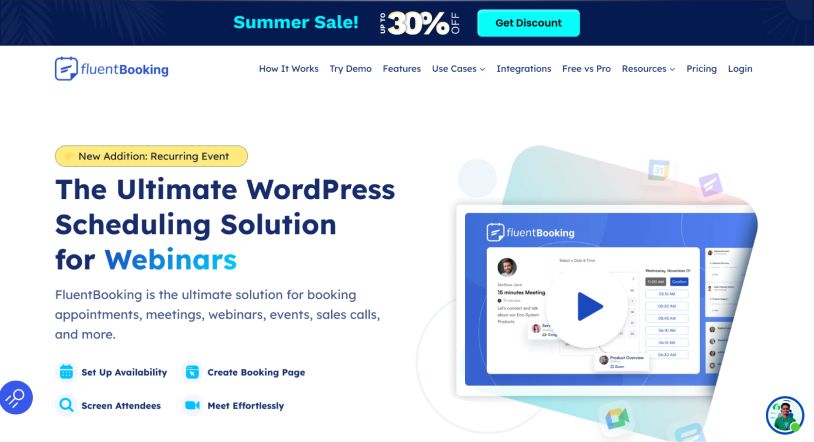
FluentBooking is an appointment booking plugin for managing meetings directly on WordPress. Compared to SaaS software, all the specialty of WordPress booking plugins is you can add unlimited team members with most of the premium versions, and the same goes for FluentBooking as well.
Whether you book client meetings, interviews, consultations, or team appointments, you can create a professional appointment booking system right inside your WordPress website. Furthermore, this WordPress booking plugin even supports various types of meetings such as one-on-one, group, round-robin, and one-time events.
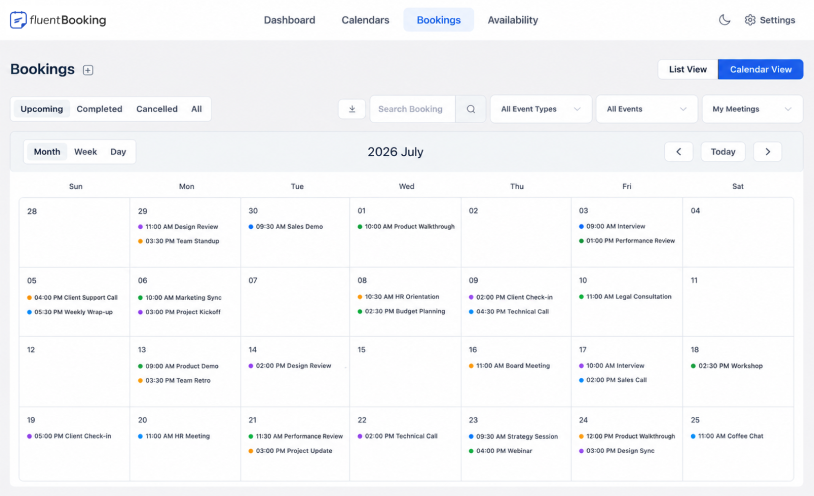
Apart from this, when I tested it on WordPress staging site, I was easily able to create different booking pages for different services and interviews. Plus, it even made setting custom availability and adding a limit to the number of bookings per day easy.
The interesting thing is that you can send automated booking confirmations and reminders even in the free version. Also, keep your calendars up to date and manage appointments from one dashboard.
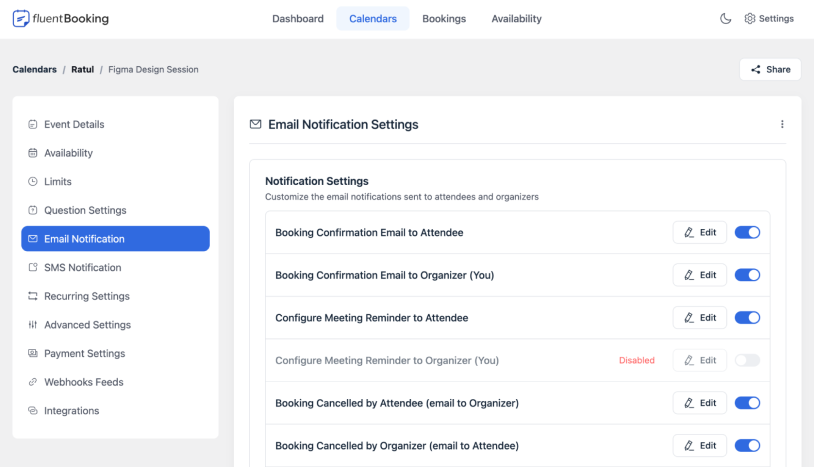
All in one, FluentBooking can be a great choice for businesses that want an affordable and flexible scheduling solution.
Key features:
- Unlimited hosts, calendar and booking pages
- Flexible meeting types
- Buffer time before/after meetings
- Clean front-end booking form
- Deep integration with FluentCRM and Fluent Forms
- Two way calendar sync with Stripe and PayPal
Pros & Cons:
| Pros | Cons |
| No per user pricing with unlimited team members. | Limited payment gateways compared to BookingPress. |
| Deep ecosystem integration with other WPManageNinja tools, | Lacks advanced features like booking multi sessions appointment packages. |
| Highly customizable booking pages, | Takes some time to set up advanced features for beginners. |
| Cost effective. |
Cost:
- Free version available.
- The premium version of the plugin costs $79 per year.
Our verdict: FluentBooking is a powerful scheduling plugin for WordPress for small service businesses. It integrates flawlessly with other ecosystem staples like FluentCRM and Fluent Forms for the top-tier lead generation, so if you already use WPManageNinja tools and want to save money, go for it.
5. Bookster
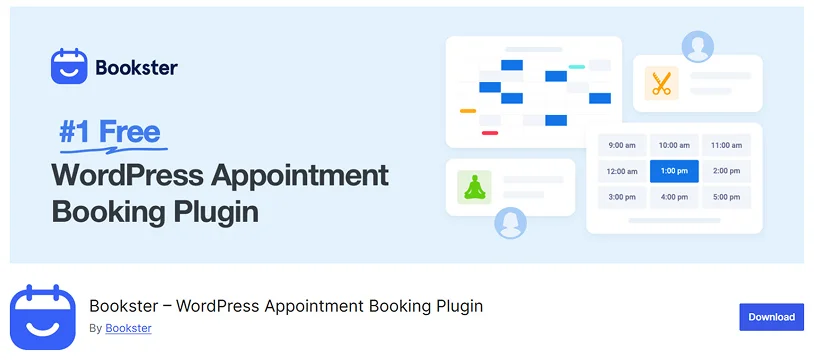
Bookster is a modern WordPress appointment-booking plugin designed or businesses seeking a professional, easy-to-manage online scheduling system.
The plugin helps service-based businesses accept bookings directly through their WordPress website while simplifying appointment management, staff scheduling, and customer communication.
Bookster includes features such as customizable booking forms, employee management, automated notifications, calendar management, online payment support, and flexible scheduling controls.
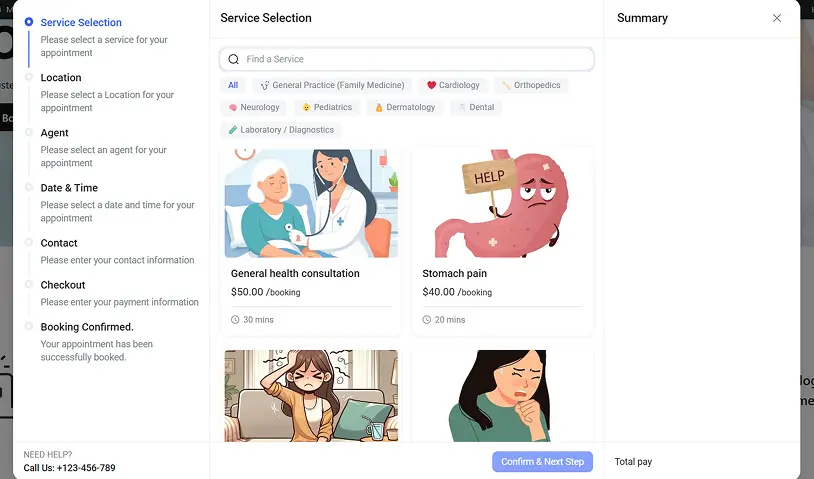
Businesses can configure appointment durations, working hours, buffer times, and service availability based on their workflow requirements. The plugin works well for salons, consultants, fitness trainers, wellness centers, agencies, repair businesses, tutors, and many other appointment-based services.
Its clean interface and mobile-friendly booking experience help create a smoother scheduling process for both businesses and customers while keeping everything managed directly inside WordPress.
Key Features:
- Flexible appointment scheduling for different services
- Manage staff and services from one dashboard
- Customizable booking forms for any workflow
- Automated notifications for confirmations and reminders
- Online payments support during the booking process
Pros & Cons:
| Pros | Cons |
| Easy to set up inside WordPress | New plugin so fewer installations |
| Clean and modern booking interface | Limited payment gateway integrations |
| Supports staff and multi-service management |
Cost:
- Free version available (Bookster Lite).
- The premium version of the plugin costs $39 per year.
Our Verdict: Bookster delivers a simple, flexible booking system for service businesses, with all the essential features, including scheduling, staff management, and payments. It is easy to use and works well for growing setups. At $39 per year for the premium version, it is also an affordable option compared to most WordPress booking plugins.
6. Bookings And Appointments for WooCommerce
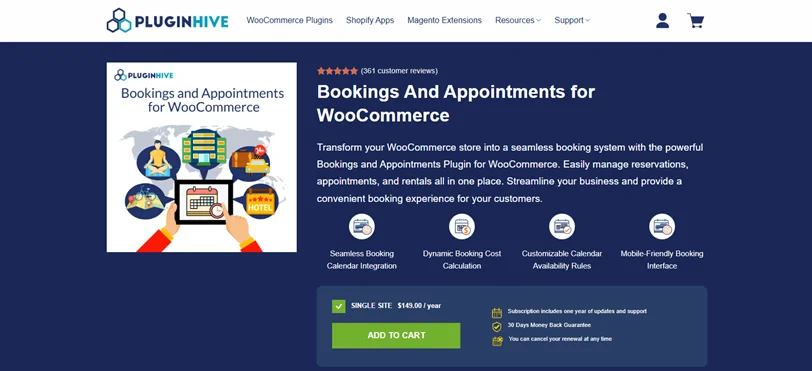
Bookings & Appointments for WooCommerce by PluginHive is a booking plugin that turns your WooCommerce store into a booking system for services like appointments, rentals or reservations.
I installed it on a staging WordPress site with WooCommerce and it took about 10 minutes to activate and configure basics like calendar views and availability rules.
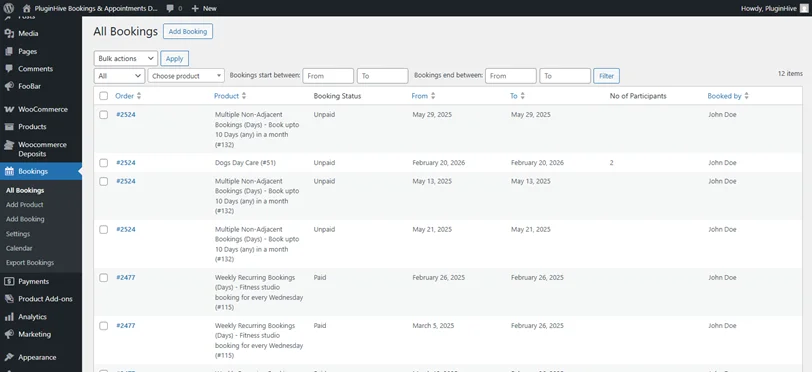
You can create a “bookable product,” set time slots (hours, days, or months), add buffer times between bookings and tweak prices dynamically based on duration or extras.
The backend dashboard lets you approve, cancel, or manually add bookings easily. Plus, it smoothly syncs with Google Calendar to avoid double booking.
The calendar view appeared simple and clear. It shows you all booked services in a friendly user interface that seems modern. If you wanna edit any booked appointment, you can easily do it from here and you’ll be redirected straight to the WooCommerce Edit Order panel.
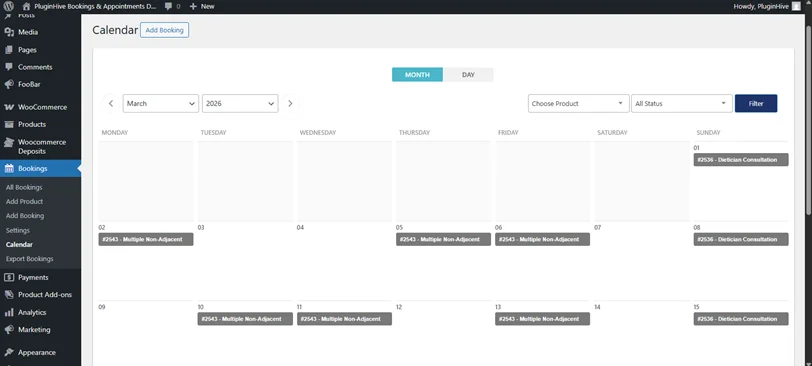
Bookings and Appointments for WooCommerce plugin sure doesn’t have the most friendly user interface compared to others, but if you want something that integrates right into your WooCommerce store natively, this plugin is the best with straightforward booking functionalities.
Key Features:
- Calendar interface blocks unavailable slots automatically for easy customer selection.
- Dynamic pricing adjusts for time duration, guest numbers, seasons or weekends.
- Staff and resource assignment with individual availability calendars.
- All popular Calendar two way syncs smoothly.
Pros & Cons:
| Pros | Cons |
| Affordable pricing with most features included. | Initial setup takes slightly longer than simpler plugins. |
| Flexible durations and smart rules like buffers/seasonal pricing. | Not an official WooCommerce product, though support is reliable. |
| Intuitive interface for managing staff, resources, and bookings. | Advanced multi-staff logins need add-ons like Dokan. |
| Seamless Google/Outlook/iCal sync and automated emails. |
Cost:
- No free version available.
- The paid version starts from $149/Year for a single site.
Our Verdict: If you want a booking plugin calendar that works perfectly with WooCommerce, PluginHive’s WooCommerce Bookings and Appointments is a top pick. It excels in ease of use, dynamic pricing and two-way calendar syncs. At $149/year, it’s a smart value over pricier rivals, though you need addons for advanced features and integrations.
7. Simply Schedule Appointments
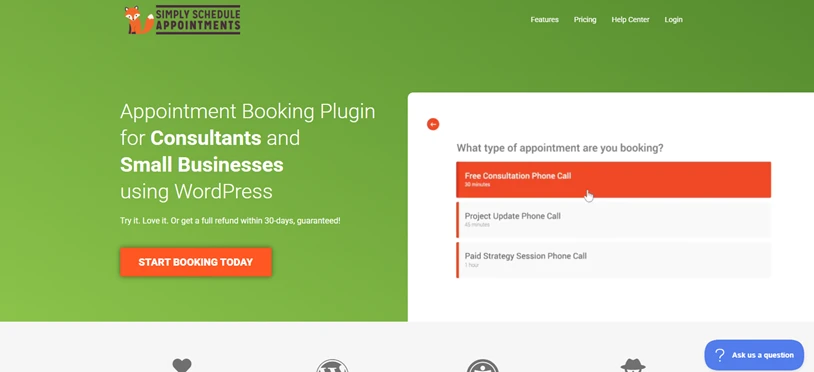
I really enjoyed setting up Simply Schedule Appointments. The first thing that struck me was how quickly I could get a booking form live, without digging into complex settings.
The focus here is simplicity. And that approach shows in every step of the workflow.
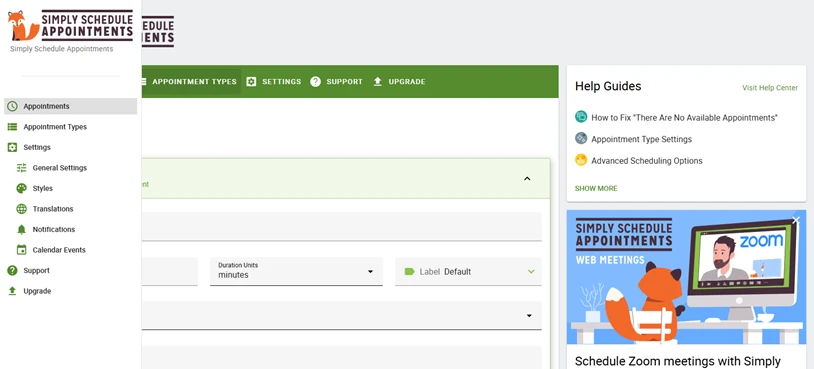
During testing, embedding a booking calendar on a page took only a few clicks and the settings meant there was hardly any learning curve. While advanced features like payment integration and group bookings needed premium upgrades, the base experience delivers a professional and reliable booking system suitable for most small businesses.
Key Features:
- Fully accessible and works for everyone (WCAG compliant).
- Quick 5-minute setup and integrates smoothly with popular WordPress forms.
- Custom “Booking Flows” for every step of the client journey.
- Fast and friendly human support when you need help.
Pros & Cons:
| Pros | Cons |
| Super easy to set up and use. | Many advanced features are locked behind a premium. |
| Simple & beginner-friendly UX. | Can feel basic for larger operations. |
| Smooth page builder integration. | Payment support is only available in paid plans. |
Cost:
- Free version is available.
- The plus version starts from $99/Year (Renews at $129/Year).
Our Verdict: Simply Schedule Appointments is the fastest way to get a professional booking system up and running. If you value simplicity and ease of use over deep configurability, this is one of the most pleasant booking plugins to work with, especially for small businesses and solo professionals.
8. WooCommerce Booking
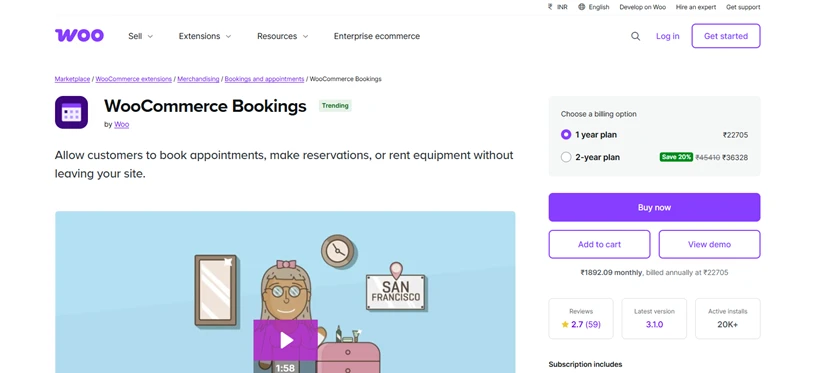
When I use WooCommerce Bookings on a test site, I quickly realized it’s not just your average booking plugin. It’s built to work alongside WooCommerce, which means it adds booking features to your existing store. This is super useful if you’re already using WooCommerce to sell products or services, because it keeps everything, like payments, taxes, and orders, all in one place.
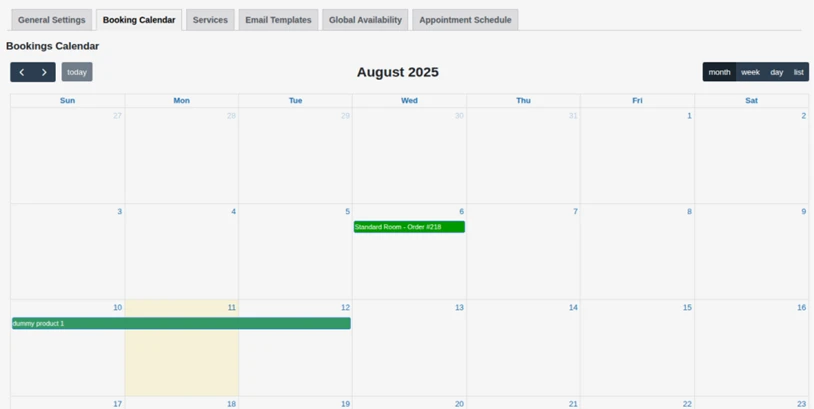
At first, setting it up was a bit more complicated than other booking plugins. This is mostly because it connects to the whole WooCommerce system. And its bit more involved than standalone booking tools. But once I got the hang of it, setting up bookable products, choosing calendar options, and creating pricing rules, the system worked pretty smoothly. Everything was well-organized and easy to manage.
The best part is that for businesses already using WooCommerce, this plugin really simplifies things like keeping track of payments, taxes, and customer orders. It’s all part of the same system, so it helps you avoid extra work when it comes to bookkeeping and reporting. Thus, if you’re already familiar with WooCommerce, adding booking features can be a big win.
Key Features:
- Treats bookings like WooCommerce products.
- Flexible pricing by season, group size, or time of day.
- Tracks resources for rentals, inventory, or equipment.
- Works with thousands of WooCommerce extensions.
Pros & Cons:
| Pros | Cons |
| Perfect for WooCommerce-powered sites. | Setup has a steeper learning curve. |
| Leverages the WooCommerce ecosystem. | Not as easy to use as dedicated booking plugins. |
| Deep pricing and resource options. | Requires extensions for advanced features. |
| Centralized orders & payments. | Can feel overkill for simple appointments. |
Cost:
- No free version is available.
- The premium version starts from $249/year.
Our Verdict: WooCommerce Booking is the best choice for businesses already invested in the WooCommerce ecosystem. If you sell products and services together and want bookings to live inside your existing shop, this plugin delivers powerful, unified management even though it takes a bit more setup.
9. MotoPress Appointment Booking
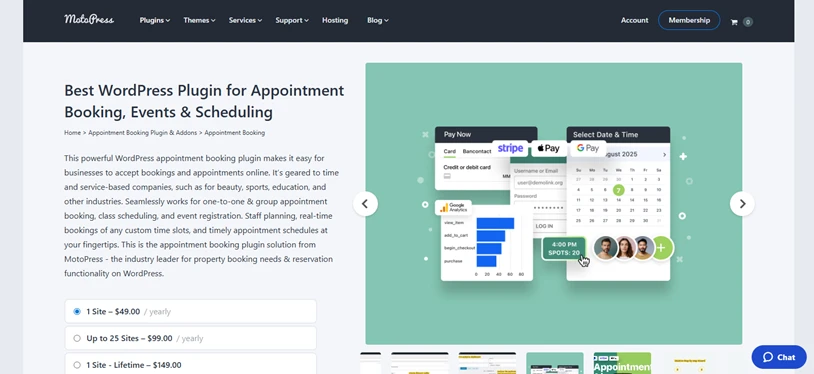
I gave MotoPress Appointment Booking a spin on a test site, and it felt like a straightforward plugin for managing appointments without the clutter. The setup was pretty easy to go with the flow. Plus, things like setting your working hours, choosing how long services should last, and managing availability were all simple without any extra steps that felt unnecessary.
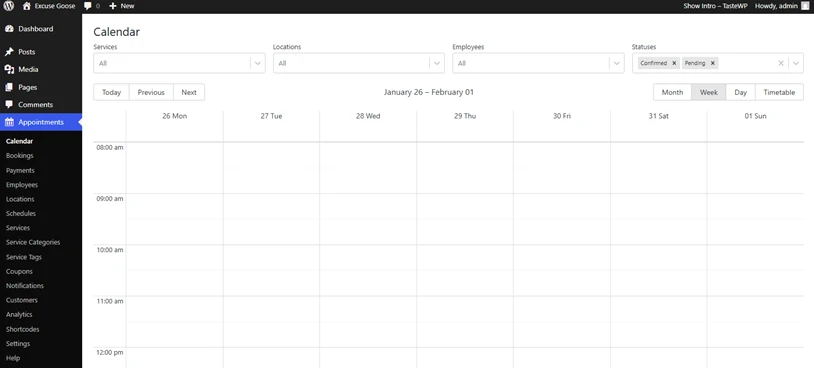
What really impressed me was how much control you get over time slots and booking rules. This is a huge plus if you need your schedule to be more flexible or if it doesn’t follow the usual 9-to-5 pattern.
This plugin isn’t trying to do everything. It’s focused on reliable scheduling with just the essential features, and it does them well. Thus, if your business mainly needs to handle appointments with clear start and end times, and you don’t need a lot of extra features, this one will get the job done without any fuss.
Key Features:
- Works for multiple locations or branches.
- Smart resource management for shared equipment.
- Built-in blocks for Elementor, Divi and Gutenberg.
- Staff accounts with permissions and Google Calendar sync.
Pros & Cons:
| Pros | Cons |
| Excellent control over scheduling rules. | Lacks advanced staff or location features. |
| Simple, dependable booking workflows. | UI is more functional than modern. |
| Robust time block and buffer settings. | Payment support needs Pro, so you must get a premium. |
| Works well for fixed-slot services. | Fewer integrations than competitors. |
Cost:
- Free version is available.
- The premium plan starts from $49/year.
Our Verdict: MotoPress Appointment Booking is a great choice if you want a straightforward scheduling plugin with full control over time slots. It’s reliable and focused as it does its job well without unnecessary complexity. For clinics, trainers, consultants, or service providers with fixed schedules, this plugin is practical.
10. Booking Calendar
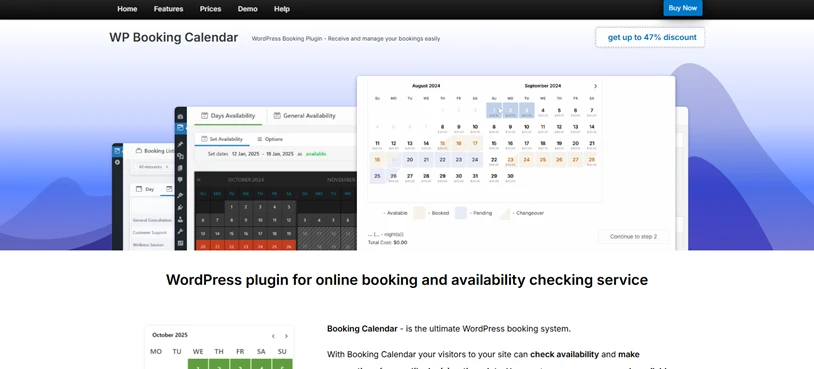
After using Booking Calendar, I immediately saw why it’s been a favorite for years. It feels comfortable for anyone who’s been using WordPress for a while and the way everything works is predictable and reliable.
While testing, I found that setting up calendars and availability rules was quick, and the plugin handled multiple resources without any problems.
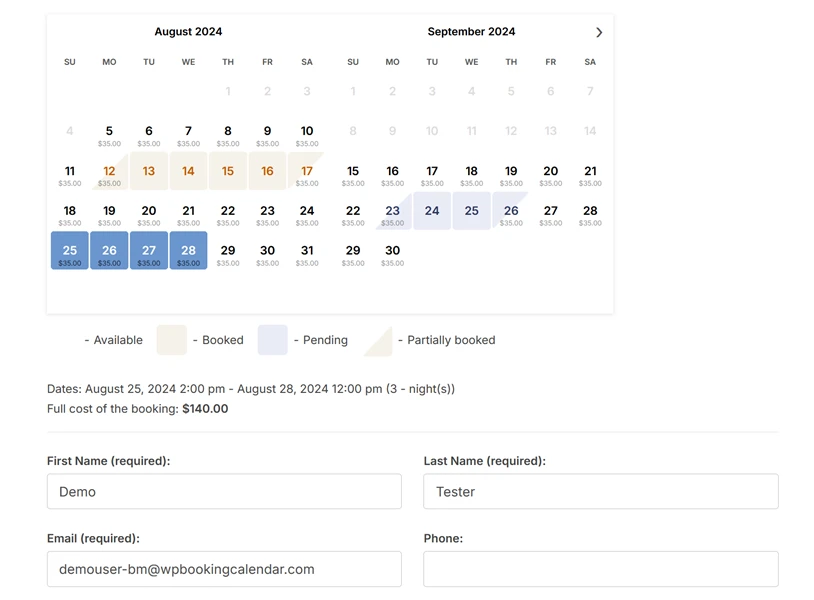
Booking Calendar sure doesn’t have the flashiest features but it gets the job simply. If what you need is straightforward booking functionality without a bunch of extra features, this plugin is a solid choice. It’s perfect as a classic availability calendar that’s easy to understand and use.
Key Features:
- Classic calendar layout, perfect for hotels or nightly rentals.
- Stops double bookings with advanced double-booking prevention feature.
- Simple, stable, easy for non-tech users.
- Handles seasonal pricing and long-stay rules.
Pros & Cons:
| Pros | Cons |
| Simple and dependable booking system. | Not as modern or sleek as newer plugins. |
| Good free-tier capabilities. | Advanced features need paid extensions. |
| Handles multiple calendars/resources. | Limited automation options. |
| Lightweight and stable. |
Cost:
- Free version available.
- The paid version starts from $41.87 for a single site for one time.
Our Verdict: If you need a tried-and-true booking calendar that just works, Booking Calendar is a reliable staple. It’s especially awesome and works well for rental properties, accommodation, classes or simple appointment systems where stability and basic customization matter most. Just do not expect flashy UI or deep automation.
11. WP Travel

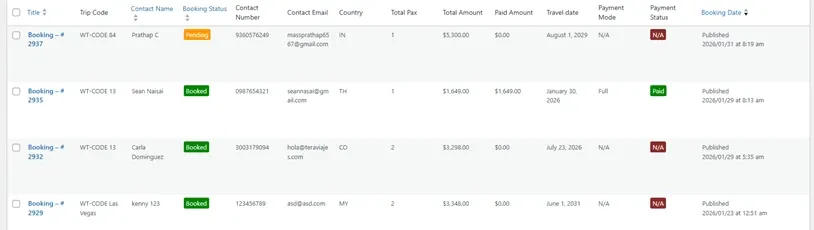
When I tested WP Travel, I immediately noticed that it is a dedicated travel booking plugin rather than a generic booking platform. The installation process was straightforward, and within minutes, I was able to create my first tour package complete with an itinerary, flexible pricing, and reservation forms. The plugin easily handles the complexity of travel bookings, including multiple dates, group sizes, and partial payments, with the simple admin dashboard.
WP Travel powers more than 6,000 travel websites worldwide, and after testing it, it is easy to understand why tour operators rely on it. The itinerary builder is robust and well structured, that allow to add trip highlights, detailed day-by-day plans, image galleries, and even a downloadable PDF. This level of detail is helpful for travelers to book a trip confidently.

One feature that I love the most is the on-page booking system. Unlike most other plugins that redirect users to external checkout pages, WP Travel keeps customers on the site throughout the checkout process, which significantly improves conversion rates. The plugin supports partial payments, allowing travelers to make a deposit in advance and pay the remaining balance later, which is a major advantage for high-ticket tour packages.
Key Features:
- Visual itinerary builder with day by day trip details.
- Partial payments for high ticket tour bookings.
- Customer trip dashboard for self-service management.
- Smart search filters for destination, price, and duration.
- Built-in coupon system for promotions and discounts.
- AI-powered content generation for trip descriptions, itineraries, FAQs, and inclusions/exclusions.
Pros & Cons:
| Pros | Cons |
| Built specifically for travel and tour businesses. | The interface feels slightly outdated compared to newer plugins. |
| Free version with PayPal and bank deposit. | Some advanced features are only available in the premium version. |
| Excellent itinerary customization options. | |
| AI content generation for trip descriptions, FAQs, and more. |
Cost:
- The free version is available with core features.
- WP Travel Pro starts from $99/year.
Our Verdict: WP Travel is the best solution for travel businesses that require more than simple appointment scheduling. If you sell multi-day tours, trekking packages, guided experiences, and any travel service with intricate itineraries, WP Travel can provide the specialized features you require.
12. Gravity Bookings
Gravity Booking works where Gravity Forms was already installed, and it immediately felt different from traditional booking plugins.
Gravity Booking builds directly on top of Gravity Forms. That means your booking system works like a smart form with scheduling logic layered in. If you’re already comfortable with Gravity Forms, the setup feels natural.
Creating services, defining time slots and connecting availability rules happens inside the same Gravity Forms interface.
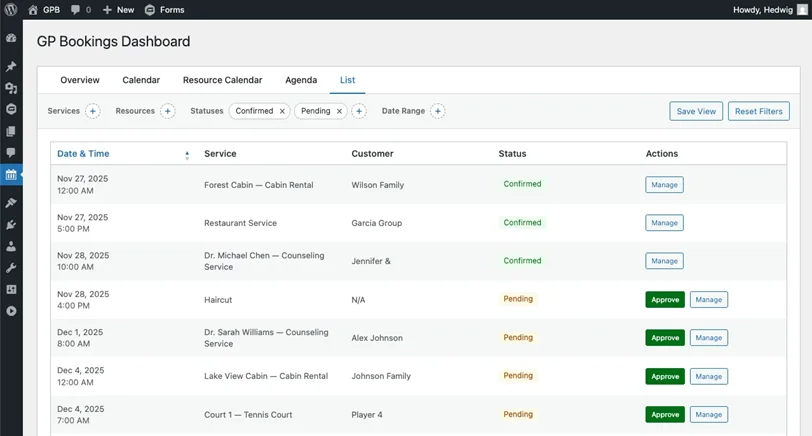
What stood out most was the flexibility. You can apply conditional logic, custom pricing rules, hidden fields and dynamic workflows in ways most standalone booking plugins don’t allow.
It doesn’t try to be an all-in-one “appointment management solution.” Instead, it gives you precise control over booking logic, which is perfect for businesses that need custom workflows rather than a rigid appointment flow.
Key Features:
- Built completely on Gravity Forms for advanced form logic.
- Real time appointment scheduling with availability controls.
- Google Calendar integration for syncing bookings.
- Multiple services and staff.
- Payment integration via Gravity Forms payment gateways.
- Manage Time Zones for employees and customers.
Pros & Cons:
| Pros | Cons |
| Extremely flexible booking logic. | Must need Gravity Forms (separate premium plugin). |
| Perfect for custom workflows and conditional pricing. | Setup depends on familiarity with Gravity Forms. |
| Leverages Gravity Forms payment ecosystem. | Not as plug-and-play as dedicated booking plugins. |
| Support multiple services and staff. |
Cost:
- No free version available.
- Starts from around $79/year (Gravity Forms license required separately which starts from $59/Year).
Our Verdict: Gravity Booking is a smart choice for businesses that already use Gravity Forms and want complete control over their booking flow. If you run a legal firm, coaching business, consulting service or any business where bookings need detailed intake forms, this WordPress booking plugin is worth it.
However, if you want a fully packaged and ready-made booking system with zero configuration, a standalone solution like BookingPress or Amelia feels easier out of the box.
13. Amelia
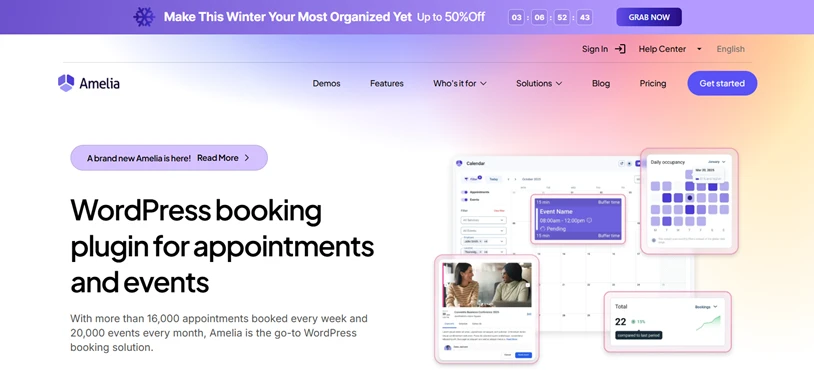
During the time of testing, Amelia immediately stood out for how smooth the experience feels for admins and for customers.
From the moment I started configuring services, staff members, and working hours, I could tell this wasn’t just another booking plugin on WordPress. Amelia feels like a purpose-built appointment system that happens to run on WordPress.
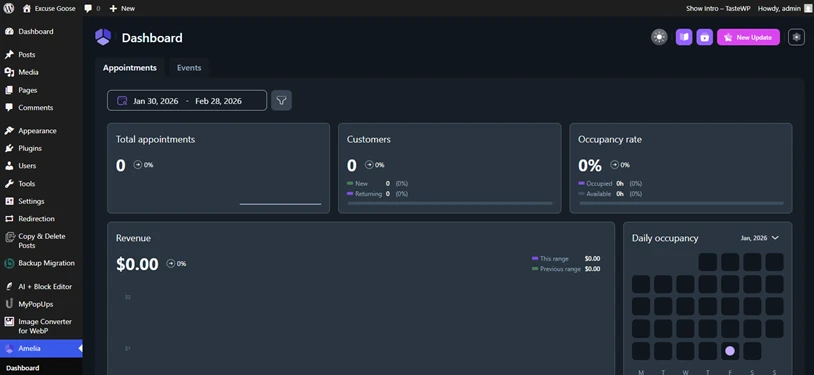
What impressed me most was how quickly I could build a professional-quality booking flow without sacrificing depth. Whether it was automated notifications, calendar sync or payment processing, everything worked as expected with minimal manual tweaking.
Key Features:
- Professional, modern design that looks great out of the box.
- Works for single appointments or multi-day events/classes.
- Customer and employee portals to manage schedules.
- Smart resource sharing.
Pros & Cons:
| Pros | Cons |
| Modern user interface. | Some advanced features require higher-tier plans. |
| Powerful automation & notifications. | It can be heavy & affect website speed. |
| Excellent calendar sync support. | Premium plans can be pricey for small budgets. |
| Strong reporting + analytics. |
Cost:
- Free version is available.
- The paid version starts from $49.
Our Verdict: Amelia feels like a professional scheduling platform wrapped in a WordPress plugin which is clean, reliable and rich in features. For businesses that want an automated and client-friendly booking system without the headache of complex setup, Amelia is our top overall recommendation.
14. Bookly
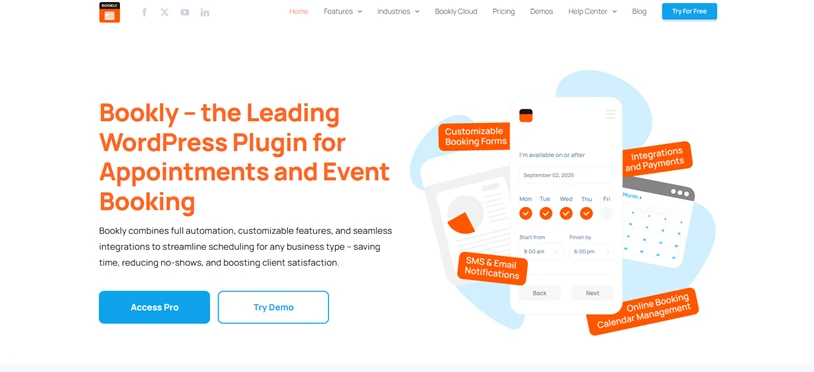
After testing Bookly, I felt it’s been around long enough to understand real-world booking problems.
The setup is straightforward, and within minutes, I had a basic working appointment flow. Where Bookly really shines is reliability. It doesn’t try to reinvent the wheel, but it handles appointments, staff schedules, and payments smoothly.
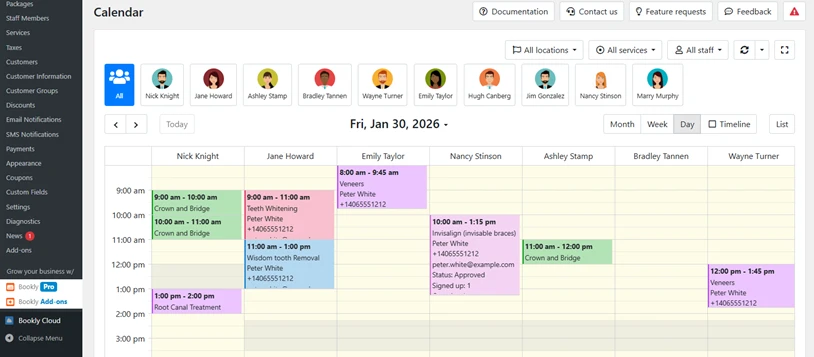
Also, Bookly follows a modular approach. Many advanced features are unlocked via paid addons that give more flexibility, which also means costs can add up depending on your needs.
During testing, this made Bookly feel best suited for businesses that want a stable core system and are comfortable expanding functionality over time.
Key Features:
- Fast, minimal booking style for higher conversions.
- 50+ premium add-ons for specific business needs.
- Support appointments & event booking
- Color-coded staff calendars for easy team management
Pros & Cons:
| Pros | Cons |
| Stable and reliable booking system. | Most advanced features require paid add-ons. |
| Easy to set up. | Total cost can increase quickly. |
| Works well for staff-based services. | UI feels slightly outdated. |
Cost:
- Free version available.
- The Pro version starts from $49.00/year.
Our Verdict: Bookly is a solid choice for businesses that value performance over flashy features. If you want a dependable booking plugin and don’t mind paying for addons as your needs grow, Bookly remains a trustworthy option for service-based WordPress sites.
Final Recommendations & Next Steps
At the end of the day, a WordPress booking plugin is a decision-making moment for your visitors.
- If your booking flow is clear, fast, and reassuring, people book.
- If it’s confusing, slow, or feels unfinished, they leave.
It’s as simple as that.
That’s why picking the right WordPress booking plugin matters more than most site owners realize.
From our hands-on testing,
- BookingPress clearly stands out for businesses that want flexibility, automation, and a booking experience that actually converts, most importantly at a reliable cost.
- If you already run a WooCommerce store, WooCommerce Bookings and PluginHive’s Bookings and Appointments for WooCommerce make sense.
- Then want a clean, modern experience with appointment & events scheduling support, Amelia won’t disappoint.
- For Gravity Forms users, Gravity Booking excels in custom form logic and precise scheduling control.
- And if simplicity is your top priority, Simply Schedule Appointments keeps things refreshingly easy.
The key takeaway?
Match the plugin to how your business actually works, not the other way around.
Frequently Asked Questions:
Why do businesses need a booking plugin instead of contact forms?
A booking plugin allows customers to select services, view real time availability and confirm appointments right away as well as pay online. On the other hand, a contact form only collects inquiries and feels only one sided rather than a full interactive experience.
What is the best free & paid booking plugin for WordPress?
The best free booking plugin for WordPress is BookingPress Lite. Even in the free version, it allows unlimited appointments, full customization and even supports PayPal (Rare in free version). For paid solutions, BookingPress Pro, Bookly & Amelia are top choices due to their advanced automation and multiple payment gateways for growing businesses.
Are free WordPress booking plugins good enough?
Free WordPress booking plugins are good enough for solo professionals, small teams or very simple and basic appointment needs. However, if you need online payments, multiple staff, locations, automation or advanced reporting, you’ll need a premium booking plugin.
What features are must have for WordPress booking plugin?
These are the must have features for a WordPress appointment booking plugin:
- Real time availability.
- Customizable booking forms.
- Automated notifications.
- Payment gateways.
- Staff and service management.
- Calendar sync.
- Easy rescheduling and cancellation options.
Do booking plugins support online payments?
Yes, most of the many popular booking plugins like BookingPress, Booking Calendar and Simply Schedule Appointments support online payment via multiple payment gateways.
Which booking plugins work best with Elementor or Gutenberg?
BookingPress, Simply Schedule Appointments, Amelia and Bookly are the best booking plugins that work smoothly with Elementor and Gutenberg.
Which booking plugin works best with WooCommerce?
WooCommerce Bookings work the best with WooCommerce. It allows you to sell bookable products and services directly inside WooCommerce, using the same cart, checkout, taxes, and payment system.

Share this post


