


Most Elementor sites start the same way.
Install Elementor, build a few pages, then realize one important feature is missing. Maybe the post grid is too limited. Maybe the menu builder feels restrictive. Maybe the animations you want require custom code.
So most WordPress users install an addon plugin…then another…then another. Yet never getting the actual plugins that truly fits in.
The right addon can genuinely expand what Elementor can do. But the wrong one? It just adds bloat.
That’s why, we have tested and compared the 5 best Elementor addons that are genuinely useful in 2026.
TL;DR: Animation Addons is one of the best Elementor Addons with GSAP-powered motion effects, while Essential Addons, ElementsKit, Premium Addons, and Happy Addons each focus on different features depending on your website needs.
Best Elementor Addons For WordPress In 2026
Don’t have time to scroll? Below is the head-on-head comparison of the best Elementor Addons for WordPress websites:
| Elementor Addon | Best For | Key Features | Starting Price |
| Animation Addons | Advanced animations & interactive websites | GSAP animations, ScrollTrigger, stacked cards, horizontal scrolling, animated templates | Free / $24.50 per year |
| Essential Addons | All-in-one widget collection | Post grids, WooCommerce widgets, galleries, form styling, data tables | $3.99 per month |
| ElementsKit | Mega menus & custom headers | Header/footer builder, mega menus, sticky navigation, WooCommerce integration | $44.10 per year |
| Premium Addons | Interactive design elements | Lottie animations, image hotspots, SVG effects, display conditions | $44 per year |
| Happy Addons | Faster workflow & reusable designs | Cross-domain copy-paste, live copy, presets, WooCommerce templates | $39 per year |
Here’s a detailed review of all the top Elementor addon plugins in 2026:
1. Animation Addons For Elementor
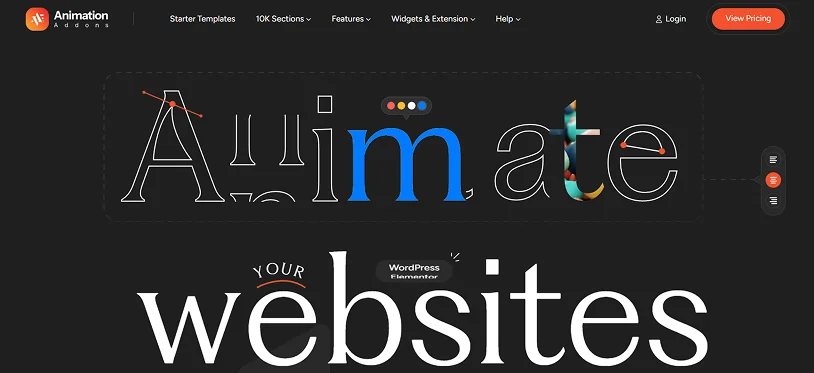
“Animation support” in most Elementor addons means entrance effects. Things slide up when the page loads. That’s it. Animation Addons for Elementor is doing something meaningfully different.
It’s built on GSAP, the GreenSock Animation Platform, which is what studios and agencies actually use when they need scroll-driven storytelling and complex motion. ScrollTrigger, Stacked Cards, Horizontal Scrolling, MorphSVG, DrawSVG, SplitText, Flip animations. All of it is accessible inside the Elementor editor without JavaScript.
The practical upside is that you can build the kind of site that previously required a developer just for the animation layer. Presets are available if you want to apply effects quickly. Chained timelines and scroll-triggered sequences are available if you want more control.
Over 100 widgets, 300+ animated templates, and a live copy feature that lets you grab designs from their demo library directly into your project. The plugin loads only the scripts a given page actually uses, which matters when GSAP is involved.
Pricing:
- Free version on WordPress.org.
- Personal starting from $24.50/year (Renews at $49/Year), or $59 lifetime.
- Professional starting from $49.5/Year (Renews at $99/Year), or $109 lifetime.
- Agency starting from $99.50/year (Renews at $199/Year),or $279 lifetime
2. Essential Addons
The most-installed Elementor add-on by a significant margin. The reason is breadth: post grids, filterable galleries, content timelines, data tables, pricing tables, WooCommerce product widgets, form styling for Contact Form 7 and WPForms and Gravity Forms, particle effects, reading progress bars. It covers a lot because it’s built to cover a lot.
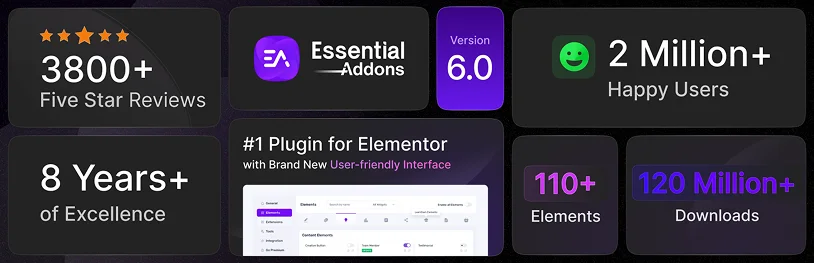
That’s also the honest limitation. Nothing is especially deep. The WooCommerce tools are adequate. The animations exist but aren’t a focus. What it does well is cover the general-purpose gaps that come up on almost any project. The liquid glass effects are a newer addition that’s useful if that aesthetic is relevant.
You can disable unused widgets from the dashboard. On a site where you’re only using a fraction of what’s available, that matters.
Pricing:
- Premium plan starting from $3.99/month for 1 site.
- Unlimited lifetime plan starting from $224.99.
3. ElementsKit
Two features separate ElementsKit from the others: the header/footer builder and the mega menu builder. If neither of those is a requirement, the plugin is a decent but unremarkable widget collection. If either of them is, it’s probably the best option on this list for that specific need.
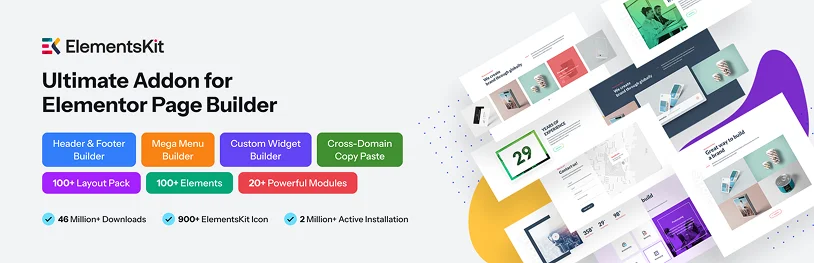
The header/footer builder supports conditional display, sticky menus, off-canvas menus, and WooCommerce cart integration without requiring Elementor Pro.
The mega menu builder puts full Elementor widget functionality inside navigation menus, which sounds minor until you’re building a large ecommerce site or a content portal where navigation actually needs to be designed.
The general widget collection covers the standard range, and cross-domain copy-paste is included for agencies managing multiple sites.
Pricing: The premium plan starts from $44.10/year for 1 site and lifetime plan starting from $199.20.
4. Premium Addons
More specialized than the broader packs. The headline feature is Lottie animation support: any widget that handles an image or icon can use a Lottie JSON file instead. Lightweight animated graphics without video or GIF overhead, which is a real performance advantage. Image hotspots with tooltip popups, SVG drawing animations, custom cursor designs, floating effects. These are the interactive details that general-purpose addons don’t typically cover.
The display conditions are worth knowing about too: show or hide any content block based on user role, date, device, or other rules. More granular than what most plugins offer. Useful for membership tiers and anything with time-based visibility.
If your project is fairly standard, it’s probably more specialized than you need. If Lottie support or interactive image overlays or detailed display conditions are requirements, it earns the price.
Pricing: The premium plan starts from $44/year for 1 site, and the lifetime plan starts from $119 for 1 site. Both include updates and support.
5. Happy Addons
Happy Addons and Essential Addons cover enough of the same ground that choosing between them is genuinely a matter of preference or workflow. Both are wide general-purpose widget sets. The widget quality is comparable. Templates exist in both.
Where Happy Addons stands out is in how quickly you can move designs around. The cross-domain copy-paste is fast and reliable. The live copy from their demo library works well. For agencies or freelancers who spend meaningful time copying sections between projects, the workflow is noticeably smoother here than with alternatives.
Per-widget presets are another time-saver: pick a preset and tweak it rather than styling from scratch. 110+ widgets total, including image comparison sliders, flip boxes, SVG image masking, and floating effects. Theme building for headers, footers, and WooCommerce templates is included.
Pricing: The premium paid plan starts from $39/year for 1 site. The Lifetime plan starts from $149 for 1 site.
Let’s Wrap It Up
Elementor is powerful on its own, but most websites eventually outgrow the default widget set. That’s usually the point where elementor addons become less of an “extra” and more of a must-have plugin.
The good news is that you don’t need dozens of elementor addons installed at the same time.
Even a single well-chosen and best elementor addon plugin can improve your workflow, expand your design options and remove the need for custom code in many situations.
No matter whether your priority is animations, templates, WooCommerce features or faster site building, the right Elementor addons can make a noticeable difference in your future-proof WordPress site.
Related articles:
- 7 Membership Marketing Plans to Boost Subscription Businesses
- 9 Ways to Build a Membership Loyalty Program That Lasts
- How to Sell Micro-Memberships ($5–$9) Profitably
FAQs
What are Elementor addons?
Elementor addons are the WordPress plugins for Elementor page builder. Using these Elementor add-on plugins, you get to add new widgets, features and design templates to make your website’s design the way you want.
What are the best Elementor Addons?
Here are the best Elementor Addons for WordPress website:
- Animation Addons for Elementor.
- Essential Addons.
- ElementsKit.
- Premium Addons.
- Happy Addons.
What are modern addons for Elementor?
Modern addons for Elementor makes your WordPress site high-quality and stand out by adding advanced widgets, performance optimization and interactive design tools to your Elementor page builder.
Do I need addons for Elementor?
Yes, indeed! You do need addons for Elementor but only if you’re planning to create a high quality and dynamic WordPress website. Addons for Elementor are mostly optional, but can truly make your website shine among other competitors.
Which Elementor Addon plugin is the best?
ElementsKit is the best Elementor plugin addon for WordPress websites. It comes with a massive library of 1000+ pre-made section blocks and 40+ full page templates.

Share this post


