


WooCommerce is a great retail platform, but it was never designed for wholesale. There is no built-in way to show different prices to different customers, approve business accounts, hide prices from guests, or let a buyer request a quote. Most stores end up stacking four or five small plugins to cover these gaps.
B2BKing is a WooCommerce B2B plugin that tries to replace that whole stack. I set it up on a test store with a mixed retail and wholesale catalog and went through its main features: pricing, registration, quotes, order forms, tax handling, subaccounts and its new AI configuration. This review covers what works well, where it falls short, and who it is best suited for.
TL;DR: B2BKing is the most complete WooCommerce B2B plugin I’ve tested. It covers nearly every wholesale requirement in a single plugin, is actively maintained, and can now be configured by AI assistants like Claude through MCP. The main trade-off is a large settings panel, which takes some time to learn if you configure it by hand.
What Is B2BKing?
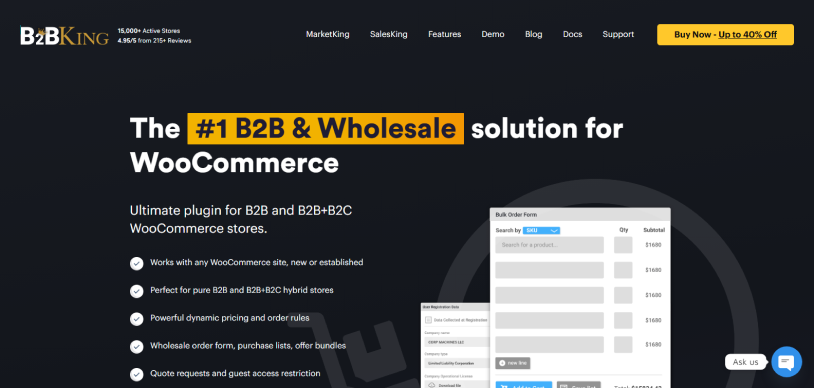
B2BKing is a WooCommerce plugin for running a wholesale store, a B2B store, or a hybrid store that serves both retail and business customers. Its official site includes detailed documentation, setup guides and a live demo.
The plugin has been on the market for almost seven years and runs on 15,000+ WooCommerce stores. Across WordPress.org, CodeCanyon, Capterra and G2, it holds an average rating of 4.95/5 stars from 216 reviews. Updates ship roughly monthly, which matters for a plugin that sits this close to pricing and checkout.
There are two versions:
- B2BKing Core (free), which covers basics like hiding prices for guests, simple group pricing and a basic registration form.
- B2BKing Premium, which unlocks the full feature set (137+ features): tiered pricing, dynamic rules, quotes, order forms, tax exemptions, VAT validation, subaccounts and more.
This review focuses on the premium version, since that is what most wholesale stores will need.
Setup Experience
Installation is standard: upload the plugin, activate it, and enter the license key. WooCommerce must already be installed and active.
On first activation, B2BKing opens the welcome page. It asks you to choose a store mode (pure B2B, or hybrid B2B + B2C) and then walks you through the core building blocks. My first hour looked roughly like this:
- Ran the onboarding and picked hybrid mode.
- Created two customer groups: “Wholesale” and “Distributor”.
- Decide what guests can see (prices visible, but no wholesale pricing).
- Set group prices and a few quantity tiers on test products.
- Enabled the quote system and the wholesale order form.
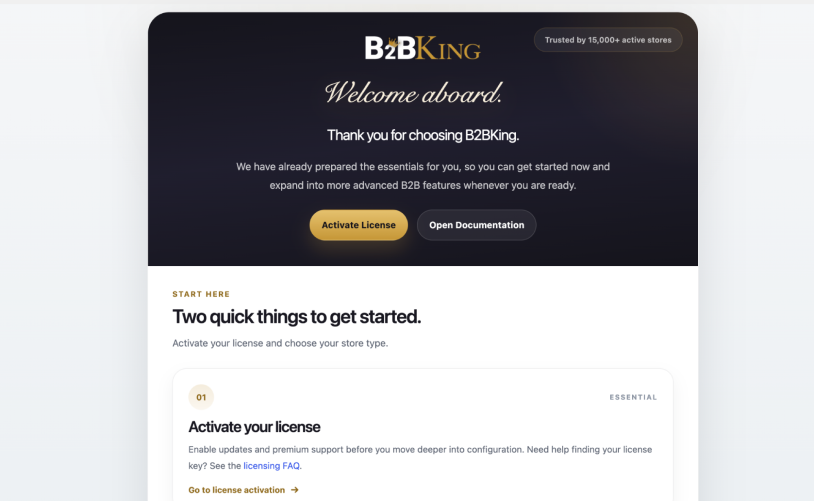
The basics are straightforward. The harder part is the sheer number of options. B2BKing has a setting for almost everything, and finding the right toggle sometimes took a few clicks. That depth is the reason it can handle complex wholesale setups, but it does mean a learning curve.
Configuring B2BKing with AI (MCP)
This is where B2BKing has made a real leap recently. It now supports the Model Context Protocol (MCP) through the official WordPress Abilities API and MCP Adapter. In practice, you can connect an AI assistant such as Claude, Codex, Cursor or VS Code to your store and configure B2BKing in plain English.
I tested it with a single prompt: switch the store to hybrid mode, replace prices with quote requests for guests, and create a “Wholesale” group with 15% off and a $300 minimum order. The assistant read my current configuration, made the changes, and summarized what it did. Everything it created showed up as normal B2BKing groups and Dynamic Rules, so I could review or edit them by hand afterwards.
Every action checks the user’s WordPress permissions, inputs are validated (no rule pointing at a non-existent group, no discount above 100%), and read-only and write actions are labeled so your AI client can ask before changing anything.
B2BKing WooCommerce Plugin: What Can It Actually Do?
Customer Groups and Wholesale Pricing
Everything in B2BKing is built around customer groups. Each group can have its own prices, discounts, visible products, payment and shipping methods, and tax rules. You can also override settings for an individual user, which is useful for key accounts with negotiated terms.
Prices can be set per product (including variations), per group. In hybrid mode, you can show business users both the retail price and their wholesale price, so they can see what they are saving. Bulk editing is supported through the WooCommerce import tool and B2BKing’s own CSV import/export, which saves a lot of time on a catalog with a few hundred SKUs.
Tiered Pricing and Dynamic Rules
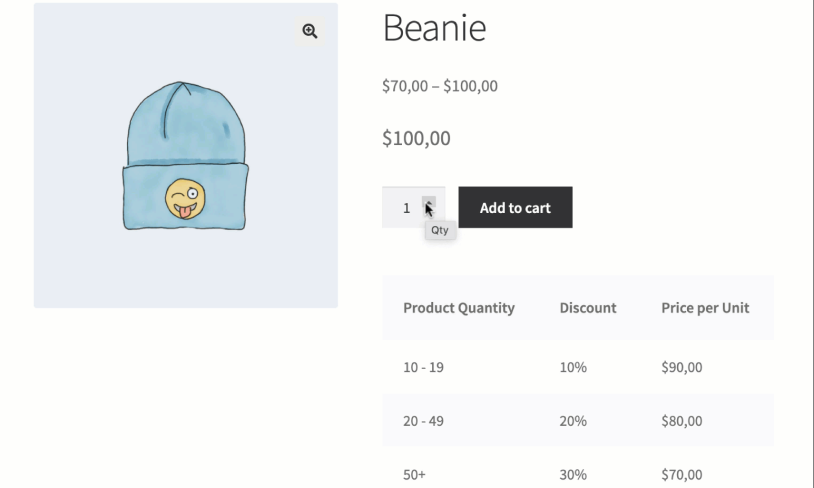
Tiered pricing lets you set price breaks by quantity, for example 10+, 50+ and 100+ units. On the frontend, buyers see a pricing table that highlights their current tier and updates as they change the quantity.
For anything more complex, there is the Dynamic Rules engine. Rules can apply discounts, fixed prices, minimum or maximum order values, required multiples (e.g. sold in packs of 6), free shipping thresholds, tax exemptions and more. Each rule can target specific groups, users, categories or products.
Business Registration and Approval
B2BKing replaces the default WooCommerce registration with custom forms. You can create multiple registration roles (e.g. Retailer, Distributor), each with its own fields such as company name, tax ID or a file upload for a business license. Accounts can be approved automatically or held for manual review, and approved users are moved into the right customer group.
For EU stores, the VAT number field can be validated against the VIES database in real time.
Price and Product Visibility
You can hide prices from guests, replace them with a “Login to view prices” message, or switch to a catalog mode with quote requests instead of checkout. Product visibility can also be restricted, so some products or categories are only visible to certain groups. This makes it practical to run a public retail shop and a private wholesale catalog on the same site.
Quote Requests and Offers
Buyers can request a quote from the cart, including guests if you allow it. The store owner then replies through a built-in messaging system and can send a custom offer, which can include a branded PDF. The buyer can add the offer to the cart and check out directly. This removed most of the back-and-forth email that wholesale negotiations usually involve.
Wholesale Order Form
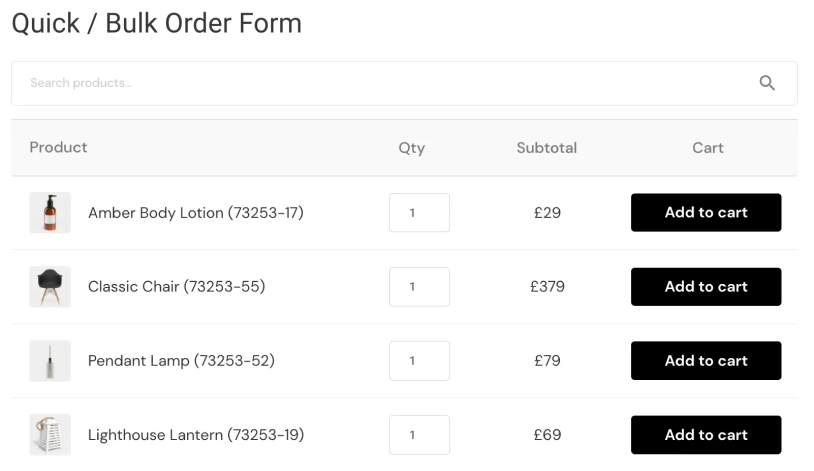
Repeat B2B buyers usually know exactly what they want. The order form gives them a single page where they can search by name or SKU, enter quantities for many products, and add everything to the cart in one step. There are several layouts, including a compact list view and a table with images. Buyers can also save purchase lists for recurring orders.
Tax Exemptions and Subaccounts
Tax can be removed for specific groups or users, or shown differently (e.g. prices excluding tax for B2B, including tax for retail). Subaccounts let one company have multiple buyers, each with their own permissions, such as browsing and building carts but needing approval before placing an order.
B2BKing Performance, Compatibility, and Support: My Findings
Performance: On my test store, page loads stayed close to normal with a realistic number of groups and rules. As with any plugin that calculates prices per user, very large catalogs with hundreds of dynamic rules benefit from good hosting and a cache that handles logged-in users correctly.
Compatibility: The plugin works with standard WooCommerce themes and the common page builders. The changelog shows regular compatibility work with popular plugins, including WPML, multivendor plugins like Dokan and WCFM, and Cloudflare Turnstile for spam protection. As with any plugin that touches pricing and checkout, testing on a staging site first is good practice.
Support: I opened one ticket about a caching plugin showing cached prices to logged-in wholesale users. The reply came within a few hours and included specific steps that fixed it, rather than a generic link. Combined with the documentation, support is one of the plugin’s stronger points.
B2BKing Plugin Pricing Review: Is It Worth the Investment?
B2BKing is sold as an annual license through the KingsPlugins shop, with lifetime options available and annual plans starting at $199/year. All plans include the full feature set; the difference is the number of sites and a few add-ons.
The Pro and Developer plans add extras like a Company Credit add-on and multivendor integrations, and Developer includes backend white-labeling. There is a 14-day money-back guarantee.
It is not the cheapest B2B plugin on paper. But because everything is included, it usually costs less than assembling the same features from separate add-ons. For long-term stores, the lifetime plans remove renewals entirely.
B2BKing vs Other WooCommerce B2B Plugins
The names that come up most often next to B2BKing are Wholesale Suite, Addify’s B2B for WooCommerce, and Barn2’s Wholesale Pro.
- Wholesale Suite has a long track record and a free base plugin, but it is modular: wholesale prices, the order form and lead capture are sold as separate add-ons. That works if you only need one or two pieces, but the cost and complexity add up when you need a full B2B setup.
- Addify B2B is an all-in-one plugin with a lower entry price. It covers the core needs, but its quote workflow, VAT handling and subaccount options are less developed.
- Barn2 Wholesale Pro is lightweight and clean, focused on wholesale roles, registration and pricing. It is a good fit for simple wholesale needs but lacks more advanced features.
- B2BKing covers the full range in one plugin. Quotes with PDF offers, VIES validation, subaccounts, a full dynamic rules engine, order forms and AI configuration through MCP all come under one license.
In short, the alternatives are reasonable for narrow or simple needs. For a store that needs a real B2B feature set, B2BKing is the strongest option available today.
What I Liked and Disliked About B2BKing
Pros
- 137+ features in one plugin, replacing several separate tools
- Flexible group, user and tiered pricing, plus a powerful dynamic rules engine
- Can be configured by AI assistants (Claude, Codex, Cursor) via MCP
- Complete quote workflow with messaging and branded PDF offers
- Built-in tax exemptions and EU VAT (VIES) validation
- Subaccounts with per-buyer permissions
- Detailed documentation and fast, helpful support
- Mature and actively maintained, running on 15,000+ stores
Cons
- Large settings panel takes time to learn manually
- Large catalogs with many rules need good hosting and caching
- Sales rep and commission management is not built in, though it is available through the companion SalesKing plugin, which integrates directly.
Who Should Use B2BKing?
It’s the right choice if you:
- Run a wholesale-only store, or a hybrid store with both retail and business customers
- Need business registration with approval and custom fields
- Have buyers who negotiate prices or regularly request quotes
- Sell in the EU and need tax exemptions and VAT validation
- Want one plugin instead of a stack of small ones
- Want to set up or manage your B2B store using AI
It may be more than you need if you:
- Only need a single wholesale price level and nothing else. Even then, starting with B2BKing’s free version leaves room to grow without switching plugins later.
Final Verdict
B2BKing does what it sets out to do: it turns WooCommerce into a capable B2B and wholesale platform without needing a collection of add-ons. Pricing, registration, quotes, order forms, tax handling and subaccounts all work together, and the plugin is well maintained.
The depth of settings used to be its main drawback. With the onboarding wizard and the new MCP integration, that is now less of an issue, since you can describe your setup to an AI assistant.
For stores with real wholesale requirements, B2BKing is one of the best WooCommerce B2B options on the market right now.
Rating: 9/10
Related articles:
- WooCommerce Memberships 101: Everything you Need to Know
- 6 Best WooCommerce Subscription Plugins for 2026
- How WooCommerce Product Layouts Increase Subscription Sales
FAQ
Does B2BKing work for hybrid B2B and B2C stores?
Yes. Hybrid mode is one of its core use cases. Retail customers see the normal store, while logged-in business users see their own prices, products and features.
Is there a free version?
Yes, B2BKing Core is free on WordPress.org. It covers basic price hiding, group pricing and registration.
Does it slow down the site?
With a normal number of rules, the impact is small. Large catalogs with many dynamic rules benefit from good hosting and a cache that handles logged-in users.
Can I get a refund?
There is a 14-day money-back guarantee on purchases from the official shop.

Share this post


